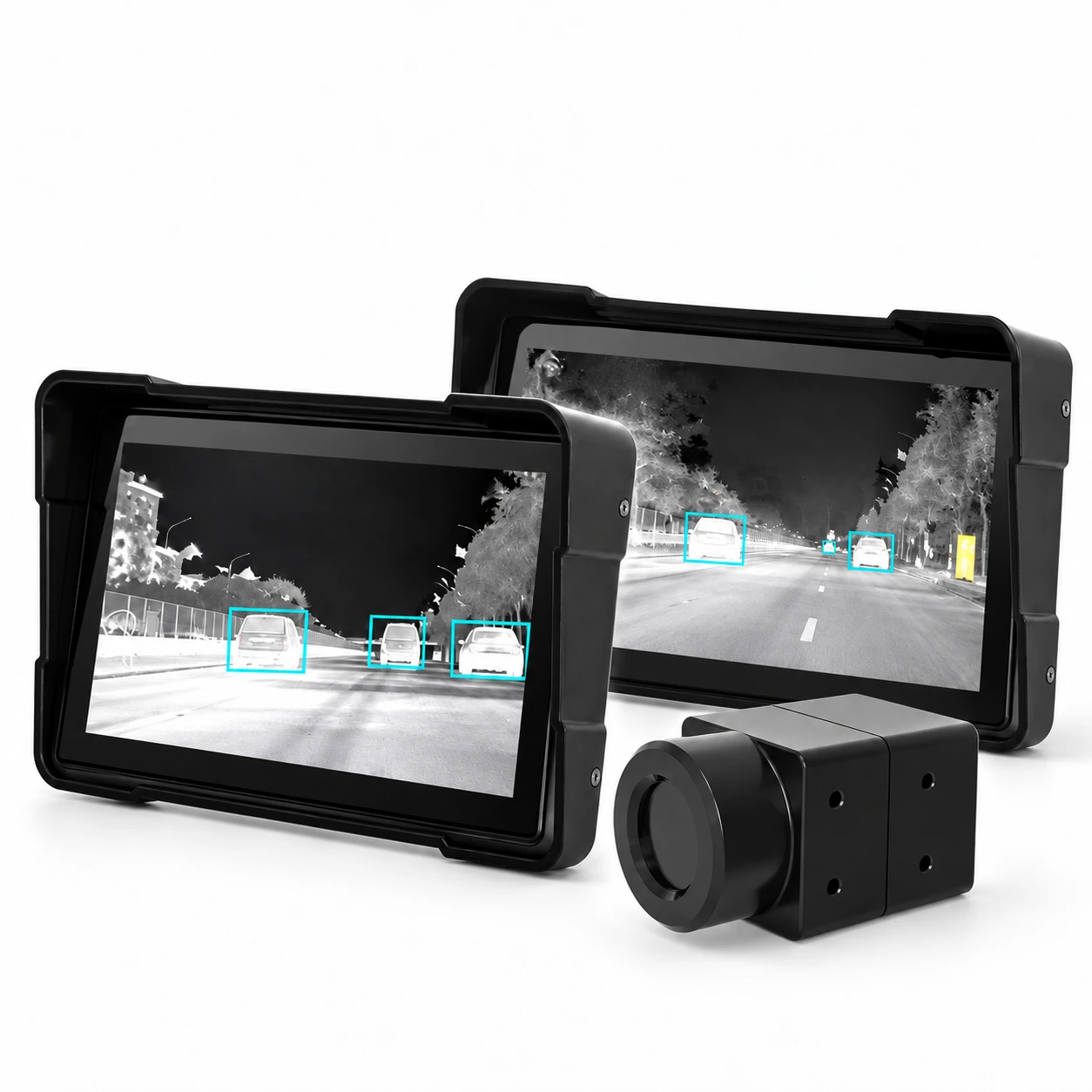
Thermal car night vision product family showing display sizes and an external camera
Product family reference. This kit uses one 5-inch display and one selected camera.
Yosiya · Automotive thermal vision

5-Inch AI Car Night Vision Kit

A 5-inch AI car night vision kit combining an external 256 × 192 thermal camera with a dedicated touchscreen. Integrated AI recognizes pedestrians, vehicles and animals, with on-screen recognition boxes and adjustable sensitivity. Configure three warning zones for the installation, and use USB recording and on-screen playback to review thermal footage.

256 × 192 thermal camera10 mm lensUSB recording & playback
Quick product snapshotAutomotive thermal vision · Reference configuration
5″IPS touchscreen
256 × 192Thermal resolution
3Warning zones
10 mmCamera lens
Thermal sensing + edge inference

AI recognition controls, warning zones and USB recording

01

Adjust three warning zones

Set warning regions and recognition sensitivity from the touchscreen.

02

Control AI recognition and audible alerts

Disable AI recognition or mute audible warnings separately.

03

USB thermal video recording and playback

Capture thermal footage to a USB drive and review it on the display.

Scene & thermal references

Thermal vehicle, pedestrian and animal recognition references

Each visible-light scene is generated from the thermal image alongside, using its subjects and layout as a guide.
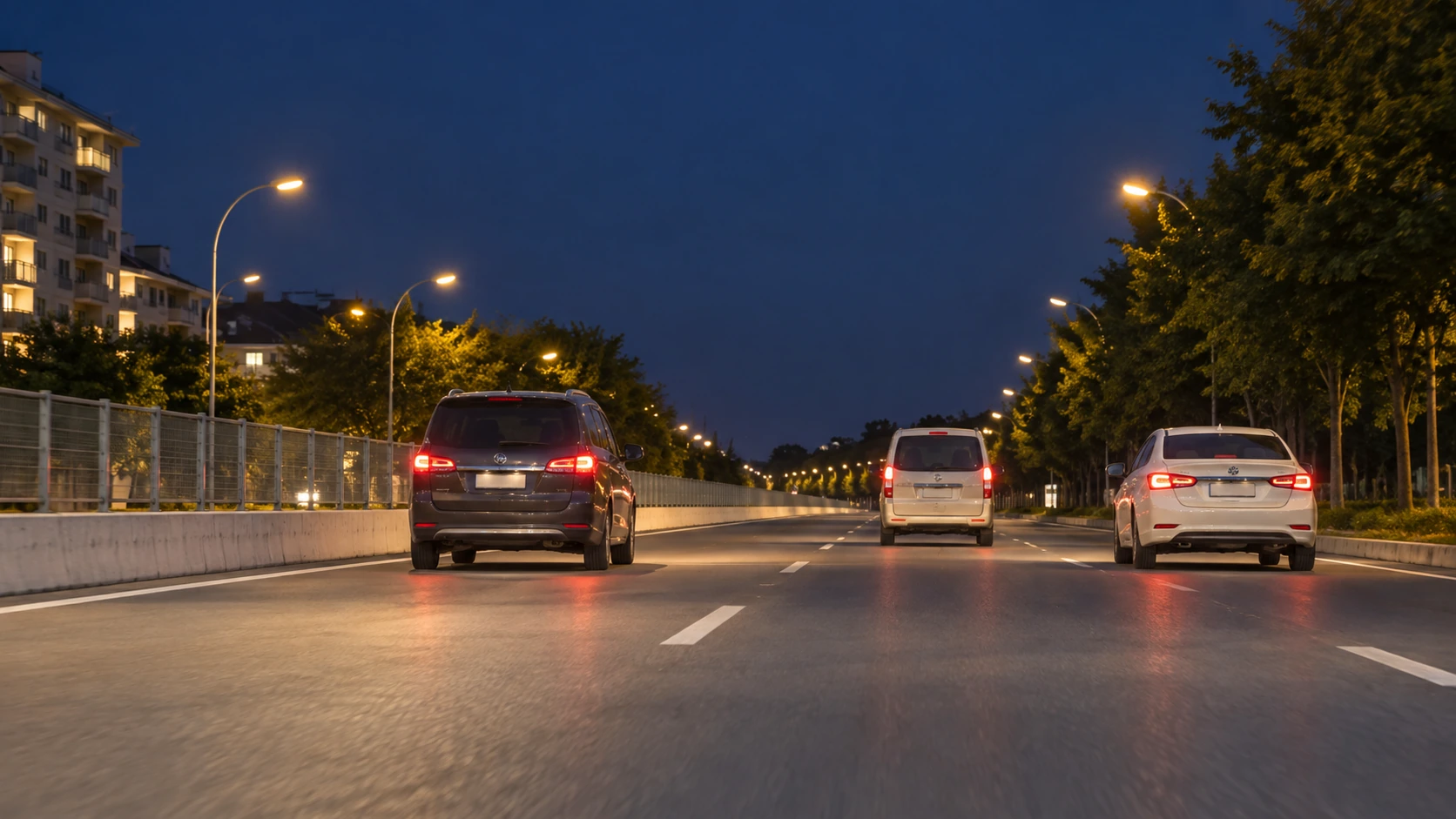
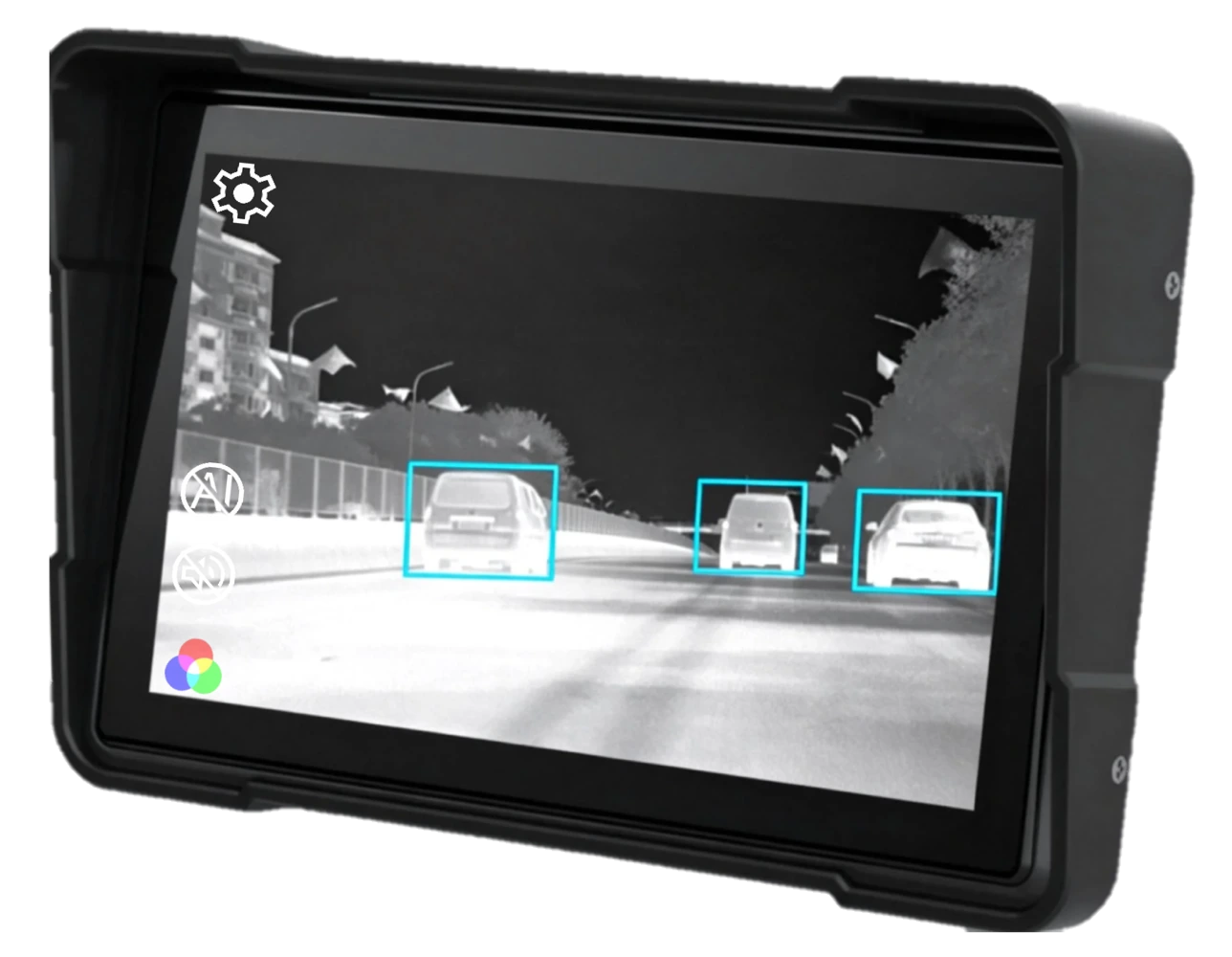
01 / Vehicle recognition / Road ahead

Three vehicles ahead in the thermal view.

Approximate visible-light reconstructionApproximate natural-color reconstruction of three vehicles driving away on an urban road
AI-generated from the thermal reference alongside. Approximate composition; colors and details are inferred.
Original thermal referenceThermal night vision display showing three vehicles on the road ahead
Manufacturer thermal-display reference from the 5-inch product page.

The reconstruction follows the three rear-facing vehicles, roadside fence, streetlights and trees visible in the thermal reference. Vehicle colors, lighting and building detail are plausible additions.
Vehicle RecognitionForward Road View
A reconstructed visual reference, not a synchronized visible-light and thermal recording.
02 / Pedestrian recognition / Adjustable warning zones

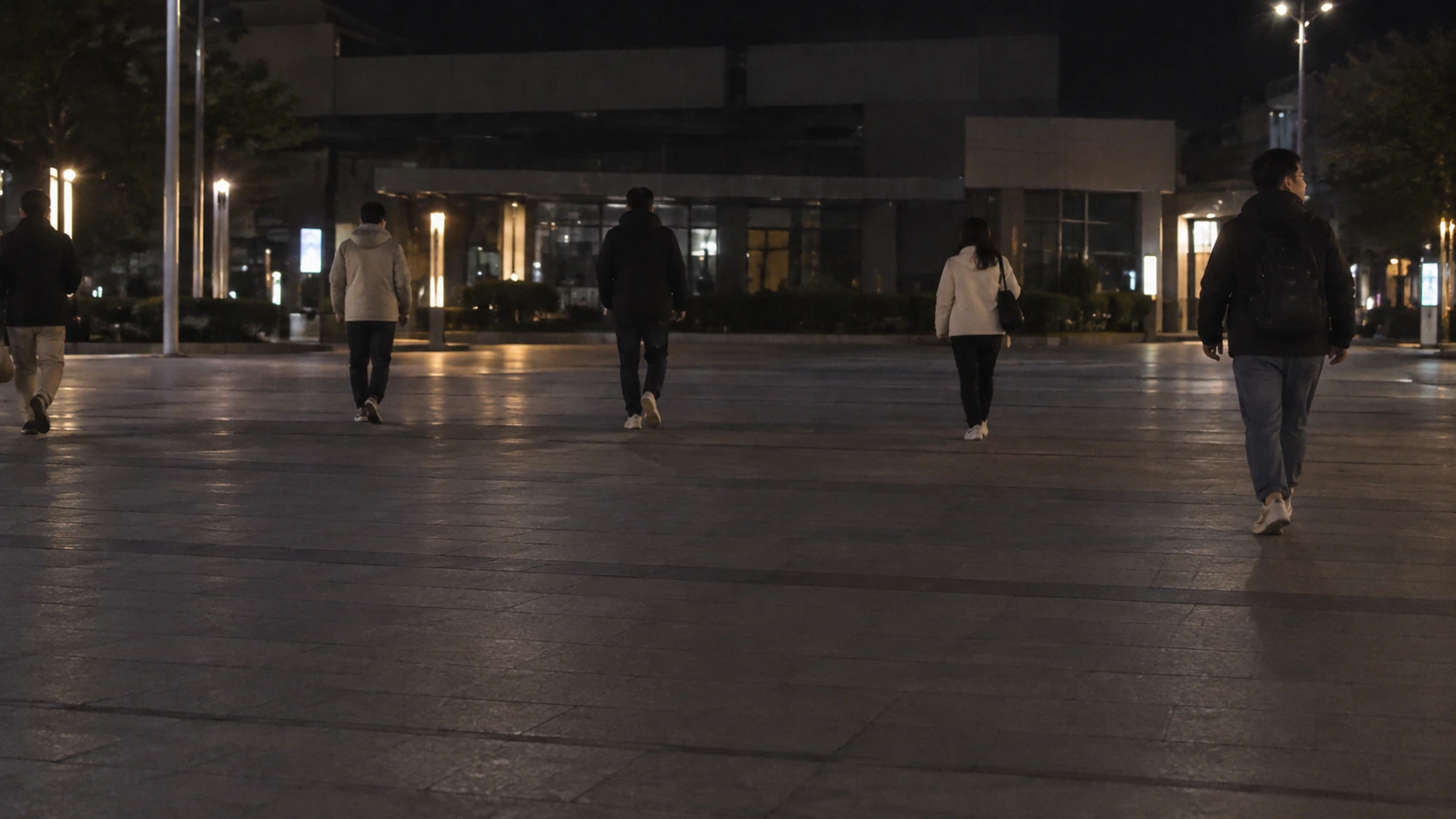
People distributed across the warning area.

Approximate visible-light reconstructionApproximate natural-color reconstruction of several pedestrians across a paved area at night
AI-generated from the thermal reference alongside. Approximate composition; colors and details are inferred.
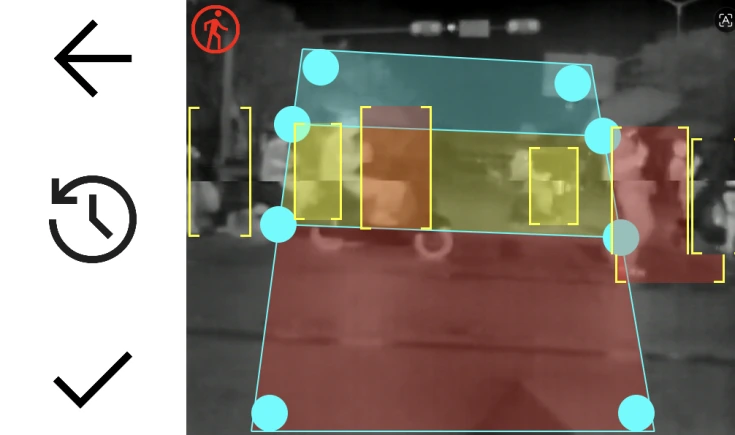
Original thermal reference5-inch night vision touchscreen showing pedestrians and three adjustable warning regions
Manufacturer warning-zone interface from the 5-inch product page.

The approximate scene places pedestrians across a paved area to reflect the positions behind the original warning-zone overlay. Clothing, background detail and lighting are inferred.
Pedestrian RecognitionConfigurable Warning Zones
The source overlay obscures parts of the scene; pedestrian count, pose and scale are approximate.
03 / Animal recognition / Tree-side scene

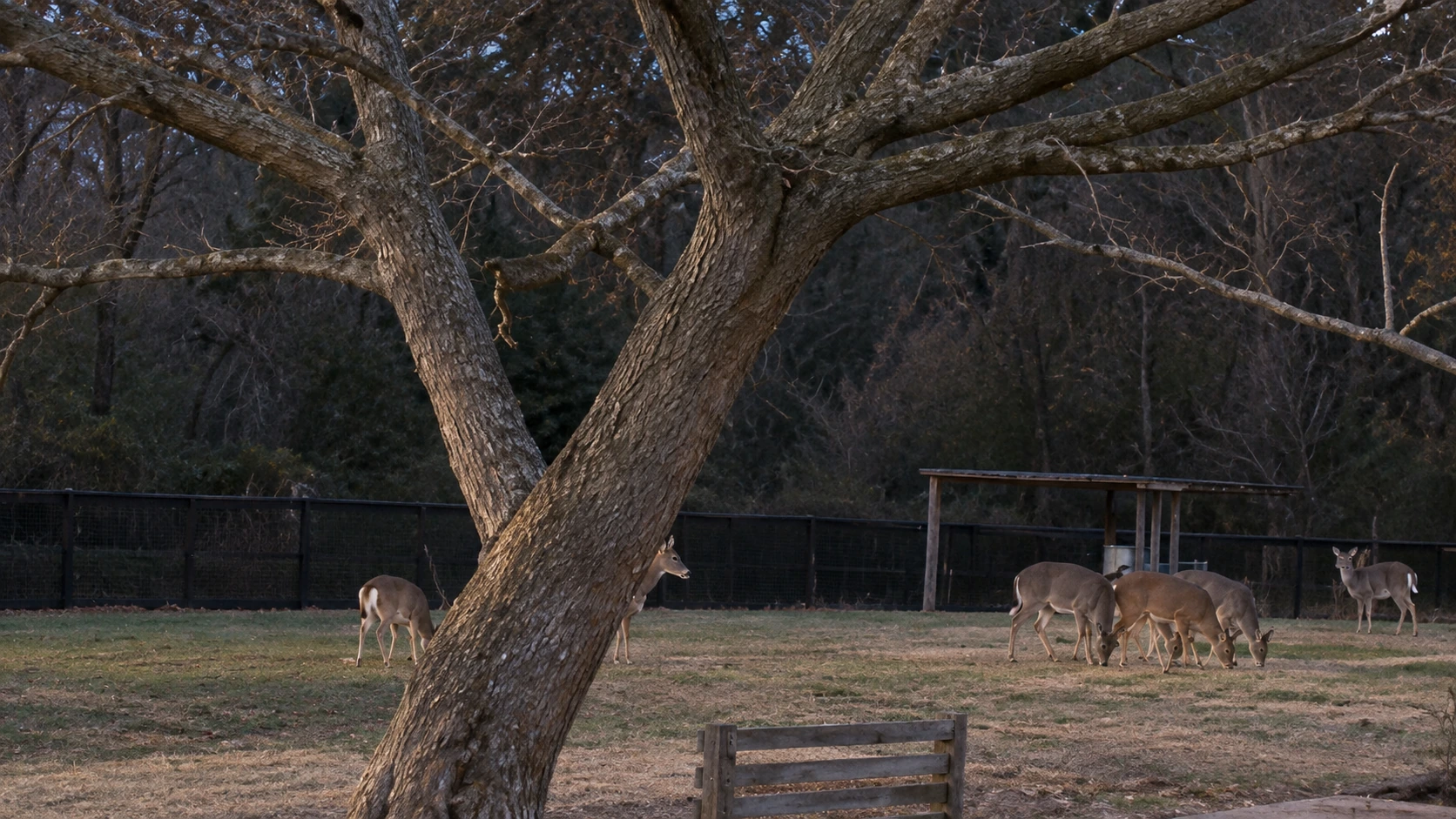
Animals grouped beside a large tree.

Approximate visible-light reconstructionApproximate visible-light reconstruction of a large branching tree and animals grouped to its right
AI-generated from the thermal reference alongside. Approximate composition; colors and details are inferred.
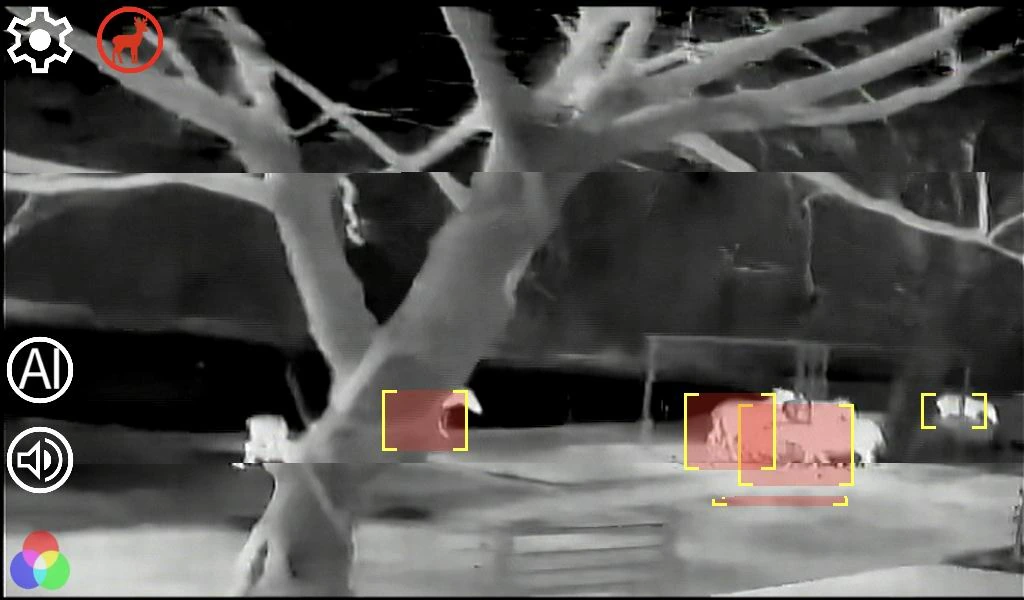
Original thermal referenceAnimal-recognition reference from the multi-configuration series; not verified output from this 5-inch kit.
Animal-recognition reference from the multi-configuration series; not verified output from this 5-inch kit.

The visible-light reconstruction follows the large foreground tree and the smaller animal targets grouped toward the right. Appearance, species details and surface colors are inferred.

Animal RecognitionMultiple Targets
Recognition range depends on target size and configuration. This reconstruction is not evidence of measured detection performance.

The left images are AI reconstructions, not original visible-light photographs or synchronized camera captures. Similar composition helps explain the thermal references; it does not establish exact scene details, recognition accuracy or detection range. The system assists observation and warning; the driver controls the vehicle.

On-device vision

How the thermal camera and integrated AI recognition work

01 · SENSE

External thermal camera

Captures infrared contrast without visible illumination.

02 · RECOGNIZE

Integrated AI processing

Analyzes thermal imagery to recognize pedestrians, vehicles and animals.

03 · ALERT

Driver-facing warning

Displays recognition boxes and provides alerts according to warning settings.

Recognition can be affected by weather, thermal contrast, installation and target size. This system does not steer or brake.

Warning & touchscreen controls

Three adjustable warning zones and AI sensitivity controls

5-inch night vision touchscreen showing pedestrians and three adjustable warning regions
Warning-zone interface from the source manual; supplied firmware may differ.
Touchscreen configuration

Adjust the warning area to the installation.

Drag the on-screen control points to shape the three warning regions, then save the settings. Select the alert scope and adjust recognition sensitivity from the settings menu.

Higher sensitivity may increase false detections. Check the settings after camera alignment.

Function Details
Alert scope Near / Medium / Far / Off settings are described in the manual.
Sensitivity Adjust pedestrian, vehicle and animal detection sensitivity.
AI off Disable recognition boxes and AI alerts while retaining the thermal viewing function.
Mute Mute audible alerts while recognition boxes remain visible.
Display controls Adjust brightness, thermal contrast and warning volume.
Recordings USB drive recording and on-screen playback; confirm supported drive capacity and format.
Display & language

Thermal display palettes and interface languages

Seven palette options

  • White Hot
  • Black Hot
  • Ironbow
  • Hot
  • Rainbow
  • Lava
  • Red Hot

International interface

Language options listed in the manual include Chinese (Simplified / Traditional), English, French, Russian, Korean, Arabic, Spanish, German, Japanese and Portuguese.

Branding options

Startup video, interface logo and alert voice customization can be discussed for the ordered version.

Installation details

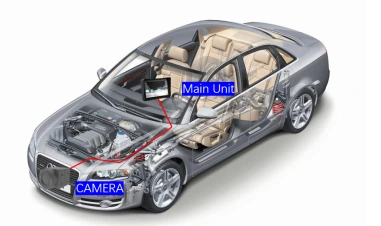
Install the external thermal camera and in-cabin display

Car night vision installation concept with an external front camera wired to an in-cabin display
Manufacturer installation concept; not a vehicle-specific wiring diagram.
Installation concept

External camera. In-cabin display.

  1. Mount outside the windshieldPosition the thermal camera near the front grille with an unobstructed view.
  2. Route the extension cableKeep the cable away from heat and moving parts. Protect camera and cable connectors.
  3. Connect the supplied stabilizerHave an installer verify the vehicle power connection and accessory wiring.
  4. Align and configureAlign the camera view, then set warning regions and sensitivity.

External camera

40 × 30 × 26 mm; 60 g. The manual lists IP67 protection and automatic defrost heating.

Package reference

Display with algorithm module, camera, 5 m extension cable, power accessory and mounting brackets. Confirm the final bundle.

3.3 V alert signal

Signal output only. Use a compatible interface circuit rather than connecting directly to a horn or another load.

Dedicated configuration

256 × 192 thermal camera with a 5-inch touchscreen

Thermal camera + touchscreen

A 10 mm lens provides an 18° × 13° field of view. The external camera includes automatic defrost heating.

The 1024 × 600 screen resolution is separate from the 256 × 192 thermal detector resolution.

  • 5-inch dedicated display with integrated processing
  • External 256 × 192 thermal camera
  • Seven palettes and adjustable display controls
  • USB recording and playback
Technical details

5-Inch AI Car Night Vision Kit Specifications

Parameter Specification
Thermal camera 12 μm VOx · 256 × 192
Lens / field of view 10 mm / 18° × 13°
Thermal camera frame rate ≤25 Hz
Image correction Automatic shutter correction
Display 5-inch IPS touchscreen · 1024 × 600
Processing Linux · AI SoC; chip model and compute not disclosed
Recognition Pedestrian / vehicle / animal
Recording USB drive recording and on-screen playback
Camera protection / heating IP67 / automatic defrost heating
Power ≤5 W; ≤7 W when heating, per manual
Power accessory 9–32 V input / 12 V output stabilizer
Operating temperature −30°C to +70°C
Main unit size 142 × 38 × 97 mm
Camera size / weight 40 × 30 × 26 mm / 60 g

Initial configuration reference. Confirm delivered hardware, firmware, electrical interfaces and accessories when ordering.

Installation & branding

Car night vision installation and branding options

Installation planning

Mount the camera externally, route the cable to the cabin and position the display clear of the road view and airbags. Check vehicle fitment and power requirements with a professional installer.

Branding options

Discuss startup video, interface logo and alert-voice customization. Share your vehicle type, destination market, quantity and configuration requirements.

Frequently asked questions

5-Inch AI Car Night Vision Kit FAQ

Check vehicle fitment, warning controls, recording and branding options.

What is included in the 5-inch AI car night vision kit?

A 256 × 192 thermal camera with a 10 mm lens and a 5-inch touchscreen with recognition processing. Confirm power accessories, brackets and cables for the order.

Does the camera work without headlights?

Thermal imaging does not need visible illumination. Continue using vehicle lights appropriately; thermal contrast, weather and installation affect recognition.

Can I install the camera behind the windshield?

No. A conventional windshield blocks the infrared radiation used by this camera. Use an external position with a clear view, typically near the front grille.

Does AI recognize pedestrians, vehicles and animals?

Yes. AI recognition supports pedestrians, vehicles and animals in thermal imagery. The manual references pedestrians at about 80–100 m at 23 ± 5°C and animals up to 60 m when taller than 1.7 m. These are conditional references, not guaranteed recognition distances.

How are the three warning regions configured?

Drag the touchscreen control points and save the regions. Adjust recognition sensitivity and alert scope after aligning the camera to the installed position. Confirm vehicle-specific audible alert behavior for the supplied firmware.

Can I disable AI recognition or just mute the warning?

Yes. AI-off removes recognition boxes and AI alerts while retaining thermal viewing. Mute suppresses audible warnings while recognition boxes remain visible.

Does the kit support USB thermal video recording and playback?

Yes. USB drive recording and on-screen playback are supported. Confirm drive capacity, format and recording settings for the supplied firmware.

Is it compatible with every vehicle?

Fitment depends on grille space, display placement, cable routing and electrical requirements. Have an installer assess the vehicle and supplied power stabilizer.

Does the camera have weather protection and defrost heating?

The manual lists an IP67 camera with automatic defrost heating. Protect cable connections and keep the optical window clean.

Does the system brake or steer automatically?

No. It assists viewing and warnings; it does not steer or brake. The driver remains responsible for observing traffic and controlling the vehicle.

How do thermal camera resolution and screen resolution differ?

The thermal detector captures 256 × 192 pixels, while the touchscreen displays at 1024 × 600. Screen resolution does not increase the detail captured by the thermal detector.

Can distributors request their own branding?

Startup video, interface logo and alert voice customization can be discussed. Share your market and quantity to confirm scope, minimum order and lead time.

Start a project

Tell us what your vehicle project needs.

Share your target vehicle, market, order quantity and branding needs to discuss configuration and availability.

Explore Yosiya AI hardware products and solutions →

Contact Yosiya ↗