AI educational toy solutions for brands
K1 AI Printer for Kids
Yosiya provides the K1 AI printer solution for educational toy and learning-product brands. Combining voice interaction, screen preview and inkless printing, K1 supports Chinese character learning, illustrated English vocabulary and arithmetic practice. Discuss private-label branding, packaging and project-specific customization.
01 / Market opportunity
An AI Educational Toy for Learning and Creative Play
For brands exploring AI educational toys, K1 combines voice interaction with printable learning and creative activities. Evaluate a compact product for home practice, parent–child learning and supplementary small-group activities.
New AI hardware SKU
Evaluate a compact learning printer SKU with three clear use cases: Chinese characters, English vocabulary and arithmetic practice.
Simple device architecture
Review learning print formats, screen preview, 2.4GHz Wi-Fi setup, AI service usage and hardware integration for your project.
Brand and consumable options
Evaluate logo, packaging, dialogue direction, and standard or adhesive thermal paper according to the target channel.
02 / Solution architecture
How the K1 AI Printer Works
Ask for learning content, check the screen preview and confirm printing by voice. The example below shows Chinese-character learning with pinyin. AI services require a network connection.
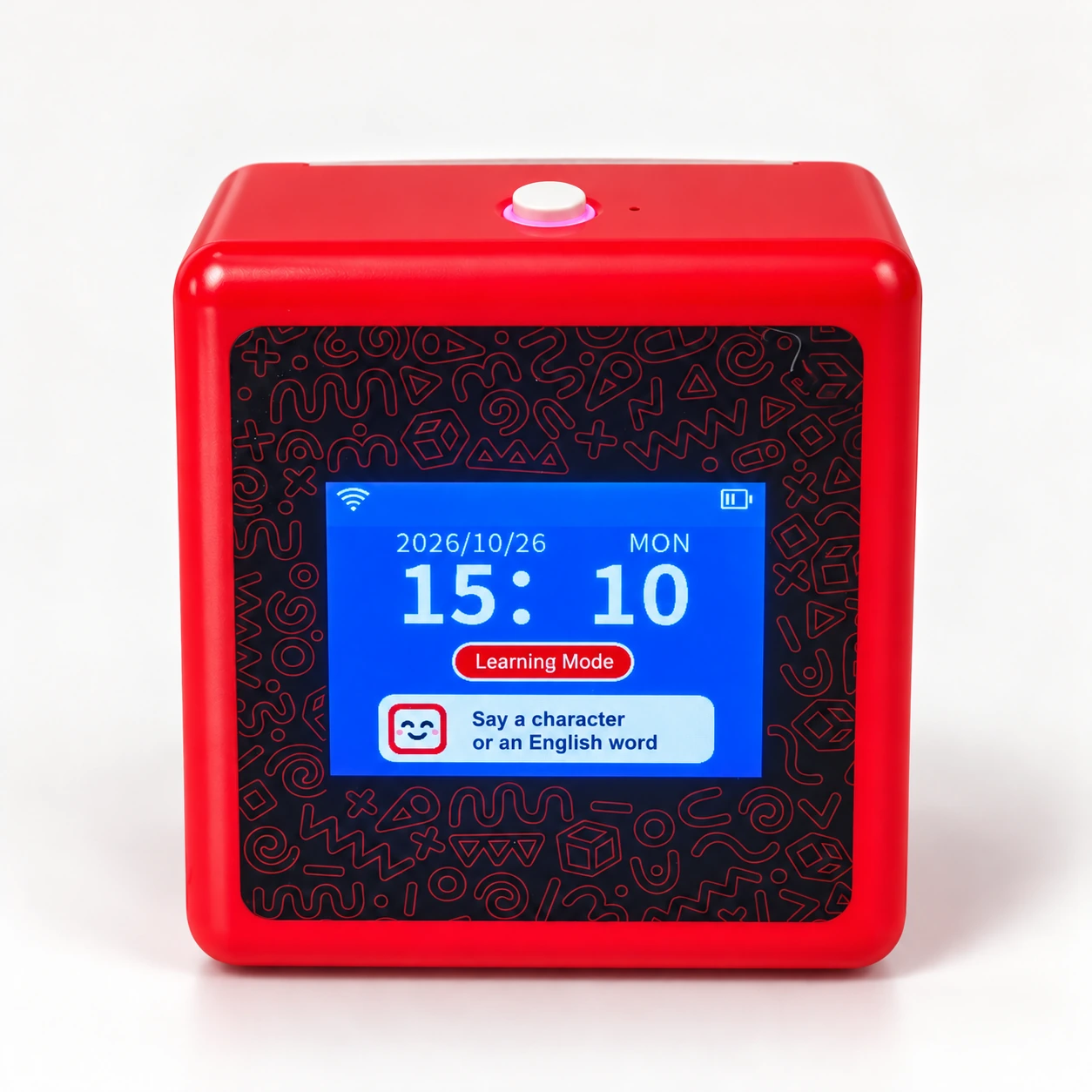
Say what to print
Wake K1 and ask it to print a Chinese character, such as “汉”.
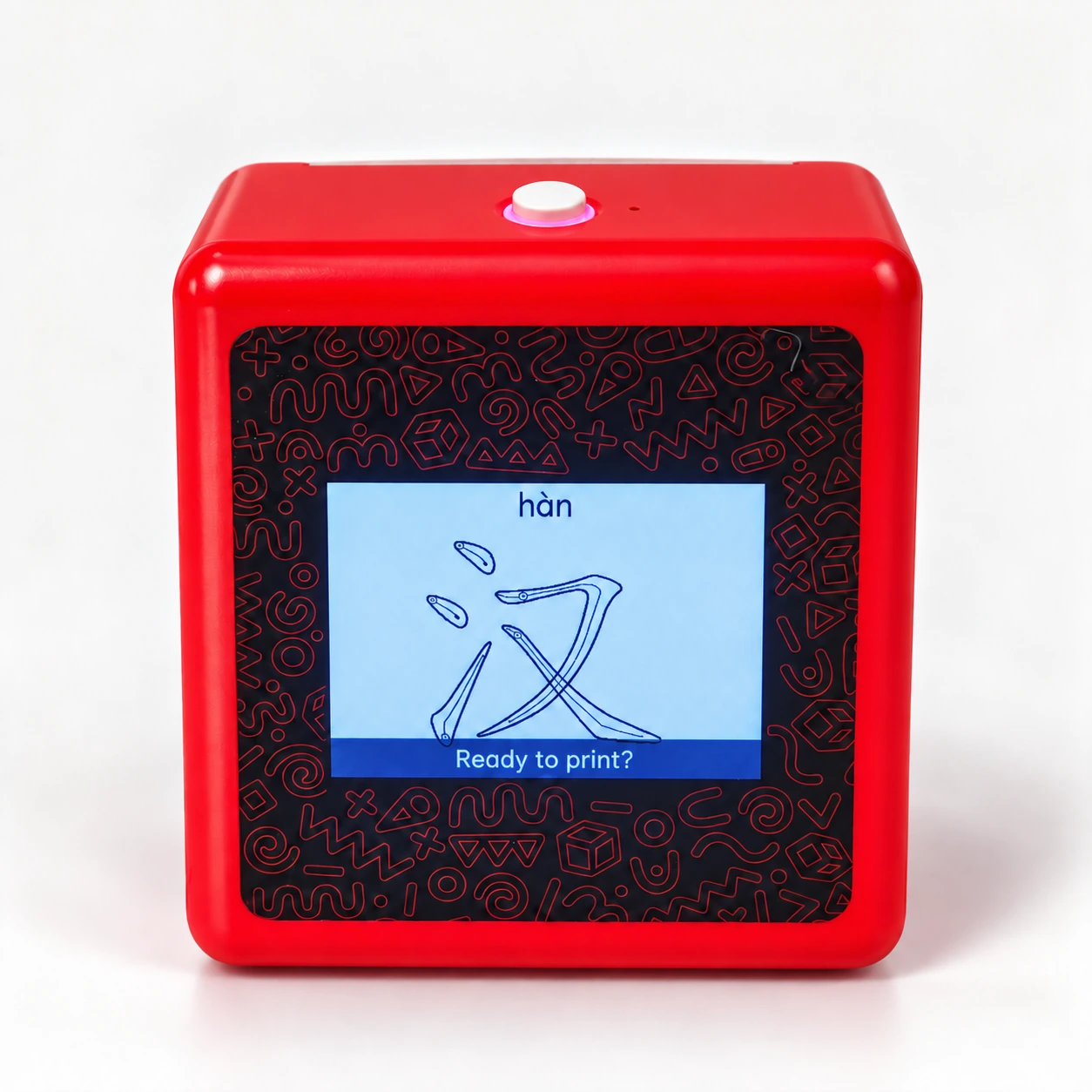
Review the preview
Check the character and pinyin on the screen before confirming the print.
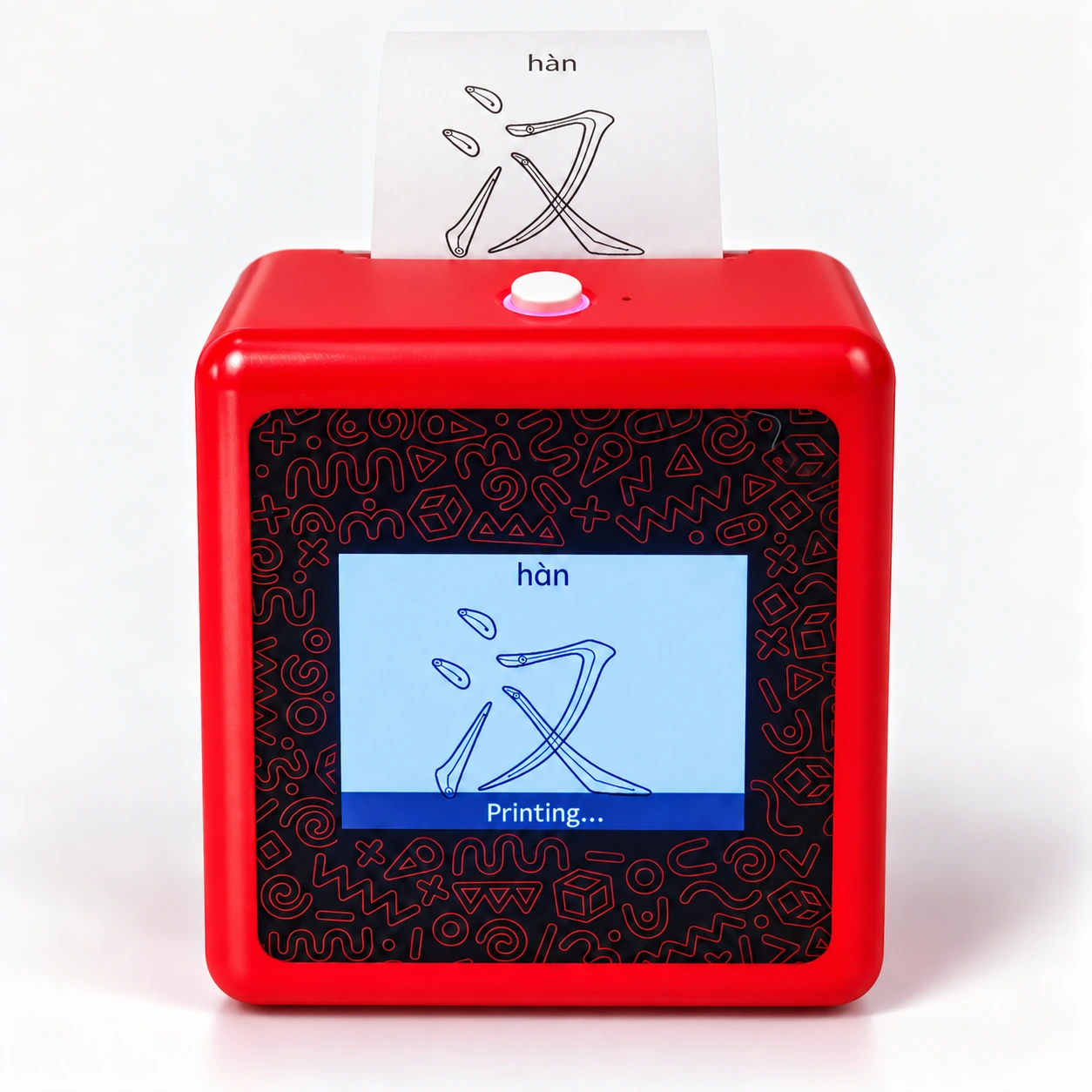
Bring it to paper
Confirm by voice. The matching learning content is printed on thermal paper.
Product illustrations based on the actual K1 device. Screen and print appearance may vary.
03 / Learning & practice
Chinese, English and math — ready to print
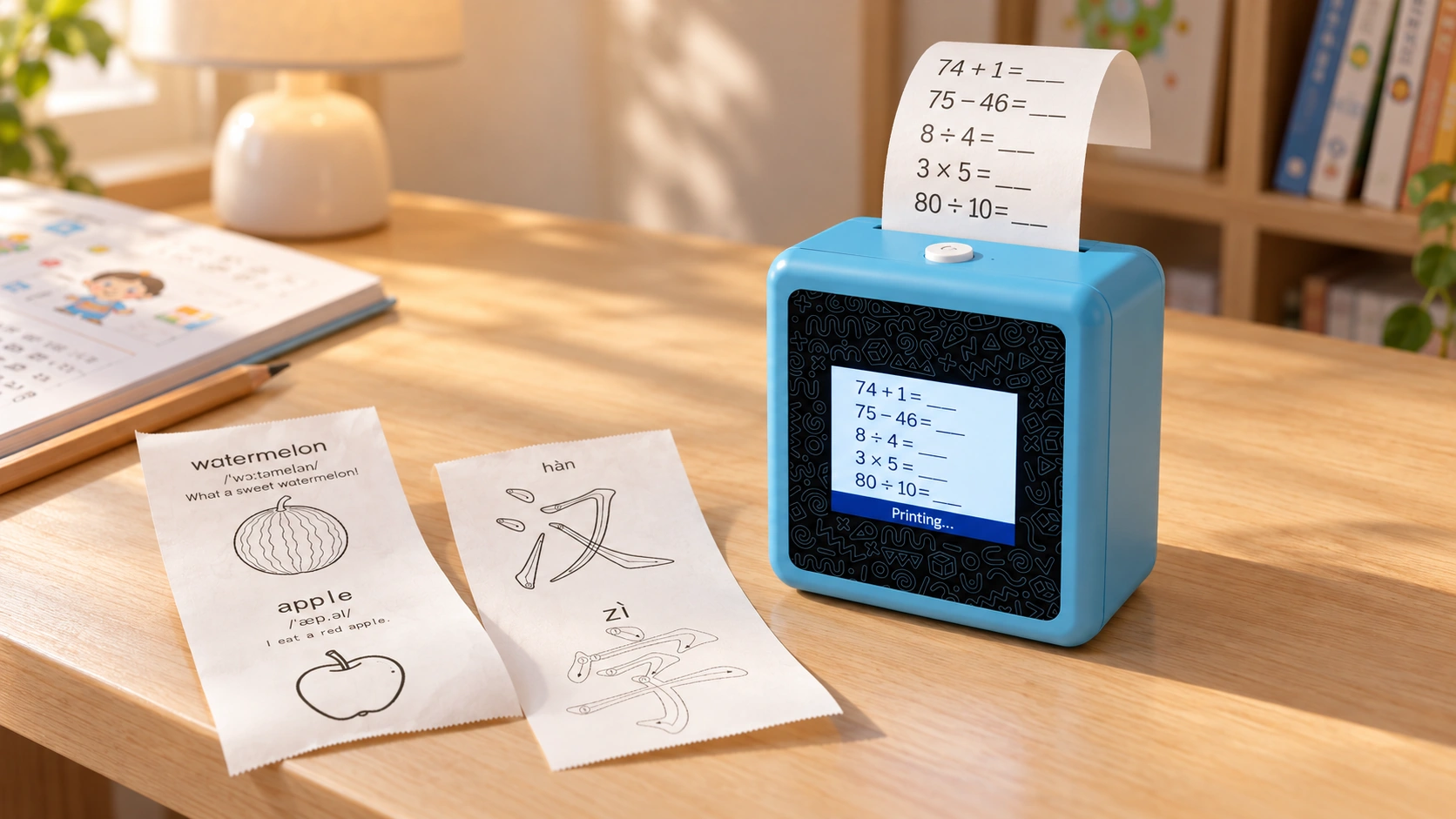
Turn learning requests into paper-based activities: follow Chinese stroke-order guides, learn English through pictures and sentences, or work through printed arithmetic exercises.
Characters & stroke order
Print Chinese characters with pinyin, numbered strokes and direction arrows to support character recognition and writing practice.
Words, pictures & sentences
Print an English word with a pronunciation guide, a matching line drawing and one example sentence. Learn vocabulary with visual context.
Four operations on paper
Print addition, subtraction, multiplication and division exercises with blank answer spaces for paper-based practice.
Two rolls included
Each K1 unit includes two rolls of standard 57mm thermal paper. A roll prints approximately 40 images; output varies with content and coverage.
Standard or adhesive paper
Standard thermal paper suits learning sheets and practice activities. Optional adhesive paper and additional rolls can be requested separately.
Dialogue, stories & creativity
AI dialogue, story chain, six art styles and an AI alarm clock complement K1’s learning-print functions.
04 / Application scenarios
Everyday learning scenarios
Bring a short practice session, a shared language activity or a small-group lesson to paper with K1.
At-home math practice
After school or at a convenient time, a parent can print a short set of addition, subtraction, multiplication and division exercises. Children work through the questions on paper, with space to write their answers.
Parent–child language learning
Choose an English word together, then use the printed picture and example sentence to explore its meaning. For Chinese learning, follow printed pinyin and stroke-order guides to recognize and practice characters.
Small-group learning support
Teachers and tutors can print a few vocabulary examples, Chinese character guides or arithmetic questions around the day’s topic. Use the small-format sheets as supplementary materials for individual or small-group practice.
Voice-set alarms: Set an alarm by voice for wake-up time or a study session.
05 / K1 hardware
K1 AI Printer Hardware Overview
K1 combines a display, microphone, speaker and thermal print system for voice-led learning and creative output. AI dialogue, six art styles, story chain and an AI alarm clock add more ways to interact.
AI voice dialogue
Start an AI conversation using the wake phrase or the top button in standby. Confirm the required voice languages for your market.
Standard or adhesive paper
K1 can be supplied with standard thermal paper or optional adhesive thermal paper.
57mm thermal printing
Inkless 57mm thermal print output. One standard roll prints approximately 40 images, depending on coverage.
2.4GHz Wi-Fi, no app required
Connect a phone to the device hotspot and use a browser to configure home Wi-Fi. AI services require an internet connection.
06 / Hardware specifications
K1 hardware specifications
Core dimensions, battery and charging data follow the current K1 configuration. Confirm packaging, consumables and order-specific details during sample evaluation.
07 / OEM and ODM configuration
OEM/ODM AI Educational Toy Solutions
Build your project around the standard K1 device, then define branding, market and software requirements with Yosiya. Separate standard features, optional configuration and additional development in the project scope.
Product & hardware configuration
Evaluate the standard K1 hardware, 57mm thermal printing, display, voice controls and Wi-Fi setup through sample testing. Additional hardware changes require a separate feasibility and cost review.
Branding & market adaptation
Discuss logo application, available colors, packaging, manuals and accessory bundles for your brand. Confirm the applicable product version and documentation required for the destination market.
AI & software requirements
Review voice and interface languages, dialogue configuration, learning content and AI service arrangements. Confirm what is available in the standard version and what needs separate development before quotation.
08 / Evaluation path
From Sample Evaluation to Your Branded Product
09 / OEM/ODM FAQ
K1 Product & OEM/ODM Questions
Review product fit, customization scope, connectivity, service costs and supply requirements before starting your project.
What is the K1 AI printer for kids?
K1 is a compact voice-interactive thermal printer for learning and creative activities. Users can request content, preview it on the screen and confirm printing by voice. It combines learning printouts with AI dialogue, creative drawing styles, story interaction and voice-set alarms.
How can K1 fit an AI educational toy product range?
K1 connects voice interaction with physical learning materials. Brands can position it for at-home arithmetic practice, parent–child language learning or supplementary small-group activities. Review the intended age range and positioning for your target market during sample evaluation.
What does Yosiya provide for OEM/ODM projects?
Yosiya provides the K1 product solution and supports sample evaluation, branding and project-requirement discussions. Logo, packaging, available colors and accessories can be reviewed for private-label supply. Hardware changes, language requirements and additional software functions are assessed separately for feasibility, cost and delivery.
Can we customize K1 with our branding and languages?
Logo application, packaging, manuals and available color options can be discussed for your brand. Interface languages, voice-interaction languages and printable content languages are separate requirements: confirm and test each for the selected version. Features outside the standard configuration require a separate development review.
What learning content can K1 print?
Chinese learning printouts include characters, pinyin and stroke-order guides. English learning printouts combine a word, pronunciation guide, matching picture and example sentence. Arithmetic mode prints addition, subtraction, multiplication and division exercises with blank answer spaces. Confirm the required content and output format during sample testing.
Does K1 require Wi-Fi, an app or ongoing AI service fees?
No mobile app is required. Initial setup uses a phone browser to connect K1 to a 2.4GHz Wi-Fi network. AI dialogue and content generation require a network connection and consume account tokens. Additional service is needed when the balance is insufficient; confirm included tokens, pricing and account arrangements for your project.
How do samples, MOQ and production lead time work?
Contact Yosiya with your target market, expected quantity and customization requirements to discuss a sample. Standard private-label MOQ starts from 1,000 units; sample and pilot quantities can be discussed case by case. Sample cost, availability and production lead time are confirmed according to configuration, customization scope and order quantity.
What consumables, compliance documents and after-sales support are available?
K1 uses 57mm thermal paper, with standard paper and optional adhesive paper. The standard package includes two standard rolls; additional consumables can be requested separately. Confirm compatible roll specifications and replenishment requirements. Ask Yosiya for applicable compliance documents for the exact version and destination market, and agree warranty, troubleshooting and replacement arrangements in the quotation.
Start evaluation
Discuss Your K1 AI Printer Project
Tell Yosiya your target market, estimated quantity and customization requirements. Start with a K1 sample to review the product, learning printouts and fit for your brand.
