
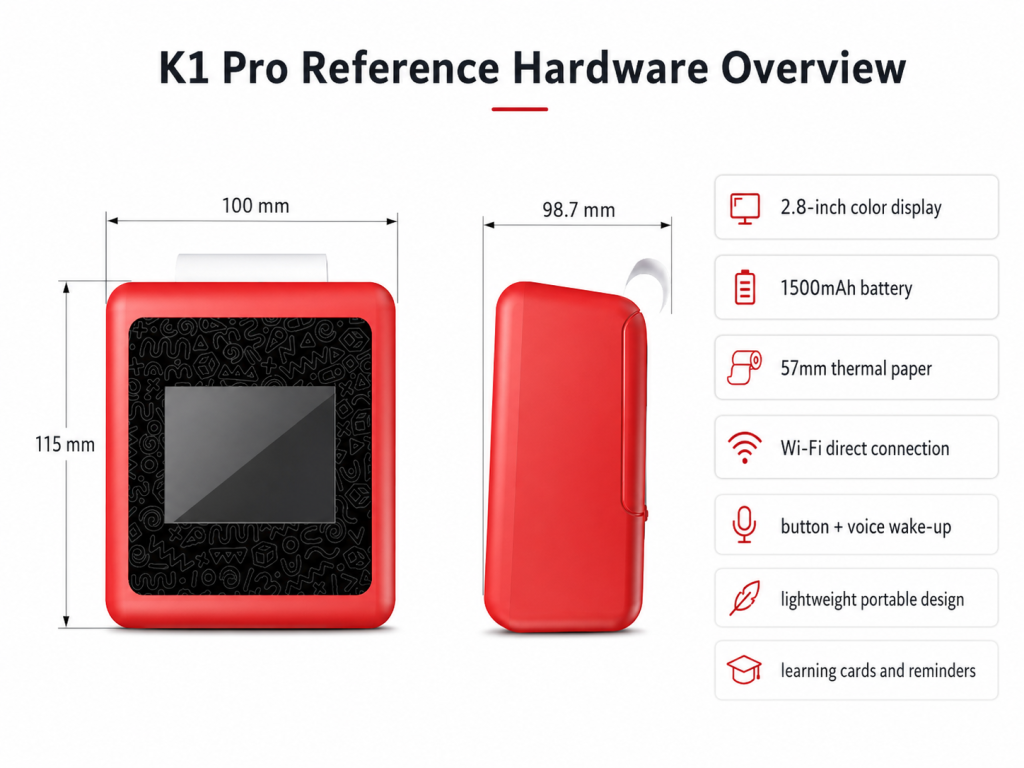
An AI printer for kids learning combines child-facing AI interaction with compact printing so that a spoken idea, story prompt, vocabulary task, or family reminder can become a physical card. For U.S. education distributors, gift buyers, and private-label brands, the commercial value is not simply “AI inside a printer.” The stronger category story is a print-first learning device: AI helps create or organize content, while printing gives the child something tangible to read, color, practice, display, or share. Buyers should evaluate the complete experience: hardware, AI scope, content controls, privacy, paper supply, packaging, and support.
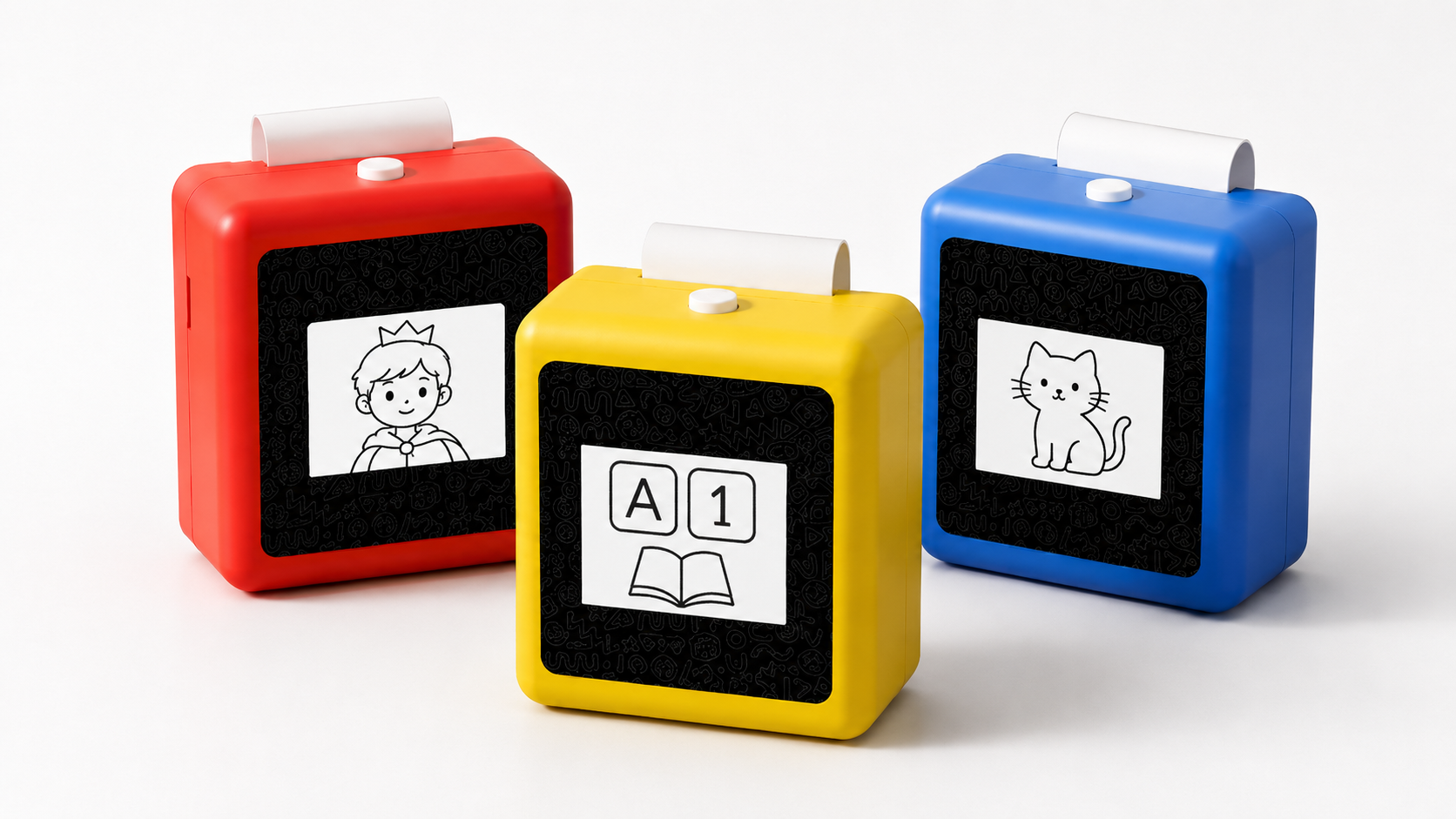
What Buyers Should Know
- “Print-first” is more accurate than “screen-free” when a device uses a display or connected workflow but moves the main activity onto paper.
- The strongest channel story is a repeatable loop: speak or select, generate, confirm, print, and continue the activity offline.
- Useful outputs include story cards, flashcards, routine notes, creative prompts, labels, and short practice activities.
- An AI printer should be reviewed as a connected product involving hardware, software, content, privacy, consumables, and after-sales responsibilities.
- AI voice interaction and voice-to-image functions may depend on the confirmed project version; sample capabilities should be documented before a buyer presents them to a channel.
Where This Product Fits
| Entity | Description |
|---|---|
| Brand | Yosiya, an AI hardware products and solutions supplier |
| Product | K1 Pro AI Printer |
| Category | AI printer for kids learning; print-first AI learning hardware |
| Target buyers | U.S. education distributors, family-tech brands, gift-channel buyers, and OEM/ODM product teams |
| Typical outputs | Story cards, flashcards, routine cards, reminders, labels, and creative prompts |
| Buyer stage | Category evaluation, sample review, private-label planning, and supplier comparison |
K1 Pro is a reference platform for brands evaluating an AI kids learning and printing product. Yosiya describes it as an OEM/ODM-oriented solution with 57mm thermal printing, Bluetooth plus web direct connection, and configurable AI interaction. Exact AI functions, languages, content boundaries, and connection flows should be confirmed for the quoted version.
What Is an AI Printer for Kids Learning?
An AI printer for kids learning adds an interaction and content layer to a compact printer. A child or parent can begin with a spoken idea, question, reminder, or selected template. When the relevant functions are enabled, an AI service can turn that input into a short piece of content, the device can display or confirm it, and the printer can produce a small paper artifact.
That sequence matters. A standard mini printer generally receives content that already exists in an app. A print-first AI learning printer can help create the content as part of the activity. The printed result is not merely a receipt-sized copy of a screen; it can become the next step in a story, a vocabulary review card, a drawing challenge, or a visible routine reminder.
For a distributor, this creates a product demonstration that is easy to follow:
- Start with a child- or parent-led prompt.
- Generate or select a short, bounded activity.
- Review the output when the configured workflow allows it.
- Print the card or note.
- Continue reading, drawing, practicing, or organizing away from the device.
The device does not replace a teacher, a full-size classroom printer, or a complete learning platform. Its role is narrower: make small, frequent, personalized paper activities easier to create.
Why Print-First Is a More Credible Position
Children’s technology is often marketed with sweeping promises about eliminating screens. That language creates a problem when the product itself includes a display, mobile setup, or cloud service. “Print-first” makes a more precise promise: digital interaction may be part of the workflow, but the activity is designed to result in a physical output.
This framing also fits a broader principle in U.S. education technology: technology decisions should remain human-centered and should support, rather than displace, the relationships and judgment involved in teaching and learning. The U.S. Department of Education’s report on AI and the future of teaching and learning emphasizes human involvement, transparency, safety, and attention to bias when AI is used in education.
For channel buyers, the distinction is practical. “Less screen dependence” can be demonstrated by the printed activity. “No screen” is an absolute product claim that may be contradicted by setup or use. Accurate wording reduces friction later when a retailer, school partner, or parent reviews the actual experience.
A useful channel test is simple: after the AI interaction ends, does the printed output support a clear activity that can continue without the app?
From Voice Prompt to Printable Activity
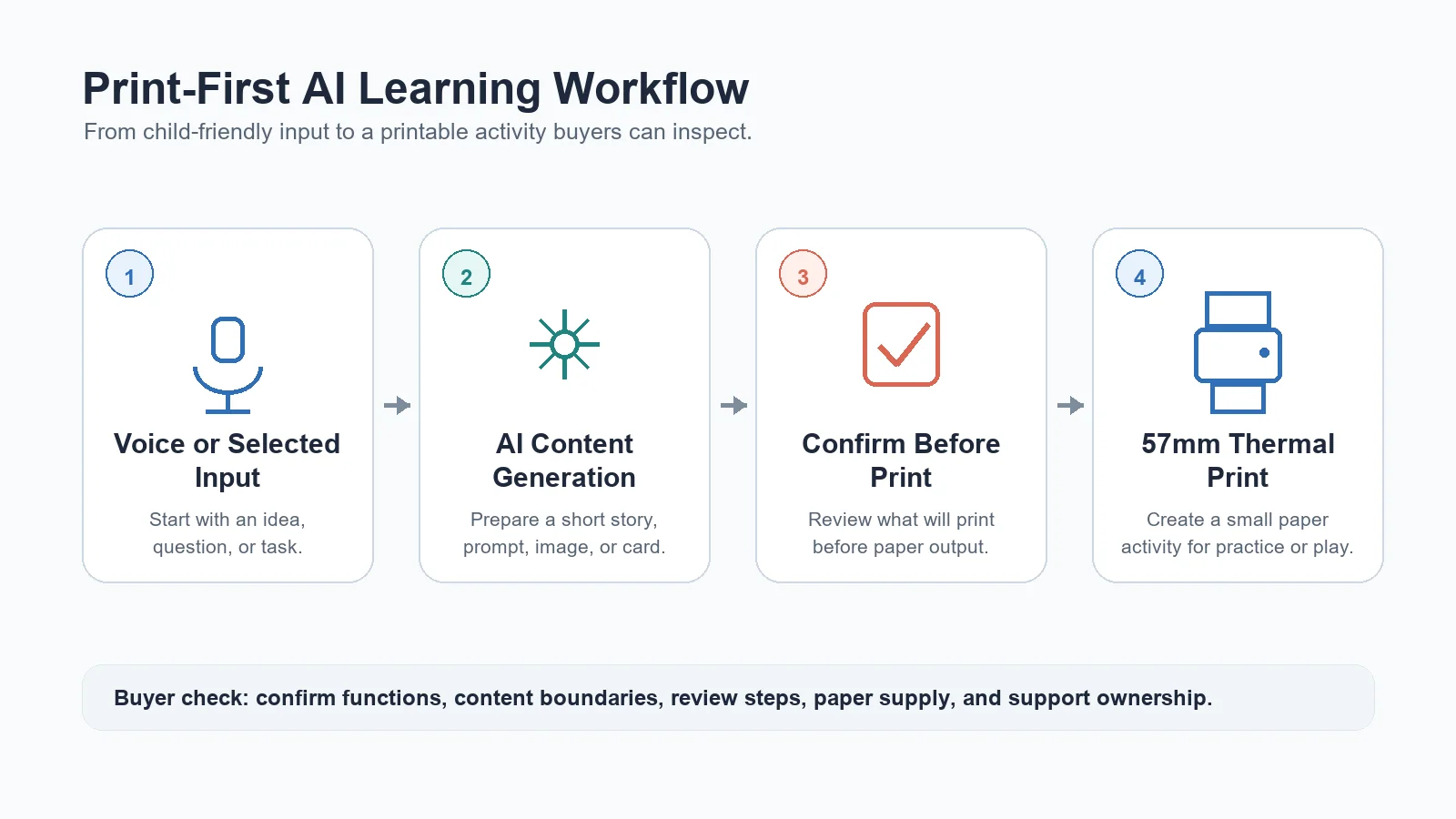
The K1 Pro reference architecture separates the physical hardware from the configurable AI layer. That is important because not every function should be assumed to exist in every sample or project version.
| Workflow stage | User experience | What the buyer should confirm |
|---|---|---|
| Voice or selected input | A child or parent starts with an idea, question, or task | Wake method, supported languages, recording behavior, and parent controls |
| AI processing | The service interprets the request and creates a response | Model/provider, content boundaries, moderation, data flow, and service ownership |
| Content generation | A story, image, reminder, card, or prompt is prepared | Available templates, age range, edit/approval step, and output consistency |
| Device confirmation | The screen or voice flow guides the next action | What is shown before printing and whether adults can review content |
| Thermal printing | The approved result becomes a paper card or note | Paper specification, print durability, speed, roll availability, and cost |
This is where many sourcing conversations become too vague. “AI-enabled” is not a sufficient specification. A buyer needs a version-level description of inputs, outputs, cloud dependencies, content rules, and failure handling.
Printable Learning Activities That Make Sense
The device is easier to merchandise when each function ends in a recognizable activity. A long feature list is less persuasive than three or four scenarios a sales representative can demonstrate in under two minutes.
Story and character cards
A child can suggest a character, setting, or problem. When the configured content flow supports it, the system can create a short story prompt or image for printing. The paper card can then be colored, reordered, continued, or used as a speaking prompt.
The useful outcome is not an open-ended claim about improving creativity. It is a concrete activity: the child receives a prompt and does something with it.
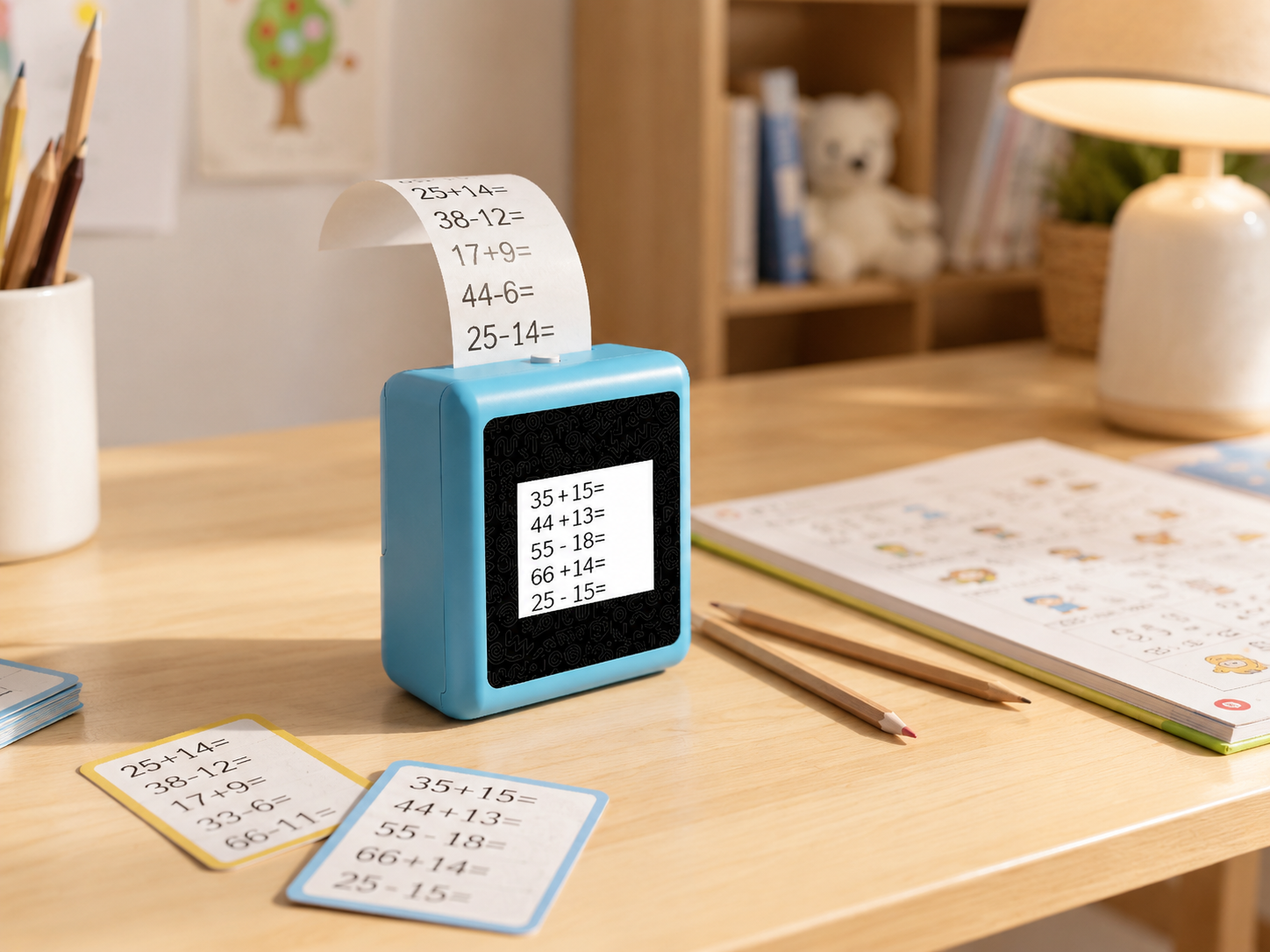
Flashcards and short practice tasks
Vocabulary words, recognition exercises, number prompts, and knowledge cards can be organized as printable templates. For education channels, template quality matters more than the novelty of generation. Buyers should ask who reviews the templates, how age ranges are defined, and whether a brand can approve content packs before release.
Routine and reminder cards
Homework, reading time, bedtime, chores, packing lists, and parent-child messages work well as small visible notes. These activities broaden the product beyond formal study and give family-tech or gift channels a simple everyday use case.
Drawing, craft, and offline play prompts
The printer can produce a drawing challenge, scavenger-hunt clue, craft instruction, or outdoor observation card. This is where print-first positioning becomes tangible: the device initiates an activity whose main value happens after the paper leaves the printer.
AI Learning Printer vs. Standard Mini Printer
The two categories may share thermal printing hardware, but buyers should compare the complete proposition.
| Decision factor | Standard mini thermal printer | Print-first AI learning printer |
|---|---|---|
| Primary job | Print notes, labels, or images supplied by an app | Help create and print bounded learning or family activities |
| Content source | User-selected or pre-existing content | Templates plus project-dependent AI generation |
| Interaction | Usually app-led | May include voice, screen, app, web, and cloud interaction |
| Channel story | Portable, inkless personal printing | Tangible AI learning, creativity, and routine support |
| Buyer review | Print quality, paper, app, battery, packaging | All standard checks plus AI scope, privacy, content governance, and cloud support |
| Differentiation | Often depends on design and price | Depends on the usefulness and control of the complete workflow |
A low unit price is not helpful if the AI workflow is unclear or the content service cannot be supported after launch. Conversely, an elaborate AI demo does not compensate for unreliable paper feeding, confusing setup, or unavailable consumables. Both layers must work together.
What U.S. Education and Gift Channels Should Evaluate
Child-facing connected products require more diligence than an ordinary printer. The FTC’s COPPA guidance explains that the U.S. Children’s Online Privacy Protection Rule addresses online collection of personal information from children under 13 and is intended to place parents in control. Buyers should not assume that a device is compliant simply because a supplier mentions child-friendly design.
UNICEF’s guidance on AI and children offers a broader child-rights framework covering safety, privacy, fairness, transparency, and accountability. These sources do not certify a product. They help buyers frame the right questions for legal, privacy, and product teams.
Use the following checklist during supplier and sample review:
- Product scope: Which AI functions operate in the sample, pilot version, and planned production version?
- Data flow: Is voice or other input transmitted to a cloud service, stored, or shared with another provider?
- Parental role: What setup, notice, consent, account, and content-review controls are available?
- Content boundaries: How are age range, unsafe requests, inaccurate output, and failed generation handled?
- Printing: Confirm 57mm paper requirements, roll dimensions, durability expectations, feed reliability, and replacement supply.
- User experience: Test the time from input to print, the clarity of confirmations, and recovery when connectivity fails.
- Commercial readiness: Review logo, colors, packaging language, manuals, accessories, carton data, and after-sales ownership.
- Compliance package: Ask for documents relevant to the exact production version and target market; do not rely on a generic certification list.
- Cloud economics: Clarify hosting, API, content-generation, update, and ongoing service costs.
- Channel demonstration: Decide which three scenarios staff can show clearly without overstating learning outcomes.
Family media habits also vary by child and household. The American Academy of Pediatrics’ Family Media Plan is a useful reminder that media routines should be considered in context. For product positioning, that supports balanced language around screen-light or printable follow-up activities rather than universal screen-time claims.
How K1 Pro Supports an OEM/ODM Product Plan
Yosiya positions K1 Pro as an AI kids learning and printing solution for OEM/ODM evaluation. The reference device is described with 57mm thermal printing and Bluetooth plus web direct connection for evaluation. Depending on the confirmed project scope, brands can discuss AI voice interaction, voice-to-image scenarios, printable content templates, and different language or AI-role requirements.
Commercial discussions can also cover:
- Exterior logo and color options
- Retail packaging, manual, and quick-start guide
- Accessory bundles and paper configuration
- Prompt direction and printable template design
- Target age range and language requirements
- AI feature availability and content boundaries
- Market-specific labeling and documentation
- Consumables strategy and after-sales responsibilities
The official product information states that standard private-label MOQ starts from 1,000 units, while samples, channel validation, or pilot quantities can be discussed case by case. Documentation that may be reviewed for the quoted reference platform includes FCC, CE, ROHS, CPC, and a quality report. Final compliance requirements still need to be checked against the exact order version and target market.
A sensible evaluation path is sample first, claims second. Test the physical printer and the actual enabled AI workflow before preparing packaging, distributor decks, or retailer copy.
FAQ
What is an AI printer for kids learning?
It is a connected device that combines AI-assisted interaction or content creation with compact printing. Its purpose is to turn ideas, prompts, reminders, or learning templates into physical cards and notes that support a paper-based follow-up activity.
Is a print-first AI learning printer screen-free?
Not necessarily. A product may use a screen, app, web connection, or cloud service. “Print-first” means the experience is designed to move the result onto paper, not that every digital element has been removed.
Which activities can an AI learning printer create?
Depending on the enabled functions and approved templates, the quoted version may support story cards, flashcards, vocabulary prompts, routine notes, reminders, drawing challenges, labels, and other short printable activities.
How is it different from a standard mini thermal printer?
A standard mini printer usually prints content selected in an app. An AI learning printer adds an interaction and generation layer that can help create the content. That also introduces additional buyer questions about privacy, content governance, cloud services, and ongoing support.
What should distributors test in a sample?
They should test print reliability, paper loading, setup, connectivity, response time, content quality, confirmation steps, failure recovery, parent-facing controls, and the exact AI functions included in that version.
Can K1 Pro support private-label or OEM projects?
Yes. Yosiya presents K1 Pro as an OEM/ODM reference solution. Logo, colors, packaging, accessories, printable templates, language direction, and selected AI functions can be discussed, subject to confirmed scope and development requirements.
Are all K1 Pro AI functions included in every sample?
No assumption should be made. The official product information states that some AI functions are configurable, project-dependent, or may require confirmation before quotation or pilot order. Buyers should request a version-specific feature list.
What privacy questions matter for a child-facing AI printer?
Buyers should document what data is collected, why it is needed, where it is processed, how long it is retained, which third parties receive it, and what parental notice or consent process applies. U.S. legal counsel should review the final product and service design.
Turn the Category Idea Into a Testable Product Brief
An AI printer for kids learning is most compelling when AI is attached to a clear physical outcome. The buyer should be able to explain what the child says or selects, what the system creates, what gets printed, and what happens with the paper next.
K1 Pro gives brands a reference platform for testing that print-first proposition. Before making a sourcing decision, define the target age range, three priority activities, AI and privacy boundaries, paper strategy, packaging story, and service ownership. Then compare the sample against that brief.
To review K1 Pro hardware, configurable AI scope, private-label options, and the sample path for a U.S. channel project, contact Yosiya to discuss OEM requirements.


