
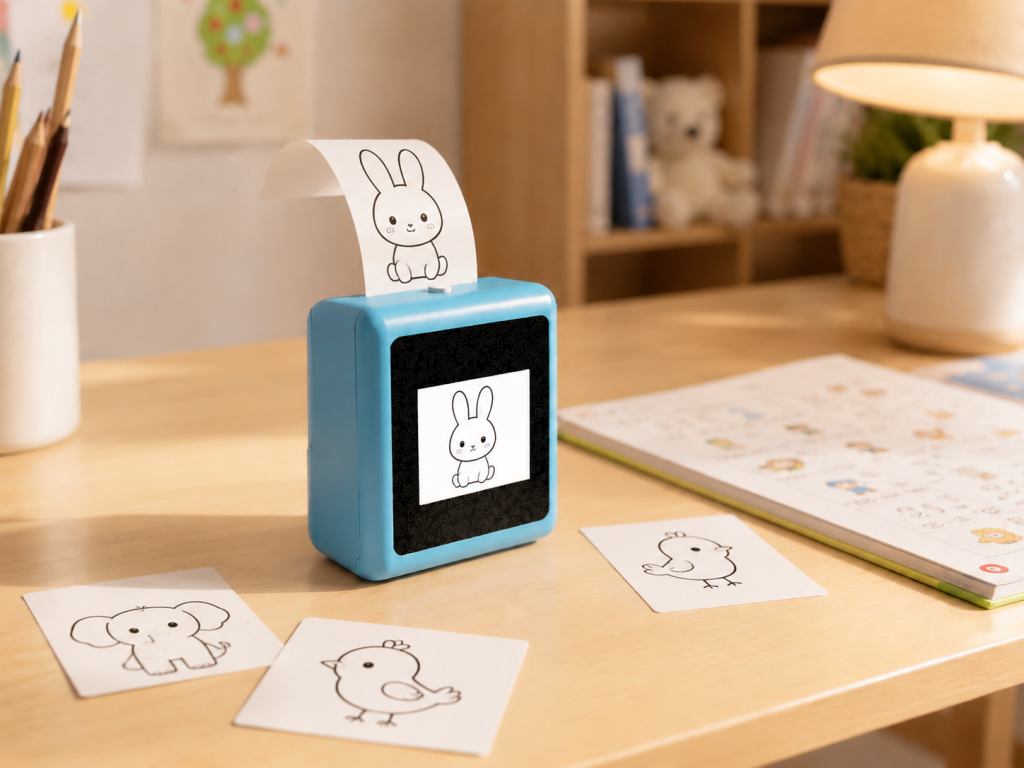
A five-year-old invents a creature: it has the body of a cat, the wings of an owl, and it lives on a planet made of cotton candy. The idea exists fully formed in the child’s head. What happens next separates a creative child from a frustrated one — can the idea become something real, or does it dissolve because the child does not yet have the motor skills or artistic technique to draw it?
An AI storytelling device answers that question by doing something no traditional toy can: it listens to a child’s spoken idea, generates an image from it, prints it on paper, and hands it back — ready to color, embellish, stick on the wall, or add to a growing collection of imagined worlds. This is not listening to a story. This is making one.
From Passive Listening to Active Creation
For most of the history of children’s audio, storytelling has been a one-way street. A parent reads a book. A Toniebox plays a recorded story. A Lunii device lets a child choose story elements from a menu, but the underlying narrative paths are pre-written. The child is the audience — engaged, maybe, but still on the receiving end.
An AI storytelling device flips the direction. The child becomes the author. The device becomes the illustrator. And the printed artwork becomes the artifact — something the child can hold, color, and show, rather than a screen memory that vanishes when the app closes.
Three shifts define this category:
1. Voice is the input, not a button. A child does not need to read, write, type, or navigate a menu. They speak. “A dragon who is afraid of fire.” “A robot that bakes cookies.” “A mermaid who lives in a bathtub.” The AI processes the description, generates an image, and displays a preview on the device’s screen. If the child likes it, they print. If not, they describe it differently and try again.
2. The image is a starting point, not the endpoint. The printed thermal image is a line drawing — a coloring page generated from the child’s own words. The child then colors it, adds details, cuts it out, tapes it to a notebook. The AI generates the structure; the child adds the soul. This two-stage creative process — AI generation followed by human embellishment — keeps the child actively engaged with the output rather than passively consuming it.
3. The collection grows over time. Every printed artwork becomes part of a personal gallery. A child who uses the device three times a week for a month has a dozen original pieces — a dragon, a spaceship, a superhero self-portrait, an invented animal — that trace the evolution of their imagination. This is qualitatively different from a gallery of saved images on a tablet: physical artifacts carry emotional weight that digital files do not.
How the Voice-to-Image-to-Print Workflow Works
The technical chain is invisible to the child, which is the point. Here is what happens under the hood when a child uses a device like the K1 AI Printer in storytelling mode:
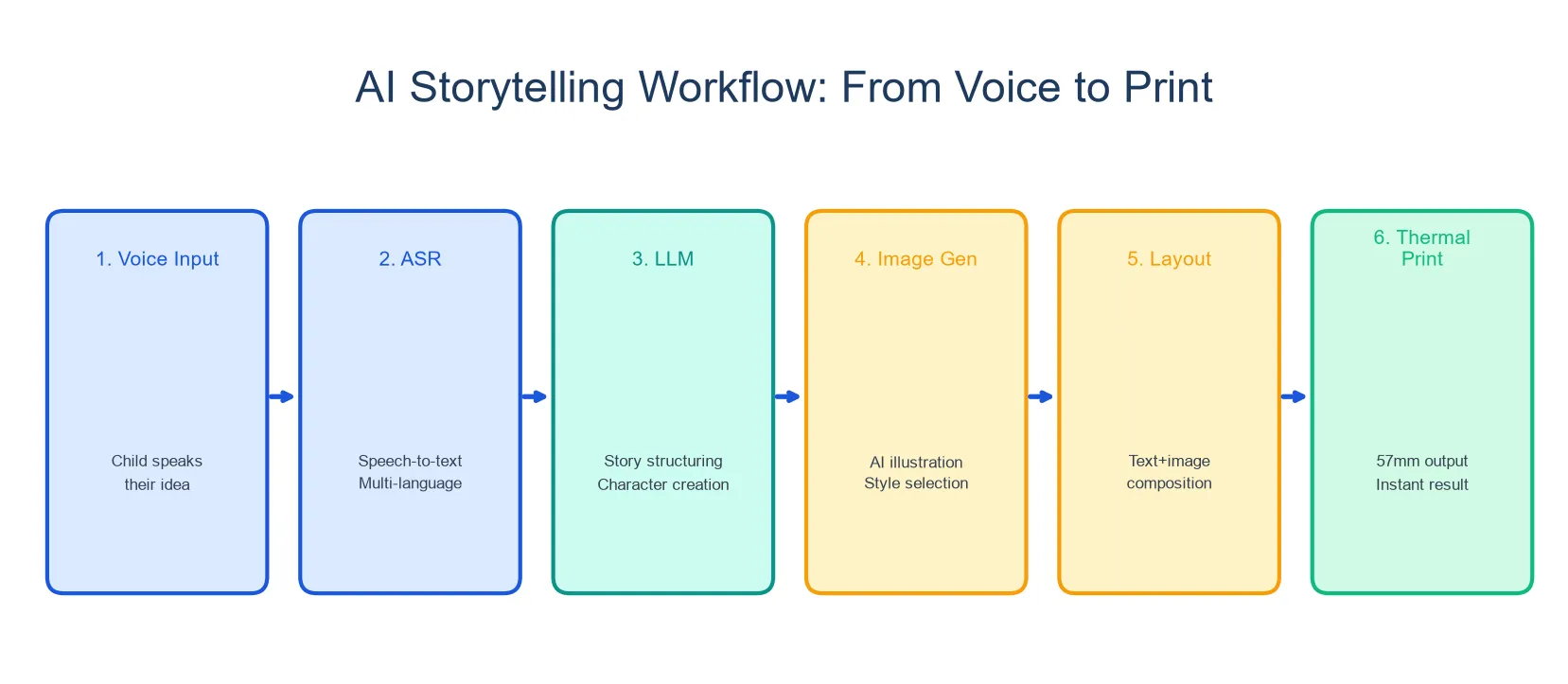
- The child speaks a description into the device’s microphone.
- The device sends the audio to a cloud-based AI service for speech recognition and image generation.
- The AI generates an image matching the description — with content filters appropriate for children.
- The device displays a preview on its 2.8-inch IPS screen.
- If the child confirms, the 57mm thermal printer produces the image on paper in seconds.
- The child colors, embellishes, and displays the artwork.
The entire loop — from “I have an idea” to “I am holding it” — takes under a minute. This speed matters. A child’s creative impulse has a short half-life. The gap between imagination and realization needs to be narrow enough that the excitement does not dissipate.
On the K1 platform, the image generation is part of the AI conversation system — a child can talk with the AI about their idea before generating it. “Make it bigger.” “Add a rainbow.” “The dragon should be smiling.” 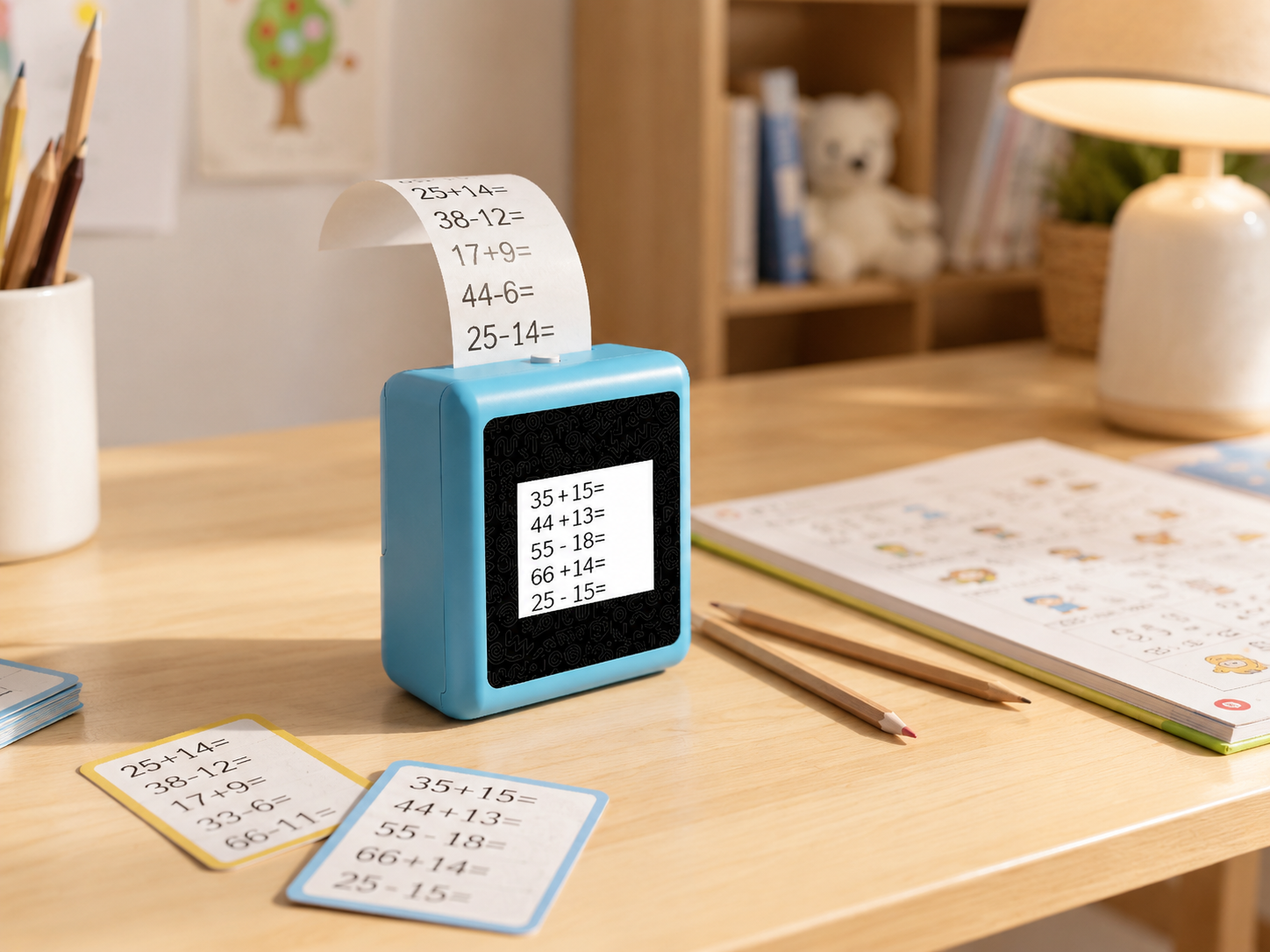
This conversational refinement loop is what distinguishes a storytelling device from a simple voice-to-print gadget: the child collaborates with the AI, rather than just issuing a command.
The AI’s image generation capability, image style, and content filtering depend on the confirmed project version. Parents and brands should verify these parameters for the specific production version.
What Separates a Storytelling Device From a Printer Toy
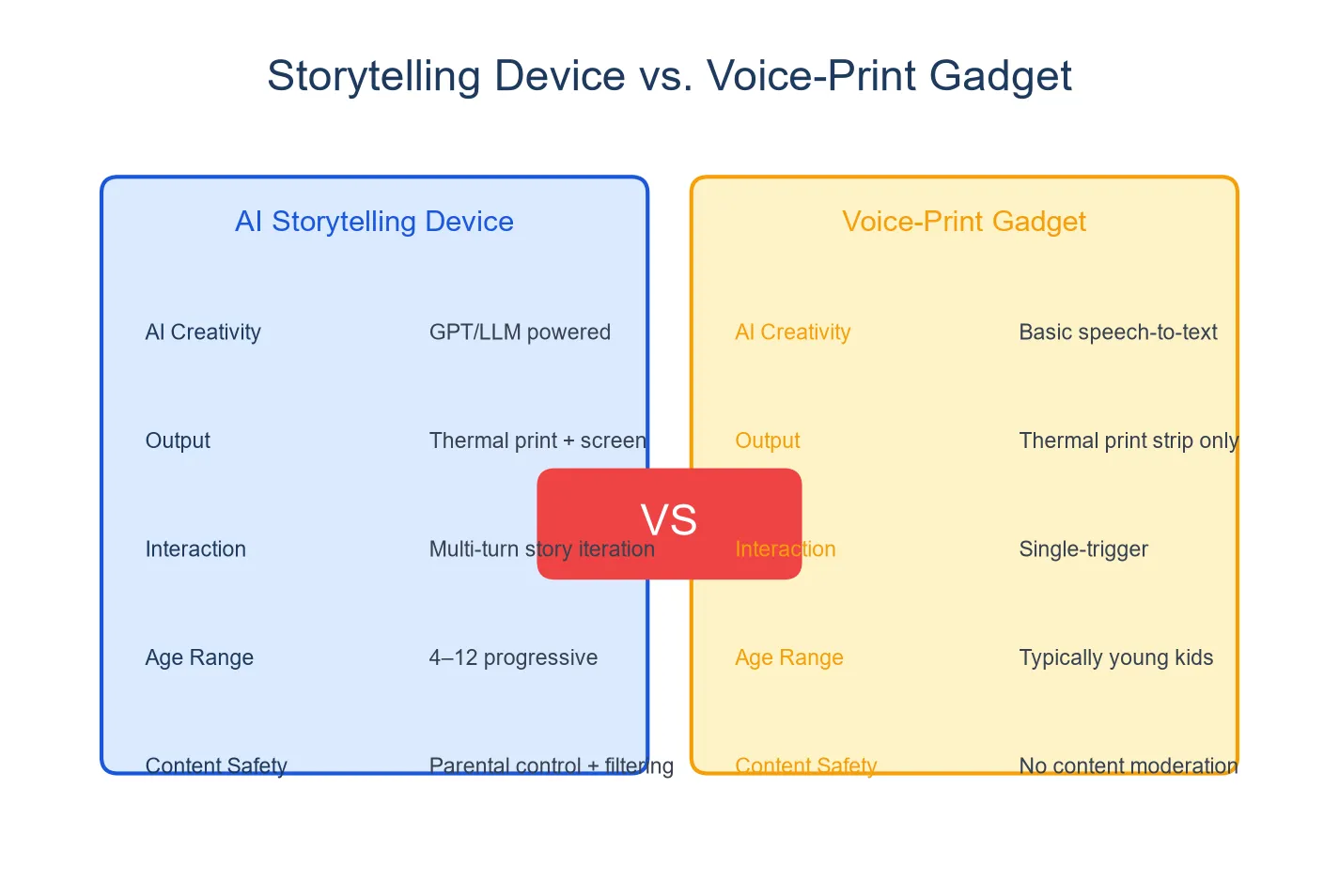
Not every device that prints from voice input is a storytelling device. The category splits along a line that matters for a child’s creative development.
| Storytelling Device | Voice-to-Print Gadget | |
|---|---|---|
| Interaction | Multi-turn conversation + generation | Single voice command → output |
| Creative process | Child refines the idea with AI | Child gives one instruction |
| Role of the child | Author and artist | Requester |
| Output | Artwork the child co-created | Pre-designed content triggered by keyword |
| Example | K1 AI Printer (dialogue + generation) | Stickerbox (command → sticker), BDI X16 (command → image) |
A child using Stickerbox says “a cat with a crown” and receives a pre-designed sticker of a cat with a crown. A child using BDI X16 says “a cat with a crown” and receives a generated image of a cat with a crown. A child using the K1 in creative mode says “a cat with a crown,” talks with the AI about what kind of crown, what color, whether the cat is happy or grumpy, and then prints the result — which they then color and personalize.
All three devices produce a physical output. The storytelling device is the only one where the child’s voice shapes the result across multiple turns, and where the output is explicitly designed as a canvas for further creation rather than a finished product.
What This Means for a Child’s Confidence
There is a specific look on a child’s face the first time something they imagined becomes something they can hold. It is not the look of watching a show or playing a game. It is the look of making.
Research on creative self-efficacy in young children consistently finds that the belief “I can make things” — not “I can use things” — predicts persistence, problem-solving, and willingness to try new activities. A storytelling device that turns spoken words into printable art reinforces this belief every time it is used. The child said it. The device drew it. The child colored it. The sequence is unambiguous about who the creator is.
For children who struggle with traditional drawing — whether due to age, fine motor development, or confidence — the AI removes the technical barrier without removing the creative ownership. The child still owns the idea. The AI is the tool, not the author.
Comparison With Traditional Story Devices
| Toniebox | Lunii | K1 AI Printer | |
|---|---|---|---|
| Story source | Pre-recorded figurines | Pre-loaded branching narratives | Child’s spoken imagination |
| Child’s role | Listener | Chooser (from fixed paths) | Author |
| Output | Audio only | Audio only | Printed artwork |
| Content variety | Limited to purchased figurines | Limited to pre-loaded stories | Unlimited — any idea the child speaks |
| Creative development | Builds listening skills | Builds decision-making | Builds creative confidence |
| Price (est.) | ~$100 + figurines ($15–20 each) | ~$80 | Hardware price TBD |
Toniebox and Lunii are excellent devices for what they do — building listening skills, providing screen-free entertainment, and creating calming bedtime routines. They are story consumption tools. A storytelling device like the K1 is a story creation tool. The two categories serve different developmental goals and are complementary rather than competitive: a child might listen to a Toniebox story at bedtime and create their own stories with a K1 during creative playtime.
Activity Ideas for Different Ages
Ages 4–5: Simple creature creation. “An animal that is half elephant and half butterfly.” The child describes, the device generates, the child colors. At this age, the focus is on the joy of seeing an idea become real.
Ages 5–7: Story sequencing. The child creates three images — a beginning, a middle, and an end — and arranges them in order. They tell the story to a parent using the printed images as visual prompts. This builds narrative structure awareness.
Ages 7–10: World-building. Over a week, the child generates a series of images — characters, settings, objects — and assembles them into a storybook, with handwritten captions added to each page. The device becomes a creative studio, not just a toy.
FAQ
1. Can a child use it without knowing how to read or write?
Yes — voice is the only input. A child who can speak in sentences can use the device. The screen shows visual previews, not text instructions. This makes it accessible to children as young as four who have enough language to describe what they want to create.
2. What kind of images can the AI create?
The AI generates images based on the child’s description — animals, imaginary creatures, scenes, objects, characters. The image style and content filtering depend on the specific AI configuration for the production version. Parents should confirm content boundaries with the manufacturer.
3. Does it work without Wi-Fi?
Image generation requires cloud-based AI processing, so an internet connection is needed. Basic device functions may work offline, but the storytelling workflow — voice recognition and image generation — depends on connectivity.
4. Can you keep the printed artworks?
Yes. The thermal prints are physical objects. They can be colored, cut out, glued into notebooks, taped to walls, or given as gifts. Thermal paper prints fade over time — especially if exposed to heat or direct sunlight — so preserving important pieces by photographing or laminating them is recommended.
5. Is the content moderated for children?
AI-powered devices that generate images from children’s input should have content filters in place. The K1 platform’s AI includes configurable content boundaries. Parents should confirm the specific content moderation parameters for the production version and discuss any concerns with the manufacturer.
A New Kind of Creative Tool
An AI storytelling device is not a replacement for crayons, paper, or a parent reading aloud. It is a new category that sits between “toy” and “creative tool” — something that takes a child’s most ephemeral asset (a spoken idea) and turns it into their most tangible one (a drawing they can hold). The technology is the bridge. The child is the builder.


