
There is no single “tattoo printer” — the term covers a few distinct device types, and choosing the right one depends on how you get a design into the machine. The two mainstream categories are upload-style thermal printers, which need a finished image first, and AI-assisted printers, which generate line art from a prompt before printing. This guide breaks down the types, explains the design-input difference that matters most, and shows you how to match a printer to your workflow before you buy.
What Buyers Should Know
- Almost all tattoo printers use ink-free thermal printing; the real differences are in design input, print width, and resolution.
- Upload-style printers need a finished image first, while AI-assisted printers generate line art from a prompt.
- Resolution matters mainly for fine-line and realism work; standard printers suit bold line art.
- Retail printers and OEM/ODM reference platforms are two different buying paths, not two versions of the same product.
- Confirm the transfer paper, print width, and a real sample before committing.
The main types of tattoo printers
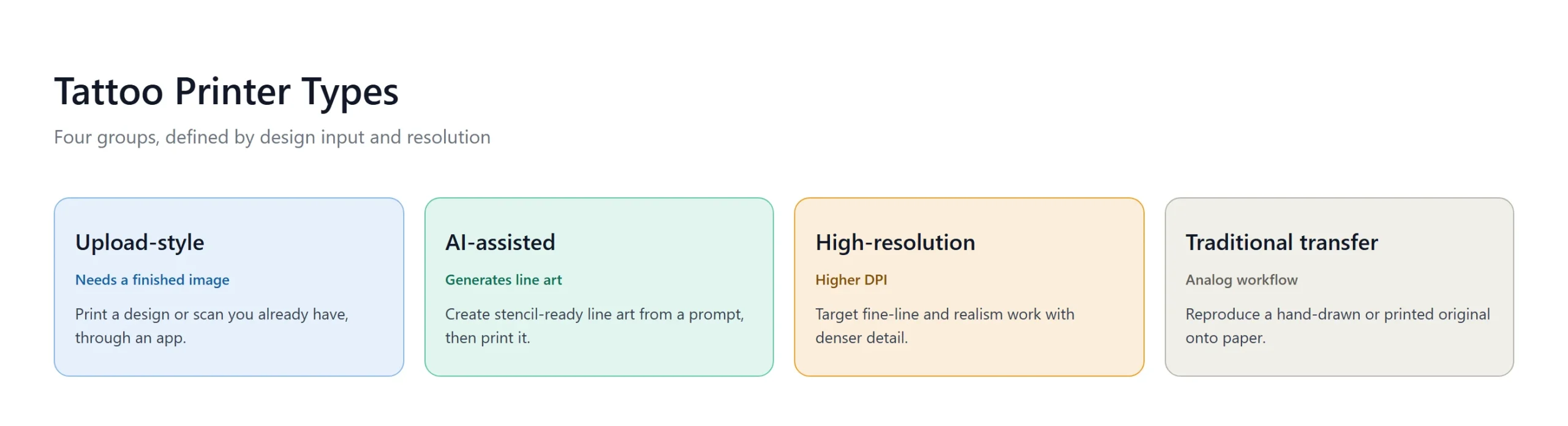
Tattoo printers fall into a handful of groups based on how they get a design and how they print it. Almost all of them use the same ink-free thermal printing mechanism.
- Upload-style thermal printers. These are the most common retail devices, represented by models like the Phomemo M08F and Nelko. You prepare or scan an image in an app, then send it to the printer. They are convenient, but they assume the design already exists.
- AI-assisted thermal printers. A smaller group adds an AI line-art step. The K1 AI Printer reference platform generates line art from a prompt over a network connection, then prints it on 57mm thermal paper. This removes the need to prepare a design before printing.
- High-resolution printers. Devices such as the Brother S8 target fine-line and realism work with higher DPI output and, in some cases, dedicated paper. They cost more and matter when detail density is the priority, because fine lines and realistic shading need more dots per inch to stay crisp after transfer.
- Traditional thermal transfer machines. Older Thermofax-style machines reproduce a hand-drawn or printed original onto stencil paper. They sit outside the digital workflow but are still used in some shops by artists who prefer a fully analog reproduction path.
Design input is the real differentiator
Most guides compare printers by print width or DPI, but the design-input model is what changes how you actually work.
Upload-style printers fit an artist who already has a finished design, a scan, or a reference image. The app handles sizing and contrast, and the printer reproduces it. AI-assisted printers fit an artist who wants to start from an idea or a prompt and generate stencil-ready line art first, using models described in this generative AI overview. The K1 flow is network-connected and generates AI line art only; image upload is not part of the current scope.
Neither input model is better in absolute terms. An upload printer fits a design library you already own; an AI printer fits rapid idea-to-stencil generation. Many studios will use both depending on the job.
Where This Product Fits

For buyers evaluating OEM or private-label solutions, the K1 tattoo stencil printer represents a different category from typical retail stencil printers. It is a reference platform, not a finished retail product.
| Entity | Description |
|---|---|
| Brand | Yosiya — AI hardware products and OEM/ODM solutions |
| Product | K1 AI Printer reference platform |
| Category | AI-assisted 57mm thermal stencil printer |
| Main use cases | AI line-art stencil prep, private-label hardware, dedicated transfer-paper supply |
The K1 combines a 2.8-inch IPS screen, a 1800mAh battery, and a 98 × 57 × 117mm body at 225g with network-connected AI line-art generation. It is evaluated as an OEM/ODM platform, which means the buying questions are about private-label configuration, dedicated two-layer transfer paper, and AI workflow scope rather than a retail price tag.
Comparing printer types
| Type | Design input | Typical fit | Buying path |
|---|---|---|---|
| Upload-style thermal | Finished image or scan | Artists with a design library | Retail |
| AI-assisted thermal | Prompt-generated line art | Idea-to-stencil workflows | OEM/ODM or evaluation |
| High-resolution | Uploaded image, higher DPI | Fine-line and realism | Retail or pro supply |
| Traditional thermal transfer | Hand-drawn or printed original | Analog shops | Pro supply |
The table is a starting point, not a ranking. Print width and DPI still matter within each type, and both should be confirmed with the supplier rather than assumed from marketing copy. A printer that reads as “high resolution” on a spec sheet still needs the right transfer paper to hold fine lines, so judge the printer and paper together.
How to choose
Match the printer to how you actually work rather than chasing the highest spec.
- If you already have finished designs or scans, an upload-style printer is the straightforward choice.
- If you want to generate line art from prompts and print it directly, look for an AI-assisted printer.
- If fine-line detail or realism is the core of your work, prioritize resolution and confirm the DPI with the supplier.
- If you are building a private-label brand or need dedicated consumables, evaluate an OEM/ODM reference platform instead of a retail unit.
A practical note: a low price is not the same as a low total cost. Transfer paper, print width, and whether the design-input workflow fits your studio matter more than the device price.
FAQ
What types of tattoo printers are there?
The main groups are upload-style thermal printers, AI-assisted thermal printers, high-resolution printers, and traditional thermal transfer machines. They differ mostly in design input, print width, and resolution.
What is the difference between an upload printer and an AI printer?
An upload printer needs a finished image or scan first. An AI printer generates line art from a prompt, then prints it. The K1 flow generates AI line art only and does not support image upload at this stage.
Do I need a 300 DPI printer?
Only if fine-line or realism detail is central to your work. For bold line art and standard stencils, a regular thermal printer is usually enough. Confirm the DPI with the supplier rather than assuming a figure.
Can a tattoo printer print on regular paper?
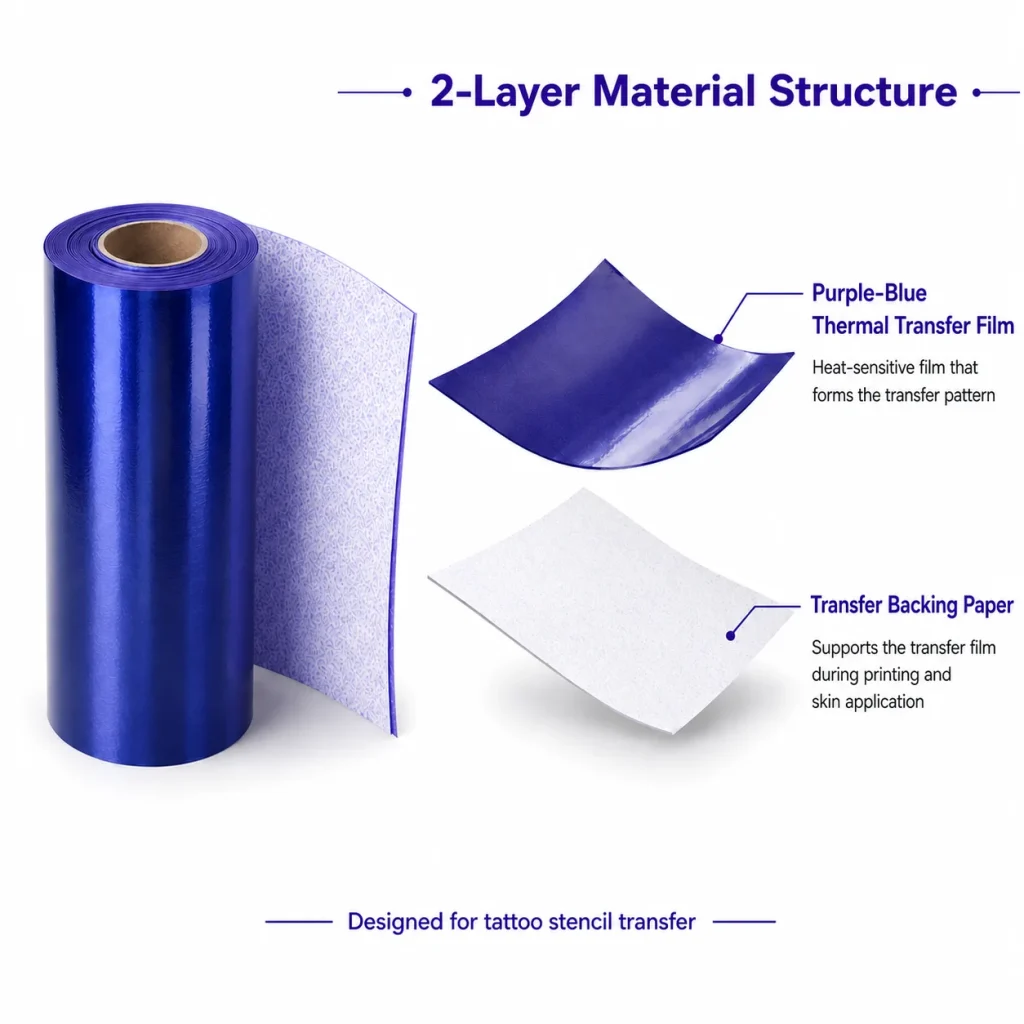
No. Tattoo stencil printers use tattoo transfer paper, and some platforms use a dedicated two-layer thermal film. Regular paper will not produce a transferable stencil.
How do I choose between a retail printer and an OEM platform?
Choose retail if you are buying one device to use in a studio. Choose an OEM/ODM platform if you are building a private-label product line or need dedicated consumables and customized hardware.
Match the printer to the workflow
The right tattoo printer is the one that fits how you get a design into the machine, not the one with the longest spec sheet. If you are comparing types for a studio, start from your design input — uploaded images, AI prompts, or hand-drawn originals — and work outward to print width, resolution, and consumables.
If you are evaluating an AI-assisted stencil printing solution, request a sample, test the AI line-art flow and print quality, then discuss private-label configuration. To start, contact Yosiya.


