
AI tattoo design to line art is the step where a written idea becomes a stencil-ready outline, and AI shortens the gap between a client’s description and a first draft. It does not remove the artist from the process — it hands them several starting points faster than hand-sketching or searching for reference images. This guide shows where AI line-art generation fits into a working design flow, what it speeds up, and what still needs a human hand before printing. The result is a faster design loop, not a designer replaced.
What Buyers Should Know
- AI line-art generation shortens the idea-to-draft step; it does not finish the design or remove the artist.
- The workflow changes at the front end only — everything after the first draft (review, adjust, print, transfer) stays the same.
- AI output is a starting point, so each design still needs review and simplification before it prints.
- Some AI-assisted platforms generate line art only and do not accept image upload; the current K1 flow works this way.
- The time savings show up in iteration speed, not in skipping the human review that makes a design tattooable.
The design step before printing
Before any stencil is printed, a design has to exist. For most studios that means one of two routes: the artist hand-sketches a piece, or the client brings reference images that get traced or redrawn. Both routes are slow when the client changes their mind, wants to see variations, or is not sure what they want yet.
That back-and-forth is where the time goes. Each revision means redrawing or searching for new references, and the artist carries the full load of turning a vague idea into a usable outline. A single client can go through several rounds of “not quite” before a design locks in, and every round costs drawing time. The pain point is not the final artwork — it is the repetitive first-draft work that leads up to it, and that is the part an AI can take on without changing how the artist works. This is the step AI is most useful for, because it produces a first draft without the artist starting from a blank page.
Where AI line-art generation fits
AI line-art generation slots into the very first stage — turning a description into a first draft. It is built on generative AI, where a model produces a new image from a prompt rather than retrieving an existing file.
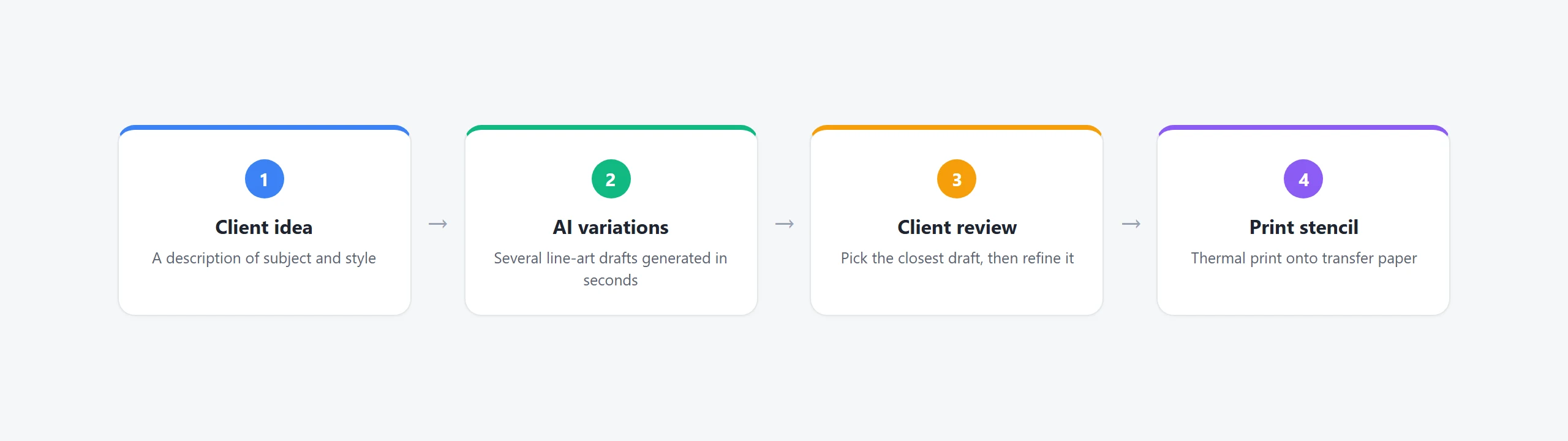
| Traditional flow | AI-assisted flow |
|---|---|
| Client describes an idea | Client describes an idea |
| Artist sketches or searches references | AI generates several line-art variations |
| Client reviews a first sketch | Client picks the closest variation |
| Artist redraws after feedback | Artist adjusts the chosen draft |
The AI step replaces the first sketch, not the final judgment. It produces several starting points in seconds, and the artist then narrows, refines, and finalizes the one the client wants. The practical difference is the starting point: hand-sketching starts from nothing, so the artist has to describe the design back to the client before it even exists, while AI generation starts from several finished drafts, which means the first conversation can be about choosing and adjusting rather than guessing at what a design might look like. This is where the workflow speeds up, because the artist no longer has to sketch a blank page for every revision.
From AI draft to printable line art
An AI draft is not automatically printable. Bold, separated lines transfer cleanly, while fine shading and tiny detail get lost or muddied on skin, so the artist still has work to do before the design is ready.
- Remove shading and gradients that will not transfer.
- Thicken thin lines that close up at stencil size.
- Check the design at the size it will actually be stenciled.
This review step is where most of the artist’s value still lives. The AI does not know anatomy, placement, or a client’s taste, so a draft that looks clean on screen can still sit wrong on an arm or a shoulder once the artist looks at it on the body. Simplifying the lines is the bridge between a generated image and a stencil that transfers cleanly.
The generated design then moves through the same thermal printing path as any hand-made line art, onto transfer paper and then prepared skin. AI changes the front of the workflow, not the printing or transfer that follows.
What changes in the design workflow
The value of AI in this workflow is iteration speed. AI can generate several concept variations much faster than manually redrawing every early draft, which shortens the approval loop and frees the artist for the parts that actually need skill — placement, line weight, and how the piece sits on the body.
For a studio, that translates into fewer unpaid drawing hours and shorter consultations. The client leaves with a design they have already seen and approved, and the artist moves into the work they are actually paid for instead of spending the session sketching revisions.
The change is limited to the front of the workflow. AI shortens the idea-to-draft step, but the review, adjustment, and final result still sit with the artist, and no part of the work that requires skill is removed.
Where This Product Fits
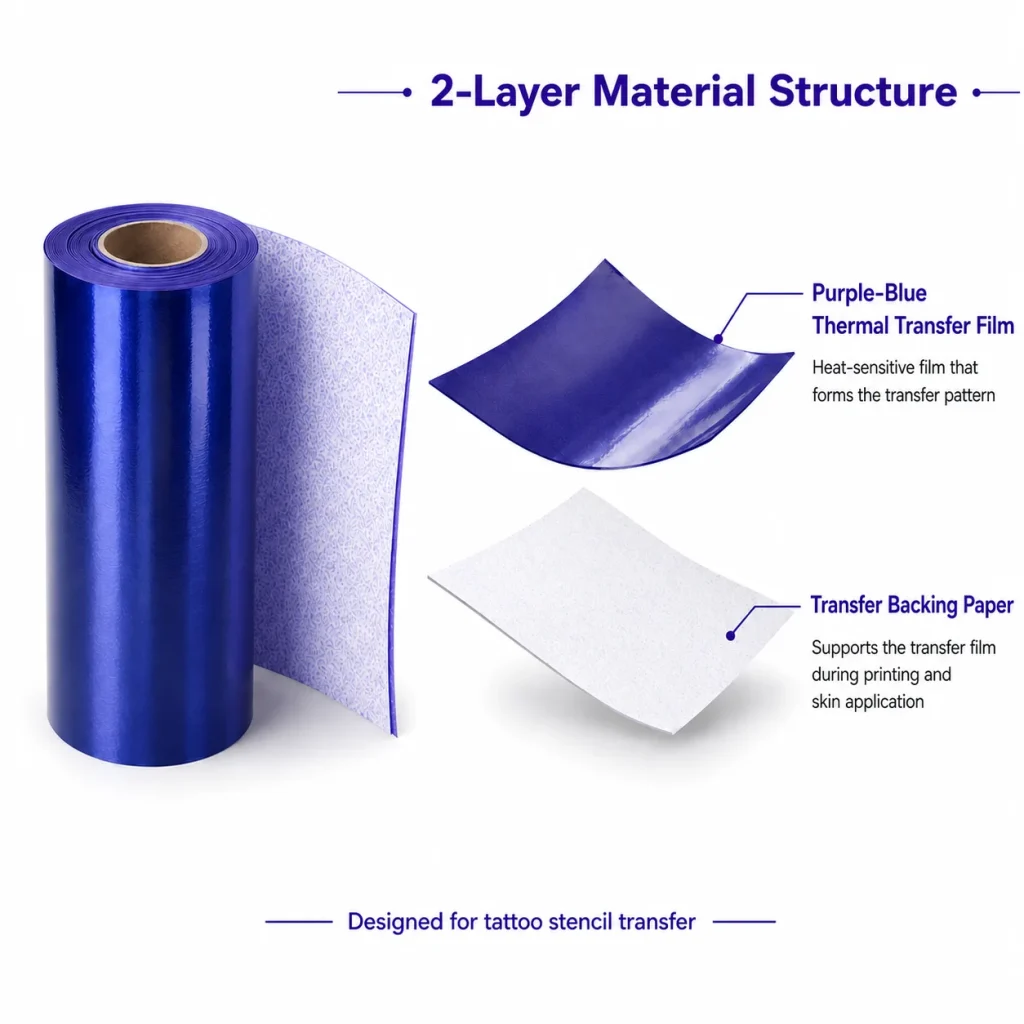
For buyers evaluating the K1 stencil workflow, AI line-art generation is a built-in step rather than a separate tool. The K1 tattoo stencil printer pairs this design step with 57mm thermal printing and a dedicated two-layer transfer film.
| Entity | Description |
|---|---|
| Brand | Yosiya — AI hardware products and OEM/ODM solutions |
| Product | K1 AI Printer reference platform, configured for tattoo stencil transfer |
| AI role | Prompt-to-line-art generation, network-connected, no image upload |
| Main use cases | Studio stencil prep, private-label tattoo hardware, dedicated transfer-paper supply |

FAQ
What is AI tattoo design to line art?
It is the step where a written idea becomes stencil-ready line art, with AI generating the first drafts that the artist then reviews and refines.
Does AI replace the artist in the design process?
No. AI produces starting points faster, but the artist still reviews, simplifies, and finalizes the design before it is printed.
How does AI line art fit into my current workflow?
It replaces the first sketch or reference search. You describe the idea, pick the closest AI variation, then adjust it the same way you would a hand-drawn draft.
Can I upload a client’s reference image instead of using AI?
It depends on the platform. The current K1 flow generates AI line art from a prompt and does not support image upload at this stage.
Does AI line art print the same as hand-drawn art?
Once it is simplified to clean, separated lines, it prints through the same thermal path as hand-made line art. The difference is only in how the draft was created.
If you are evaluating an AI-assisted stencil workflow, request a sample and test the idea-to-stencil flow before committing. To start, contact Yosiya.


