
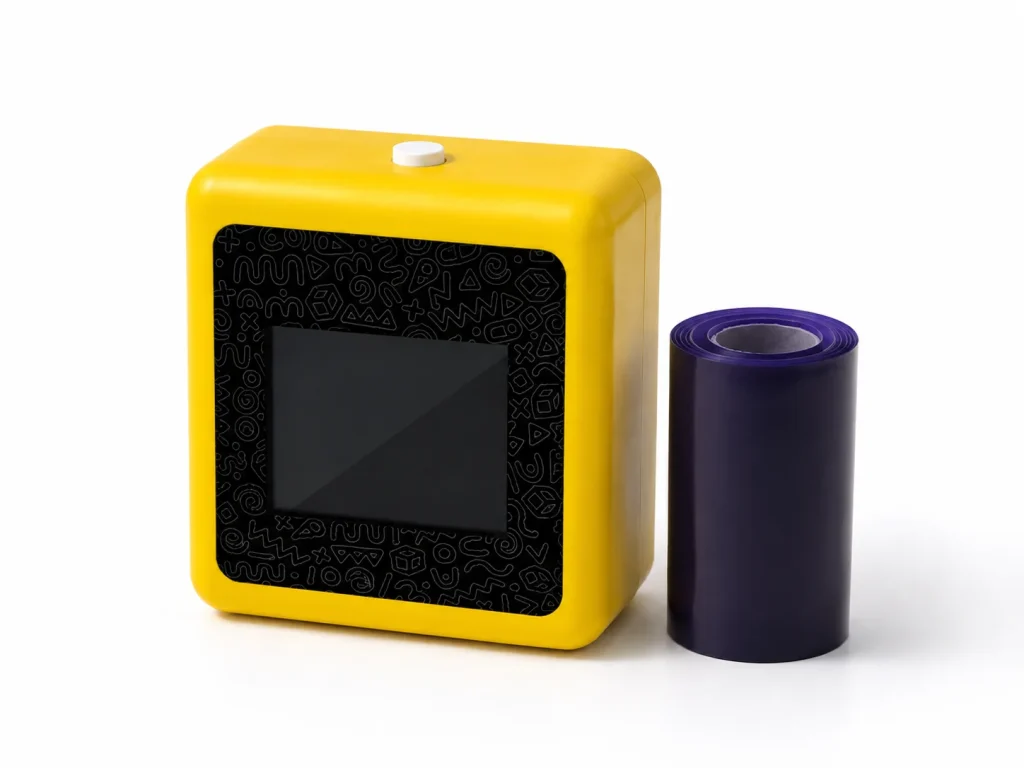
A personalized tattoo printer is not one fixed product category. A buyer may mean a library of pre-made designs, a system that accepts finished artwork, a connected AI workflow that creates new line art from a text prompt, or a private-label device and consumable program. Those routes create different responsibilities for the brand, the event operator and the supplier. K1 is currently evaluated for one defined route: network-connected AI-generated line art, 57mm thermal printing and dedicated two-layer tattoo transfer paper. It does not currently support image upload. A useful OEM checklist therefore starts by defining the personalization outcome before discussing packaging, samples or launch plans.
What Buyers Should Know
- Decide whether guests need selection, image upload, prompt-generated line art, or all three; do not treat them as interchangeable.
- K1’s current tattoo workflow uses a network-connected web flow and AI-generated line art only.
- Brand personalization includes campaign rules and packaging, not merely a logo on the device.
- A sample must test the complete prompt-to-transfer journey with the selected dedicated paper.
- MOQ, timing, language scope, documents and final configuration remain project-specific confirmations.
Where This Product Fits
| Item | Current role |
|---|---|
| Brand | Yosiya |
| Reference platform | K1 AI Tattoo Stencil Printer |
| Design input | Network-connected AI-generated line art from text prompts |
| Print and transfer | 57mm thermal printing with dedicated two-layer tattoo transfer paper |
| Brand use | Private-label evaluation, packaging, paper replenishment and configured workflow discussion |
| Not in current scope | Image upload, permanent tattooing, universal safety or output claims |
Define the kind of personalization you need
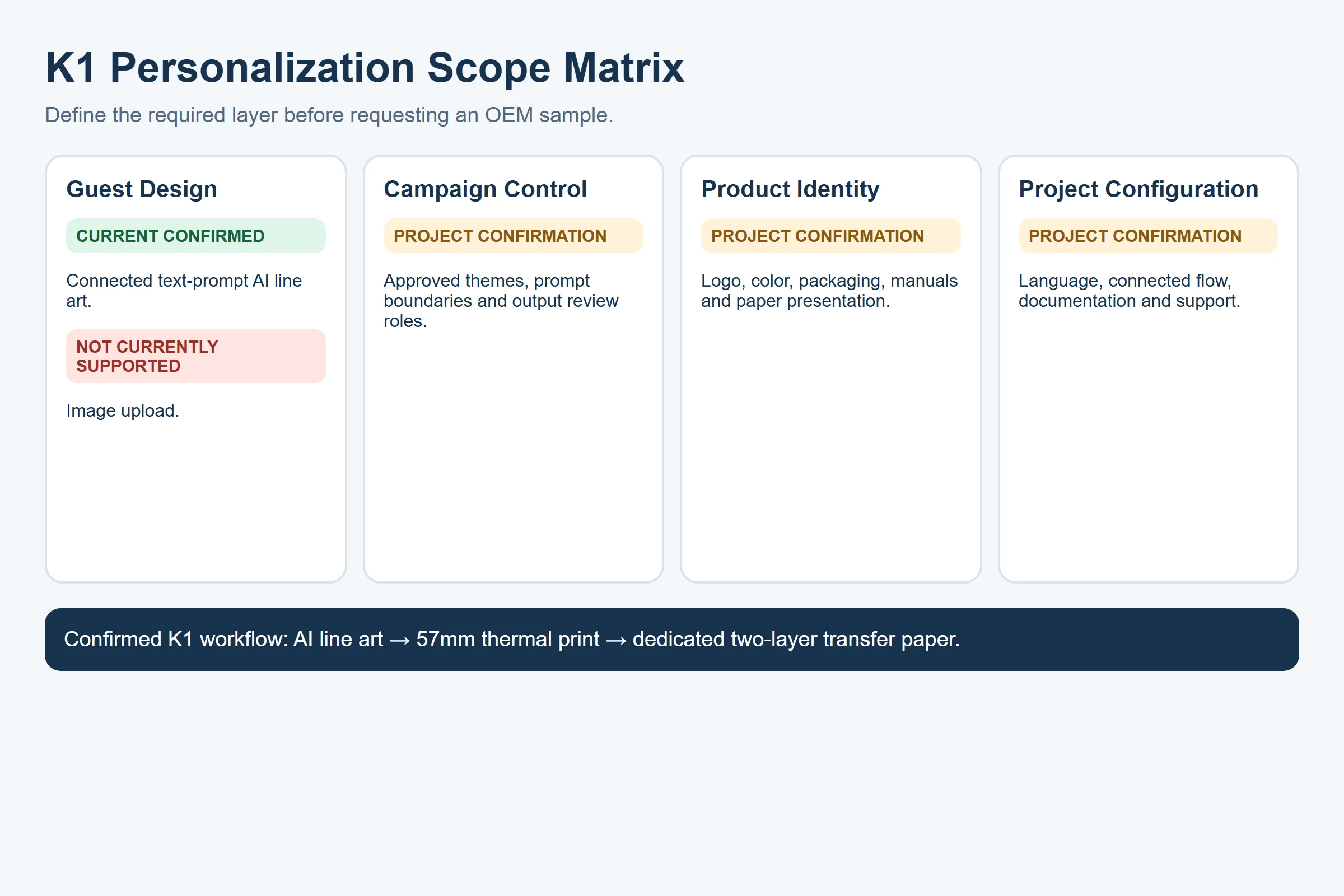
The word “personalized” can hide four decisions. A good buyer brief makes each one explicit so a supplier can say what is confirmed, what needs project definition and what is not currently offered.
| Personalization layer | Buyer decision | K1 planning status |
|---|---|---|
| Guest design | How a guest chooses an idea | Current route is text-prompt AI line art |
| Campaign control | Which themes, prompts and outputs are acceptable | Brand and operator must define the review boundary |
| Product identity | Logo, color, packaging, manual and paper presentation | Discussable as part of private-label evaluation |
| Project configuration | Language, connected flow, support and documents | Requires selected-project confirmation |
This distinction prevents a common sourcing mistake: assuming that a logo printed on the housing means the AI workflow can reproduce a logo file inside every guest design. Exterior branding and packaging are commercial configuration questions. Design input is a separate workflow question. K1’s present tattoo configuration creates line art from a connected text prompt; it should not be described as an image-upload printer.
For a fuller explanation of the connected prompt-to-line-art process, see AI Tattoo Printer: The AI-First Stencil Workflow. This article focuses on the buyer’s choice and acceptance criteria, not on explaining AI technology in depth.
Choose the design route before you choose the hardware
| Route | What the user provides | What the buyer must control |
|---|---|---|
| Design library | A selection from existing artwork | Ownership, updates and brand relevance |
| Image upload | Finished artwork or a photo | File handling, rights, review and print constraints |
| AI line-art generation | A text prompt | Prompt rules, output review and connected workflow |
| Pre-printed tattoo inventory | No on-site design input | Stock, assortment and campaign forecasting |
K1 belongs in the AI line-art generation route today. That can be useful for a brand that wants guests to describe a theme in their own words within approved campaign boundaries. It is not the appropriate recommendation where the main requirement is reproducing an exact uploaded image or a locked brand artwork file. In that case, the buyer should evaluate an image-upload system or a pre-printed campaign product instead of assuming a future K1 function.
Turn a brand brief into an evaluation brief
The purpose of an OEM checklist here is not to negotiate commercial terms. It is to turn a brand idea into a testable brief. Before requesting a sample, the brand should provide a target audience, event or channel context, a small set of approved prompt themes, excluded content, expected host role and the market where the item may be supplied.
This document-first approach also reduces avoidable rework. ISO’s overview of quality assurance describes the value of documented requirements, verification and corrective action in supplier relationships. For branded prompts, campaign art and marks, the buyer should also establish permissions before asking a supplier to reproduce them; the USPTO’s introduction to IP licensing is a useful starting point. Neither source confirms a K1 function. They explain why the brand’s requirements and rights should be clear before a physical sample is evaluated.
K1’s reference hardware measures 98 × 57 × 117mm and has a net weight of 225g. Those facts are relevant when a buyer is reviewing countertop placement, transport cases, packaging and event-station layout. They do not establish portability under every event condition or a fixed operating duration.
Use this requirement record:
- Guest outcome: What should a guest understand, choose and receive?
- Brand boundary: Which prompt themes, terms, symbols and visual directions are approved or excluded?
- Operator boundary: Who checks the output before print and who gives the transfer instructions?
- Station conditions: What network path, surface, power plan and paper handling method are available?
- Product identity: Which logo, packaging, manual and paper-packaging changes are requested?
- Evidence: Which sample records, documents and target-market items must be reviewed before a public claim?
For MOQ, lead time, supplier communication and private-label commercial scope, use the Custom Tattoo Printer OEM: The Private-Label Program. Keeping those negotiations separate makes this article more useful as a brand-side requirements and sample-acceptance guide.
Test the complete prompt-to-transfer workflow
The official K1 workflow is: connect to the network-enabled web experience, generate line art with AI, print with the confirmed dedicated paper, then prepare, press and inspect the transfer result. A sample review should test that end-to-end path with the intended campaign brief—not a generic device demonstration.

The product image identifies the K1 reference platform. It does not prove event throughput, universal usability, skin safety, wear duration or any result outside the documented sample process.
Record the device configuration, paper version, prompt examples, network conditions, loading guidance, print settings, test date and sample ID. The K1 product page explicitly treats dedicated-paper performance, transfer procedure and skin-contact documentation as project-validation items. This is useful discipline: a visually successful single sample does not convert untested claims into launch-ready marketing language.
Treat a sample as evidence for the exact configuration tested, not as evidence for every design, paper lot, venue or target market.
Use a brand-side acceptance checklist
| Review point | What to check | Owner |
|---|---|---|
| Prompt boundary | Approved examples, exclusions and host script | Brand / agency |
| AI output | Line-art result is appropriate for the approved brief | Operator / brand reviewer |
| Connected flow | The selected network path and web experience are usable | Event lead |
| Print result | 57mm output from the tested K1 configuration | Supplier / evaluator |
| Dedicated paper | Sample paper identity, loading guidance and transfer procedure | Supplier / evaluator |
| Product identity | Reference hardware, color, packaging and manual requirements | Brand / product team |
| Documentation | Material, market and claim evidence needed for the project | Brand / sourcing |
| Open items | Outstanding configuration and commercial questions | Project owner |
The Federal Trade Commission explains that objective express and implied claims need support before publication in its advertising guide for small businesses. For this product category, avoid statements about skin safety, waterproof performance, duration, age suitability, fixed output capacity or performance without matching evidence for the selected hardware and paper configuration.
Connect product identity to paper planning
Brand presentation does not stop at the device. The K1 tattoo offering can include dedicated-paper packaging, replenishment strategy, labels, manuals and selected accessory presentation. That means the paper plan belongs in the same review as the retail box and event setup, even though it is a recurring supply decision rather than a device feature.
For wholesale qualification, batch control and replenishment planning of the dedicated paper, see Tattoo Transfer Paper Supply: A Wholesale Guide. The correct question is not “can we use any thermal roll?” but “which documented K1 paper configuration is approved for this project?”
What still requires project confirmation
The current product page confirms the reference hardware and high-level tattoo workflow. It does not confirm every buyer-facing detail. Before launch, obtain written confirmation for the selected project’s language scope, final connection flow, paper dimensions, prints per roll, loading orientation, print settings, transfer timing, removal method, safety or skin-contact documentation, applicable market materials, MOQ, lead time and after-sales terms.
This boundary is not a weakness in the content. It tells a B2B buyer exactly what must be resolved in a sample-to-launch process.
FAQ
What does “personalized tattoo printer” mean for a brand?
It can refer to design selection, image upload, prompt-generated art or private-label product configuration. A brand should define the needed layer before choosing a system.
Can K1 print uploaded images or photos?
No. The current K1 tattoo configuration uses network-connected AI-generated line art from text prompts; image upload is not included in the current scope.
Can a brand customize the K1 hardware and paper presentation?
Logo, color, packaging, manuals, paper packaging and replenishment strategy can be discussed for a private-label project. Final scope depends on project confirmation.
What should be tested in a K1 sample evaluation?
Test the approved prompt set, connected flow, 57mm printing, confirmed dedicated paper, transfer procedure and the documentation needed for the intended market.
Can a sample support safety or duration claims?
No. Those claims require appropriate supplier documentation and applicable testing for the selected paper and product configuration.
Start with one documented brand brief
Explore the K1 AI Tattoo Stencil Printer and request a sample evaluation using an approved prompt boundary, selected paper plan and target-market checklist.


