

An interactive learning toy in 2026 means more than a plastic device that lights up when a child presses the right button. It means a toy that listens, responds with context, adapts to a child’s pace, and sometimes even produces something physical the child can hold. The category has split into two distinct tiers: traditional electronic toys that play pre-recorded phrases, and AI-driven toys that hold real conversations. This guide explains the difference, gives you a practical framework for evaluating any interactive learning toy, and shows where a new category — AI dialogue plus physical print output — fits into the picture.
What Makes a Learning Toy “AI” in 2026
Three capabilities separate an AI interactive learning toy from a traditional electronic one. None of them are about having a screen.
First, open-ended conversation. A traditional toy responds to a button press with the same phrase every time — “The cow says moo.” An AI toy processes what the child actually says and responds in context. Ask it “why is the sky blue” and it gives an answer. Ask “tell me a story about a dragon who’s afraid of fire” and it creates one. The interaction is not pre-scripted.
Second, adaptive difficulty. AI toys can adjust their language complexity, question difficulty, and activity suggestions based on how a child responds over time. A four-year-old asking short questions gets simpler answers than a seven-year-old asking follow-ups.
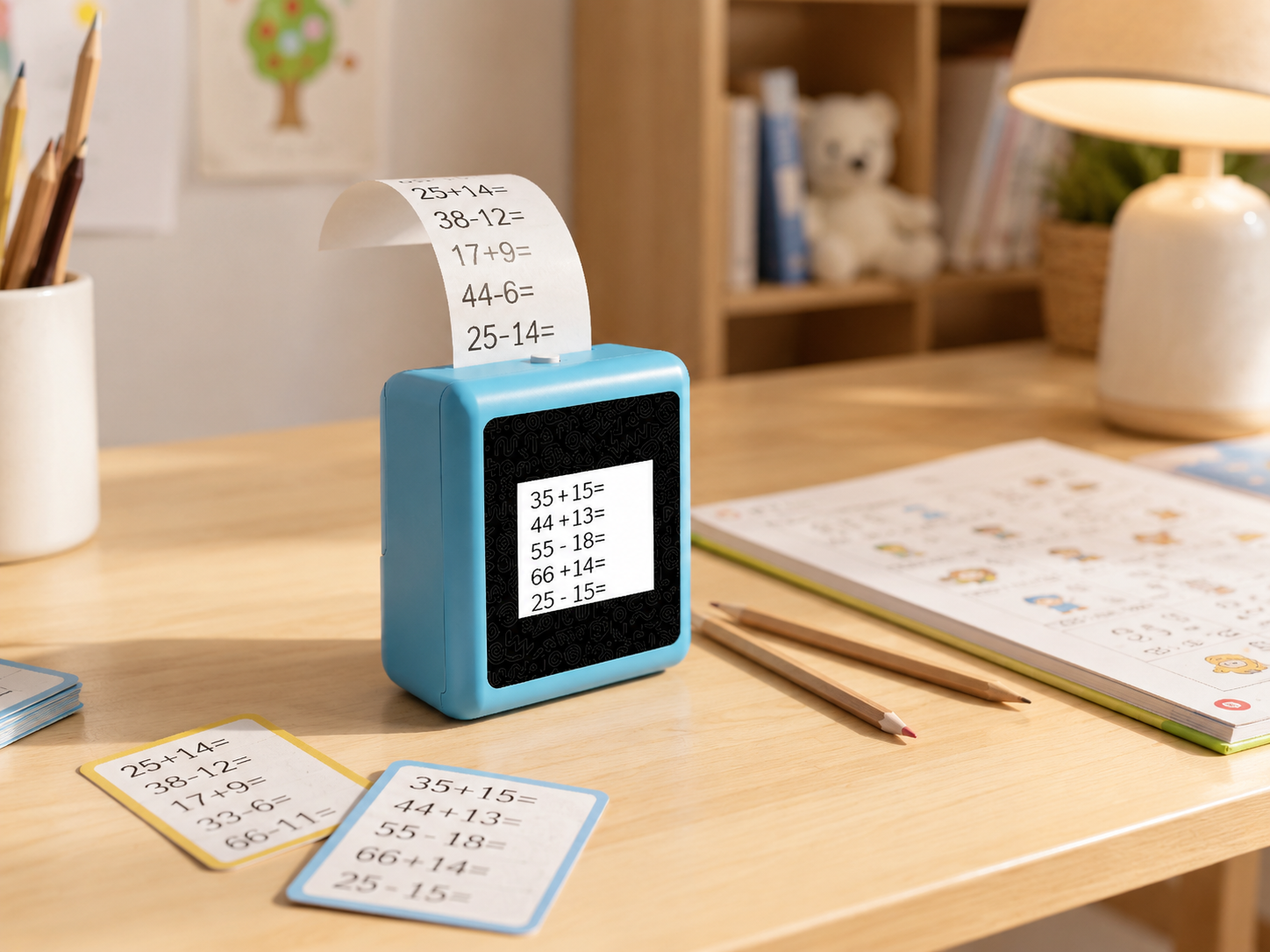
Third, physical output beyond the screen. Screen-free learning is not just about removing a tablet — it is about giving a child something tangible to show for their playtime. Some AI toys now include thermal printing, turning a spoken story into a coloring page or a question about dinosaurs into a fact card.
A toy that only lights up and plays sounds when a button is pressed is an electronic toy. A toy that holds a conversation and creates something physical is an AI learning tool. The difference matters when you are comparing price tags.
Traditional vs AI Interactive Toys: The Real Difference
Most toys marketed as “interactive learning” today belong to the traditional electronic category. They use buttons, touch sensors, or simple voice triggers to activate pre-loaded content. The child receives — but does not create.
| Traditional Interactive | AI Interactive | AI Interactive + Physical Output | |
|---|---|---|---|
| Interaction | Button → pre-recorded phrase | Voice → real-time conversation | Voice → conversation + printed result |
| Content | Fixed, pre-loaded | Dynamic, generated in context | Dynamic + physical artifact |
| Adaptability | None | Adjusts to child’s age and pace | Adaptive + tangible learning output |
| Screen dependency | Often screen-based | Screen-optional | Screen shows context; print creates artifact |
| Examples | VTech Touch & Learn Desk, LeapFrog 100 Words Book | Miko Mini | K1 AI Printer |
This table is not a ranking. It is a category map. A $20 LeapFrog book is a fine purchase for a two-year-old learning first words. But a parent shopping for a five-to-eight-year-old who already talks in full sentences should understand that the “interactive” label on the box means very different things across these three columns.
A 5-Dimension Framework for Evaluating Any AI Learning Toy
When comparing options, ignore the marketing copy and look at five dimensions that determine whether a toy will still be played with in six months.

1. Interaction mode. Can the child speak naturally, or must they press specific buttons? Does the toy remember context across a conversation, or does each question start from zero? A toy that can sustain a multi-turn dialogue — “tell me more about that” — works for a much wider age range.
2. Output form. Screen-only toys compete directly with tablets and apps. Sound-only toys limit what a child can create. Physical output — a printed drawing, a fact card, a sticker — gives children something to show, collect, or stick on the fridge. Research from the Harvard Center on the Developing Child shows that hands-on, multi-sensory experiences build stronger brain architecture than passive screen consumption.
3. Safety and content boundaries. For any internet-connected toy, ask three questions: What content filters are in place? Where does voice data go? What certifications does the hardware carry? Under COPPA (Children’s Online Privacy Protection Act), operators of online services directed to children under 13 must obtain verifiable parental consent before collecting personal information — but many AI toys rely on companion apps with third-party SDKs, creating compliance gaps the toy company may not have fully addressed.
4. Content scope and freshness. Fixed-content toys become repetitive fast. AI toys that generate responses dynamically stay interesting longer. Some platforms also allow content scope to be configured — for example, adjusting the AI’s personality, language complexity, or subject focus — which extends useful life as a child grows.
5. Real cost over 12 months. A $30 electronic toy that entertains for three weeks costs more per useful hour than a platform that stays relevant for a year. For AI toys that require subscriptions (some charge $8-10/month for full feature access), add that to the purchase price before comparing.
Where Today’s AI Interactive Learning Toys Compare
The table below maps products across the five dimensions. Specs are drawn from each company’s official product pages as of August 2026.
| Product | Interaction | Output | Safety | Content | Price (24mo est.) |
|---|---|---|---|---|---|
| VTech Touch & Learn Desk | Button → fixed phrases | Screen + audio | Standard toy safety | Pre-loaded, static | ~$55 (hardware only) |
| LeapFrog 100 Words Book | Touch → word audio | Audio only | Standard toy safety | Pre-loaded, static | ~$20 (hardware only) |
| Miko Mini | AI voice dialogue | Screen + audio | COPPA certified | Dynamic, subscription-gated | ~$99–129 + ~$198/24mo sub |
| BDI X16 | Voice → AI image generation + print | 57x26mm thermal print | Standard electronics | Limited to image generation | ~$129 (hardware only) |
| K1 AI Printer | AI voice dialogue + print | 57mm thermal print + 2.8″ IPS screen | FCC/CE/ROHS/CPC materials available | Configurable AI scope | Hardware price TBD; no subscription required |
The Miko Mini offers the strongest privacy certification in this group (COPPA certified), but its ongoing subscription cost is worth factoring in. The BDI X16 generates AI images from voice prompts but does not support the kind of back-and-forth dialogue that sustains a learning conversation. The K1 AI Printer is the only device in this comparison that combines sustained AI dialogue with physical print output — turning a spoken idea into something a child can color, collect, or give to a parent.
How K1 AI Printer Approaches Interactive Learning
The K1 AI Printer, built on Yosiya’s OEM/ODM reference platform, takes a different path from the tablet-replacement model. It is a compact device — 98 × 57 × 117mm, 225g — with a 2.8-inch IPS screen, an 1800mAh battery, and a 57mm thermal print system. Children interact through voice, and the AI responds in context. When the conversation produces something worth keeping — a drawing concept, a learning card, a creative writing prompt — the device prints it.
The standard version focuses on two core functions: AI voice dialogue and thermal printing. Additional learning functions (literacy support, learning cards, creative prompts) are configurable and depend on the confirmed project version. A K1 Pro version with reminder and early-learning content functions is under development but not included in the current standard offering.
Hardware facts confirmed across the reference platform: the print system uses standard 57mm thermal paper (approximately 40 images per roll, varying with image coverage) with an optional adhesive sticker-style paper. Color options include China Red, Sky Blue, Yellow, and Pink. Each unit ships with a Type-C cable, manual, and two rolls of standard thermal paper.
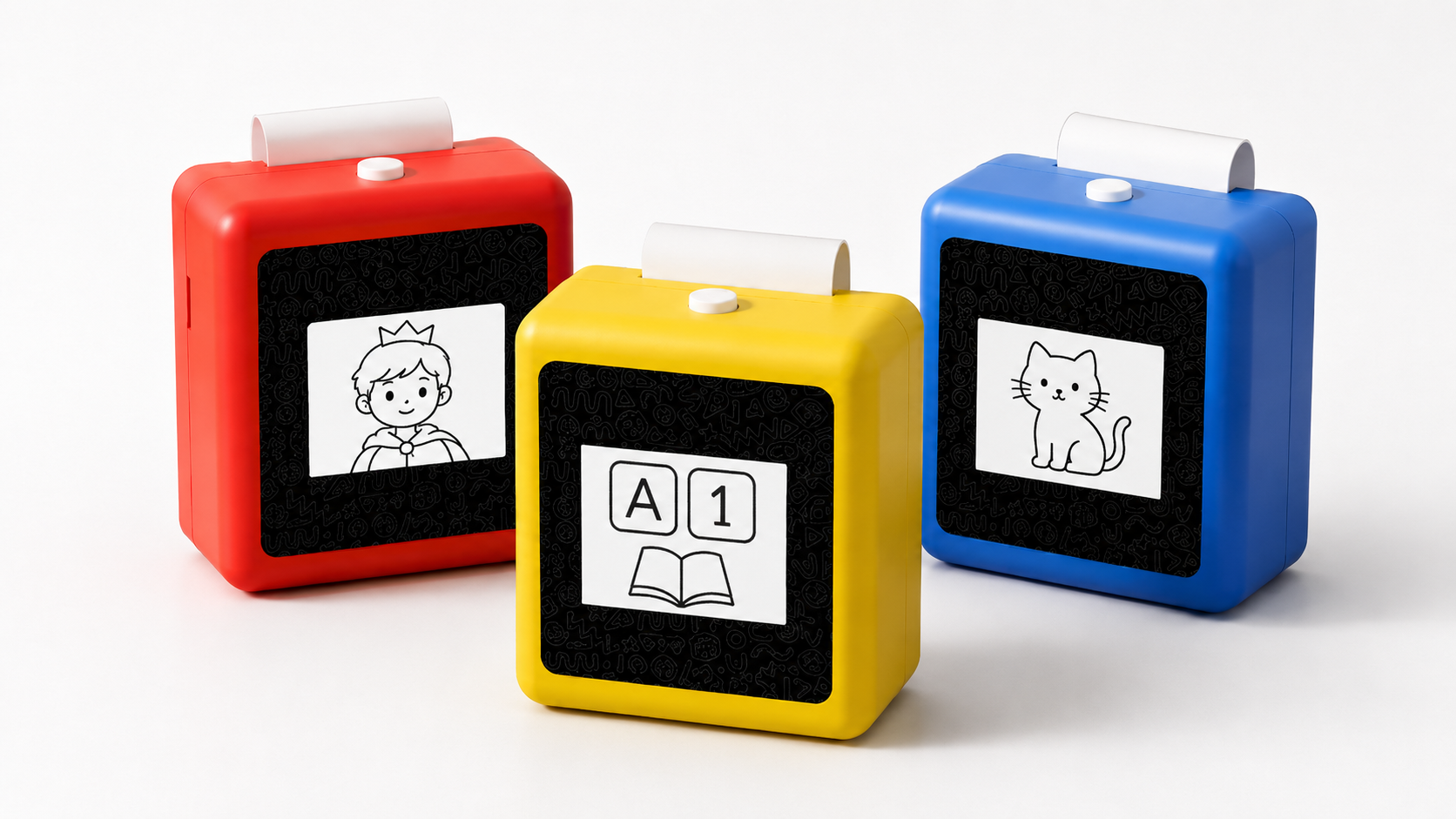
An important note for parents evaluating any AI toy: the screen-free argument does not mean zero screens — it means the screen serves the activity rather than being the activity. The K1’s 2.8-inch display shows conversation context and print previews; a child’s primary interaction is through voice, and the primary output is physical.
What to Check Before Buying an AI Learning Toy
Use this checklist when evaluating any interactive learning toy for a child aged 3-10. Skip the Amazon star ratings and verify these directly.
- Interaction test: Can the child speak naturally, or only press labeled buttons? If every response is identical on the tenth try, it is not AI-driven — it is scripted.
- Output quality: What does the child have to show after 20 minutes of play? A screen history? A stack of printed creations? Nothing at all?
- Connectivity requirements: Does the toy work offline for any functions, or is it a paperweight without Wi-Fi? A toy that requires always-on internet also raises questions about data handling.
- Content boundaries: Can parents review conversation history? Are content filters configurable by age? These are reasonable questions to ask the manufacturer, and any company that cannot answer them clearly should give a buyer pause.
- Subscription trap: Some AI toys sell the hardware at a moderate price and gate meaningful features behind a monthly subscription. Check the two-year total cost, not the sticker price.
- Certification evidence: For the U.S. market, ASTM F963 is the mandatory toy safety standard under CPSC. Check which certifications the manufacturer can provide for the specific production version, not just a brand-level claim.
FAQ
1. Is AI in children’s toys safe?
Safety depends on two separate things: hardware safety and data privacy. Hardware safety is governed by mandatory standards — in the U.S., ASTM F963 under CPSC covers mechanical, chemical, and flammability risks. Data privacy is governed by COPPA, which requires parental consent before collecting personal information from children under 13. Parents should ask manufacturers for the specific certifications of the production version and for a clear explanation of where voice data is processed and whether it is stored. The FTC strengthened COPPA requirements in 2025 with new rules on data retention limits and third-party disclosure — compliance deadlines took effect April 22, 2026.
2. Do AI learning toys need the internet?
Most AI conversation features require internet connectivity because the language processing runs on cloud servers. If a toy claims “offline AI,” ask what functions actually work without a connection. Some devices offer offline modes for basic playback or print, but real-time conversation typically needs Wi-Fi.
3. What age is right for an AI interactive learning toy?
Children under 2 learn more from face-to-face interaction with caregivers — the American Academy of Pediatrics recommends no screen media (except video chat) for this age group. For ages 2-5, the AAP suggests a maximum of one hour per day of high-quality content with adult co-viewing. AI toys with voice interaction are most meaningful for children aged 4-10, who have enough language to hold conversations and enough curiosity to drive the interaction forward.
4. How is AI dialogue different from the talking toys I grew up with?
Traditional talking toys play pre-recorded audio files triggered by buttons or simple voice detection — they recognize a sound, not meaning. An AI toy processes language: it understands what was asked, generates a response based on context, and can follow up on previous exchanges. The difference is the same as between pressing play on a cassette and having a phone call.
5. What should I check about data privacy before buying?
Ask the manufacturer three questions: (1) Is voice data stored after processing, and for how long? (2) Does the companion app include third-party SDKs that might collect children’s data separately? (3) Can parents access, review, and delete conversation history? If the answers are vague or the company cannot point to a published privacy policy that covers children’s data specifically, treat that as a red flag.
Choosing the Right Tool for the Right Stage
An interactive learning toy is worth buying when it does something a tablet cannot — when it creates conversation instead of consumption, and when it produces something a child can hold. The jump from traditional button-press electronics to AI-driven dialogue is the largest shift in the toy category since the introduction of speech chips in the 1980s. The jump from AI dialogue to AI dialogue plus physical output is just beginning.
For parents evaluating options, start with the five dimensions — interaction, output, safety, content, and real cost — and ignore the marketing adjectives. A toy that costs twice as much but gets used for two years is cheaper than a toy that sits in the closet after three weeks. And a toy that prints something a child made is harder to ignore than one that just lights up.
Explore the K1 AI Printer reference platform and request evaluation details

