
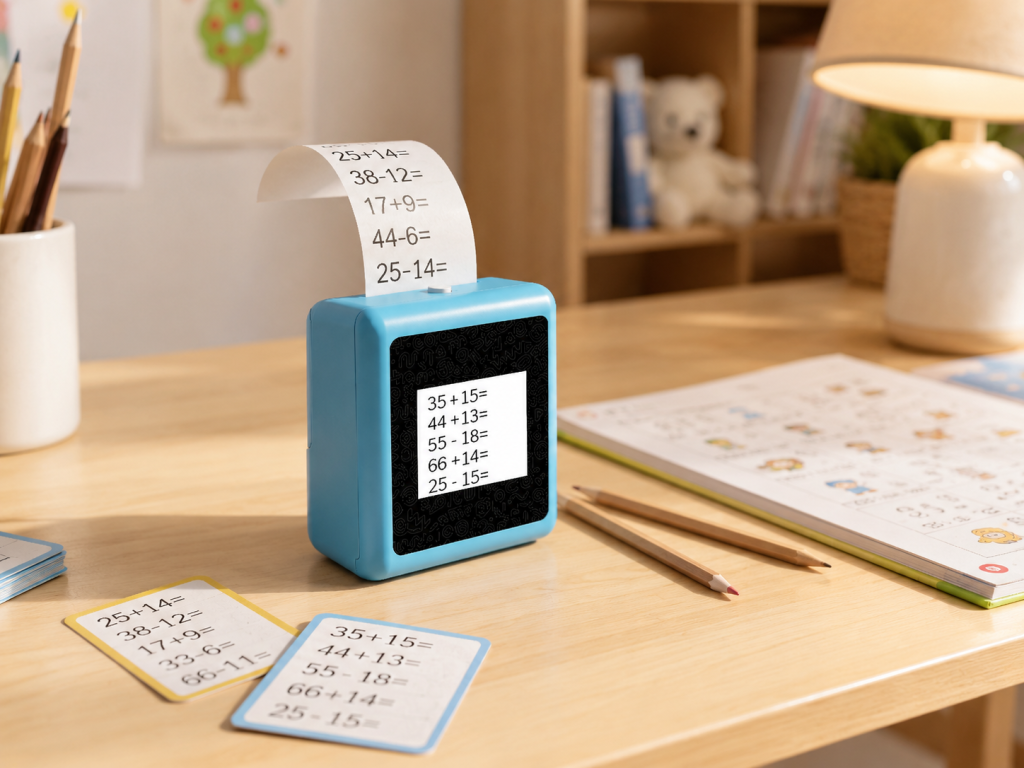
If you have spent more than twenty minutes searching for an AI learning toy, you have probably noticed a pattern: every product page says “AI-powered,” “interactive,” and “educational.” The words are the same. What the toys actually do — and what a child actually gets out of them — is not. This comparison breaks down four products you are likely to encounter: Miko Mini, Stickerbox, BDI X16, and the K1 AI Printer, plus a brief look at MUNBYN SP01. The goal is not to pick a winner. It is to show which type of toy fits which type of child.
What “AI Learning” Means Across These Products
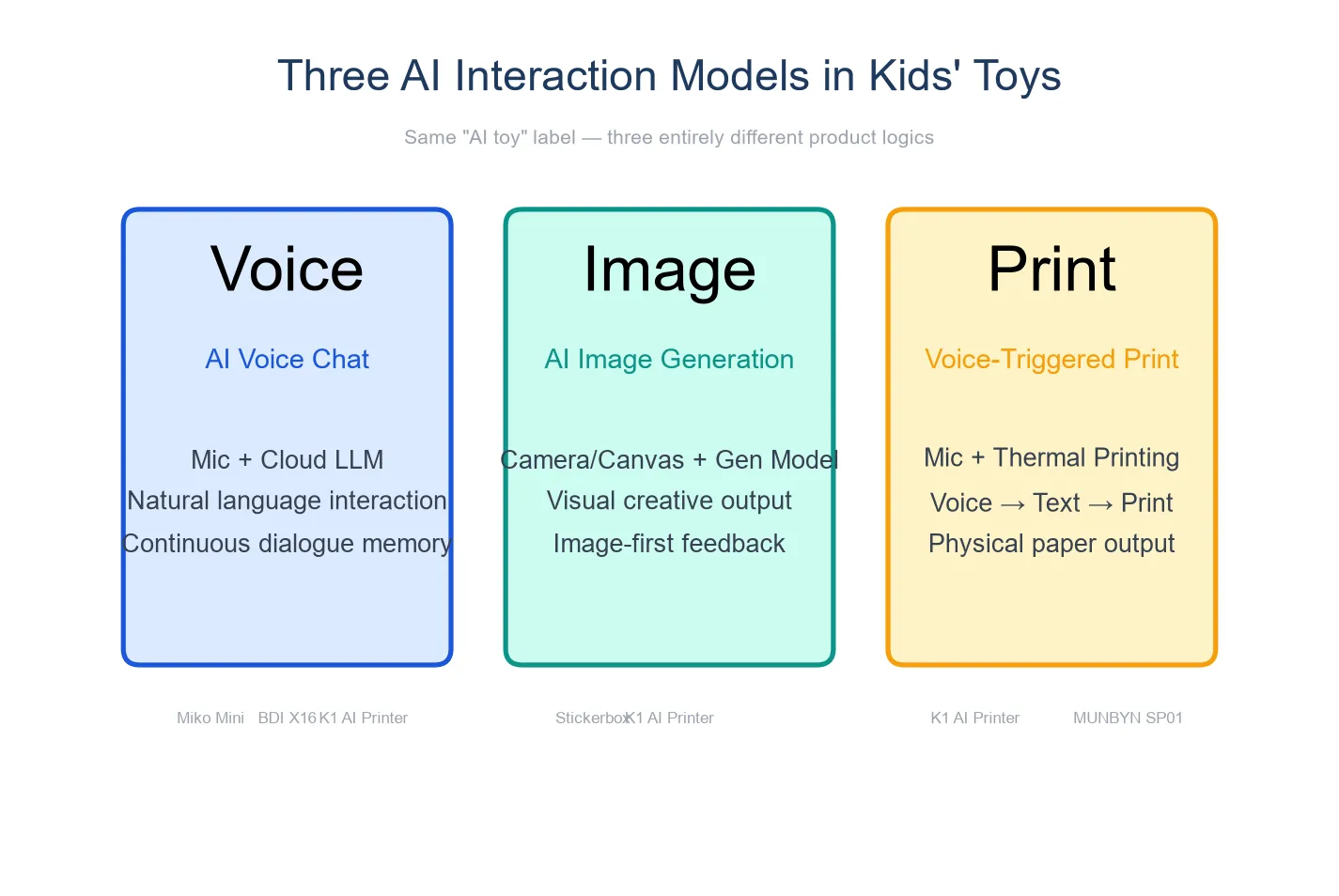
Before looking at individual devices, it helps to sort them by what the AI actually does. These four products fall into three interaction categories.
AI dialogue: The toy processes what a child says and responds in context. It can answer follow-up questions, tell stories on demand, and adjust its language to the child’s age. Miko Mini and K1 AI Printer belong in this category.
AI image generation: The toy takes a voice prompt — “a dragon playing soccer” — and generates an image, which it then prints. There is no back-and-forth conversation. BDI X16 and MUNBYN SP01 belong here.
Voice-triggered print: The toy recognizes spoken commands and produces pre-designed sticker sheets. Stickerbox falls here — closer to a voice-operated printer than a conversational AI.
The distinction matters because a parent shopping for “AI learning” might expect open-ended conversation and get image generation instead, or vice versa. The label on the box will not tell you the difference — the interaction type will.
Comparison Matrix
Specifications below are drawn from each company’s official product pages as of August 2026. Prices are retail estimates and may vary by channel.
| Miko Mini | Stickerbox | BDI X16 | MUNBYN SP01 | K1 AI Printer | |
|---|---|---|---|---|---|
| Interaction type | AI voice dialogue | Voice → pre-designed stickers | Voice → AI image generation | Voice → AI image generation | AI voice dialogue + image-to-print |
| Screen | 2.4″ color display | No screen | 2.4″ IPS | 3.5″ color display | 2.8″ IPS |
| Output | Screen + audio | 50mm sticker print | 57×26mm thermal print | 2-inch thermal print | 57mm thermal print (standard + sticker paper) |
| Dialogue capability | Multi-turn conversation | Voice commands only | Voice prompts only | Voice prompts only | Multi-turn conversation |
| Battery | Rechargeable (built-in) | Plug-in only (no battery) | 1,300mAh | Plug-in only (no battery) | 1,800mAh |
| Subscription | $8.25/month for full features | None | None | None | None |
| Key certification | COPPA certified | COPPA, Kids Safe Seal | Standard electronics | Standard electronics | FCC/CE/ROHS/CPC (materials available) |
| Target age | 5–10 | 3–10 | Not specified | Not specified | 4–10 |
| Estimated price | $89–129 + subscription | $99–129 | $129 | ~$100–130 | Hardware price TBD |
| OEM/ODM | Not offered | Not offered | Not offered | Not offered | Available (MOQ 1,000) |
Product-by-Product Analysis
Miko Mini: The Conversation Specialist
Miko Mini is an AI-powered robot designed for children aged 5 to 10. It uses voice dialogue to engage kids in STEAM topics — science, technology, engineering, arts, and math — through open-ended conversation. It can tell stories, answer questions, play educational games, and adapt its responses to a child’s age.
What it does well: Miko Mini has the strongest privacy certification in this group — it is COPPA certified, which means its data handling for children under 13 has been reviewed against federal privacy standards. Its dialogue engine is its core feature, and the conversation quality reflects that focus.
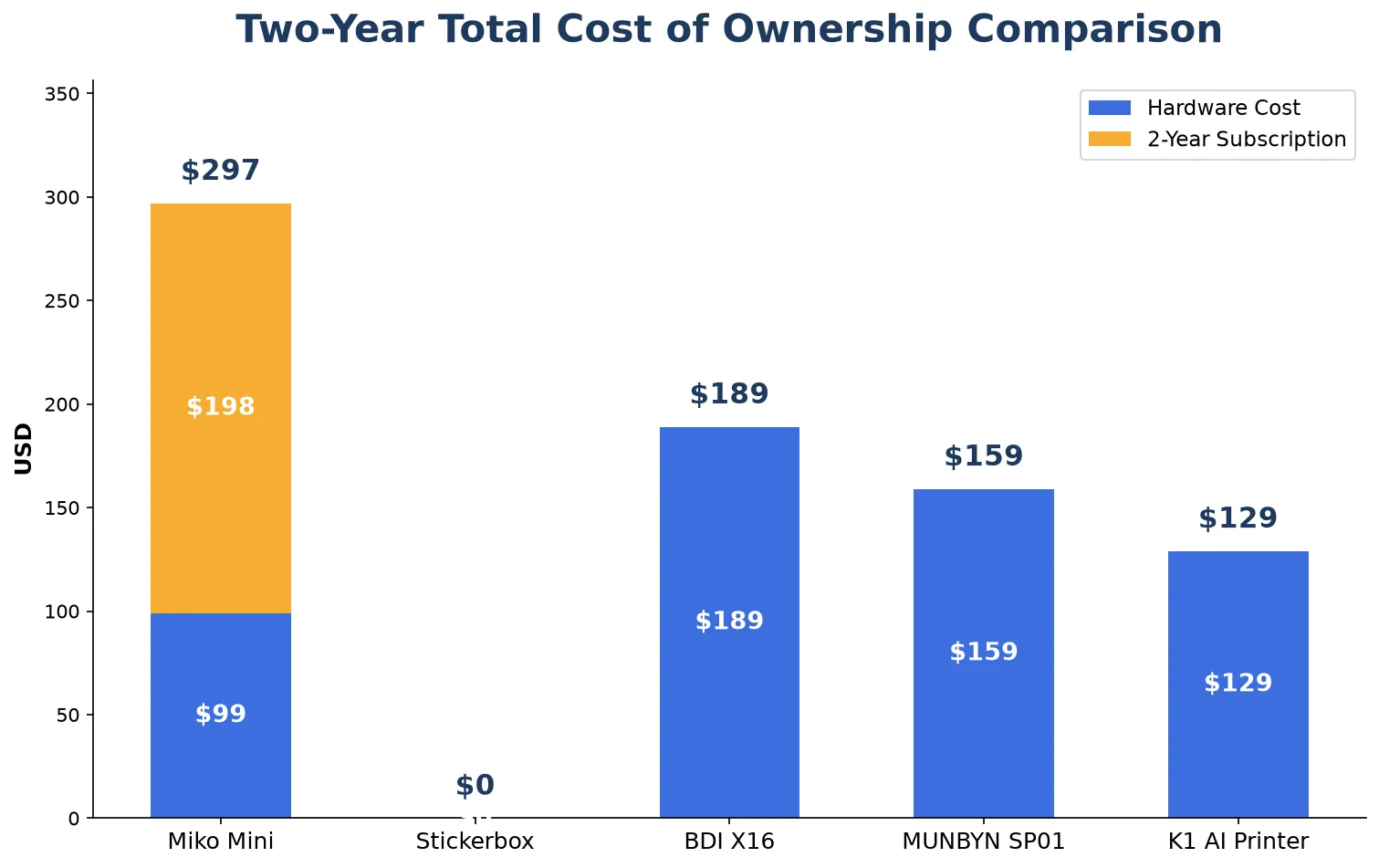
What to consider: Full functionality requires a subscription at $8.25/month. Over two years, the total cost approaches $300 — significantly more than the hardware price suggests. Miko Mini is a screen-and-audio device; it produces no physical output. For children who learn best through hands-on creation, this is worth noting.
Miko Mini and K1 AI Printer target different use cases — Miko emphasizes conversation-driven STEAM learning, while K1 combines conversation with physical print output. The two are not direct substitutes; they address different parent priorities.
Stickerbox: Voice-Operated Sticker Printer, Strong on Privacy
Stickerbox is a voice-operated sticker printer. A child speaks a sticker idea — “a unicorn eating pizza” — and the device prints a pre-designed sticker sheet matching that description. It has no screen, no dialogue capability, and requires a wall outlet.
What it does well: Stickerbox holds both COPPA certification and the Kids Safe Seal, giving it the strongest privacy and safety credentials in this comparison. For parents whose primary concern is data privacy, this is a meaningful distinction. The voice-to-sticker workflow is simple enough for young children to operate independently.
What to consider: The device is not conversational — a child gives a command and receives a sticker. There is no back-and-forth, no follow-up questions, no adaptive learning. It is a creative output tool, not an interactive learning device. It also must remain plugged in, which limits where it can be used.
For a family that wants a safe, simple creative printer for a younger child (3–6), Stickerbox is a strong fit. For a family looking for AI-driven conversation and adaptive learning, it leaves that need unaddressed.
BDI X16: AI Image Generation in a Compact Body
BDI X16 is an AI voice-to-image printer. A child describes an image — “a rocket ship landing on Mars” — and the device generates and prints it on 57×26mm thermal paper. It has a 2.4-inch IPS screen, a 1,300mAh battery, and retails around $129.
What it does well: The X16’s image generation is its headline feature, and it turns a child’s imagination into a tangible print faster than any device in this group that requires conversation first. It runs on battery power, so a child can use it anywhere, and it has no subscription fees.
What to consider: The X16 does not support multi-turn dialogue. A child gives a prompt, gets an image, and the interaction ends. This is accurate to the product’s design — it is an image generator, not a conversational learning tool. The print width is narrower than the K1’s 57mm (the X16 uses 57×26mm, meaning a smaller printable area than standard 57mm width). Battery capacity at 1,300mAh is the smallest among battery-powered options in this comparison.
The X16 and K1 AI Printer are the closest competitors in this group in terms of hardware form factor — both are portable thermal printers with AI capabilities. The key difference is that the X16 is built around image generation while the K1 is built around conversation, with image-to-print as one of several output modes.
MUNBYN SP01: Larger Screen, Plug-In Design
MUNBYN SP01 is an AI sticker printer with a 3.5-inch color display — the largest screen in this comparison — and 203 DPI resolution. It uses BPA-free thermal paper and requires a wall outlet.
What it does well: The 3.5-inch screen provides the best preview experience among these devices. If a child wants to see their image clearly before printing, the SP01 offers the largest canvas for that. BPA-free paper is a thoughtful detail for a children’s product.
What to consider: Like the BDI X16, the SP01 generates images from voice prompts but does not hold conversations. It is a plug-in device without battery power, which means it stays on a desk or table. The lack of AI dialogue places it in the image-generation category rather than the conversational-AI category.
The SP01’s larger screen is a genuine advantage for visual preview. The trade-off is portability and the absence of conversational AI — a worthwhile trade for some families, a dealbreaker for others.
K1 AI Printer: Conversation Plus Physical Creation
The K1 AI Printer, built on Yosiya’s OEM/ODM reference platform, is the only device in this comparison that combines sustained AI voice dialogue with thermal printing.
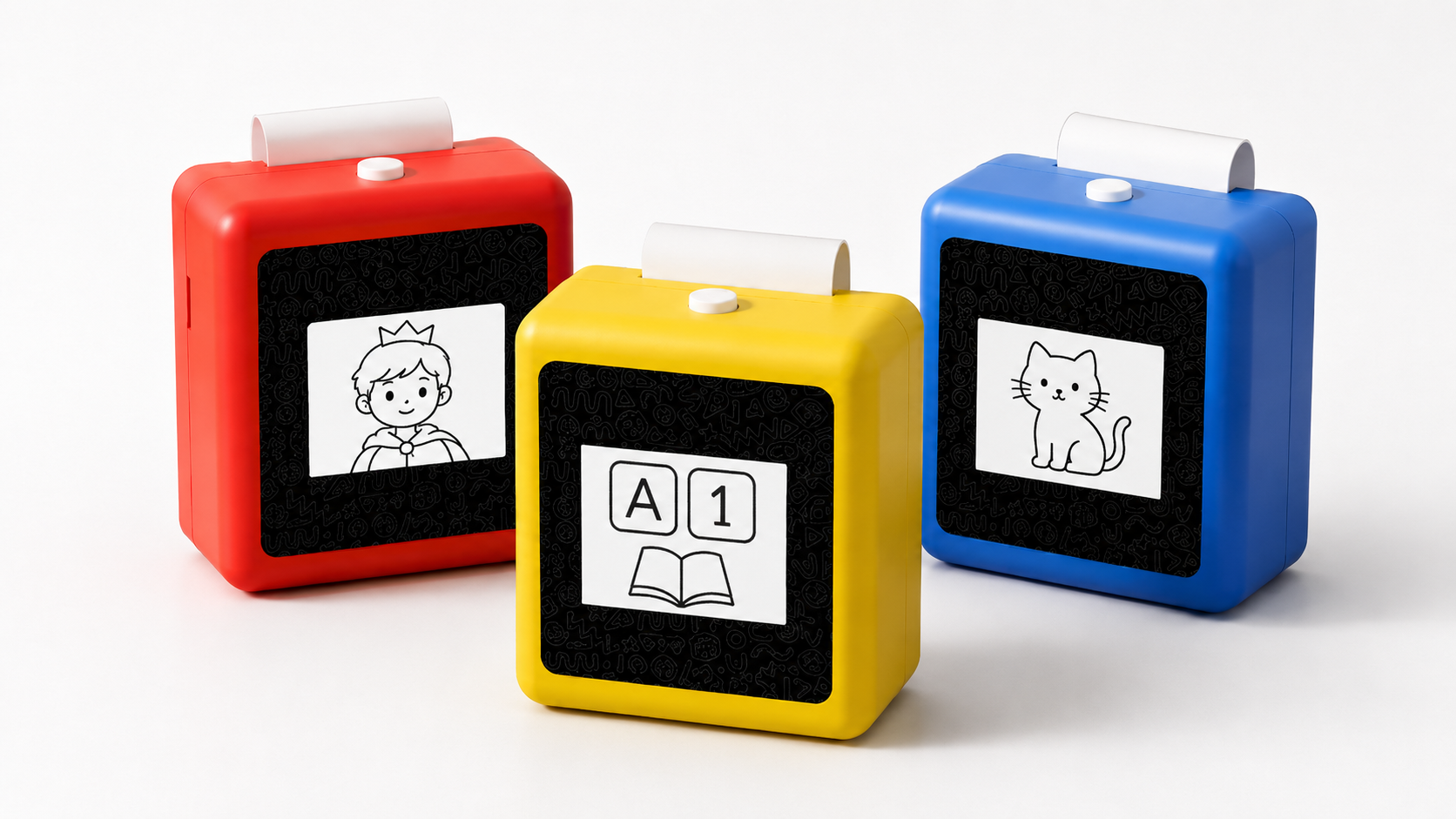
It measures 98 × 57 × 117mm, weighs 225g, and carries a 1,800mAh battery — the largest in this group. The 2.8-inch IPS screen shows conversation context and print previews; the 57mm thermal printer supports both standard paper and optional adhesive sticker paper.
What it does well: The dual-mode interaction — dialogue and print — is unique among the products compared here. A child can have a conversation with the AI, ask follow-up questions, and when the exchange produces something worth keeping (a drawing idea, a learning card, a story prompt), the device prints it. This creates a learning loop: talk → create → hold. The 1,800mAh battery supports portable use across the house or during travel, and there is no subscription fee. Four color options — China Red, Sky Blue, Yellow, and Pink — are available.
What to consider: The hardware price is not yet finalized. The device’s AI dialogue behavior, content scope, and language support depend on the confirmed project version — details that should be verified directly with the manufacturer before purchase. Certification materials (FCC/CE/ROHS/CPC) are available for review but certification status should be confirmed for the specific production version.
For OEM and private-label buyers, the K1 platform supports customization across appearance (logo, color, packaging), AI dialogue (personality, language, subject focus), and paper type. Minimum order quantity is 1,000 units. This is a separate procurement path from retail purchase and is not relevant to individual consumer buyers.
Which Toy Fits Which Situation
Rather than rank products, here is how the four devices map to common parent scenarios. These are conditional recommendations — the right device depends on what you are trying to solve.
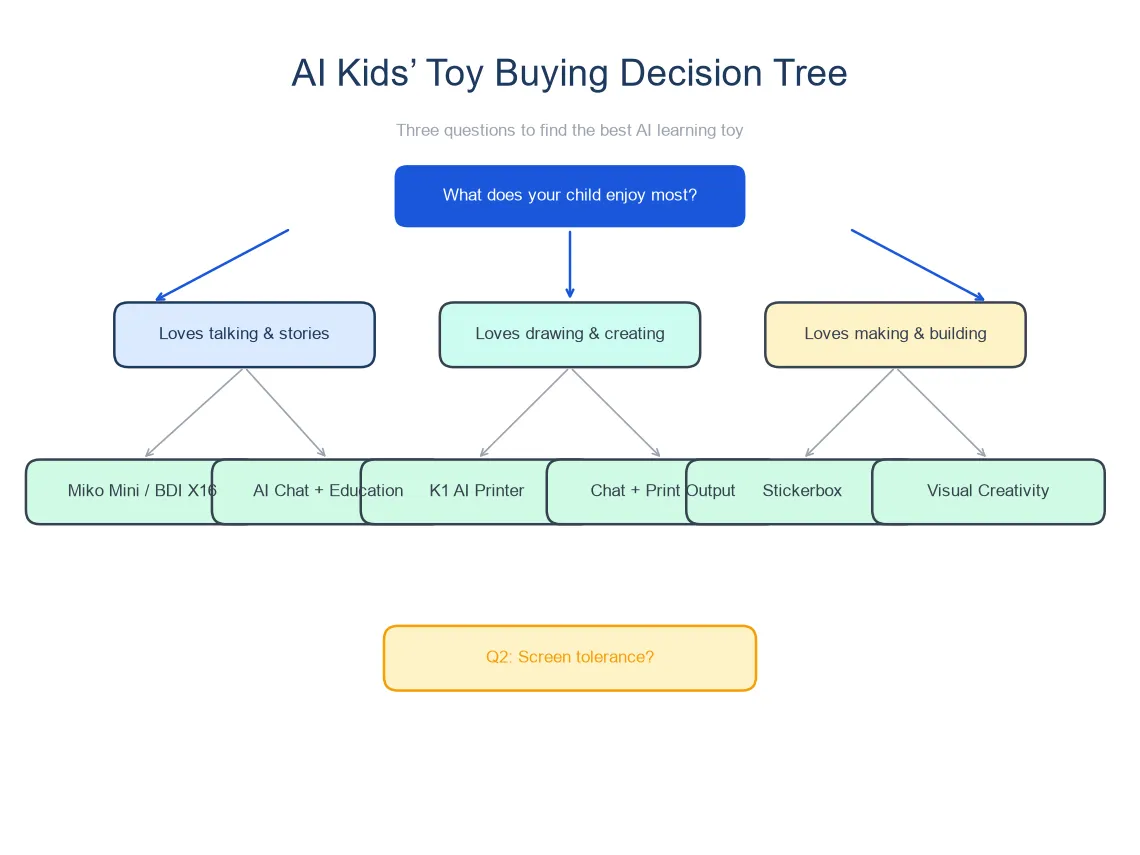
You want conversation-driven learning with no subscription: The K1 AI Printer offers multi-turn AI dialogue combined with physical print output and no recurring fee. If hands-on creation matters — a child who loves drawing, making cards, or showing off something they made — the print capability adds a dimension that screen-only devices do not. Confirm the AI dialogue scope and language support for the specific production version before purchasing.
You prioritize privacy certification above all else: Stickerbox leads on privacy credentials (COPPA + Kids Safe Seal) and is the simplest device to use. Accept that it is a voice-operated printer, not a conversational AI — and for parents of younger children (3–6) who care more about safe creative output than adaptive dialogue, that is the right trade.
You want STEAM conversation with a strong privacy track record: Miko Mini delivers the most mature dialogue experience in this group and carries COPPA certification. Budget for the subscription — $8.25/month adds roughly $99/year, and the device’s full feature set requires it. This is a screen-and-audio device with no physical output.
You want fast, fun image generation on the go: BDI X16 turns a child’s voice prompt into a printed image in seconds, runs on battery, and costs a flat $129 with no subscription. It is an image toy, not a learning conversation tool — and for a child whose primary interest is visual creativity, that may be exactly what works.
You want the best print preview experience: MUNBYN SP01’s 3.5-inch screen offers the clearest visual before printing, and the BPA-free paper is a child-safety detail worth noting. The trade-off: no battery portability and no conversational AI.
What the Comparison Table Cannot Show
Specifications capture features. They do not capture what a child actually does with a toy over weeks and months.
The subscription effect: A toy that costs $99 upfront but requires $99/year in subscriptions costs $300 over two years. A toy that costs more upfront but has no subscription may cost less over time. The comparison matrix above shows sticker prices — parents should calculate the two-year cost before deciding.
The “Saturday morning test”: After the novelty wears off (typically 2–4 weeks for any toy), does the child still reach for it? Devices with dynamic, generated content — whether conversation or image creation — tend to stay relevant longer than devices with fixed content. Among these four, BDI X16 and Stickerbox produce varied output on each use. Miko Mini and K1 AI Printer vary output through conversation. All four are dynamic in different ways; none relies on pre-loaded static content.
Physical output and parent visibility: A device that produces something physical — a sticker, a printout, a card — gives parents a window into what the child is doing. A screen-only device requires the parent to look over the child’s shoulder. For busy households where independent play is the norm, physical output serves as a built-in activity log.
FAQ
1. Is Miko or a printer toy better for learning?
It depends on how your child learns best. Miko Mini emphasizes STEAM conversation — it talks through science concepts, answers questions, and adapts to age. A printer-based toy like the K1 creates something physical from the conversation — a drawing, a fact card, a story prompt. A child who learns by talking may prefer Miko. A child who learns by making may prefer a printer-based device. They address different learning styles, not different quality levels.
2. Do AI toys require subscriptions?
Miko Mini requires an $8.25/month subscription for its full feature set. Stickerbox, BDI X16, MUNBYN SP01, and K1 AI Printer do not require subscriptions. Before buying any AI toy, check whether the features you care about are gated behind a subscription — the hardware price alone does not tell the full cost story.
3. Can these AI toys work without Wi-Fi?
Most AI features on these devices require internet connectivity because the language processing and image generation run on cloud servers. If a device claims offline functionality, ask the manufacturer what specific features work without a connection. Basic playback or previously cached content may work offline, but real-time conversation or image generation typically does not.
4. Which AI toy is best for a creative child?
A creative child — one who draws, builds, tells stories, or makes things — benefits most from a device that produces physical output. BDI X16 generates images from voice prompts and prints them. Stickerbox produces sticker sheets on command. The K1 AI Printer adds conversation to the creative loop — a child talks through an idea with the AI and then prints the result. Which one fits depends on whether the child wants fast image output (X16), simple sticker creation (Stickerbox), or conversation-driven creation (K1).
5. Are these toys safe for a 5-year-old?
Hardware safety for children’s products sold in the U.S. falls under ASTM F963, the mandatory toy safety standard enforced by the CPSC. All four devices are electronic products marketed for children and should meet applicable safety standards — parents should verify specific certifications with the manufacturer for the production version they are purchasing. On the data privacy side, Miko Mini and Stickerbox carry COPPA certification. For other devices, ask the manufacturer for their children’s data privacy policy before purchase. The FTC’s strengthened COPPA rules, effective April 2026, impose new requirements on data retention and third-party disclosure for children’s online services.
How to Make the Final Decision
If you are comparing these products right now — perhaps with a birthday or holiday approaching — here is a practical decision path:
- Decide what “AI learning” means to you. Is it conversation? Image creation? Both? The label on the box will say “AI” for all of them. Your definition is what matters.
- Calculate the two-year cost, not the sticker price. Add subscriptions. A $99 device with an $8.25/month subscription costs roughly $297 over two years. A device with no subscription may cost more upfront but less over time.
- Match the toy to your child’s creative style. A talker wants conversation. A maker wants output. A visual kid wants image generation. There is no universal “best” — there is only the best fit for one specific child.
- Verify certifications for the production version. Ask the manufacturer directly. A brand-level claim is not the same as a certificate for the specific SKU you are buying.
The AI toy category in 2026 is still young. The products are different enough that picking the right one matters more than picking the “best” one.


