
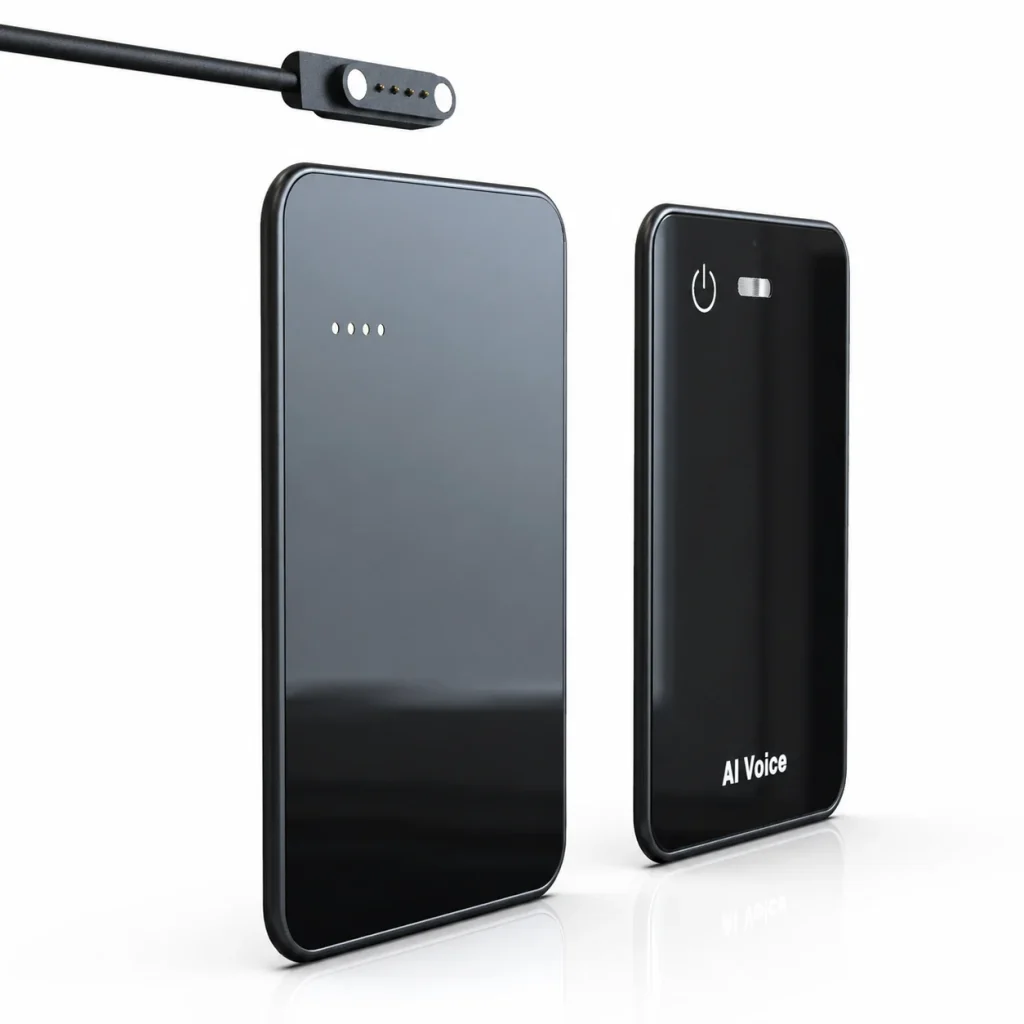
An AI voice recorder device is not automatically better than a phone recording app. A phone can be the practical choice for occasional notes, especially when it already provides recording, transcription, and sharing. Dedicated hardware becomes more useful when the recording task should be separated from the user’s primary phone, when local source files matter, or when a team needs a repeatable physical capture process. The decision should be based on interruptions, storage, file ownership, room placement, AI-service requirements, and deployment responsibility—not on the assumption that one microphone or app is always superior. For business buyers, the right comparison begins with the recording workflow and ends with a realistic pilot.
What Buyers Should Know
- Modern phone recorders can provide capable recording and AI-assisted note workflows.
- Dedicated hardware adds another device to charge, track, update, and support.
- A separate recorder can reduce dependence on the employee’s phone during capture.
- Neither option proves better audio or transcription accuracy without a matched test.
- Consent, retention, access, and deletion rules apply to both models.
Where This Product Fits
| Model | Strongest-fit task | Main advantage | Main question to test |
|---|---|---|---|
| Built-in phone recorder | Occasional personal notes and simple meetings | No extra hardware | Does the supported phone provide the required workflow? |
| Third-party recording app | Individual capture with app-based organization | Flexible software features | How does it handle permissions, storage, export, and background use? |
| Meeting platform | Scheduled online calls | Identity and workspace integration | Are the meetings inside the supported platform? |
| Dedicated recorder | Repeatable in-person capture | Separate physical control and local recording path | How are files transferred, processed, and governed? |
| Yosiya MG6 AI Recording Card | OEM/ODM and selected enterprise projects | Card-sized offline WAV capture plus connected services | Which app, AI plan, documents, and project options are approved? |
Start With the Case for the Phone
A fair comparison should begin by recognizing what phones already do well.
Apple’s Voice Memos guide shows a straightforward recording workflow on a device the user already carries. Samsung’s Voice Recorder documentation goes further on supported Galaxy devices, describing recording modes, transcription, summaries, translation, text sharing, quality settings, and controls intended to reduce interrupted recordings.
A phone app may be the right answer when:
- The user records occasionally.
- Carrying another device would create more friction than it removes.
- The approved phone and operating system support the required features.
- Personal storage and battery use are acceptable.
- The organization already manages the phone and its data.
- The user does not need a branded hardware product or separate fleet.
The low-cost option is not always the lowest-friction option, but adding hardware without a clear requirement is not a strategy either.
When Dedicated Hardware Changes the Workflow
A dedicated recorder moves capture onto a separate physical system. This can matter in four situations.
The phone is busy with another task
The user may need the phone for a call, presentation, reference document, navigation, customer app, or messaging. Separating capture can reduce task competition, although the selected recorder still needs its own reliable workflow.
The team wants a visible, repeatable recording action
A physical control can make the start and stop behavior easier to train. That does not replace participant notice or consent, but it can create a consistent operating step.
The organization needs a source file outside the phone
Local recorder storage can separate the initial file from personal photos, consumer backups, and other phone content. The benefit exists only if transfer, naming, access, retention, and deletion are also defined.
The buyer is building a channel product
Hardware brands and distributors may need a physical SKU with selected storage, packaging, branding, accessories, application scope, and service terms. A consumer app does not solve that commercial task.
Device vs App: A Buyer Comparison
| Evaluation point | Phone recording app | Dedicated AI recorder device |
|---|---|---|
| Hardware already available | Usually yes | No; another asset must be managed |
| Capture control | Touchscreen, shortcut, or supported accessory | Product-specific physical or app control |
| Storage location | Phone, account, or app-defined storage | Device storage plus any transferred or uploaded copies |
| Phone battery and storage | Used during the workflow | Capture can be separated from the phone |
| Incoming calls and multitasking | Depends on device, app, settings, and OS | Does not rely on the phone for local capture, if designed that way |
| Room placement | The phone must be positioned for the task | The recorder can be positioned independently |
| AI processing | Built-in, third-party, or cloud service | Device-linked or connected service, depending on product |
| Fleet and channel use | Tied to phone policy and app accounts | Adds hardware inventory, charging, updates, and support |
| Original file export | Depends on the app | Depends on the device and companion workflow |
| Total cost | Phone plus any app or service plan | Hardware plus any app, AI, support, and replacement cost |
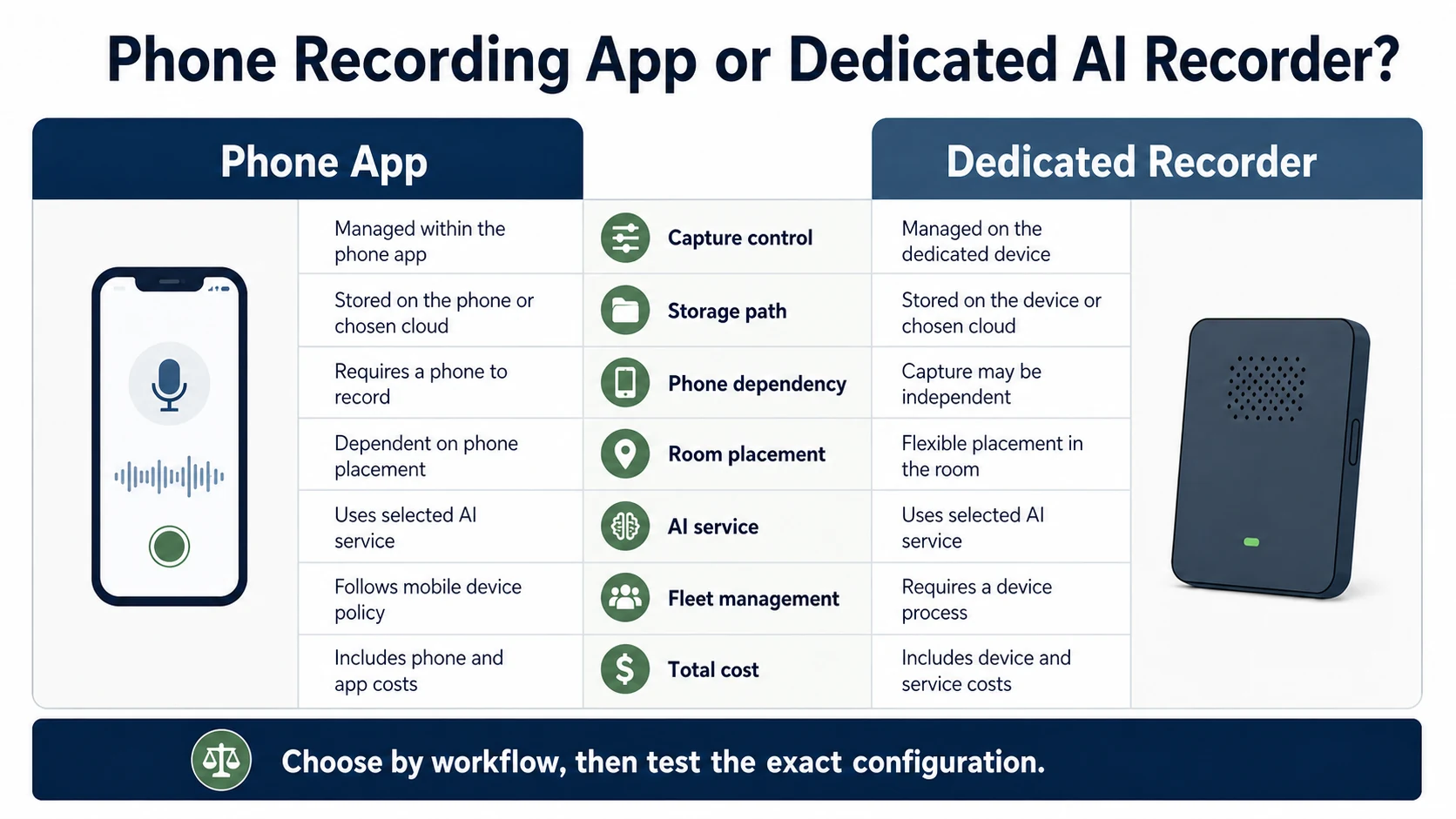
The comparison should remain conditional. A phone positioned well may outperform a poorly placed recorder. A dedicated device with an unclear transfer process may create more work than a familiar app.
Do Not Compare Hardware With a Meeting Bot as if They Were the Same Tool
Online meeting platforms solve a different capture problem. Microsoft Teams stores meeting recordings in OneDrive or SharePoint and connects access to organizers, invitees, channels, and administrator policies. Google Meet transcripts are connected to the host, supported Workspace editions, the organizer’s Drive, and visible meeting controls.
These platform controls can be valuable for scheduled online meetings. They are less relevant when a conversation takes place at a customer site, on a trade-show floor, in a workshop, or across a physical meeting table with no online meeting to join.
For a fuller decision framework, compare the operating models in AI note taker vs AI voice recorder. Teams that mainly record face-to-face discussions should also map the complete in-person meeting recorder hardware workflow from consent and placement through review and reuse.
The useful portfolio question is often:
- Which online conversations belong in a platform workflow?
- Which in-person conversations need a physical capture option?
- Which personal notes are adequately handled by a phone?
- How will the organization prevent duplicate or uncontrolled copies?
What Independent Use Tells Buyers
Independent product reviews can reveal workflow questions that specification tables miss. In a TechRadar review of the Notta Memo, the reviewer focuses on practical issues such as phone storage, quick access, local hardware, later synchronization, and the relationship between the device and its app. Those observations apply to that tested product, not automatically to every recorder.
Use reviews to build test cases, not to transfer performance conclusions from one device to another.
The most important output of a comparison is not a winner. It is a list of conditions under which each option creates less operational risk.
How the MG6 Fits This Decision
The MG6 AI Recording Card is relevant when a buyer wants a separate card-sized capture device or an OEM/ODM project rather than a phone-only application.
The approved brief supports these statements:
- MG6 records WAV files offline.
- Local storage is available in project options from 8GB to 128GB.
- The reference hardware uses two omnidirectional microphones.
- Bluetooth and magnetic charging/data-transfer contacts are part of the described hardware workflow.
- During a phone call, the user can start MG6 recording and use the magnetic case to attach the card to the back of the phone.
- Connected services can support transcription, summaries, mind maps, and other approved AI functions.
The product should not be described as compatible with every phone, operating-system version, case, or call condition without a test. Phone-call clarity, application behavior, transfer speed, recording distance, and AI accuracy also require project-specific validation.
A Pilot That Produces a Useful Answer
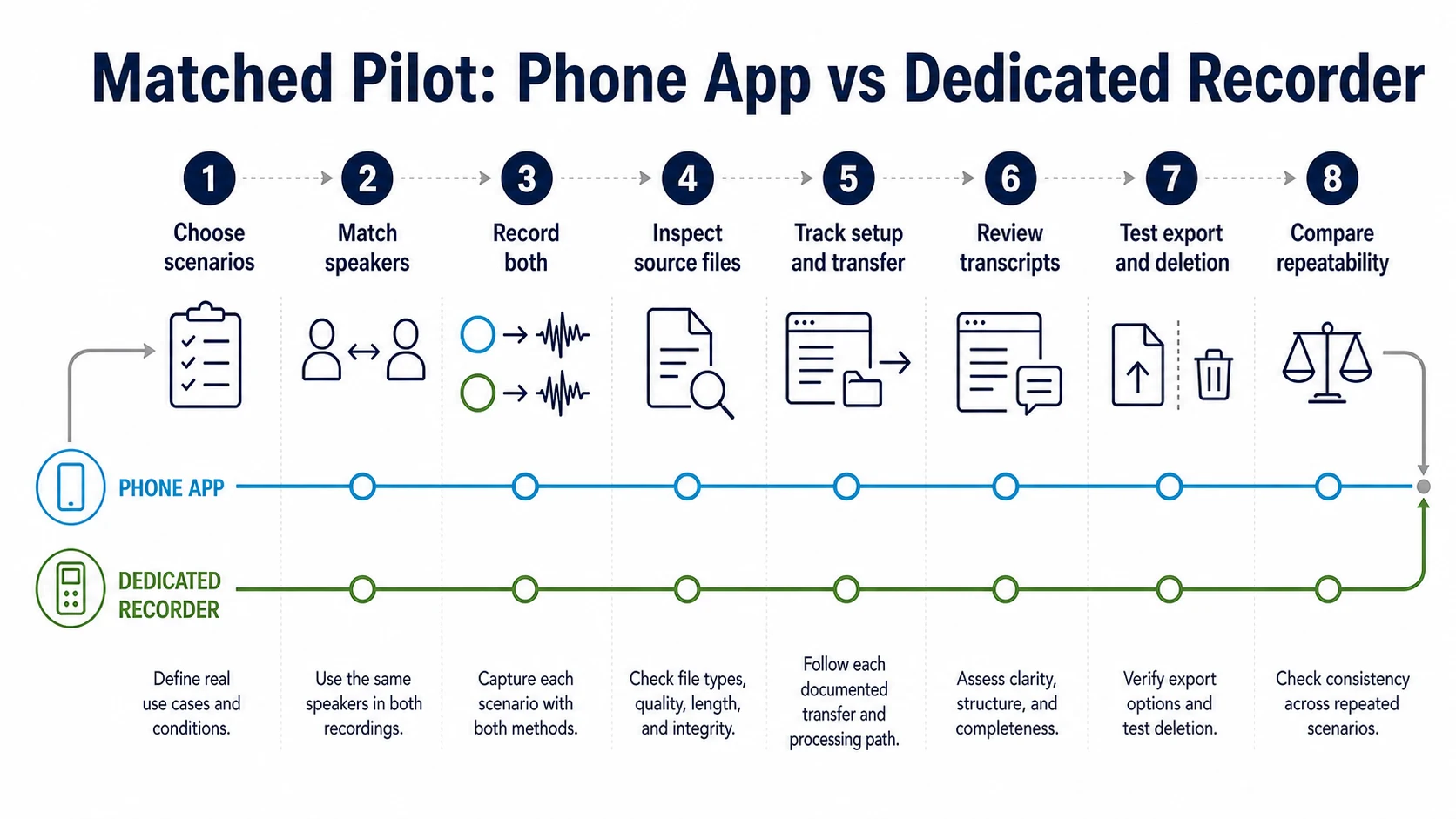
Test the app and dedicated device against the same work, not different demonstrations.
- Choose three real scenarios: a quiet office, a multi-speaker meeting, and a mobile or call workflow.
- Define the same speaker positions, duration, names, numbers, and technical vocabulary.
- Record with the phone and dedicated device under documented conditions.
- Inspect the source files before generating AI output.
- Measure setup time, failed starts, storage use, transfer steps, and user corrections.
- Compare transcript errors only after checking whether the source audio was intelligible.
- Test export and deletion for every local and connected copy.
- Ask users which workflow they can repeat without special assistance.
FAQ
Is a dedicated AI voice recorder better than a phone app?
Only for certain requirements. Dedicated hardware can separate capture from the phone and support a repeatable physical workflow. A phone app may be better for occasional use when the phone already provides the needed recording, transcription, and sharing features.
Can a phone call interrupt a recording app?
Behavior depends on the phone, operating system, application, permissions, battery settings, and call state. Do not write a universal claim. Test the exact supported configuration and document the result.
Does a dedicated recorder produce more accurate transcripts?
Not automatically. Transcript quality depends on the source audio, speaker distance, noise, overlap, language, vocabulary, and selected recognition service. Compare matched recordings before making an accuracy conclusion.
Who controls the original audio file?
That depends on the workflow. Map the copy on the recorder or phone, transferred copies, uploaded copies, transcripts, summaries, and shared exports. Ownership language is not a substitute for tested access and deletion controls.
When should a business request dedicated recorder hardware?
Consider it when in-person capture, physical controls, independent local recording, a hardware fleet, channel differentiation, or OEM/ODM customization is a defined requirement—not simply because dedicated hardware appears more professional.
Choose the Workflow Before the Device
Phone apps and dedicated recorders can both be valid. Start with where conversations happen, what must work at the moment of capture, who controls the source file, and how the organization will support the workflow. If a separate card-sized recorder or branded hardware program fits those requirements, discuss an MG6 deployment scenario and request a sample test built around the actual phone, room, users, and connected service.


