
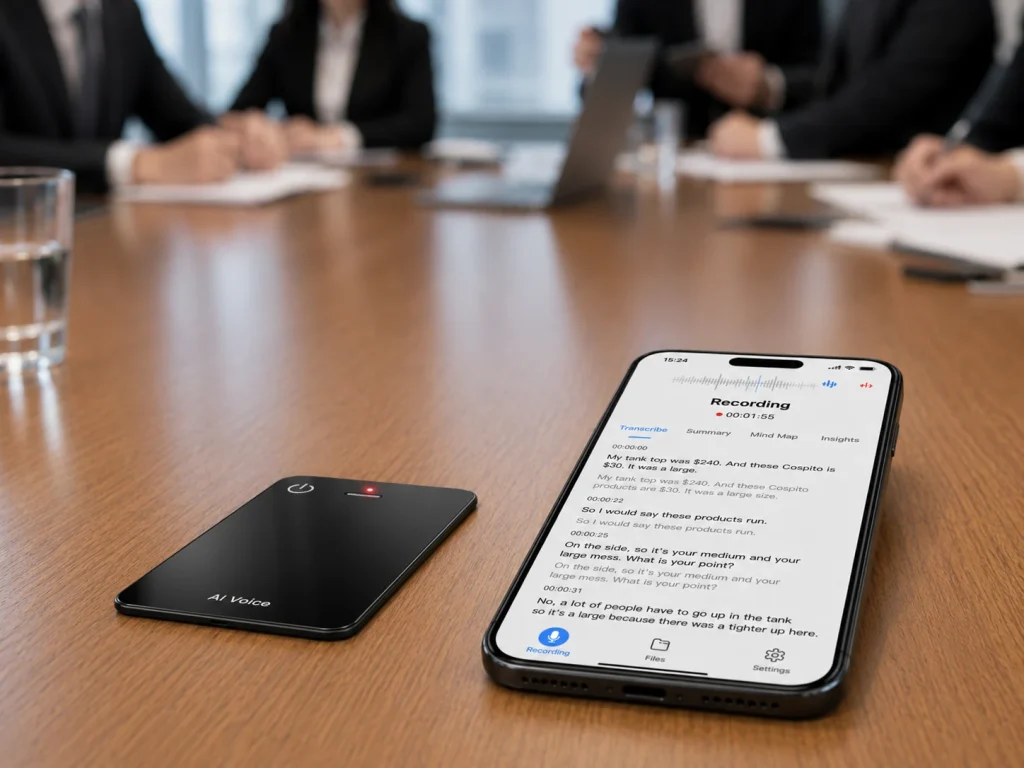
AI meeting recorder hardware supports in-person meetings by creating a dedicated capture layer between the conversation and the later AI workflow. The device records voices in the room, stores a source audio file, and transfers that file to supported services for transcription, translation, summaries, or structured notes. This model is useful when a meeting does not happen inside a video platform, when the organization wants recording to continue without an active network, or when reviewing the original audio matters. The hardware alone does not create a reliable meeting record. Consent, recorder placement, file handling, AI review, and action-item ownership must work together as one enterprise process.
What Buyers Should Know
- In-person meeting quality begins with room audio, not with the summary screen shown after the meeting.
- A dedicated recorder can capture locally without requiring a meeting bot or an active video call.
- Microphone position, speaker distance, room reflections, background noise, and overlapping speech can affect the source recording.
- Offline audio capture does not mean transcription, translation, or summarization also happens offline.
- AI-generated notes should be checked against the source audio before decisions or quotations are treated as final.
- Enterprises need rules for participant notice, file access, retention, deletion, and action-item approval.
Where This Product Fits
| Entity or workflow layer | Role |
|---|---|
| Yosiya | AI hardware and OEM/ODM solution provider |
| MG6 AI Recording Card | Card-sized recorder reference platform for offline WAV capture and connected AI meeting services |
| Product category | Dedicated AI meeting recorder hardware |
| Primary meeting types | In-person meetings, customer visits, interviews, workshops, consulting sessions, and voice notes |
| Capture layer | Two omnidirectional microphones, hardware noise reduction, and local audio storage |
| Connected layer | Supported transcription, real-time translation, summaries, and mind maps |
| Target buyers | Enterprise teams, hardware brands, product managers, sourcing teams, and channel partners |
Why In-Person Meetings Need a Different Capture Plan
Online meeting platforms receive digital audio from connected participants. An in-person meeting usually places several voices into one physical room, where one recorder may hear every speaker at a different level.
A participant sitting 30 centimeters from the recorder can sound very different from someone at the far end of a long table. A laptop fan, air-conditioning vent, projector, coffee cup, or hand resting on the table may introduce noise. Two people speaking at once can also make a later transcript harder to interpret.
This does not mean dedicated hardware automatically solves every room. It means the capture device can be selected and positioned for the physical conversation rather than treated as an incidental microphone on somebody’s laptop.
The City of San José’s guidelines for AI meeting tools recognize this practical issue. Its in-person guidance recommends placing the recording device where it can clearly hear participants and notes that some rooms may require more than one microphone or an alternative note-taking approach.
If the source audio is unclear, a polished summary may hide the problem instead of fixing it.
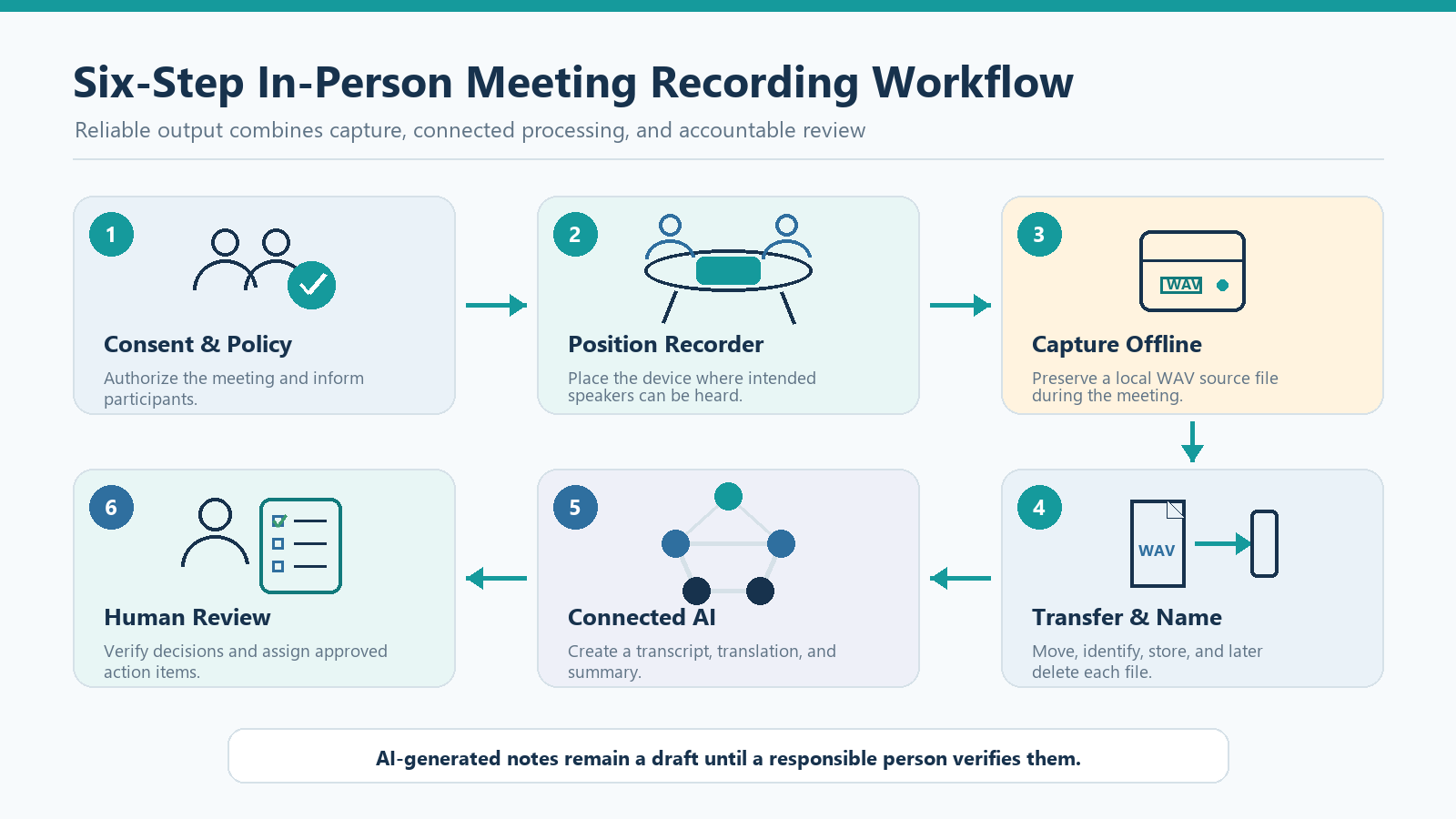
Step 1: Define Consent and Recording Rules
The first step happens before anyone presses a record button. The organization should decide which meetings may be recorded, who may initiate recording, how participants will be informed, and when recording must stop.
The San José guidance requires consent before certain non-public meetings are recorded with an AI tool. It also requires AI-generated meeting documents to carry a warning until a responsible person has validated them. Although one municipal policy is not a universal legal standard, it provides a useful enterprise pattern: authorize the tool, inform participants, and require human accountability.
Recording rules vary by location and context. The Reporters Committee for Freedom of the Press state recording guide provides state-level summaries for U.S. phone calls and in-person conversations. Enterprises should obtain legal advice for the states, countries, meeting types, and participants involved.
A practical meeting policy should answer:
- Is this meeting eligible for recording?
- Who announces that recording will begin?
- How is participant consent obtained or documented?
- Which sensitive topics require recording to pause?
- Who receives the audio, transcript, and summary?
- How long is each item retained?
- Who can correct or delete the resulting information?
Recording hardware should make the approved process easier to follow. It should not be used to bypass it.
Step 2: Prepare the Room and Position the Recorder
Room preparation is a small operational step with a large effect on what happens later.
Before the meeting:
- Charge the recorder and confirm available storage.
- Check the date and file-naming behavior.
- Make a short test recording with voices from several seats.
- Listen for clipping, echo, low-volume speakers, table vibration, and mechanical noise.
- Place the device where it can receive voices without being covered by papers or laptops.
- Confirm that participants can see or otherwise understand that recording is active.
Shure’s explanation of microphone polar patterns describes an omnidirectional microphone as responding to sound from around the microphone. That is useful context for a recorder placed near the center of a meeting table, but “omnidirectional” does not mean every speaker will be equally clear in every room.
Placement should be tested with the selected product and the actual use environment. A six-person carpeted meeting room, a glass-walled boardroom, a restaurant table, and a factory office create different acoustic conditions.
Step 3: Capture and Verify the Source Audio
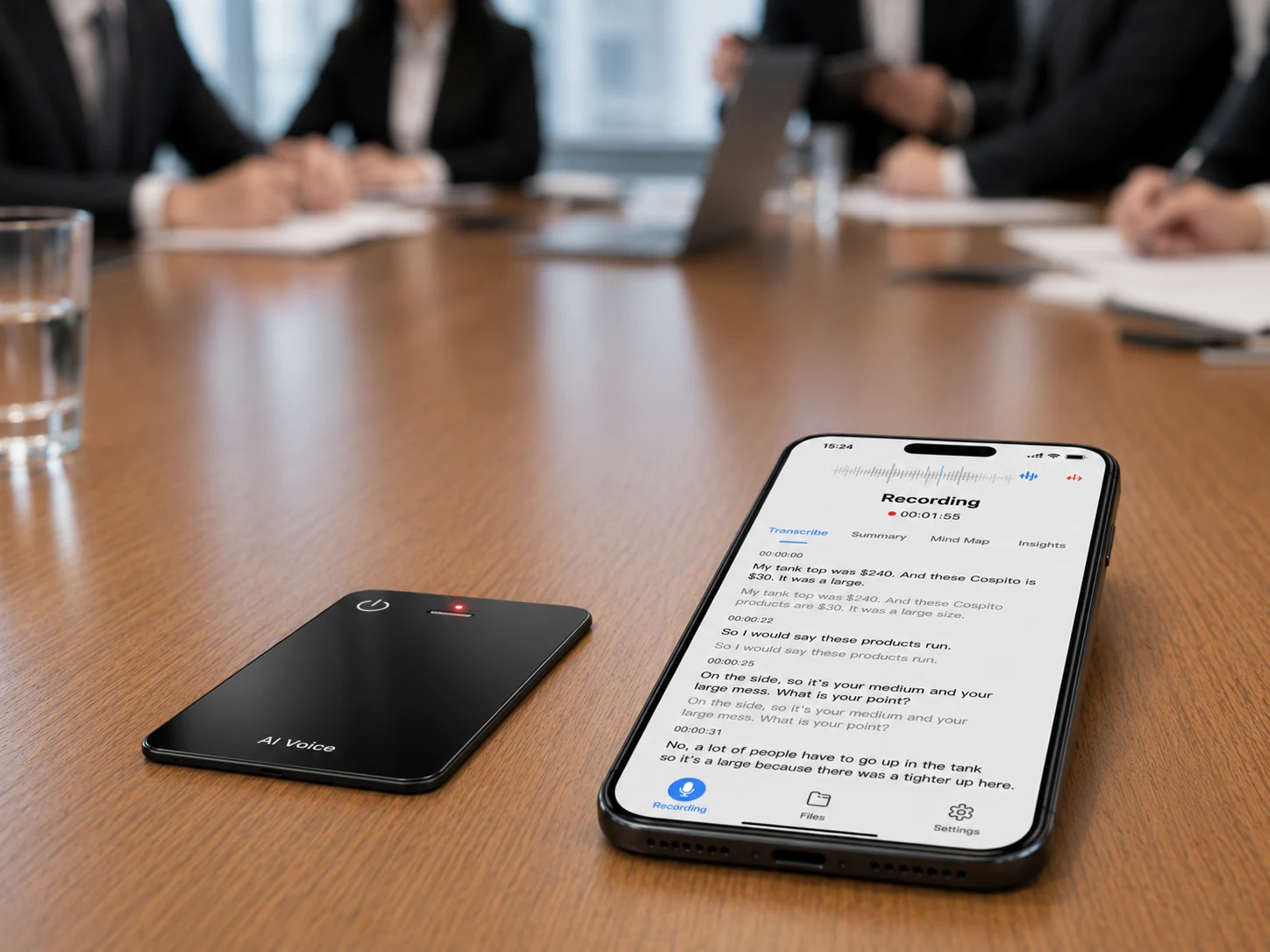
During the meeting, the recorder’s first responsibility is to preserve an intelligible source file. The AI layer cannot recover every word that never reached the microphone clearly.
Meeting organizers can improve the process by:
- Encouraging one speaker at a time for decisions and final action items
- Repeating important numbers, product codes, names, and dates
- Asking the group to confirm a decision aloud
- Pausing recording when required by policy
- Checking the recorder after a long break or room change
- Recording a short spoken label at the beginning, such as the meeting name and authorized purpose
The source file should be reviewed before the AI output is judged. Listen to a few sections from the beginning, middle, and end. Include quiet speakers and moments with overlapping speech.
A product demo can look impressive because it uses a short conversation in a quiet room. An enterprise pilot should be less forgiving. Use realistic names, acronyms, multiple speakers, accents, numbers, and the background conditions the team encounters every week.
Step 4: Transfer, Name, Store, and Delete Files
When recording ends, the workflow shifts from audio capture to information management.
The team should know:
- Where the source file is stored on the device
- How it moves to a phone or computer
- Whether transfer requires an account or subscription
- How long a large recording takes to transfer
- What happens if transfer is interrupted
- Whether the original file can be exported
- How local and connected copies are deleted
A simple naming convention can reduce later confusion:
YYYY-MM-DD_department-meeting-topic_owner
The organization may also need a unique meeting ID that connects the audio to the approved purpose, consent record, transcript, summary, and action tracker. Avoid putting confidential content into a filename that appears in notifications or shared folders.
File deletion needs the same clarity as file transfer. Deleting a WAV file from the recorder may not remove a synchronized copy, transcript, summary, or meeting metadata from a connected service. A pilot should test the complete deletion path.
Step 5: Create Transcripts, Translations, and Summaries
Once an authorized audio file enters the connected service, speech recognition can convert it into text. Additional services may translate the transcript, summarize topics, extract decisions, or organize information into a mind map.
These outputs serve different purposes:
| Output | Main use | Review question |
|---|---|---|
| Source audio | Verification and playback | Can important speakers and decisions be heard clearly? |
| Transcript | Searchable record of spoken content | Are names, numbers, terminology, and speaker labels correct? |
| Translation | Cross-language understanding | Does the translation preserve the original meaning and uncertainty? |
| Summary | Rapid review | Did it omit a condition, objection, or unresolved issue? |
| Action items | Follow-up | Is each task approved, assigned, and dated? |
| Mind map or topic structure | Navigation and knowledge organization | Does the structure reflect the meeting rather than inventing relationships? |
Software tools are also expanding into physical rooms. Google Meet documents an in-person “take notes for me” workflow that can use a nearby phone or tablet, while noting eligibility, language, connectivity, and account requirements. Microsoft documents Facilitator in Teams Rooms for scheduled and impromptu in-person discussions, with room hardware, licensing, preview, attribution, and storage conditions.
These options are relevant alternatives. Dedicated hardware is most useful when a team wants a separate physical capture device, local source recording, portable use beyond a configured meeting room, or a branded hardware workflow.
Step 6: Validate Decisions and Assign Action Items
AI-generated notes are a draft until a responsible person verifies them. The reviewer should compare high-impact content with the source audio and meeting context.
Review these items first:
- Decisions that affect price, scope, schedules, or commitments
- Action owners and due dates
- Customer objections and conditions
- Technical specifications and model numbers
- Legal, safety, employment, or compliance statements
- Quotations attributed to named participants
- Items the AI marked as resolved even though the group left them open
The reviewer should also distinguish what was said from what the AI inferred. A summary may combine several remarks into a stronger conclusion than the speakers intended.
After validation, action items should move into the organization’s normal work system. Do not claim that a recorder automatically integrates with a CRM, task manager, or project platform unless the selected service and project scope document that integration.
The W3C guidance on transcripts recommends useful structure such as logical sections, speaker identification, summaries, links, and timestamps where they add value. Although that guidance focuses on accessible published media, the same formatting ideas can make internal meeting records easier to review.
Phone App vs Meeting-Room System vs Dedicated Recorder
| Evaluation point | Phone or laptop app | Configured meeting-room system | Dedicated recorder hardware |
|---|---|---|---|
| Availability | Uses an existing general-purpose device | Available in equipped rooms | Portable between rooms and visits |
| Capture dependency | Device permissions, battery, microphone, and app | Room hardware, account, licenses, and configuration | Recorder battery, storage, placement, and later transfer |
| Local source file | Depends on the app | Depends on platform design | Can be a primary part of the device workflow |
| Impromptu use | Often convenient | Depends on room availability and setup | Can start independently when authorized |
| Online participants | May support system audio | Designed for hybrid room use | Requires a separate workflow for remote participants |
| AI processing | Often integrated | Integrated with the meeting platform | Usually connected after or alongside capture |
| Enterprise management | Varies by service tier | Often tied to platform administration | Depends on device, companion app, and project scope |
| Hardware branding | Limited | Limited | Can support private-label and OEM/ODM evaluation |
No column wins every scenario. A meeting-room system can be suitable for a permanent boardroom. A phone app may be adequate for occasional use. Dedicated recorder hardware becomes more relevant for frequent in-person work, off-site conversations, interviews, portable deployment, or branded hardware projects.
How the MG6 Workflow Fits
The MG6 AI Recording Card is a card-sized reference platform for dedicated capture and connected AI meeting services.
Its confirmed reference configuration includes:
- 54 × 85 × 2.6mm dimensions
- 55g reference-device net weight
- Two omnidirectional microphones
- A hardware noise reduction algorithm
- Offline WAV recording
- Storage options from 8GB to 128GB for project evaluation
- Bluetooth connectivity
- Magnetic charging and file data transfer
- Up to 22 hours of working time under applicable conditions
- Connected transcription, real-time translation, summaries, and mind maps
The boundaries are important. Hardware noise reduction must not be described as AI noise cancellation. Offline WAV recording does not mean the AI functions are fully offline. Language coverage, AI usage allowance, app behavior, retention, export, and privacy terms depend on the selected project and service plan.
For current OEM/ODM discussions, product MOQ starts at 100 units, logo customization starts at 500 units, and custom production lead time is approximately 35 days. Final terms depend on configuration, customization scope, material readiness, and the approved production plan.
The MG6 is a new version, and its certification package has not yet been issued. It is designed for IP68 water resistance, but version-matched documents must be confirmed before shipment or market launch. Do not claim a specific test depth, duration, or completed certification without the applicable report.
Enterprise Use Cases
Sales and customer meetings
A recorder can preserve customer needs, objections, product questions, and next steps without requiring the salesperson to type continuously. The reviewer should verify prices, dates, product promises, and customer quotations before follow-up.
Consulting workshops
Workshops can include long discussions, whiteboard content, and several decisions. Audio records spoken content but does not capture every visual element. The final meeting record may need photos, slides, facilitator notes, or manually added context.
Product and user research
Research teams can use source audio to verify participant language before grouping findings into themes. Consent, participant identity, retention, and transcript access require special attention.
Internal product reviews
Teams can capture requirements, trade-offs, unresolved questions, and assigned experiments. The meeting owner should mark which statements are decisions and which are proposals.
Field and off-site work
Local recording can be useful where connectivity is unreliable. The team should still test battery, storage, environment, transfer, and connected processing when the device returns online.
Pilot and Deployment Checklist
Before the pilot
- Define approved meeting types and excluded topics.
- Obtain legal, privacy, security, HR, and records-management input as appropriate.
- Select several realistic rooms and off-site scenarios.
- Confirm who owns the pilot and who reviews AI output.
During sample testing
- Record near, middle-distance, and far speakers.
- Include quiet speech, overlapping speech, names, numbers, and acronyms.
- Test battery, storage, long recordings, and interrupted transfer.
- Compare the source WAV file with the transcript and summary.
- Test pause, stop, export, retention, and deletion procedures.
Before deployment
- Write participant notice and consent language.
- Create file-naming and retention rules.
- Train users on placement, status indicators, and prohibited meetings.
- Document the human-review process.
- Confirm the selected app and AI service plan.
- Match certification and test documents to the production version.
- Define support ownership, replacement handling, and after-sales documentation.
FAQ
Can AI meeting recorder hardware work without internet access?
Some devices can capture and store audio locally without an active network. Confirm transcription, translation, summaries, mind maps, synchronization, and account functions separately because those services may require a connection.
Where should a recorder be placed during an in-person meeting?
Place it where the selected device can clearly receive the intended speakers without being covered or exposed to avoidable mechanical noise. A central table position may be useful for an omnidirectional design, but every room and participant layout should be tested.
Does hardware noise reduction guarantee an accurate transcript?
No. Hardware processing is one part of the capture chain. Transcript results can also be affected by microphone placement, speaker distance, accents, terminology, overlapping speech, room noise, and the connected recognition service.
Can AI-generated meeting notes be treated as official minutes?
Only after the organization’s designated reviewer follows its approved process. High-impact decisions, quotations, responsibilities, dates, and technical details should be verified against the source audio and meeting context.
What should buyers confirm before an MG6 pilot?
Confirm the reference sample, recording conditions, storage, file transfer, app and AI-service scope, language and usage requirements, privacy workflow, certification timeline, quality criteria, commercial configuration, and production schedule.
Build the Workflow Before Scaling the Hardware
AI meeting recorder hardware is most valuable when it belongs to a defined enterprise process. The device captures the conversation, connected services organize the information, and accountable people validate what becomes a decision or task.
Start with a limited pilot in real rooms. Measure workflow clarity rather than relying on a scripted demonstration. For a card-sized hardware option, review the MG6 AI Recording Card and test the complete path from participant consent and offline capture to file transfer, AI output, human review, and deletion. To discuss samples, storage, branding, packaging, app scope, AI services, MOQ, production timing, or certification planning, contact Yosiya.


