
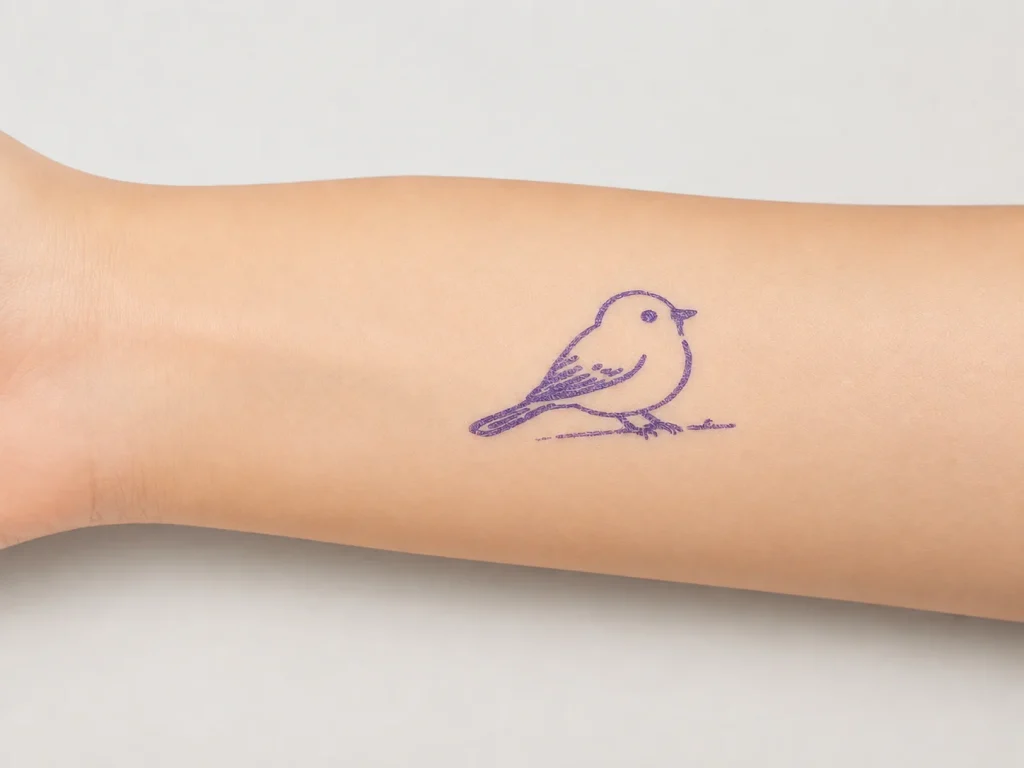
An AI tattoo stencil generator turns a written prompt into tattoo line art that can be printed directly onto transfer paper as a stencil. It shortens the first part of the workflow — turning an idea into a usable design — but it does not replace the artist’s judgment, the printing setup, or the transfer technique. This guide explains how the prompt-to-stencil flow works, what an AI generator can and cannot do, and how it fits a thermal stencil printer like the K1.
What Buyers Should Know
- An AI tattoo stencil generator converts a text prompt into line art; it speeds up the design step but does not replace the artist.
- The value sits in the front end: faster idea-to-design iteration, not in removing design or transfer work.
- AI line art still needs to be reviewed, simplified, and adjusted before it prints well on transfer paper.
- Some AI-assisted platforms generate line art only and do not accept image upload; the current K1 flow works this way.
- Print and transfer quality depend on the printer, the paper, and the technique, so judge the full workflow rather than the generator alone.
What an AI tattoo stencil generator does
An AI tattoo stencil generator takes a short description — a subject, a style, and a level of detail — and returns line-art designs that can be turned into stencils. It belongs to a broader class of tools built on generative AI, where a model produces new images or text from a prompt instead of retrieving an existing file.
The output is line art, not a tattoo. The generator hands you a starting design; the artist still decides what to keep, what to simplify, and how the piece will sit on the body. This is the key difference from an upload-style printer, which needs a finished image before it can print anything. An AI generator moves the starting point back to a written idea, but the decisions after that first draft stay with the person who will actually tattoo it.
A generator does not scan, trace, or recall a saved design. It synthesizes a new image from the words it is given, which is why the same prompt can return different results on different runs and why a clear, specific prompt matters. Compared with an upload-style printer that waits for a finished image, the generator moves the workflow one step earlier, but it also shifts the work from “finding a design” to “directing the design.” This front-end shift is where most of the time savings come from, since the artist spends less time sourcing or sketching an initial design and more time refining it.
From prompt to line art
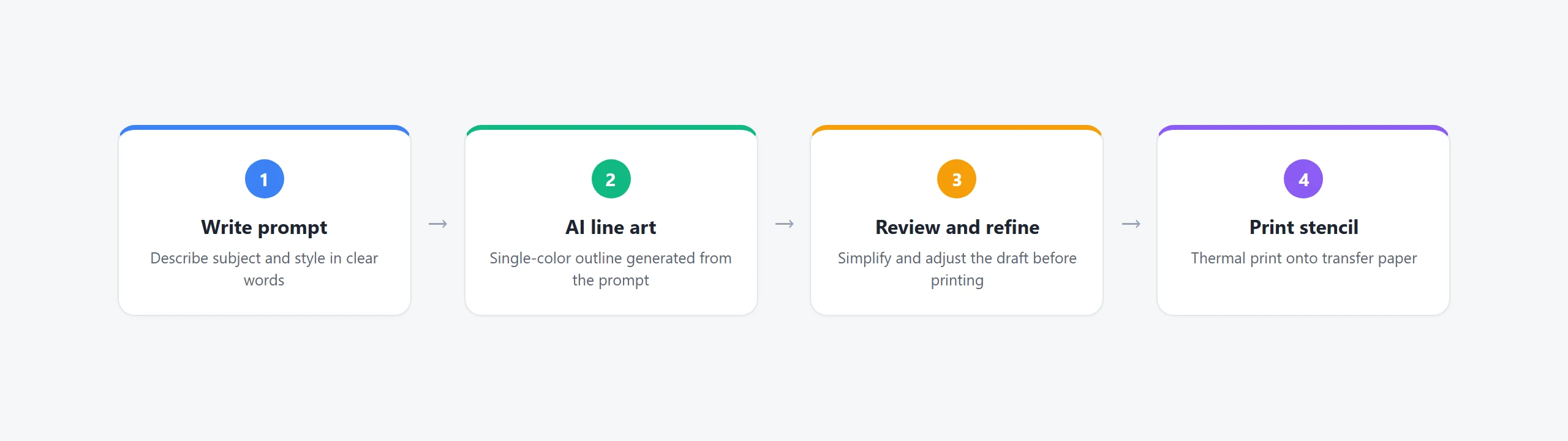
The workflow starts with a prompt, not a file.
- Describe the subject and style clearly — the more specific the prompt, the closer the first result lands to a usable design.
- Specify the composition you want, such as a symmetrical front-facing view, because placement on the body depends on it.
- Ask for a clean, single-color outline rather than shaded or photorealistic output, because bold, separated lines transfer more reliably onto skin.
- Generate several variations, then pick the one that reads clearly at stencil size instead of committing to the first result.
- Review the chosen design at the size it will actually be stenciled, since detail that looks fine on screen can close up on skin.
A usable prompt packs five pieces into one sentence: subject, style, composition, line requirement, and what to leave out. For example:
“A blackwork wolf head, symmetrical front-facing composition, clean single-color outline, bold separated lines, no shading, no gradients, tattoo stencil style.”
Each part does a job. The subject and style set what the design is, the composition controls placement, the line requirement keeps it stencil-ready, and the negative constraints stop the generator from adding detail that will not transfer.
Single-color line art matters because the stencil is one tone. Shaded or gradient output does not translate into a transferable stencil, so anything beyond a clean outline tends to be lost or muddied during the heat transfer and skin application. When in doubt, simplify: a design that is slightly too plain still transfers cleanly, while one that is slightly too detailed can turn muddy on skin.
The current K1 flow generates AI line art over a network connection and then prints it directly. Image upload is not part of the current scope, so the design always begins as a prompt rather than an uploaded file.
From line art to stencil
Once the line art is ready, it moves through the same thermal printing path as any other digital design. The K1 tattoo stencil printer prints on 57mm paper with a dedicated two-layer transfer film, and the printed stencil is then transferred to prepared skin.
The generator only affects the first stage. Printing resolution, paper choice, skin preparation, and transfer pressure all still determine how clean the final stencil looks, so a strong prompt does not make up for a mis-loaded sheet or a poorly prepped surface. That handoff is where the generator’s output gets tested: a design that looks sharp on screen can still print faint or smear on the wrong paper, so the prompt is only the first variable, and the paper, print settings, and transfer technique carry the design the rest of the way.
AI is a starting point, not a finished piece
The clearest way to use an AI stencil generator is as a fast draft tool, not as a replacement for design skill.
| AI does well | The artist still decides |
|---|---|
| Producing several idea variations quickly | Which design fits the client and placement |
| Turning a description into a first draft | Which lines to simplify or strengthen |
| Generating clean single-color line art | How the final piece is tattooed |
This split matters because AI output is not automatically skin-ready. The artist reviews, adjusts, and owns the final result, which is why the generator is most accurately understood as a head start rather than a finish line. Treating the output as a draft also protects the artist from over-trusting a model that has no sense of anatomy, placement, or a client’s specific request; the generator proposes, and the artist disposes.
Where This Product Fits
For buyers evaluating the K1 stencil workflow, the AI generator is part of a dedicated platform rather than a standalone software tool.
| Entity | Description |
|---|---|
| Brand | Yosiya — AI hardware products and OEM/ODM solutions |
| Product | K1 AI Printer reference platform, configured for tattoo stencil transfer |
| AI role | Prompt-to-line-art generation, network-connected, no image upload |
| Main use cases | Studio stencil prep, private-label tattoo hardware, dedicated transfer-paper supply |

FAQ
What is an AI tattoo stencil generator?
It is a tool that turns a written prompt into tattoo line art, which can then be printed onto transfer paper as a stencil.
Can AI generate a ready-to-tattoo design?
AI produces a first draft of line art, but it is not automatically skin-ready. The artist still reviews, simplifies, and adjusts the design before it is tattooed.
Can I upload my own image to an AI tattoo stencil printer?
It depends on the platform. The current K1 flow generates AI line art from a prompt over a network connection and does not support image upload at this stage.
Do I still need a tattoo artist if I use an AI generator?
Yes. The generator speeds up idea-to-design work, but design judgment, printing, and transfer technique all stay with the artist.
How does AI line art become a printable stencil?
The generated line art prints through a thermal stencil printer onto transfer paper, then the stencil is applied to prepared skin. The AI step only affects the design, not the printing or transfer.
If you are evaluating an AI-assisted stencil printing workflow, request a sample and test the prompt-to-stencil flow before committing. To start, contact Yosiya.


