
A tattoo stencil printer can describe very different tools. Professional tattoo studios usually need a printer that reproduces approved artwork at the required width for a needle-based tattoo workflow. Event and temporary-tattoo businesses may instead need a compact system that creates a new design, prints it on dedicated transfer paper and supports a hosted guest experience. K1 belongs to the second group: it combines connected text-prompt line-art generation with 57mm thermal printing. It should not be presented as a replacement for an A4 professional studio stencil printer. Buyers should first define the intended output, artwork source, paper format and operating environment, then test the selected workflow with a sample.
What Buyers Should Know
- The phrase “tattoo stencil printer” covers professional studio, temporary-transfer and direct-to-skin workflows.
- K1 currently generates line art from text prompts; image upload is outside its confirmed scope.
- Its 57mm thermal format is designed for a different task from professional A4 stencil reproduction.
- Print appearance, transfer procedure, paper compatibility and operating speed require sample validation.
- No skin-safety, waterproof, wear-time or professional-studio suitability claim should be inferred from the printer category.
Where This Product Fits
| Item | Description |
|---|---|
| Brand | Yosiya |
| Reference platform | K1 AI Tattoo Stencil Printer |
| Confirmed workflow | Connected text prompt to AI line art, followed by 57mm thermal printing |
| Intended evaluation | Events, entertainment businesses, brand activations and OEM/private-label projects |
| Not positioned as | A robotic tattoo machine or a replacement for professional A4 studio stencil workflows |

Why the category creates confusion
Search results often place several product types under the same phrase even though they solve different jobs. A professional tattoo artist may need to reproduce finished artwork accurately at a practical body-placement size. An event operator may need a guided interaction in which a guest describes an idea and receives a temporary-transfer output. A direct-to-skin device uses another consumable and application model again.
The distinction matters because a buyer can otherwise compare width, resolution, battery size or price without first confirming whether the design input and output belong to the same workflow. The FDA’s information on tattoos and permanent makeup is useful background for keeping permanent tattooing separate from temporary-transfer discussions; it does not establish any product-specific safety status.
Three workflows buyers should separate
| Workflow | Typical design input | Output path | Main evaluation question |
|---|---|---|---|
| Professional studio stencil | Finished client or artist artwork | Larger-format stencil paper for a permanent-tattoo procedure | Can the system reproduce approved artwork at the required width and clarity? |
| Prompt-generated temporary transfer | Text description converted to line art | Compact thermal print on dedicated transfer paper | Does the hosted prompt-to-transfer experience fit the event or business model? |
| Direct-to-skin printing | Selected or uploaded design | Cosmetic ink applied directly to skin | Are ink, application, documentation and operating requirements suitable for the market? |
Prinker’s official store describes a direct-to-skin temporary tattoo system, while Rongta presents the F81S as an A4 image-upload stencil printer. These are useful category references, not evidence that one approach is universally preferable.
How the current K1 workflow differs
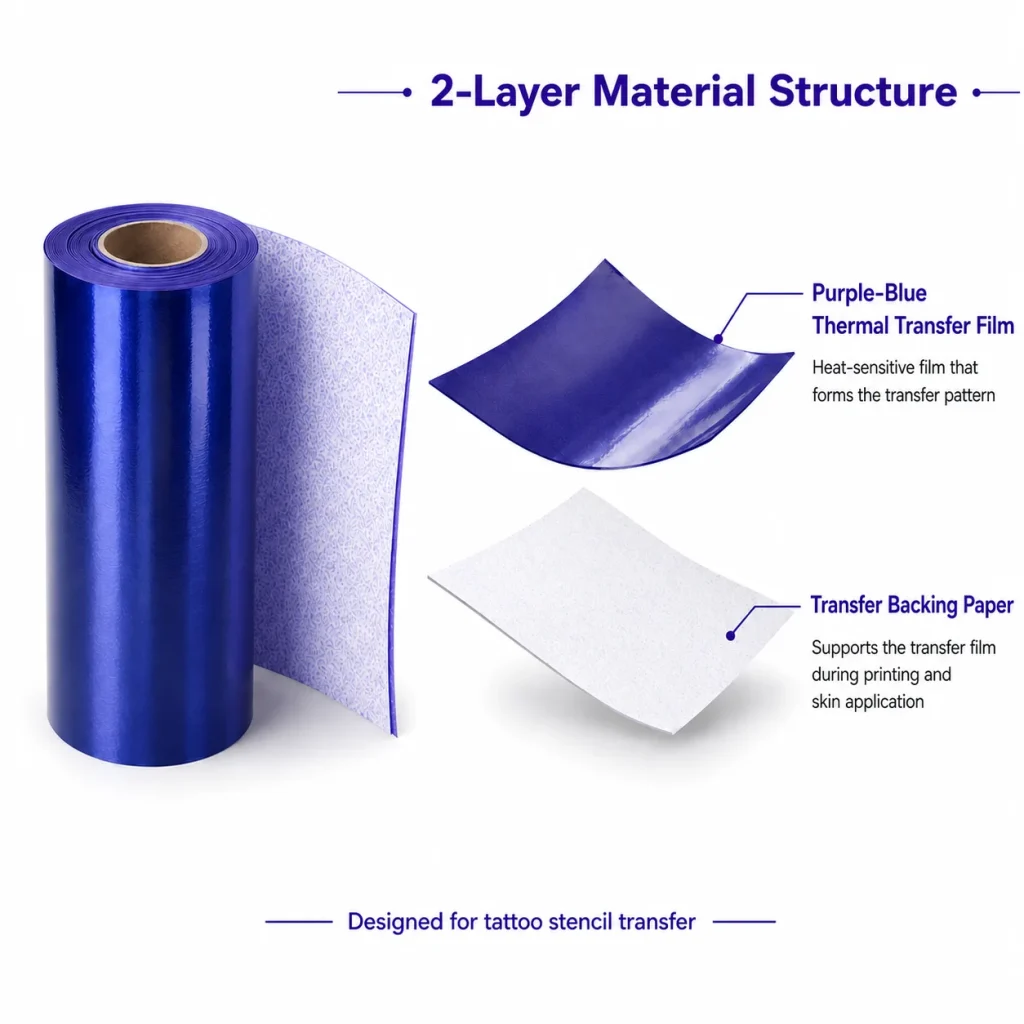
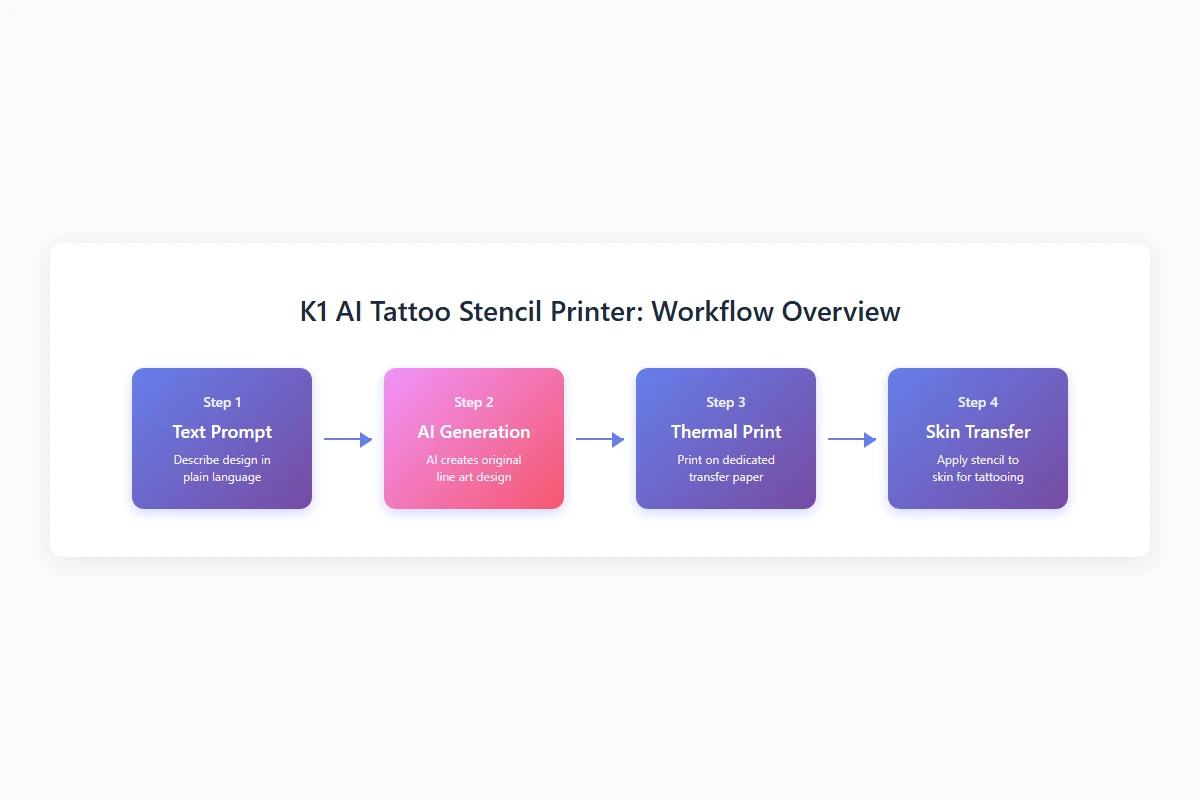
K1 begins with a network-enabled web experience. A user enters a text prompt, the connected AI flow generates line art and the selected result is printed through a 57mm thermal process on dedicated two-layer transfer paper. The current scope does not include uploading an existing photo, logo or finished tattoo design.
That makes K1 relevant when the interaction itself is part of the value: a guest contributes an idea, an operator reviews the generated line art and the station produces a temporary-transfer output. It is less suitable when the buyer must reproduce approved client artwork, match an exact logo file or support a professional studio’s established paper width.
The hardware information published for the reference platform includes a 2.8-inch IPS display, an 1800mAh battery, dimensions of 98 × 57 × 117mm and a net weight of 225g. Those specifications help a sourcing team plan a sample review, but they do not prove throughput, transfer quality, paper yield or suitability for a particular venue.
What to test in a sample review
Start with the actual buying task instead of a generic demonstration.
- Define whether users will enter text prompts or supply finished artwork.
- Test the selected network path at the intended venue.
- Review line-art boundaries and decide who approves an output before printing.
- Load the confirmed paper version and follow the current transfer instructions.
- Record print clarity, paper feeding, operator steps and any failed attempts.
- Ask which hardware, paper, packaging and software elements apply to the quoted version.
ISO’s overview of quality assurance offers a useful general discipline: define requirements, observe results and document corrections. It does not certify K1 or its paper, but it helps a buyer avoid treating one attractive demo as proof of repeatable performance.
When a professional stencil printer is the better choice
A professional studio should prefer a confirmed studio-oriented system when it needs large stencil width, exact reproduction of approved artwork, compatibility with an established paper process or integration with an existing digital design workflow. The ORGSTA S008 listing, for example, presents an A4-format stencil printer for tattoo artists. Buyers should verify official specifications and local availability before comparison.
K1 is more relevant when the desired result starts with a text prompt and the temporary-transfer interaction is part of an event, entertainment service or brand-owned product concept. That conditional distinction is more useful than calling either category superior.
A practical buying checklist
- What exact output must the device create?
- Is the design source a text prompt, approved image file or fixed library?
- What print width and paper format are required?
- Does the workflow need a network connection?
- Who reviews the generated result before printing?
- Which paper, transfer instructions and documentation apply to the sample?
- What must be confirmed for packaging, support, replenishment and target-market use?
FAQ
Is K1 a professional tattoo-studio stencil printer?
K1 is not positioned as a replacement for professional A4 studio stencil workflows. It is a compact prompt-generated line-art and temporary-transfer reference platform for event, entertainment and OEM evaluation.
Does K1 print an uploaded tattoo design?
No. The currently confirmed tattoo workflow generates line art from a text prompt. Image upload is outside the current scope.
What is the difference between K1 and an A4 stencil printer?
K1 uses a 57mm thermal format and begins with connected prompt generation. An A4 studio printer typically focuses on reproducing an existing artwork file at a larger width.
Can a buyer compare transfer quality from specifications alone?
No. Print-head details and paper width do not establish the transferred result. Buyers should test the selected paper, procedure and design under representative conditions.
What documentation should be requested before marketing the product?
Request version-specific product, paper, transfer, packaging and target-market documentation. Do not publish safety, duration, waterproofing or certification claims unless the applicable evidence supports them.
Choose the workflow before the device
The useful question is not whether AI is replacing the tattoo stencil printer. It is whether a buyer needs professional artwork reproduction or a hosted prompt-to-temporary-transfer experience. Review the K1 AI Tattoo Stencil Printer and request a sample evaluation if the second workflow matches the planned project.


