
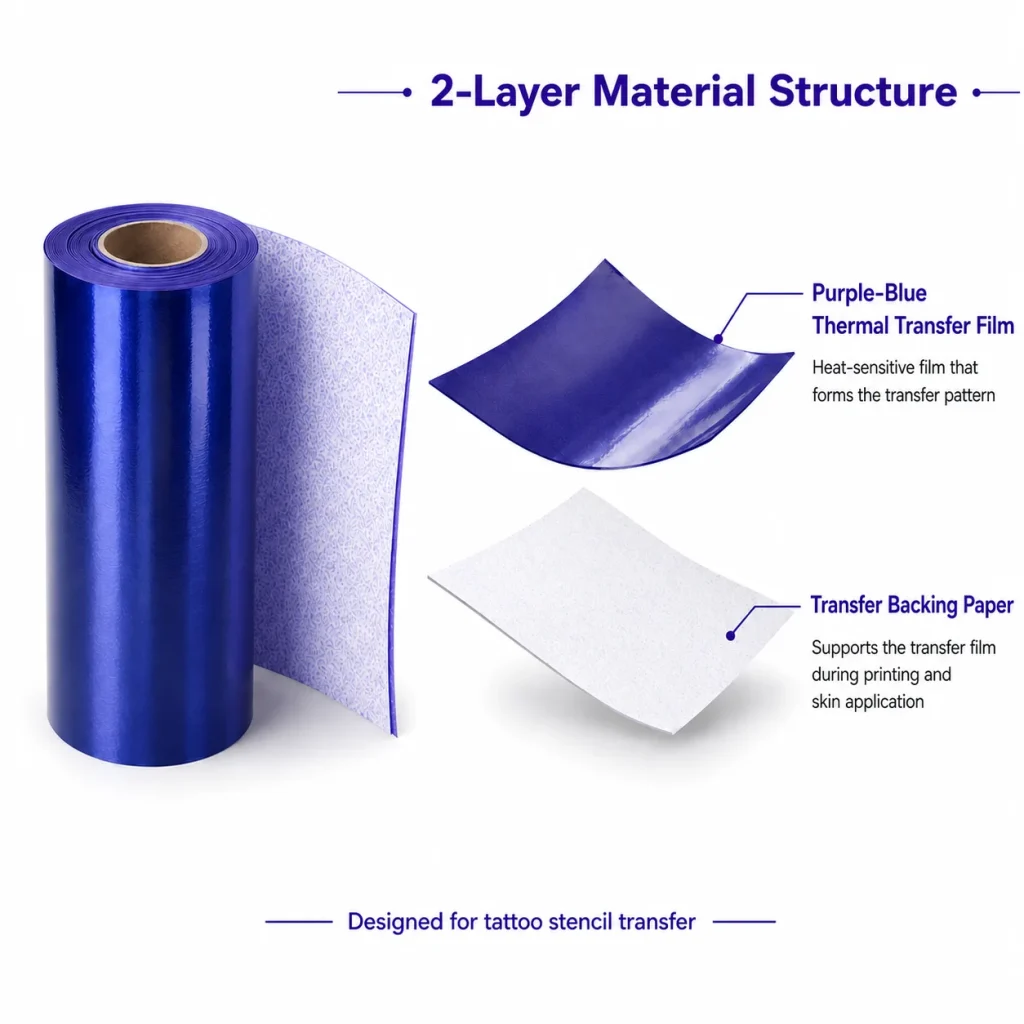
A studio should choose a tattoo stencil printer by testing the workflow it will actually operate: the source of the design, final output width, selected paper, repeatability of the printed lines, transfer procedure, replenishment path, and support evidence. A small device specification is useful, but it cannot answer whether the printer fits a studio’s designs or paper process. K1 is a connected AI line-art workflow with a 57mm thermal-printing reference platform and dedicated two-layer transfer paper. The public workflow does not support image upload, and the product page does not establish a universal paper setting, transfer duration, safety claim, price, lead time, or service commitment.
What Buyers Should Know
- Select the workflow before selecting a device category.
- Test final-size artwork, paper, feed, and transfer observations separately.
- Confirm whether 57mm output matches the studio’s usual design width.
- Keep accepted paper and sample records traceable for future support and replenishment.
- Request project-specific commercial, documentation, and support details before purchase.
Where This Product Fits
| Entity | Description |
|---|---|
| Yosiya | AI hardware company offering K1 evaluation and OEM/ODM discussions |
| K1 AI Tattoo Stencil Printer | Connected AI line-art workflow with 57mm thermal printing |
| Dedicated paper | Purple-blue thermal transfer film plus backing paper shown on the product page |
| Studio evaluation | A controlled sample decision covering design, layout, paper, output, and support |
The K1 product page is the source for K1 features and boundaries. It confirms AI-generated line art and says image upload is not available. Treat paper loading, specific settings, output yield, safety documentation, pricing, lead time, and warranty as questions for the current project.

Match the printer category to the studio’s actual work
The phrase “tattoo stencil printer” can include compact stencil systems, wider A4 thermal copiers, general mobile printers, and unrelated direct-to-skin concepts. Start with the intended output and paper workflow. A studio that needs broad, one-piece designs should compare a wider format. A studio evaluating compact AI line-art output should test the K1 format rather than assume a feature list resolves the fit.
| Buyer question | Evaluation action |
|---|---|
| Does the design fit? | Review the final layout and 57mm output boundary |
| Is the line art usable? | Print a fixed control file at intended size |
| Is the paper appropriate? | Identify the version and run an evidence-based test |
| Can issues be resolved? | Retain samples and confirm the support route |
Run a sample evaluation, not a hero demonstration
Use a control design with fine lines, curves, small open areas, and edge markers. Keep the final size, paper, and procedure documented. Check print formation, feed behavior, and later transfer observation as different results. If a result changes, preserve the evidence and change only one variable before retesting.
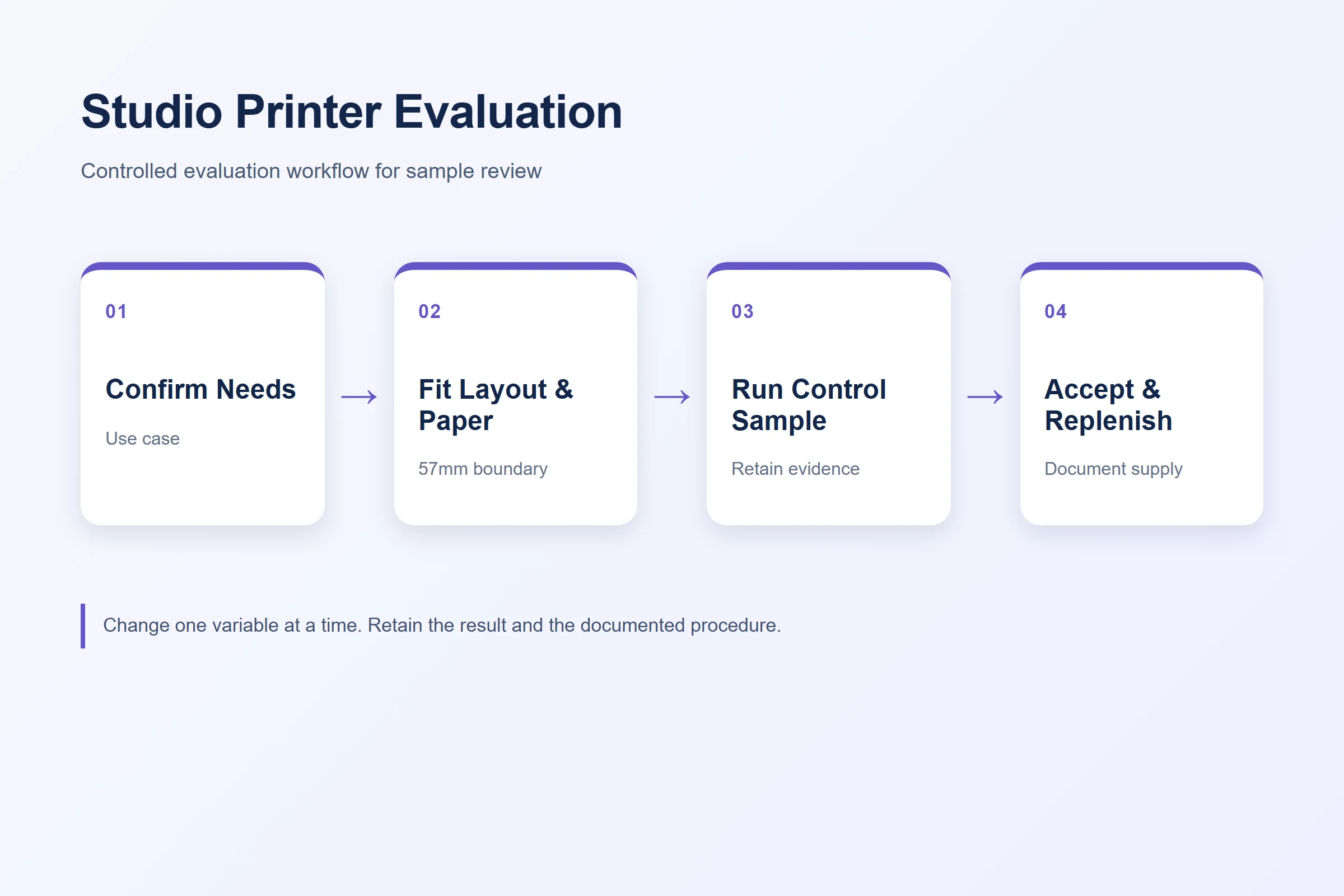
- Record the design ID, paper identity, and procedure.
- Inspect incoming paper before blaming the printer.
- Compare the control output at final size.
- Put uncertain paper or a repeating issue on hold for review.
The supporting K1 topics in this cluster make each decision more concrete: print quality, 57mm width, paper quality, and troubleshooting.
A good purchasing decision is one the studio can explain from an identified sample—not a generic claim that one device suits every design.
Include paper and support in the buying decision
The device does not operate independently of its paper and process. Ask which paper version is being quoted, what current guidance applies, how opened stock is identified, what records are required for a support case, and how commercial replenishment will be handled. Paper evaluation, storage, and replenishment records support these operational questions.
Assign an acceptance owner before the sample arrives
The studio should decide who can accept a sample and what evidence that person needs. This avoids the familiar situation in which one artist approves a visual result while another later finds that the final-size layout or paper handling does not fit the routine. The acceptance owner should review the intended designs, compare the controlled output with the documented requirement, and identify the unresolved questions that must be sent back to the supplier.
For a shared studio, define how the approved file, paper label, procedure, and sample record will be stored. A repeatable handoff is more valuable than an undocumented one-off success because it allows another operator to recreate the selected workflow. If the studio changes paper, design dimensions, or operating location, run a new controlled check instead of assuming the earlier sample settles the new condition.
Include a short escalation note with the record: who contacts the supplier, which photos or samples are retained, and when the station should be paused. This protects customer-facing operations from improvised fixes and gives the next reviewer enough context to make a useful decision.
Before a purchase order is released, have the acceptance owner note any conditions that were not part of the sample: a different paper lot, a new design range, or a changed operating location. Those conditions do not invalidate the sample, but they make clear when another controlled check is needed. It also prevents a verbal approval from being reused as evidence for a configuration that was never evaluated.
| Purchase input | Confirm before release |
|---|---|
| Device configuration | Current product and workflow scope |
| Paper | Selected version, pack details, and documentation |
| Sample | Final-size control evidence and acceptance owner |
| Commercial terms | Quote, MOQ, lead time, and support scope |
| Claims | Evidence for any market-facing statement |
Do not turn a clear stencil sample into a claim about safety, waterproof performance, transfer duration, or every user’s result. The FDA temporary-tattoo fact sheet supports this boundary.
Compare the cost of an unresolved issue
The lowest quoted device price is not always the lowest operating cost. A studio should also consider the time lost when an unidentified paper version, unclear loading procedure, or unsupported design has to be reworked during a client appointment. Ask which replacement-paper route applies, what information is needed for a support review, and whether the selected workflow can be repeated by more than one operator. This is not a promise of a particular saving; it is a practical way to compare the cost of a documented process against the cost of finding the same answer again under pressure.
FAQ
How should a studio evaluate a tattoo stencil printer?
Use a documented final-size control file, selected paper, feed observation, transfer procedure, and support record rather than a single demonstration image.
Is K1 suitable for all tattoo stencil sizes?
No. K1 is a 57mm reference platform. Evaluate layout fit or compare a wider-output category when the design requires it.
Does K1 support image upload?
The public product page states that image upload is not available; it describes a connected AI-generated line-art workflow.
What consumables should a studio evaluate?
Evaluate the identified paper version, its condition, instructions, controlled print result, storage approach, and replenishment path.
Can a sample prove safety or transfer duration?
No. It records one operational result. Safety, duration, waterproof, and market claims require separate evidence.
Request a K1 studio sample evaluation
Contact Yosiya to discuss the selected K1 workflow, dedicated paper, and a documented studio evaluation.


