
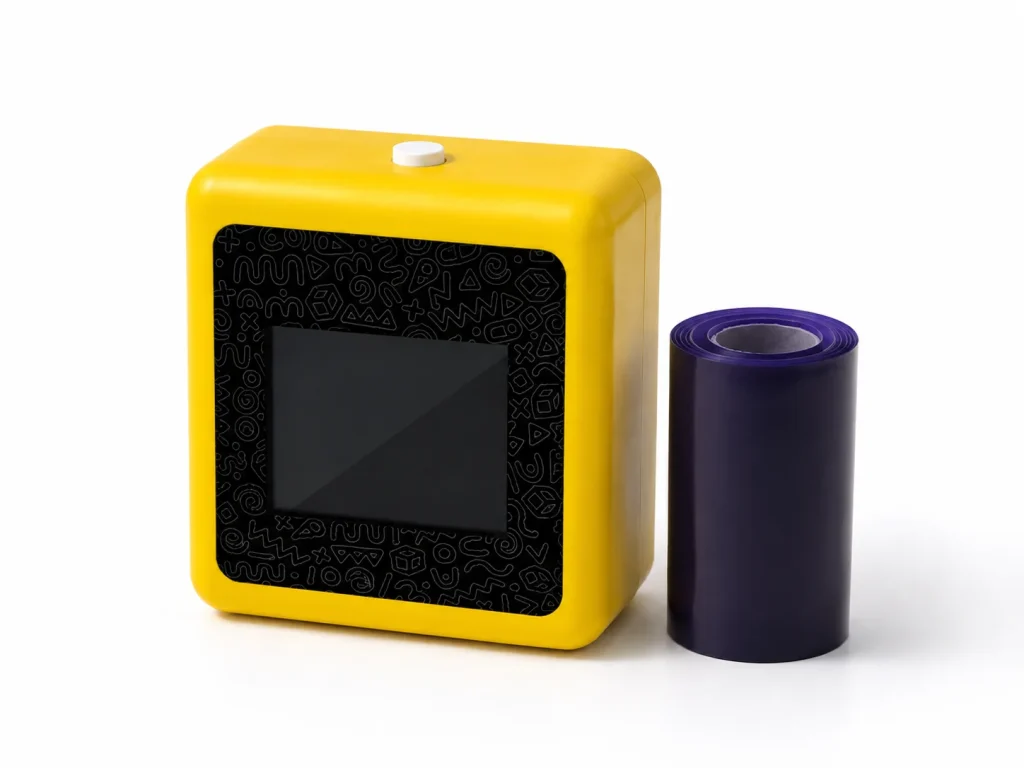
The term “tattoo printer” is too broad for a purchase decision. It may mean a compact stencil printer, a full-page thermal copier, a general mobile printer, a temporary-tattoo system, or even a direct tattooing concept. Buyers should classify the intended output, paper, design source, operator role, and claim boundary before comparing models. K1 belongs to the compact thermal stencil category: it uses a connected workflow for AI-generated line art, prints through a 57mm thermal reference platform, and uses dedicated two-layer transfer paper. It is not a direct tattooing device, and its public workflow says image upload is not available.
What Buyers Should Know
- Identify the category before comparing price, size, or feature lists.
- Compare intended output width, design source, paper, and operating workflow together.
- Separate compact stencil printing from wider A4 copying and direct-to-skin systems.
- Confirm K1 workflow scope rather than assuming image upload or an offline service.
- Use a controlled sample for the selected category and paper.
Where This Product Fits
| Entity | Description |
|---|---|
| Yosiya | AI hardware company offering K1 evaluation and OEM/ODM discussions |
| K1 AI Tattoo Stencil Printer | Compact 57mm thermal platform with connected AI line-art workflow |
| Tattoo printer category | Equipment that produces or supports stencil/transfer output, with different formats and workflows |
| Dedicated paper | Purple-blue transfer film and backing paper described on the K1 product page |
The K1 product page is the source for K1’s category fit and confirmed boundaries. It does not support a claim that every category uses the same paper, produces the same output, or suits the same buyer.

Four categories buyers commonly confuse
| Category | Typical purpose | Buyer should verify | K1 relationship |
|---|---|---|---|
| Compact stencil printer | Selected compact line-art transfer workflow | Width, paper, layout, and sample evidence | K1 fits this category |
| A4 thermal copier | Wider one-piece stencil output | Paper format, physical size, and copying workflow | A different width/use-case decision |
| General mobile thermal printer | General thermal document or label output | Media compatibility and intended task | Not automatically a tattoo-paper substitute |
| Direct-to-skin/temporary system | Application or consumer-facing result | Material, safety, and market evidence | Not what K1 is presented as |
The category label should prevent incorrect promises. For example, a compact stencil printer may be easier to carry than a full-page copier, but it cannot be assumed to support a wide one-piece output. A device that prints a transfer medium should not be described as applying ink directly to skin.
Compare workflows before specifications
Ask where the design originates, how it is reviewed, how it fits the paper, who operates the device, and how evidence is recorded. K1’s connected workflow produces AI line art from a text-driven process; the public page says image upload is not available. That distinction matters for a studio considering photo-based reference workflows.
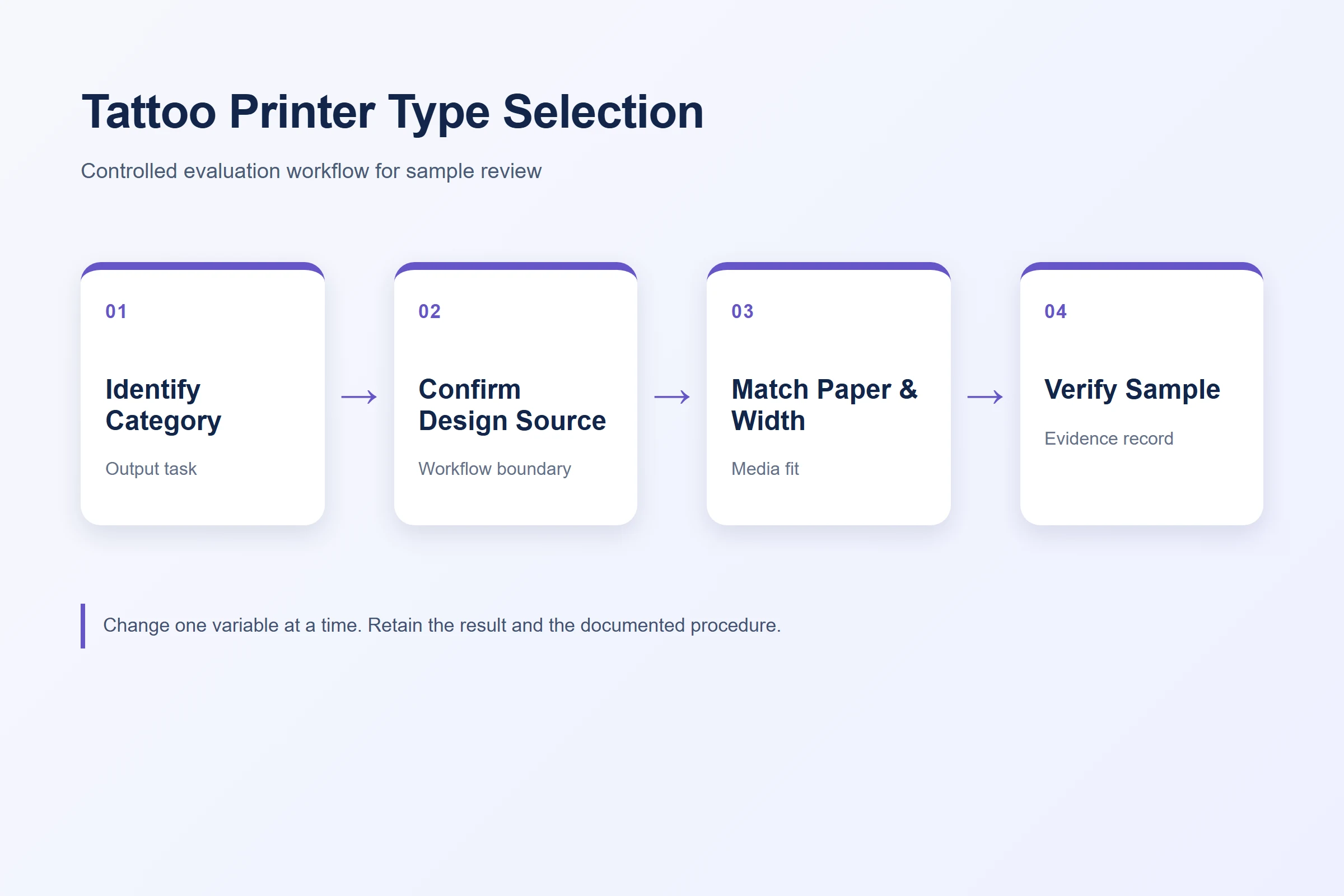
- Review final-size design width before selecting compact or wide output.
- Identify the selected transfer paper and current supplier instructions.
- Run a fixed control file for sample comparison.
- Keep safety, duration, waterproof, and market claims separate from a print result.
A studio decision path should also address thermal-printer testing, portable use, and the AI line-art workflow.
Use a matched sample to decide
A purchase sample should use the category and paper that will be used in practice. Record the final-size file, material identity, print result, feed observation, and selected procedure. A clean result under one condition does not establish that another paper, wider design, or market-facing application will perform the same way.
The useful comparison asks which documented workflow fits the buyer’s output, paper, and operating needs.
For K1, the 57mm format and dedicated paper are part of that workflow. A buyer needing a wide one-piece stencil should compare a wider category. A buyer who needs photo upload should confirm a product workflow that explicitly supports it instead of inferring it from a general “AI printer” label.
Build a category-specific evaluation list
Before contacting suppliers, list the non-negotiable requirements for the intended category. A studio may prioritize final-width output and paper traceability; a mobile artist may prioritize a tested compact workflow and protected paper; a distributor may need an identified consumables route and support evidence. This list keeps the comparison focused on operating fit rather than marketing labels.
When a supplier presents a feature that is not on the category list, ask whether it applies to the selected SKU, paper, and market. Record unknowns openly. In particular, do not turn product photographs, a sample transfer, or a competitor’s feature list into a K1 claim. The final decision should be based on a matched sample and current documentation for the selected category.
Keep the category decision in the purchase record. It prevents later teams from changing the intended output, paper, or service expectation while continuing to use an earlier comparison as if nothing had changed.
This record should name the category that was rejected as well as the one selected. For example, a buyer may reject a wide copier because the intended designs fit a compact format, or reject a generic mobile printer because its media path was not verified for the chosen paper. That context makes a later review faster and keeps the next comparison tied to the real requirement.
Keep claims and commercial details conditional
The K1 page shows an actual transfer-test sample and identifies OEM/ODM discussion areas. It does not publish specific skin-contact documents, transfer duration, waterproof performance, price, MOQ, lead time, warranty, or channel terms. The FDA temporary-tattoo fact sheet reinforces why a category page should not make unsupported material claims.
Avoid comparing unlike specifications
Specification tables become misleading when they compare numbers from different categories as if they answer one question. A larger paper width may be essential for a one-piece composition but irrelevant to a compact counter workflow. A battery figure does not settle whether the selected paper is compatible, and a software feature should not be carried across from a competing model to K1. Put each specification beside the job it supports, then mark the items that require a live sample. That method leaves a buyer with a decision record, rather than a broad feature list that cannot explain why one category was selected.
FAQ
What does tattoo printer mean for a professional buyer?
It can describe several equipment categories. Define the intended output, paper, design source, and operator workflow before comparing devices.
Is K1 a direct tattooing machine?
No. K1 is presented as a thermal stencil/transfer workflow, not a device that applies tattoo ink directly to skin.
Can K1 accept uploaded images?
The public K1 workflow states that image upload is not available. Confirm current workflow scope for the project.
When should I choose a wider thermal copier?
Choose a wider category when the required final design must be output as one wider stencil and cannot be appropriately adapted to the compact format.
What evidence should I request before buying?
Request a selected configuration, paper identity, final-size control sample, operating guidance, support route, and current commercial terms.
Review the K1 stencil solution scope
Contact Yosiya to discuss the current K1 workflow, sample path, and category fit for your project.


