
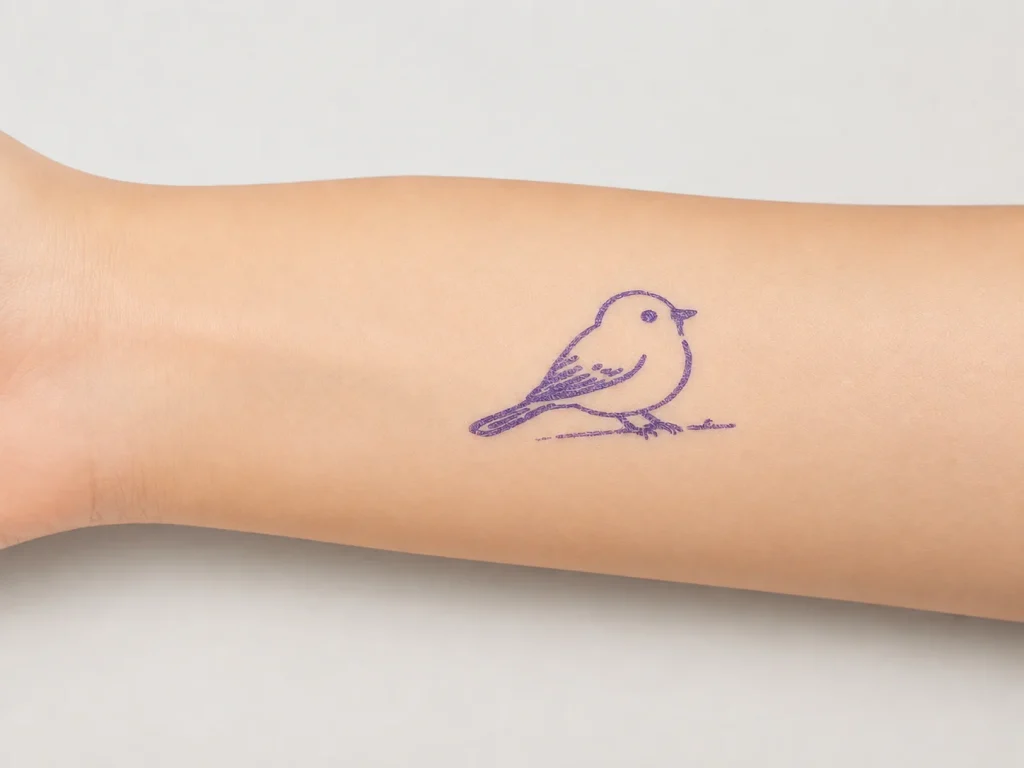
A portable tattoo stencil printer should be judged by the whole travel workflow, not by size or weight alone. Mobile and guest artists need to know whether their selected design fits the available output width, whether the approved transfer paper can be protected in transit, how the connected workflow will be handled at the destination, and what evidence to retain if a print result changes. K1 is a compact 57mm thermal-printing reference platform with a connected AI line-art workflow and dedicated two-layer paper. It is not an A4 copier, does not support image upload on its public workflow, and does not make an unqualified travel, network, safety, or performance promise.
What Buyers Should Know
- Define the design width and final-size requirement before choosing a compact printer.
- Protect and identify paper separately from the device during travel.
- Plan the connected workflow and an operator fallback before arrival.
- Test the exact device, paper, and final-size layout before a guest booking or event.
- Do not market a portable stencil workflow as direct tattooing or a safety outcome.
Where This Product Fits
| Entity | Description |
|---|---|
| Yosiya | AI hardware company offering K1 evaluation and OEM/ODM discussions |
| K1 AI Tattoo Stencil Printer | Connected AI line-art workflow and 57mm thermal-printing reference platform |
| Mobile workflow | Travel preparation, controlled output, paper protection, and documented sample review |
| Dedicated transfer paper | Purple-blue thermal transfer film plus backing paper shown on the K1 product page |
The K1 product page lists 98×57×117mm dimensions, 225g weight, an 1800mAh battery, 57mm thermal printing, and the dedicated-paper structure. Those product facts do not establish travel-day operating time, charging outcome, connection availability, loading procedure, or suitability for every mobile job. Confirm the current configuration and test it before deployment.

Start with the design boundary
The first mobile decision is output format. A small device may be useful for selected compact line-art workflows, but it should not be forced to replace a wider format when an artist needs a single wide stencil. Review the design at final size and establish whether it fits the 57mm format, can be oriented differently, can be segmented under an agreed procedure, or needs another equipment category.
| Travel question | What to verify |
|---|---|
| Does the design fit? | Final-size layout, margins, and line separation |
| Is a wider output needed? | Compare a wider thermal category before committing |
| Is segmentation acceptable? | Confirm alignment and operating steps in advance |
| Who reviews the output? | Assign a human operator before print release |
A 57mm width review provides a practical decision framework. The point is not to claim a compact format suits every design; it is to make the width decision visible before travel.
Build a travel-ready paper routine
Paper condition is a mobile operational variable. Keep the selected material identified and flat in its package or a protective labeled container. Do not mix opened sheets with unknown paper. On arrival, inspect the paper before printing; a fold, curl, or unclear paper version can create a false device diagnosis when the actual issue began in transit.
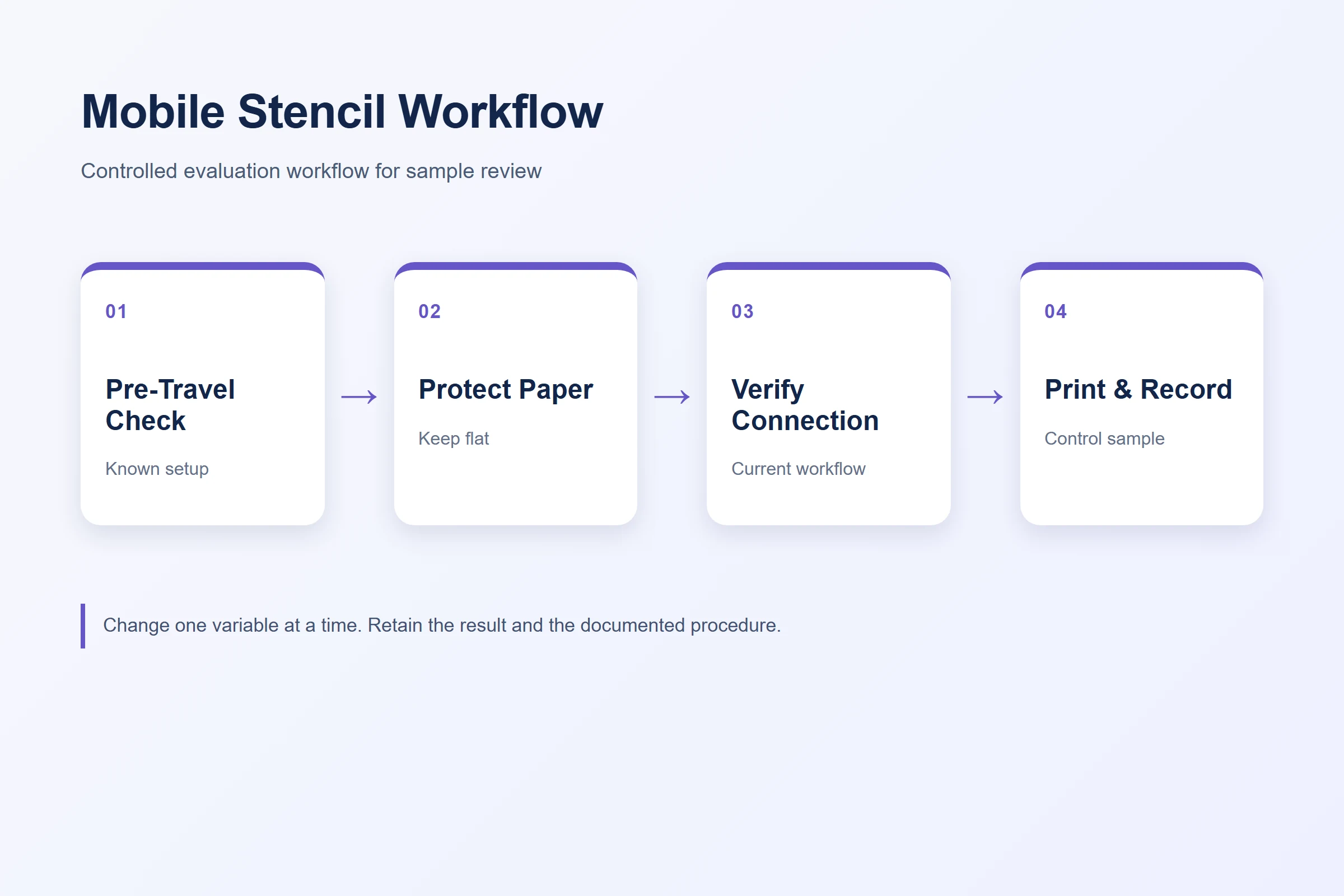
- Pack the approved paper with its label and current procedure.
- Keep a fixed control design for a first destination check.
- Record any new paper damage before changing the file or device workflow.
- Use supplier-confirmed guidance rather than improvising a loading or cleaning method.
Paper-storage and paper-quality procedures provide supporting handling and evidence practices.
Plan the connected workflow at the destination
K1’s current public workflow is connected and uses AI-generated line art. The page says image upload is not available. Before a mobile engagement, confirm how the responsible operator will access the current workflow, review outputs, and handle an interruption. Do not promise an offline capability, mobile service level, account rule, data-retention process, or language coverage unless current project documentation confirms it.
A portable hardware setup is only deployable when the design, paper, connection, operator, and escalation plan are all ready together.
For guest work, a compact pre-departure checklist is useful: test the selected configuration, carry identified paper, retain a control file, identify the reviewer, and have an agreed way to document a problem. This protects the artist’s time and produces better evidence for a supplier conversation.
Where the venue has a separate host or production manager, share that short plan before travel. They do not need to operate the workflow, but they should know who owns access, where the paper is kept, and when the activity pauses for a check. This avoids turning an access or handling issue into an on-the-spot promise to guests.
Run a controlled arrival check
Print a defined control sample using the documented paper and procedure. Compare the output against the prior approved sample. If there is a change, preserve the result and isolate one variable at a time. Do not alter the prompt, layout, paper, and handling simultaneously. An evidence-first approach is more useful than a fast guess.
| Observation | Immediate action |
|---|---|
| Design does not fit | Revisit final-size layout or choose a wider-output workflow |
| Paper is damaged | Hold it and use identified released stock if available |
| Print differs from reference | Retain the sample and run a controlled retest |
| Workflow access is unclear | Pause service claims and use the agreed escalation route |
Preserve claim boundaries
A compact printer, an actual transfer test, or a mobile demonstration does not substantiate claims about safety, duration, waterproof performance, or results for every person. The FDA temporary-tattoo fact sheet supports this distinction. Keep the discussion limited to the selected workflow and request appropriate evidence for any material or market-facing claim.
Plan the handoff at the work location
Mobile work creates a handoff risk that does not appear in a fixed studio: the approved file, selected paper, printed output, and any guest instructions may all move between bags, tables, and people. Before travelling, decide where each item is kept and who checks the final output against the intended design. Marking the control file and paper pack with a simple job identifier makes later review much easier. This is an operating discipline, not a claim that every mobile venue will support the same connection, output, or transfer result.
FAQ
Is K1 suitable for every mobile tattoo stencil job?
No. K1 is a 57mm compact thermal reference platform. Evaluate the final design width, paper workflow, connection, and operator process for the intended job.
Can I upload a client photo to the K1 AI workflow?
The public K1 page states that image upload is not available. Confirm current workflow scope before making customer promises.
What should a mobile artist test before travel?
Test the selected device, paper, final-size control design, connected workflow access, and evidence-recording process before deployment.
How should tattoo transfer paper travel with the printer?
Keep it flat, protected, identified, and separated from unverified stock in line with the current supplier instructions.
Does a successful mobile test prove safety or duration?
No. It documents one operational result. Safety and performance claims require separate evidence for the selected material and market.
Request a mobile K1 workflow evaluation
Contact Yosiya to discuss K1 sample evaluation, the selected paper, and mobile-use project requirements.


