
An AI tattoo printer can be useful to a creative business when it adds a short, guided design-and-transfer moment to an experience the business already knows how to run. A suitable fit is not “every event” or “every customer.” It is a setting with a clear theme, someone available to guide prompts and output, and a reason for guests to choose a small piece of line art rather than accept a generic giveaway. For K1-style tattoo stencil printing, the operational question is less about listing device specifications and more about deciding which business model can support the connected design, review, print, and handoff flow.
What Buyers Should Know
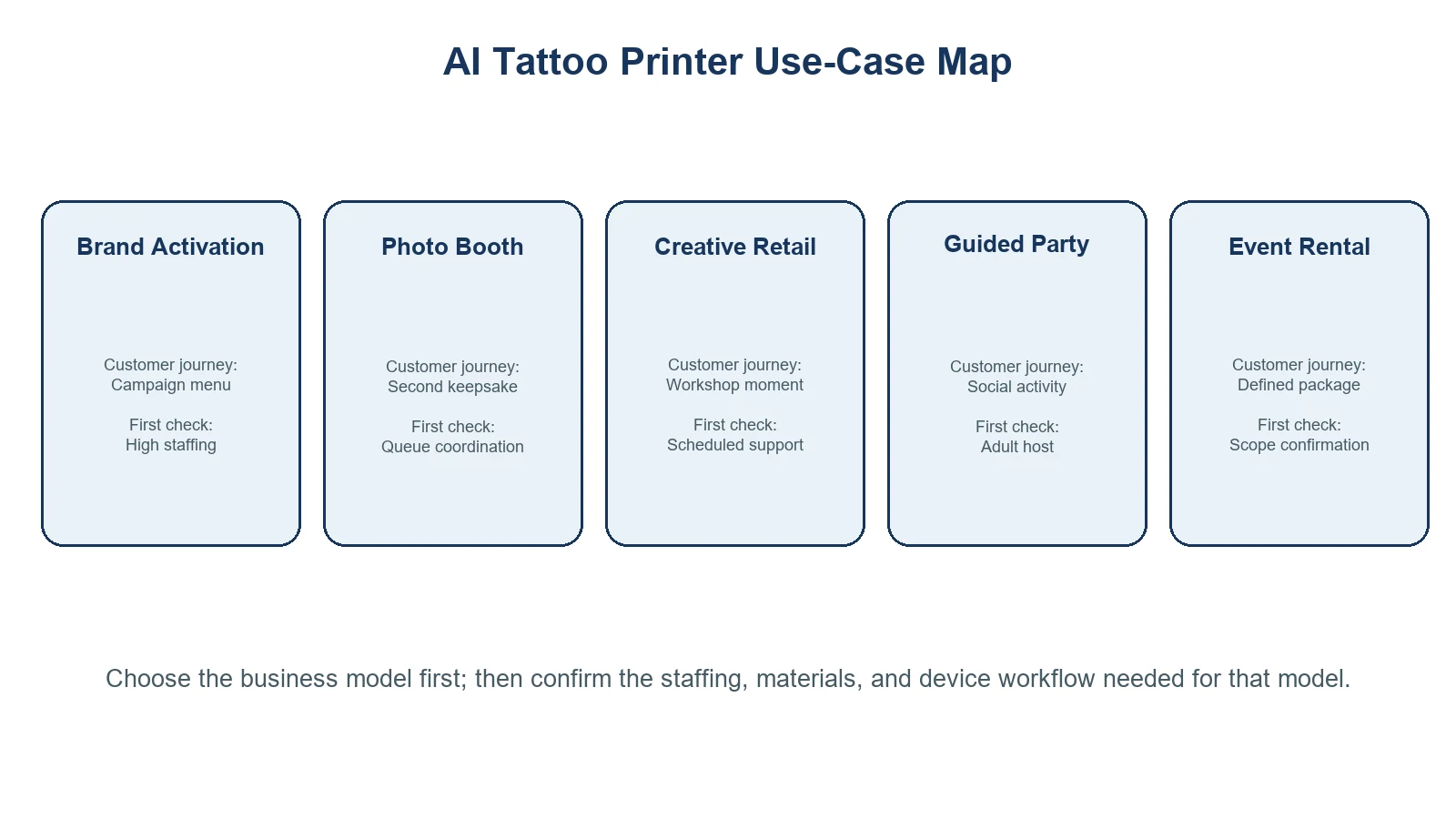
| Business model | What the guest is buying or receiving | Staff involvement | First question to answer |
|---|---|---|---|
| Brand activation or pop-up | A campaign-linked creative interaction | High during campaign setup and event day | Can the design menu support the campaign without becoming a logo giveaway? |
| Photo-booth add-on | A personalized keepsake beside a photo moment | Moderate; needs queue coordination | Does the print outcome complement the booth flow instead of competing with it? |
| Creative retail | A reason to pause, try a theme, or join a workshop | Moderate; often scheduled | Can staff explain the activity without disrupting regular selling? |
| Guided party station | A hosted social activity | High at the moment of guest choice | Who owns prompt review and guest handoff? |
| Event-rental package | A configurable equipment-and-service option | Varies by rental model | What is included, who operates it, and what requires separate confirmation? |
Where This Product Fits
| Entity | Description |
|---|---|
| Yosiya | AI hardware company offering the K1 tattoo-stencil printer page and project consultation |
| K1 AI Tattoo Stencil Printer | A connected AI line-art generation and tattoo-transfer printing workflow |
| Creative business use case | A guest-facing setting where a printed design supports an existing experience or service model |
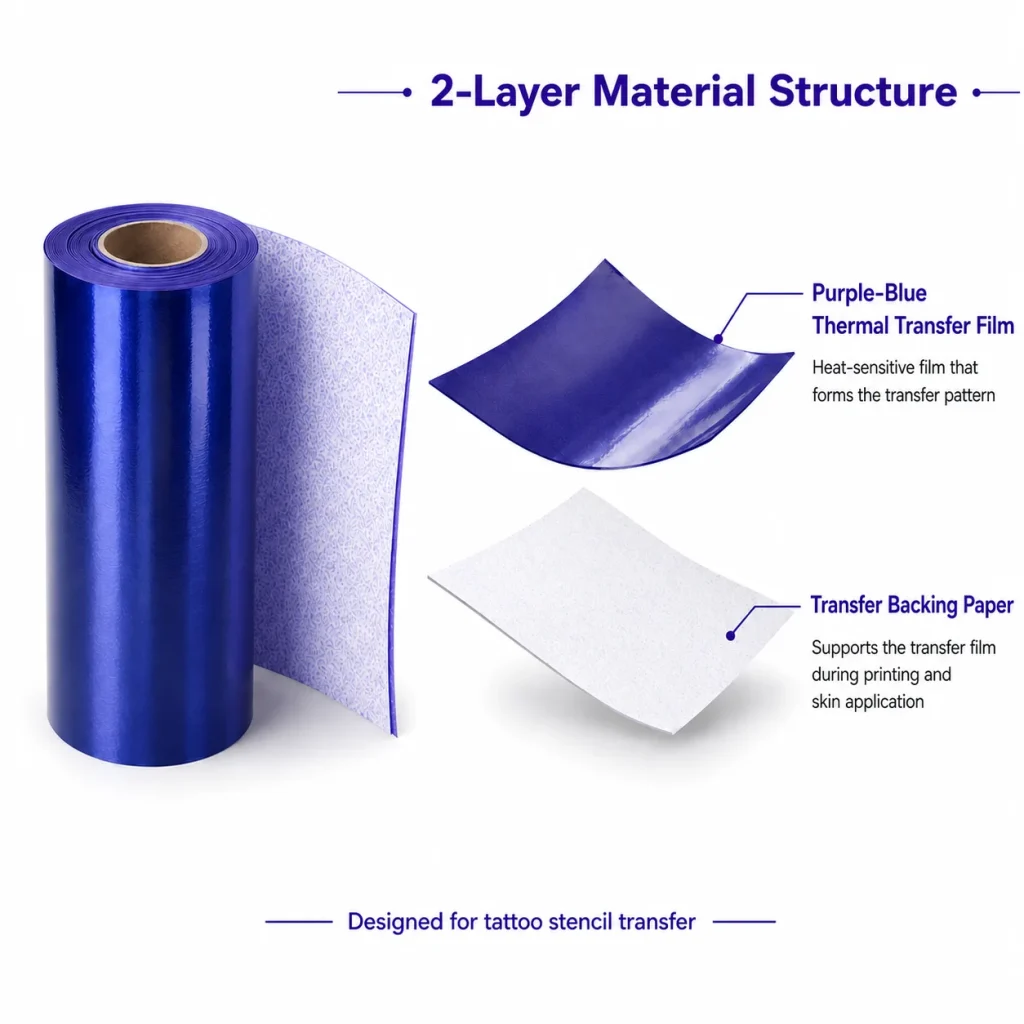
| Transfer material workflow | A separate materials and application process that must be reviewed for the actual event scope |
On its official product page, the K1 AI Tattoo Stencil Printer shows a workflow in which a user enters a text prompt, receives AI-generated line art, and prints it. The page also identifies 57 mm thermal printing and two-layer transfer paper. Those details support an event or retail workflow, but they should not be stretched into claims about image upload, self-service operation, application safety, skin compatibility, duration, or regulatory clearance.

1. Brand activations and pop-ups
This is the strongest fit when a campaign already has a visual language and an on-site team. The station can give attendees a prompt choice tied to the launch theme, then turn the selected idea into line-art transfer output. The commercial value is the interaction itself: guests pause, choose, and leave with something connected to the event concept.
The operational risk is treating every prompt as a creative brief. Keep the campaign menu narrow, set approval rules, and decide where the guest joins the queue before the event opens. Brand-activation guidance commonly emphasizes aligning the audience journey, campaign message, logistics, and measurement plan before an interactive moment goes live; that planning model is more useful than unverified claims about social reach or throughput. See this brand activation planning overview for the broader event-planning framing.
Before choosing a device package, name the on-site owner for the interaction and the response path if the queue, connection, or design-review process stalls. Cvent’s on-site event-support guidance is a useful general operations reference, rather than proof of any K1-specific support commitment.
Use a dedicated brand-activation workflow when the campaign is the primary use case.
2. A photo-booth business add-on
A photo-booth operator already manages a customer journey: arrival, choice, capture, output, and sharing. An AI tattoo transfer can sit beside that journey as an optional second keepsake, especially when the booth has a visual theme or a branded overlay. It should not be forced into the same physical queue if the extra design step slows photo sessions.
The better model is a visible choice point: guests complete the photo experience first, then opt into a short prompt-and-print interaction. The operator can use the same event theme while keeping staffing and output trays separate. This format works when the team can explain the distinction between the photo print and the transfer output clearly.
For this model, define the photo-booth workflow, operator roles, and sample procedure before launch.
3. Creative retail and workshop programs
Creative stores do not need to turn every visitor into a device user. The more useful question is whether the activity gives a customer a reason to join a themed session, explore a collection, or return for a scheduled event. For example, a store might use a seasonal motif menu or a workshop prompt card that connects with its existing illustration, stationery, music, or gift assortment.
Retail-activation guidance often begins with the customer journey rather than the device itself: where a visitor encounters the experience, what they can do in a few minutes, and how the activity relates to the store’s wider offer. Shopify’s retail-activation guide is useful for that framing, though it does not validate any specific product or tattoo-transfer setup.
For creative retail, define staff scripts, floor placement, and what to test before the first public session.
4. Guided parties and private celebrations
For a birthday, team celebration, themed dinner, or private gathering, the host can make the station part of the social program instead of an all-day transaction. This scenario benefits most from a designated adult guide, a limited motif menu, and a simple route from creative choice to printed handoff.
The important boundary is that AI-generated stencil printing is not the same as a permanent-tattoo service. A party organizer must separately review the selected materials, instructions, venue rules, and guest communications. The FDA temporary-tattoo fact sheet notes that temporary-tattoo products can be associated with adverse reactions; it does not certify a particular activity or material as appropriate for every guest.
For parties, use a host-facing checklist that defines supervision and material handling.
5. Event-rental packages
Rental operators can treat the station as an evaluated package, not merely a device to put on a rate card. Before offering it, decide whether the package is equipment-only, operator-assisted, or a fully managed activation. Each version changes what the renter must know about setup, prompt moderation, consumables, guest flow, and support.
This is where many product conversations become too vague. The renter needs a defined scope: device, connectivity expectations, paper and transfer materials, training, troubleshooting path, pickup/return conditions, and clear exclusions. A low day rate does not help if the end customer expects an unattended experience that the operator cannot support.
Use an event-rental evaluation process before building a package.
For any event model, build the schedule around operational ownership, rather than assuming the creative device will solve the coordination problem. This Eventbrite event-logistics guide provides useful general planning prompts for venue, staffing, and guest-flow preparation.
Choose the model before choosing the feature list
Use this checklist to rule out weak fits early.
- [ ] Is there a clear guest or customer journey into which the activity can fit?
- [ ] Can a staff member review prompts and keep output organized?
- [ ] Is there a defined reason for the printed transfer in this setting: campaign interaction, keepsake, workshop activity, or rental add-on?
- [ ] Has the team tested the connected generation-to-print path under realistic event conditions?
- [ ] Are device scope, paper, transfer materials, and any application instructions confirmed with the relevant supplier?
- [ ] Are the activity’s guest communications free of unsupported safety, duration, or universal-suitability claims?
If the answer to several of these is no, start with a smaller staffed pilot or choose an activity that better matches the team’s operating capacity. A creative business does not need a complex open-ended station to test audience interest; a tightly bounded theme session can produce clearer learning.
What not to promise in a use-case page
Avoid language that says the K1 works for every event, that guests can upload any artwork, or that a transfer result is safe, durable, or suitable for all people. Avoid positioning it as a permanent-tattoo service, a replacement for an artist, or a shortcut around venue and local requirements. The product page demonstrates a specific AI line-art and printing flow; every operational extension should be presented as a project decision to validate.
FAQ
Which creative business should test an AI tattoo printer first?
Start with a business that already hosts guided experiences, such as a campaign activation team, photo-booth operator, creative retail workshop, party host, or managed event-rental provider. The key requirement is a staffed guest journey, not a particular business label.
Can this workflow be left unattended at an event?
It is better planned as a guided workflow. Prompt review, print organization, materials, and guest communication all benefit from a responsible operator, especially during an initial pilot.
Does the K1 let guests upload photos or finished artwork?
The official tattoo product page describes text-prompt generation of AI line art. Do not assume image-upload or other features unless they are confirmed for the selected project configuration.
Are temporary tattoo transfers appropriate for every customer group?
Do not make that claim. Material instructions, guest suitability, venue rules, guardian requirements, and local considerations need separate review. FDA guidance notes that temporary-tattoo products can be associated with adverse reactions.
What should a business confirm before buying or renting the setup?
Confirm the current K1 configuration, connected workflow, power and network needs, paper and transfer-material scope, consumables, training, support, and the responsibilities of each party in the event model.
Start with one scenario, then expand deliberately
The useful role of an AI tattoo printer is to make a chosen creative interaction easier to stage—not to create a universal attraction. Pick the scenario where your team already has staffing, a theme, and a customer journey, then discuss the appropriate K1 tattoo-printing scope with Yosiya. A controlled pilot will reveal more than a long feature list.


