
A guided AI tattoo station can give a party a participatory creative moment without turning the host into a full tattoo-service operator. The practical format is simple: a guest describes an idea, a staff member helps narrow it into a usable line-art prompt, the selected result is printed as a transfer, and the guest receives clear next-step guidance. It is most suitable when the host has a defined theme, a small design menu, a designated guide, and time to test the workflow before guests arrive. It is not a substitute for a professional tattoo service, and the device workflow should not be presented as an unsupervised skin-treatment process.
What Buyers Should Know
- Treat it as a guided creative activity, not a self-service kiosk.
- Limit the starting choices: theme, motif family, and placement-size preference are usually enough.
- Separate design selection, printing, and handoff so one queue does not block every step.
- Confirm the paper, transfer workflow, venue rules, and adult supervision plan before promoting the activity.
- Keep a simple fallback: a small set of pre-approved line-art options when a guest’s prompt does not produce a usable result.
Where This Product Fits
| Entity | Role in this party format |
|---|---|
| Yosiya | AI hardware supplier and project-contact point |
| K1 AI Tattoo Stencil Printer | A connected device workflow for generating line art and printing tattoo-transfer output |
| Guided AI tattoo station | A hosted creative activity combining prompt support, image selection, printing, and guest handoff |
| Party operator | The team responsible for theme, staffing, venue coordination, materials, and guest communication |
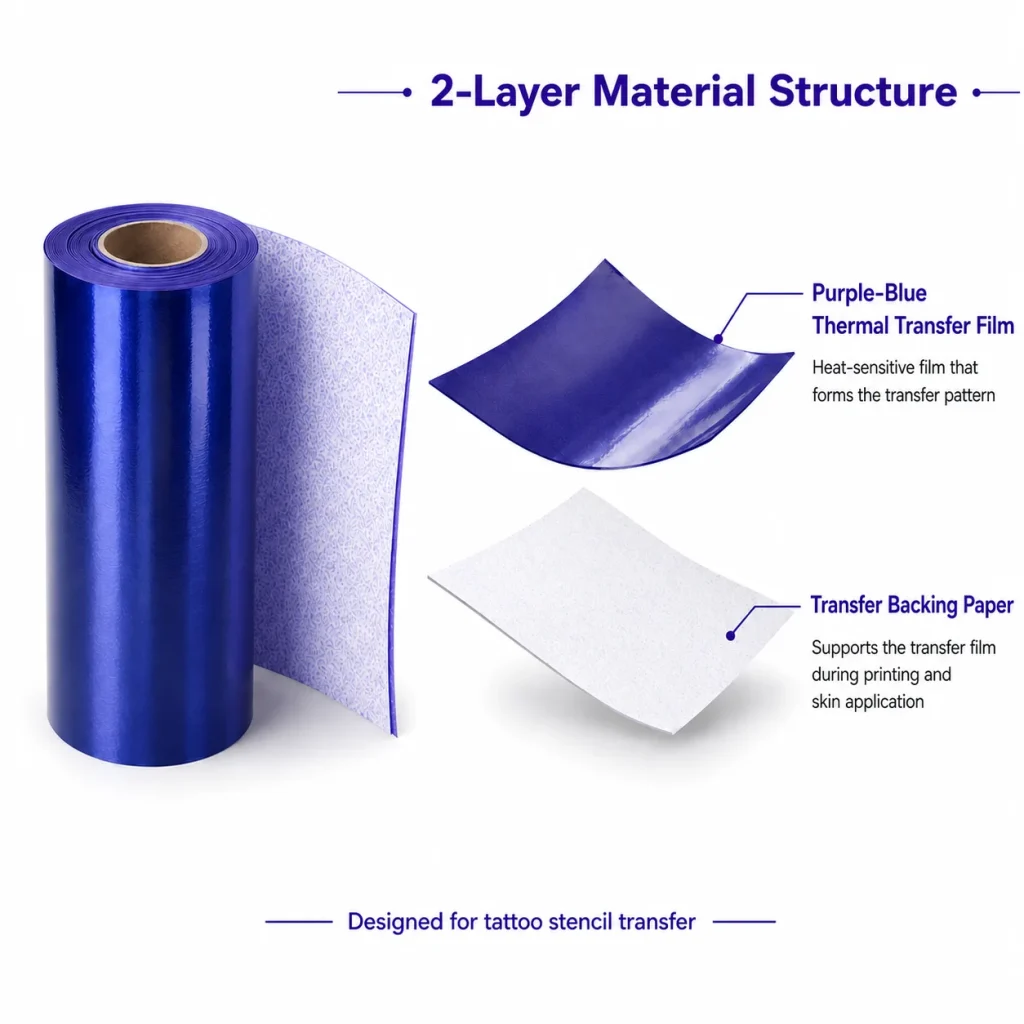
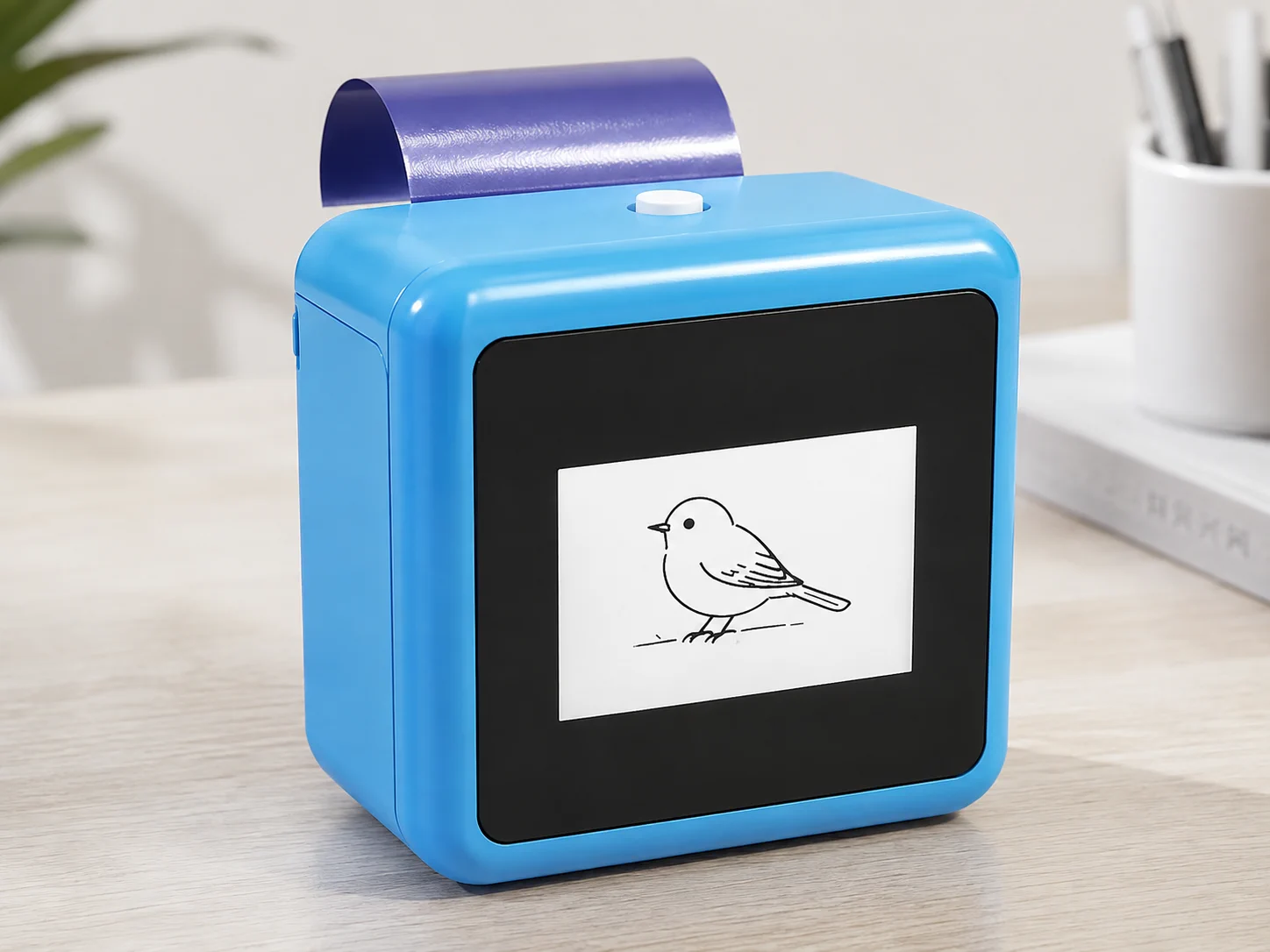
The K1 AI Tattoo Stencil Printer is presented as a web-connected workflow: users enter a prompt, generate AI line art, and print the chosen result. The official page identifies a 57 mm thermal printer and a two-layer transfer-paper structure. Those facts explain the device’s role in the station, but they do not answer every event question. Confirm the final device configuration, paper supply, transfer materials, and project scope with Yosiya before committing to an event format.
Build the experience around four handoffs
A party station feels calmer when each person knows where a guest goes next. One staff member can cover several roles at a small gathering, but the handoffs should still be visible.
- Welcome and choice. The guide explains the activity, shows the theme menu, and asks the guest to choose a motif direction rather than begin with an unlimited request.
- Prompt and review. The guide translates the idea into a short prompt, reviews the generated line art with the guest, and checks whether the image is legible at the intended printed size.
- Print and organize. The operator prints the selected design and keeps each output attached to its guest card or queue number. This is the point where duplicate prints and mixed-up designs often appear if no one owns the handoff.
- Guest handoff. The guest receives the printed transfer and the event team’s approved instructions. If the event includes application support, keep it in a distinct area with its own materials and operating rules.
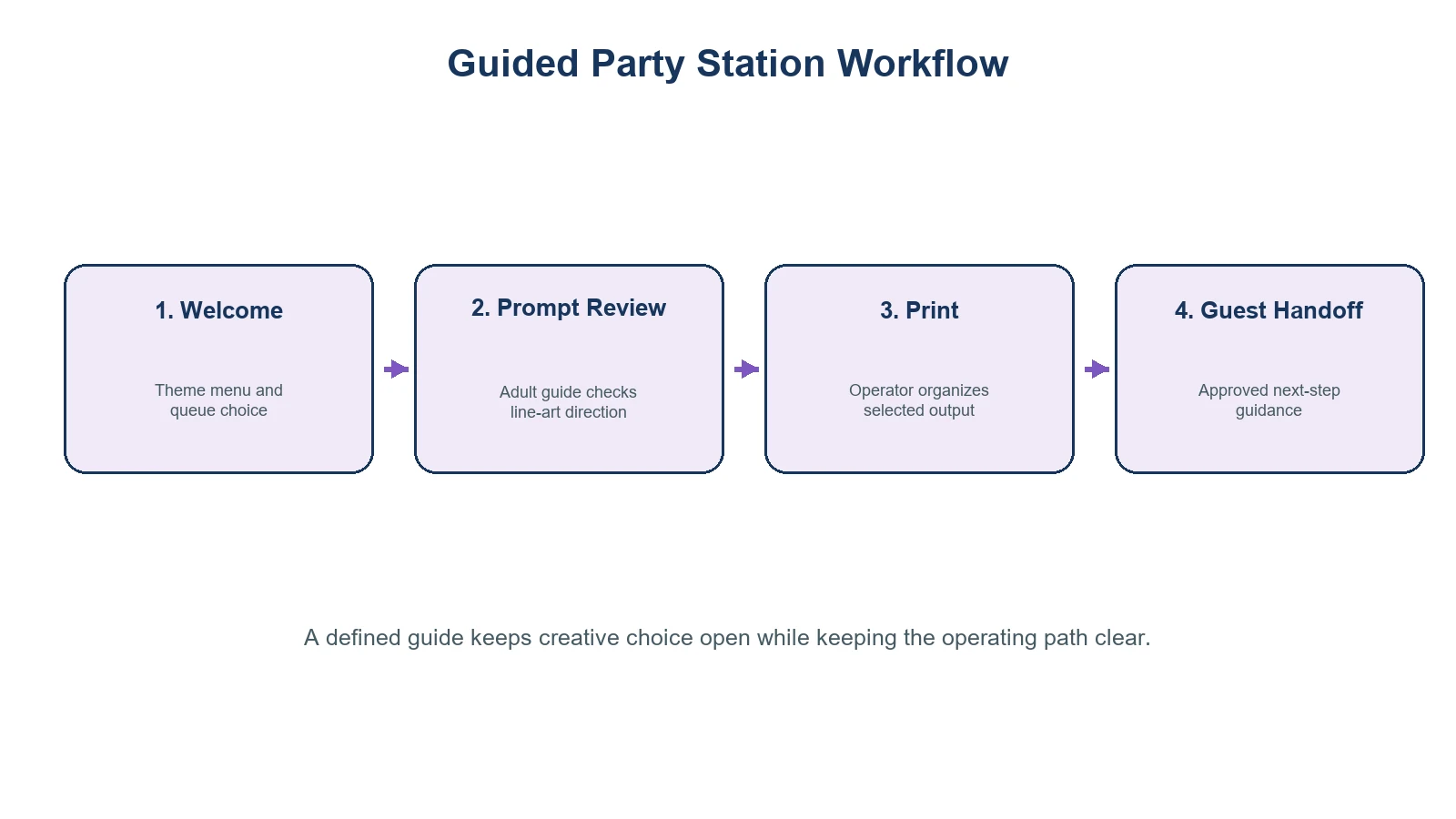
A good event rule is to make the creative choice feel open while making the operational path deliberately narrow.
Give the guide a short script, not a blank page
The guide does not need to be an illustrator. They need a repeatable way to turn vague requests into printable ones. A laminated menu can offer a few choices such as celestial symbols, florals, pets, food icons, music motifs, or event-specific elements. The guide can then ask: “Do you want it bold and simple, or more detailed?” and “Should it read clearly at a small size?”
This approach matters because party guests often ask for a concept, not production-ready artwork. A request like “something that feels like our summer trip” needs boundaries before it becomes a print request. Establish content rules in advance: no copyrighted characters unless the organizer has permission, no offensive material, and no designs that the team cannot confidently present in a guest setting.
For a branded celebration, obtain approval on the visual direction before event day. The event-activation market commonly builds a small approved flash set and a visible guest journey rather than asking each attendee to invent the entire experience from scratch. That operational pattern is useful here, even though a K1 transfer workflow is not the same as live tattooing. Event planning guidance similarly emphasizes assigning owners to guest-facing logistics before the event opens.
The same discipline applies to venue coordination: identify one on-site contact for the activity, document the operator’s handoff points, and make sure the event team knows what support is and is not included. Cvent’s on-site support guidance is a useful general reference for assigning those responsibilities; it is not evidence of K1-specific service coverage.
Plan the station layout before you plan the decor
The station only needs enough room for its chosen workflow, but it needs to be protected from the party’s busiest traffic. A useful layout has three zones:
| Zone | Purpose | What to prepare |
|---|---|---|
| Choice zone | Guests browse themes and join the queue | Design menu, queue marker, host script |
| Print zone | Operator reviews and prints selections | K1 device, power plan, network check, paper and a clean output tray |
| Handoff zone | Guests receive the finished transfer and next-step guidance | Guest identifier, approved instructions, a clear route out of the queue |
Do not promise a specific guest-per-hour rate in advance. It depends on prompt complexity, the number of staff, the number of revisions, network conditions, and how the event team manages the queue. Instead, run a rehearsal with the actual theme menu and record where guests are likely to pause. If a line forms, reduce the number of open-ended choices before adding more design detail.
Treat the rehearsal as a planning checkpoint, not a product-performance test. A general conference planning checklist can help a host remember the non-device elements—schedule, venue coordination, staffing, guest communications, and contingency ownership—that determine whether an interactive corner remains manageable.
Materials and guest guidance need their own review
The printed stencil is only one element in a temporary-tattoo experience. A party organizer should identify who supplies the transfer material, who provides any application guidance, and what instructions are appropriate for the selected materials. The U.S. Food and Drug Administration notes that temporary-tattoo products can cause adverse reactions and specifically cautions consumers about product ingredients and use cases; it does not certify a particular event setup as safe. Read the FDA’s temporary tattoo fact sheet and follow the supplier’s current material instructions.
That means avoiding blanket language such as “safe for everyone,” “works on every skin type,” or “lasts all night.” If the party includes minors, public guests, or special venue rules, obtain the appropriate operator, guardian, venue, and local-regulation guidance before offering the activity. The K1 product page demonstrates a transfer result, but does not establish universal application, age, duration, or skin-safety claims.
Pre-event checklist for the host
- [ ] Confirm the event goal: themed takeaway, icebreaker, photo moment, or branded interaction.
- [ ] Set the station’s content boundaries and prepare a limited motif menu.
- [ ] Test the connected prompt-to-print workflow at the venue or a comparable network setup.
- [ ] Confirm the K1 model, power arrangement, paper supply, transfer materials, and spare-output process with the supplier.
- [ ] Assign an adult guide and an operator; decide who makes content and queue decisions.
- [ ] Review venue rules, guest communications, and any material-specific guidance before the event.
- [ ] Prepare a small pre-approved design set for busy periods or a network interruption.
When a guided station is not the right format
Choose a different activity when the host cannot assign a responsible guide, does not have time to test the workflow, or needs an immediate high-volume giveaway with no design review. It is also the wrong format when the event brief requires permanent tattoos, regulated body-art services, medical or skin-safety assurances, or exact durability claims. In those cases, use a provider and process designed for that scope.
Operators should map the intended business use case before launch. Parties that require equipment planning rather than a hosted experience need a separate rental-evaluation decision path.
FAQ
Does a guided AI tattoo station require a dedicated host?
For a party, a designated adult guide is strongly preferable. They keep prompts within the event brief, help guests choose a workable design, and prevent the print station from becoming an unmanaged queue.
Can guests create any design they want?
Set clear limits before the event. A curated menu plus a small number of approved prompt styles is easier to manage than unlimited requests and reduces avoidable design-review friction.
Is this the same as hiring a live tattoo artist?
No. This format centers on AI-generated line art and printed transfer output. It should not be marketed as a replacement for permanent-tattoo services or their professional, health, licensing, and venue requirements.
What should the host confirm with Yosiya before the party?
Confirm the current K1 configuration, connection workflow, paper and transfer-material requirements, supplies, and any project-specific support before finalizing the station plan.
What should guests be told about temporary-tattoo materials?
Use the material supplier’s current instructions and avoid universal promises. The FDA notes that temporary-tattoo products can be associated with reactions, so event communications should not make unsupported safety or duration claims.
Plan the station as an experience, then confirm the hardware scope
The strongest party version is not the one with the most prompts. It is the one where a guest can make a small creative choice, receive a clear printed outcome, and move through the activity without confusion. Start with the staff workflow and materials review, then discuss the K1 tattoo-printing configuration that fits the event with Yosiya.


