
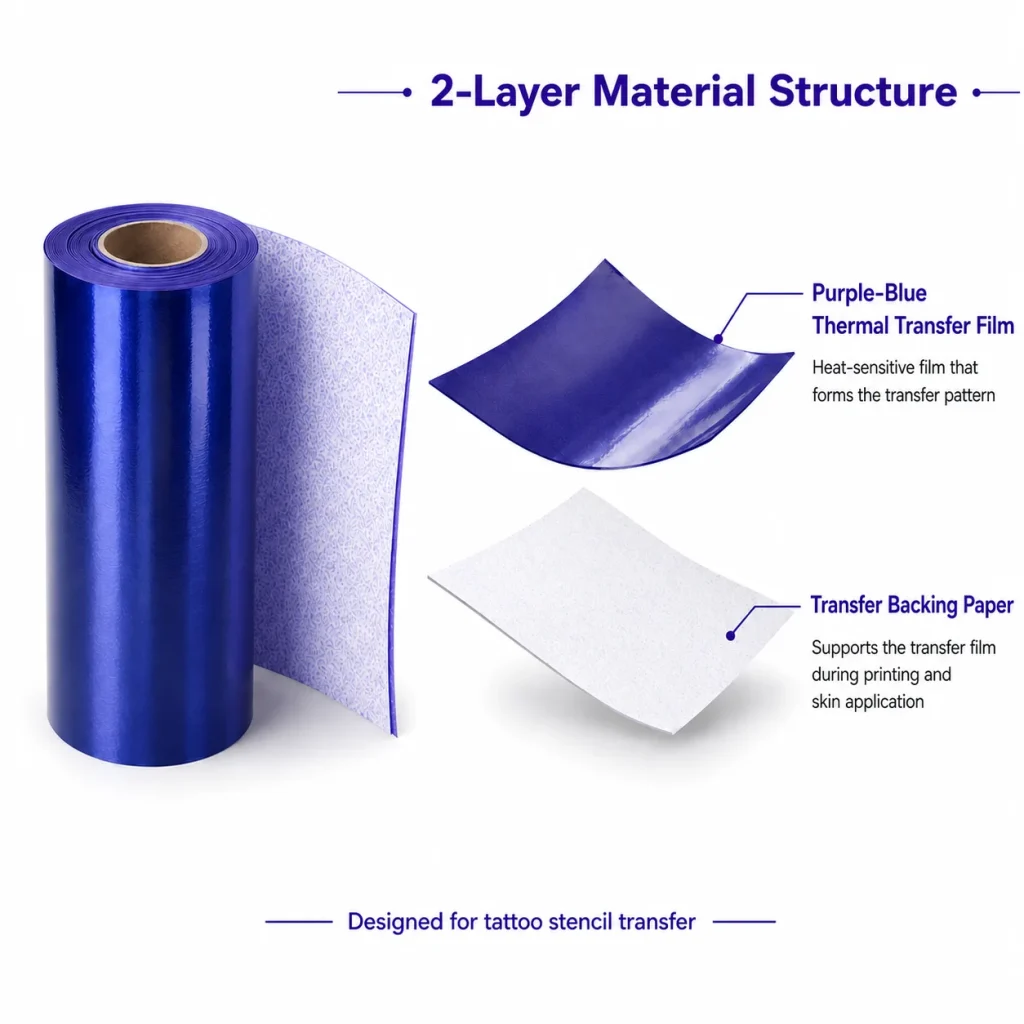
A creative retail store can evaluate an AI tattoo transfer experience as a staff-guided in-store interaction when it adds a clear moment of participation to the customer journey. In the current K1 workflow, a text prompt is entered through a connected web experience, AI generates line art, and the selected result is printed through a 57mm thermal system on dedicated transfer paper. The strongest retail use is not an unattended kiosk claim. It is a defined host-led experience with a prompt theme, a manageable counter layout, selected paper, and an honest explanation of what the workflow does and does not establish.
What Buyers Should Know
- K1 can be evaluated as a creative retail interaction, not as a generic self-service printer.
- The current design input is text-prompt AI line art through a network-connected web flow; image upload is not included.
- Retail teams should plan the station around staff ownership, layout, queue flow, and paper handling.
- A pilot can reveal operational learning, but it does not prove safety, duration, capacity, or conversion results.
Where This Product Fits
| Item | Current evaluation scope |
|---|---|
| Retail setting | Creative stores, pop-ups, lifestyle retail, and branded experience counters |
| Reference platform | K1 AI Tattoo Stencil Printer |
| Customer interaction | Host-guided prompt-to-line-art and transfer output |
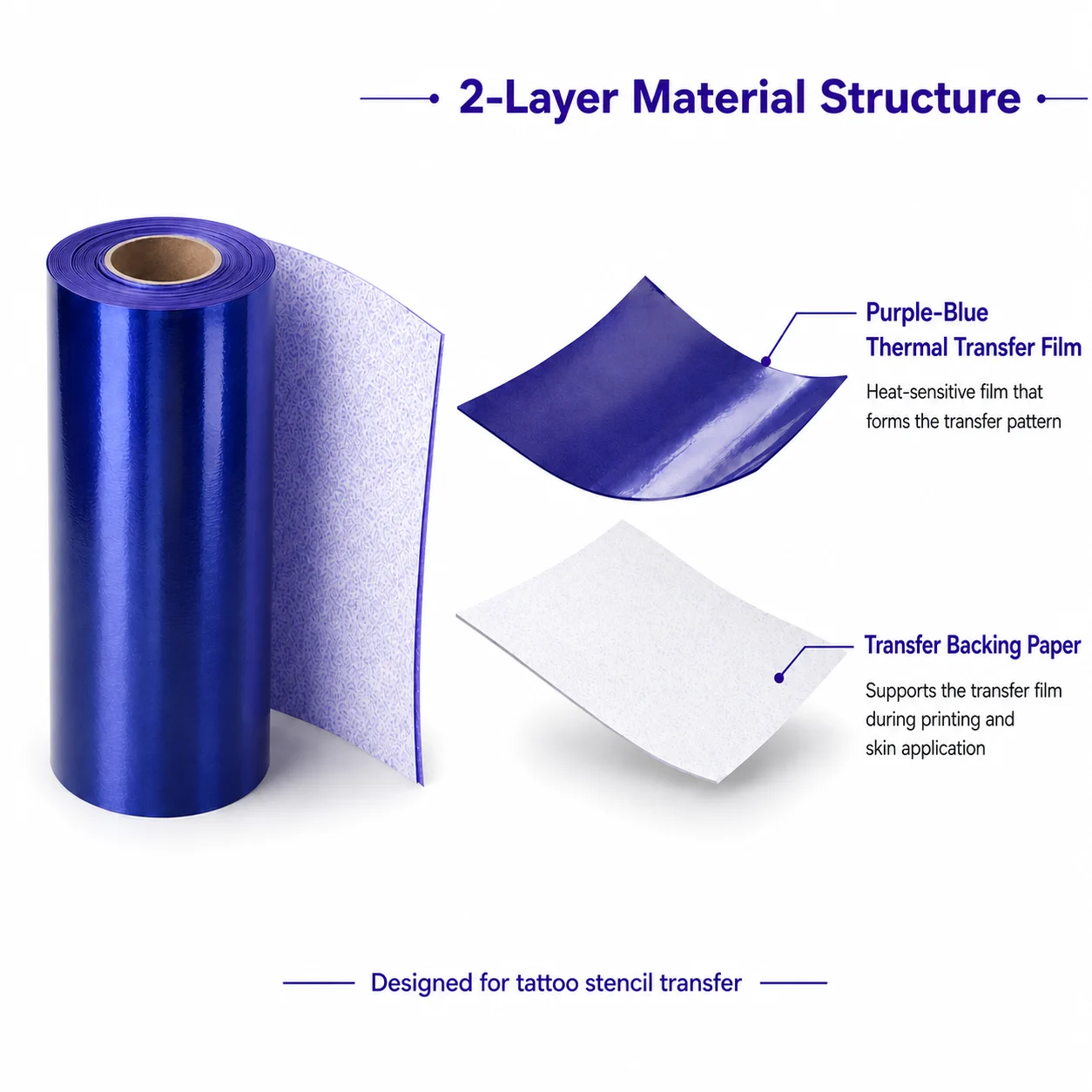
| Output system | 57mm thermal printing on dedicated two-layer transfer paper |
| Useful planning topics | Theme, layout, staff script, network, paper supply, and project validation |
| Not established | Image upload, self-service operation, fixed conversion, or universal material claims |
The K1 product page gives the product facts that matter for this decision: a connected AI line-art flow, a compact 57mm thermal-print platform, and a dedicated-paper evaluation workflow. It also keeps paper performance and skin-contact documentation separate from hardware specifications, which is the right line for retail messaging.
Make the experience easy to understand
Retail customer experience depends on more than an interesting device. Helpful staff and a clear physical journey matter, especially in a small space. Shopify’s retail customer-experience guide notes that different retail formats need different experiences; a pop-up, for example, has different operational priorities from a large permanent store.
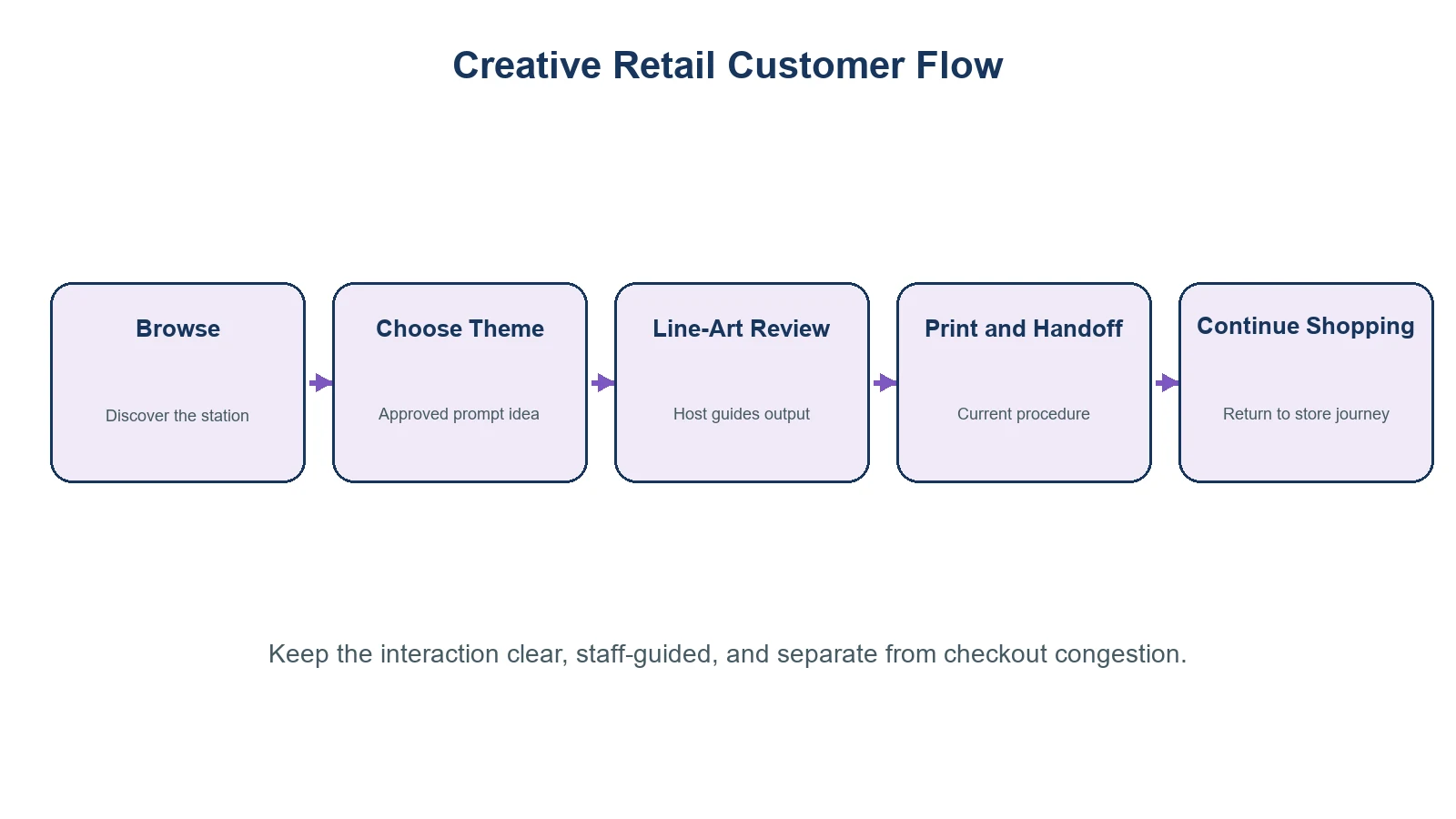
For a K1 counter, the visitor should be able to understand the interaction in a few seconds:
- Choose an approved theme or describe a simple idea.
- Work with the host to review the generated line art.
- Receive the printed transfer output through the current procedure.
- Leave the counter with a clear explanation of the experience and its limits.
The station should not compete with checkout, product consultation, or a narrow entrance. A compact device can still create congestion when the prompt, review, print, and handoff steps are not separated in the store plan.
Design the counter around staff, not self-service
| Retail decision | Practical question |
|---|---|
| Counter location | Can guests pause and interact without blocking browsing or payment? |
| Host role | Who explains prompts, reviews outputs, handles paper, and answers questions? |
| Prompt theme | Does the menu fit the campaign, store identity, and accepted content boundary? |
| Network | Has the connected web flow been tested at the actual counter location? |
| Paper plan | Which selected paper, storage method, and current instructions are available? |
| End-of-day review | What did shoppers ask, where did the flow stall, and what needs changing? |
A strong retail activation is usually planned, staffed, and measured as an experience rather than treated as an extra fixture. Shopify’s retail-activation overview is useful background for that distinction. For K1, the measurable first step is operational: can a host guide the interaction reliably with the selected paper and venue network?
For the counter-planning stage, Shopify’s retail customer-journey guide and T-ROC’s experiential retail guide offer useful general frameworks for customer flow and staff preparation. They do not support product-specific conversion, staffing, or capacity claims for K1.
Use a short pilot, then decide what to keep
Start with a limited campaign window or one counter location. This gives the retail team a chance to learn without turning an early demonstration into a permanent promise.
- Define one customer action: a themed creative interaction, a campaign companion, or a store-event moment.
- Prepare a limited prompt menu and a staff response for unsuitable requests.
- Test the actual network and the location of paper, instructions, and supplies.
- Record the K1 configuration, selected paper, procedure, staff observations, and customer questions.
- Decide after the pilot whether the experience belongs in a recurring program, seasonal promotion, or a different setting.
The retail value is not that a guest sees a printer. It is that the store gives a guest a guided creative action with a clear beginning, review point, and handoff.
Keep the product boundary visible
Avoid describing this as permanent tattooing, a universal temporary-tattoo service, or a self-service children’s activity. K1 does not operate a tattoo needle. Its current tattoo configuration uses a connected AI line-art flow and a thermal-transfer output on selected paper. Image upload is not included.
For category context, link to AI Tattoo Printer: How Temporary Printing Works. For a broader commercial view, Temporary Tattoo Printer for Business Buyers can help retail teams frame a sample evaluation. FDA material on tattoos and temporary tattoos is also useful when keeping health or material claims out of retail copy. Read the FDA fact sheet.
Give staff a simple recovery script
A pilot should also test what the host says when the workflow cannot continue exactly as planned. The script can be brief: explain that the current experience uses a connected prompt-to-line-art flow, offer a pre-approved theme where appropriate, and pause rather than improvise if the paper, network, or guest request falls outside the agreed procedure. This protects the store from turning a queue problem into an unsupported promise. Record which questions recur; they are useful input for the next staff briefing and for deciding whether the counter layout or prompt menu needs revision.
FAQ
Can a creative store use K1 as an in-store experience?
It can be evaluated as a staff-guided prompt-to-line-art and transfer-output interaction. The store should test its actual network, counter layout, paper workflow, and staff role before promoting it broadly.
Does the current K1 tattoo workflow support image upload?
No. The confirmed scope uses text-prompt AI line-art generation through a network-connected web flow.
Should shoppers operate the station alone?
The current product evidence supports a guided evaluation workflow. Plan for a host to manage prompts, output review, paper handling, and guest questions.
What should a retail pilot measure?
Record the customer journey, staff workload, prompt revisions, connection issues, paper handling, and the questions shoppers ask. Do not substitute a single pilot for universal capacity or performance claims.
Can a store promise skin safety or transfer duration?
Not without appropriate support for the selected paper, procedure, and target market. Those claims are outside the confirmed K1 product scope.
Test the retail experience before scaling it
K1 can give a creative store a focused participation moment when the host, prompt boundary, counter layout, and selected-paper process are all designed together. Review the K1 AI Tattoo Stencil Printer with one defined store brief, then request a sample evaluation that covers the connected workflow, current instructions, and the project documentation needed for the target market.


