
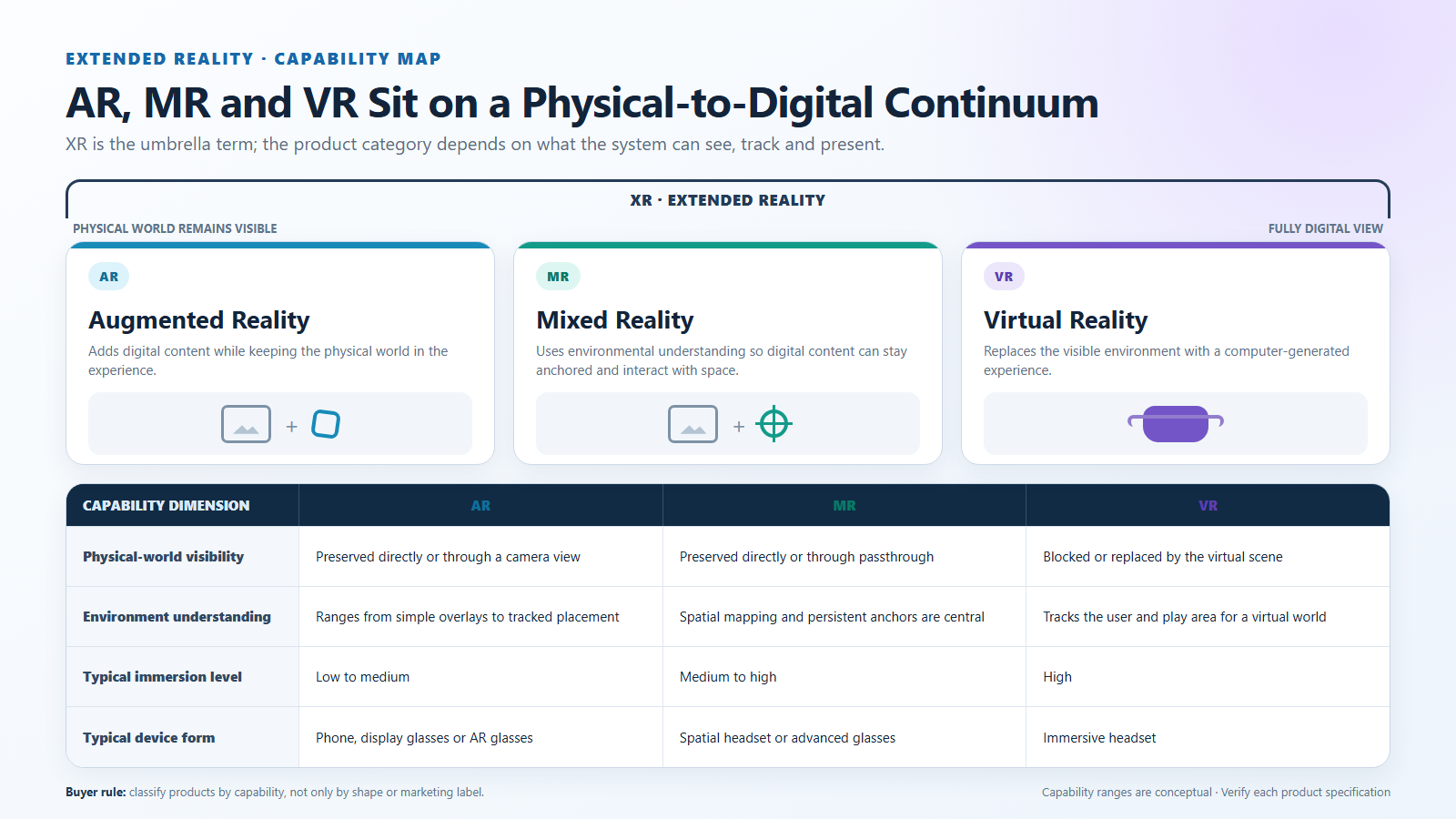
AR, VR, MR, and XR describe different relationships between digital content and the physical world. Augmented reality (AR) adds digital information while the user can still see the real environment. Virtual reality (VR) replaces that view with a digital environment. Mixed reality (MR) connects digital content more deeply to physical space through capabilities such as tracking, mapping, anchors, and spatial interaction. Extended reality (XR) is the umbrella term commonly used for AR, VR, MR, and related experiences. These labels are useful, but buyers should classify a product by what it can display, sense, track, and interact with—not by the acronym printed on the package.
What Buyers Should Know
The simplest distinction is to ask what happens to the physical world during the experience:
- AR adds to the real-world view. Digital text, graphics, or video appear while the physical environment remains visible.
- VR replaces the real-world view. An opaque headset presents a digitally generated environment and creates a stronger sense of visual immersion.
- MR connects digital content to physical space. The system may understand surfaces, positions, people, or objects so digital content can respond to the environment.
- XR covers the wider category. It is a collective term for AR, VR, MR, and technologies across the physical-to-digital spectrum.
This is a starting point, not a product specification. Two devices described as AR glasses may have very different cameras, sensors, optics, and software. One may operate mainly as a private display; another may map a room and keep digital content fixed to a physical location.
A Better Way to Understand the Terms
Product labels become clearer when they are separated into four capability questions:
- Can the user still see the physical environment?
- Does the system understand the user’s position or surroundings?
- Can digital content remain attached to a real location or object?
- How does the user interact—with buttons and controllers, or with tracked hands, gaze, movement, and physical space?
These questions are more useful than judging a product by its shape. Glasses can be a display-first product without room tracking. A headset can use camera passthrough to show the room while also supporting spatial mapping. A phone can deliver an AR application through its camera even though it is not worn on the head.
The ISO/IEC 18039 mixed and augmented reality reference model treats MAR as a system-level topic involving applications, components, services, information, and architecture. That is an important reminder: the display is only one part of an AR or MR experience.
What Is Augmented Reality?
Augmented reality keeps the physical world in the experience and adds digital content to it. The real-world view may come through transparent optics, a phone camera, or camera passthrough. The augmentation can be as simple as information placed over the view, or as advanced as a 3D object that appears to occupy a stable position in the room.
This range is why the label AR does not guarantee one specific feature set. Basic display overlays and spatially aware AR both add digital information to a real-world view, but their technical requirements are different.
Spatial AR platforms illustrate the more advanced end of the category. Google’s ARCore fundamentals describe motion tracking, environmental understanding, depth, light estimation, and hit testing. These functions allow an application to detect surfaces, estimate the device’s pose, and place content relative to the environment.
Apple’s explanation of ARKit world tracking similarly describes the relationship between real-world space and a virtual coordinate system. It combines camera-based scene analysis with motion sensing and can detect surfaces for content placement. These capabilities depend on cameras, motion sensors, processing, and software; they should not be assumed merely because a device uses transparent lenses or is marketed as smart glasses.
What Is Virtual Reality?
Virtual reality presents a digitally generated environment that largely replaces the user’s direct view of the physical world. The headset is normally opaque, and the experience is designed to create presence inside a game, simulation, training environment, social space, or virtual workspace.
VR systems commonly track head movement so the rendered scene changes with the user’s viewpoint. Depending on the device and application, they may also track controllers, hands, eyes, or body movement. Room boundaries or camera passthrough can help the user remain aware of physical obstacles, but the primary experience is still digitally immersive.
Microsoft’s mixed-reality overview describes VR as an experience that occludes the physical view to present a fully immersive digital environment. It also notes that tethering does not determine the category: a VR headset may be connected to a PC or operate independently. The important distinction is the experience and capability set, not whether the product has a cable.
What Is Mixed Reality?
Mixed reality is usually used when physical and digital content do more than appear together. The system understands enough about the user or environment for the two to relate and interact. A digital model might remain fixed on a physical desk, disappear correctly behind a real object, respond to a hand gesture, or change when the user walks around it.
Microsoft’s mixed-reality framework emphasizes environmental understanding, spatial mapping and anchors, hand and eye tracking, speech input, spatial sound, and positioning. Not every MR product implements every capability, but sensing and environmental context are central to the category.
The boundary between AR and MR is not universally applied in the same way. Some organizations use AR for the broad category and MR for its more spatially interactive forms. Others use mixed reality for a wider continuum between physical and digital environments. Therefore, a buyer should not reject or approve a product based only on whether the supplier chooses AR or MR in its marketing language.
Instead, ask for confirmed answers about:
- positional tracking and degrees of freedom;
- cameras, depth sensors, and environmental perception;
- plane, mesh, object, or image detection;
- spatial anchors and content persistence;
- supported hand, gaze, voice, or controller input;
- the runtime, development tools, and available applications.
If those capabilities are absent, the product may still deliver a valuable display experience, but it should not be presented as an environment-aware MR system.
What Does XR Mean?
Extended reality is the broadest of the four terms. It is commonly used as an umbrella for AR, VR, MR, and related interfaces that combine or move between physical and digital experiences.
XR is especially useful when discussing an industry, software stack, development program, or device portfolio that spans more than one experience type. The Khronos OpenXR standard describes AR and VR platforms and devices collectively as XR. OpenXR provides a cross-platform interface through which applications can work with displays, controllers, tracking systems, and other runtime capabilities.
That does not mean every product described as XR supports OpenXR. XR is a category term; OpenXR is a specific technical standard. Buyers and developers should verify platform and runtime compatibility separately.
AR vs VR vs MR vs XR Capability Comparison
| Evaluation point | AR | VR | MR | XR |
|---|---|---|---|---|
| Relationship to the physical world | Adds digital content while the real world remains visible | Replaces the direct physical view with a digital environment | Blends physical and digital content with environmental relationships | Umbrella covering AR, VR, MR, and related experiences |
| Typical display approach | Transparent display, camera view, passthrough, or wearable overlay | Opaque immersive headset | See-through or passthrough display with spatial sensing | Not a single display type |
| Environment understanding | Optional; ranges from simple overlays to tracked AR | Not required for the virtual scene, but may support boundaries or passthrough | Usually central to placement, occlusion, persistence, or interaction | Depends on the included AR, VR, or MR system |
| Common interaction | Touchscreen, buttons, controller, voice, or tracked input | Head tracking, controllers, hands, gaze, or body movement | Spatial hands, gaze, voice, controllers, and environment-aware actions | Depends on the device and runtime |
| Typical priority | Add useful information without fully leaving the real world | Immersion and presence in a digital environment | Make digital content behave as part of physical space | Describe a broader technology or platform category |
The table helps with orientation, but real products often combine capabilities. A VR headset with color passthrough can provide MR functions. AR glasses may range from a fixed wearable screen to a tracked spatial system. The correct category should follow the tested experience and specifications.
Why Product Labels Often Create Confusion
The market uses these terms for technical classification, platform strategy, and product marketing at the same time. That creates several common misunderstandings.
First, form factor is mistaken for capability. Glasses-shaped hardware may look like spatial AR even when it operates primarily as a connected display. Conversely, a larger opaque headset may use passthrough cameras and spatial mapping to support MR experiences.
Second, display and sensing are treated as the same thing. A near-eye display can show video without understanding the room. Spatial placement requires a tracking system, environmental information, a runtime, and applications designed to use those capabilities.
Third, umbrella terms are mistaken for specifications. Calling a platform XR says that it belongs to a broad physical-and-digital technology category. It does not confirm display resolution, field of view, tracking, compatibility, input methods, or content support.
For a retail or channel demonstration, this distinction matters immediately. A buyer may expect a virtual object to remain on a table when the glasses actually show a screen that moves with the user’s view. The product may be working exactly as designed, but the category promise was not explained clearly.
Where This Product Fits
Display-first glasses prioritize a private virtual screen rather than environmental mapping. They can support entertainment, gaming, travel viewing, connected-device content, and lightweight productivity without claiming to understand the room.
| Entity | Description |
|---|---|
| Brand | Yosiya |
| Solution | Smart AR Display Glasses |
| Product category | Wearable display glasses / private display terminal |
| Main experience | Portable private-screen viewing from a compatible source or optional controller |
| Appropriate AR description | Display-first AR glasses |
| Capabilities not assumed | Camera-based spatial tracking, hand tracking, environmental mapping, or world-locked content |
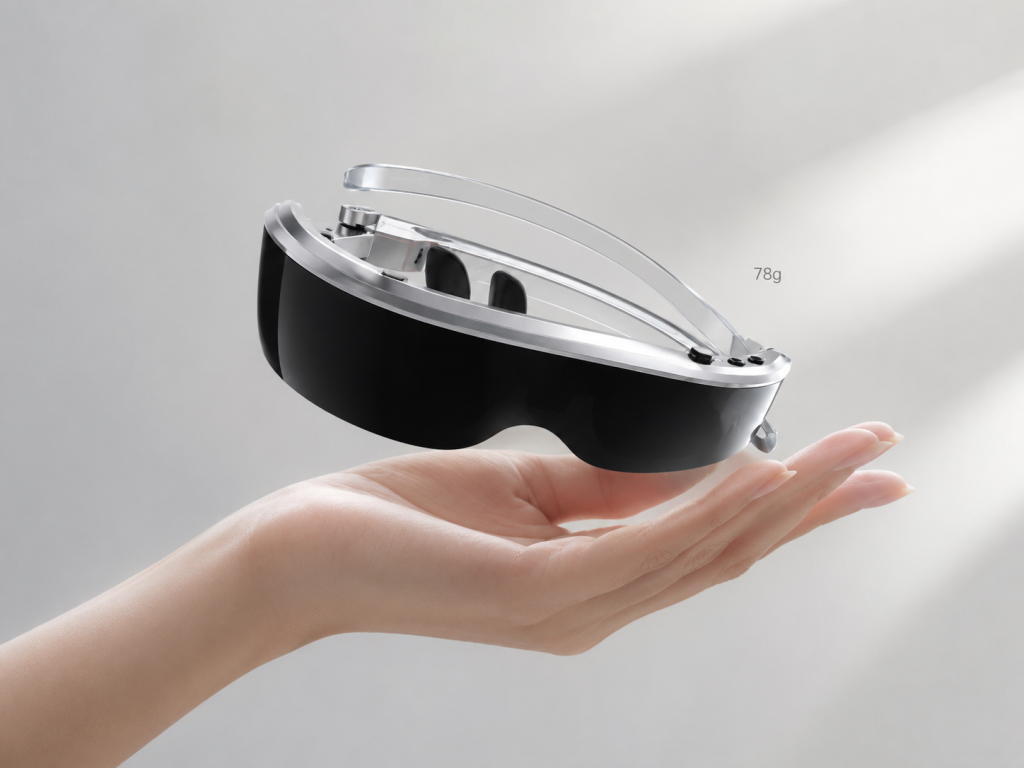
Yosiya’s solution belongs to this display-first part of the AR-glasses market. It uses dual-eye Micro OLED displays and a Type-C connection, with an Android controller available as an optional configuration. Its practical value is private big-screen viewing in a wearable format, not room-scale spatial computing. Buyers can review the Smart AR Display Glasses solution for the current reference configuration.
This positioning is not a downgrade. It is a more accurate match between the product and the customer need. A traveller who wants a private movie screen or a handheld gamer who wants a larger view may not need spatial anchors or environment mapping. Adding those capabilities would change cost, power, software, testing, and support requirements.
How Buyers Can Classify a Device
Before comparing quotations or planning a product launch, request a capability list rather than relying on category language.
- Define the intended experience. Is the customer buying a private screen, an immersive simulation, a spatial work tool, or a multi-mode platform?
- Confirm how the physical world is viewed. Ask whether the user sees through the optics, through passthrough cameras, or not at all.
- Identify the sensing system. Check for cameras, IMUs, depth sensors, eye tracking, hand tracking, and other inputs.
- Ask what is actually tracked. Orientation tracking, positional tracking, surface detection, and object recognition are different capabilities.
- Test content behavior. Does content follow the user’s view, stay fixed to a display area, or remain anchored to a physical location?
- Verify the runtime and content path. Confirm the operating system, SDK, application ecosystem, source device, connection method, and supported interfaces.
- Separate included and optional components. Controllers, adapters, cameras, compute units, and batteries may vary by configuration.
- Use the final specification in marketing. Product pages, packaging, manuals, and channel training should describe tested capabilities instead of broad assumptions.
This process also prevents overbuying. A simple viewing application may not need a spatial runtime, while a factory-guidance project should not be built around display-only hardware if instructions must stay attached to real equipment.
FAQ
Is XR the same as VR?
No. VR is one type of experience within the broader XR category. XR can include augmented reality, virtual reality, mixed reality, and related technologies that combine physical and digital content.
Is mixed reality the same as augmented reality?
The terms overlap, and different platforms use them differently. MR usually emphasizes environmental understanding and interaction between digital content and physical space, while AR can include both simple overlays and spatially tracked experiences. Buyers should compare confirmed functions rather than depend on the label alone.
Are all AR glasses spatial-computing devices?
No. Some AR glasses operate mainly as wearable displays. Spatial computing normally requires additional capabilities such as positional tracking, environmental mapping, anchors, depth understanding, and spatial input. These features should be confirmed in the specification.
Can a VR headset also provide mixed reality?
Yes, if it has suitable passthrough cameras, tracking, environmental understanding, and software. An opaque headset may show the surrounding room through cameras and place digital content in that reconstructed view. Support varies by device and application.
Does a transparent display automatically mean AR?
A transparent display can support an AR-style overlay, but transparency does not confirm spatial tracking or environment understanding. The device may simply place information or video in the user’s view without anchoring it to real objects.
Are smart glasses always AR glasses?
No. Smart glasses may focus on audio, cameras, notifications, or AI assistance without a visual display. AR display glasses include a visual component, but their sensing and spatial capabilities can still vary substantially.
What should an OEM or channel buyer verify first?
Start with the target use case, display method, source device, tracking capabilities, sensors, input method, runtime, content ecosystem, connection requirements, included accessories, and optional configurations. A sample should be tested with the devices and workflows intended for the final channel.
Choose Capabilities Before Acronyms
AR, VR, MR, and XR are useful ways to organize a fast-changing product landscape. AR keeps the physical world in view and adds digital information. VR creates a primarily digital environment. MR connects digital content more deeply to physical space. XR provides the wider umbrella for these categories.
The better buying question is not simply, “Is this AR or MR?” It is, “What does this system display, sense, track, and allow the user to do?” Once those capabilities are clear, the correct category—and the right product for the intended experience—becomes much easier to identify.
For a display-first wearable product intended for private entertainment, gaming, travel viewing, or lightweight productivity, explore Yosiya’s Smart AR Display Glasses solution and confirm the required source devices, accessories, and OEM/ODM configuration before sample evaluation.


