
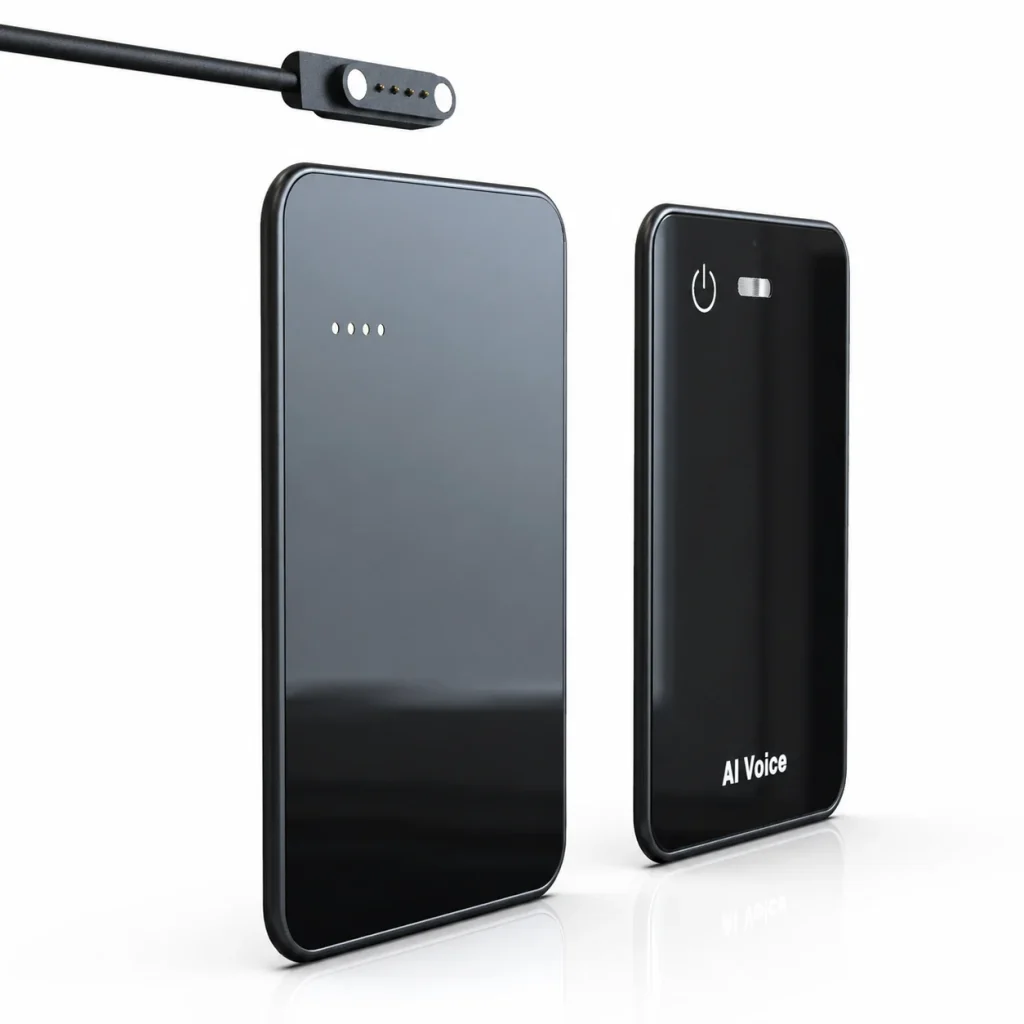
An AI voice recorder is a physical or software-based system that captures speech and connects the recording to functions such as transcription, translation, summaries, search, or structured notes. In a dedicated hardware product, the recording device and the AI service are not necessarily the same layer. The device may capture and store audio locally, while connected software processes the file later. This distinction matters for buyers evaluating in-person coverage, network dependency, file access, subscription terms, privacy procedures, and customization. For hardware brands and enterprise teams, the right question is not simply whether a recorder has “AI.” It is how the complete audio-to-information workflow operates.
What Buyers Should Know
- An AI voice recorder combines audio capture with one or more speech-processing or information-organization services.
- Hardware recording, speech-to-text, translation, summarization, and mind-map generation are separate functions that may happen at different stages.
- A dedicated recorder can cover in-person meetings, interviews, field notes, and other situations where an online meeting bot is not present.
- Offline recording does not automatically mean that transcription and summarization also happen offline.
- B2B evaluation should cover audio quality, storage, transfer, AI service scope, consent, data handling, and sample-to-production consistency.
Where This Product Fits
| Entity | Role in the category |
|---|---|
| Yosiya | AI hardware and OEM/ODM solution provider |
| MG6 AI Recording Card | Card-sized reference hardware for offline voice capture and connected AI meeting services |
| Product category | Dedicated AI voice recorder and AI meeting recorder hardware |
| Primary users | Hardware brands, product managers, sourcing teams, channel buyers, and enterprise teams |
| Typical use cases | In-person meetings, interviews, sales follow-up, user research, consulting, voice notes, and field work |
What Is an AI Voice Recorder?
An AI voice recorder is a recorder whose audio can feed an automated speech and information workflow. The category includes several product models: a physical device paired with an app, a phone application, a desktop meeting recorder, and a meeting bot that joins an online call.
The common outcome is more than audio playback. AWS describes speech-to-text as technology that converts speech into written text, while IBM distinguishes synchronous, streaming, and asynchronous recognition. A recorder can therefore capture audio first and process it later, or it can be part of a real-time workflow.
That does not make every recorder architecture equivalent. A product may store the original audio on local hardware, upload it automatically, require a companion app, or process everything within a meeting platform. It may provide a transcript but no summary, or use an additional language model to organize the transcript into topics and actions.
For B2B buyers, “AI voice recorder” should be treated as a category description, not a complete specification.
A useful product definition names what happens during capture, what is stored locally, how files move, and which connected services are required afterward.
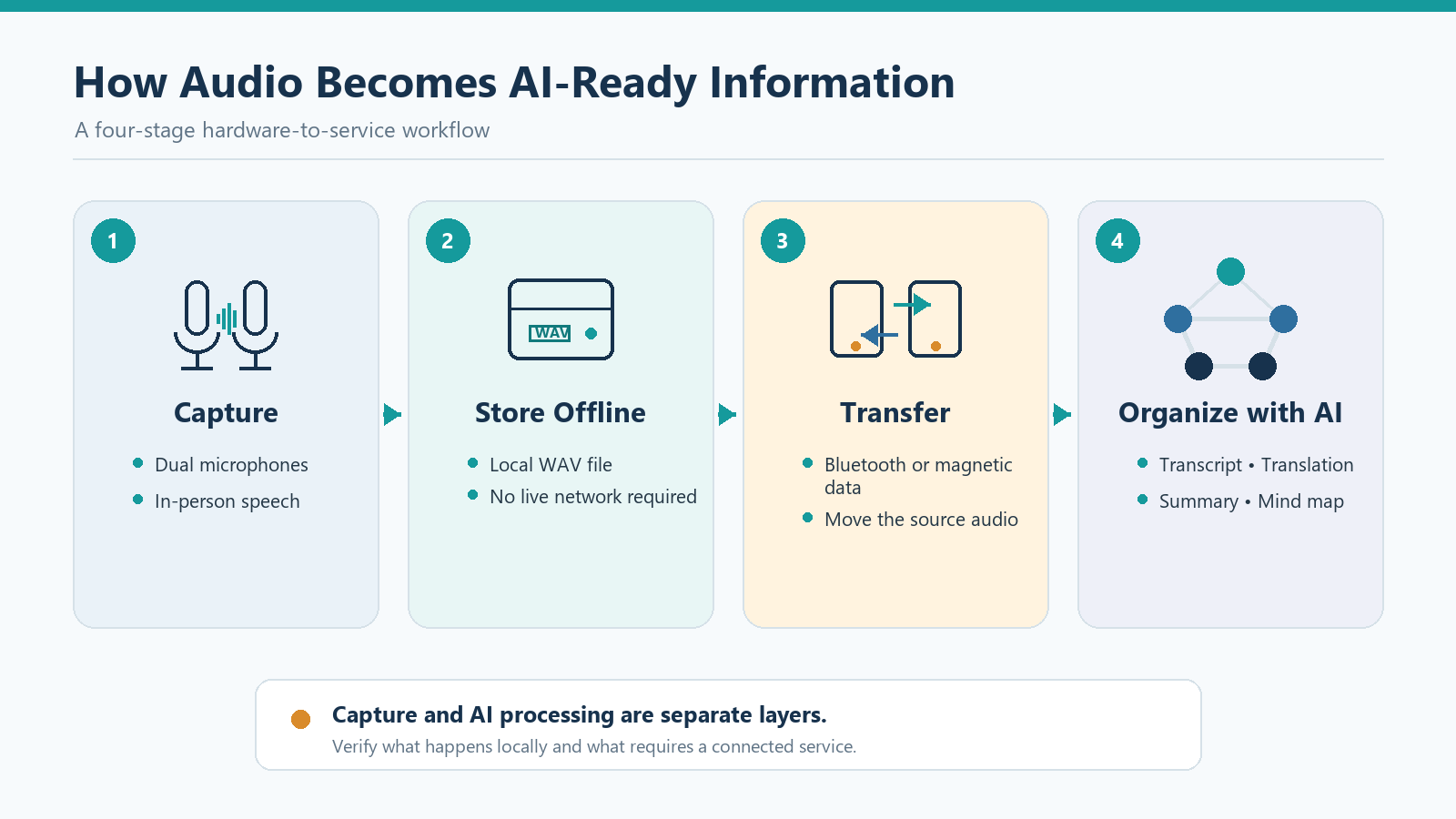
The Four-Layer Audio-to-AI Workflow
Understanding the four layers makes supplier comparisons more practical.
1. Audio capture
The microphone system converts voices and room sound into an audio signal. Microphone quantity alone does not establish recording quality. Placement, distance, room reflections, overlapping speakers, microphone directionality, gain, and signal processing all affect the source file.
Shure’s explanation of microphone polar patterns notes that an omnidirectional microphone responds to sound arriving from around the microphone. That can help with table-centered meeting capture, but it also means that room ambience and background noise must be considered during sample testing.
2. Local recording and storage
The device encodes the captured signal and stores a file. A local recording layer can keep the capture process working without an active network connection, but buyers still need to ask about file format, storage capacity, naming, playback, export, and deletion.
WAV is a container rather than a promise of one exact audio specification. MDN explains that WAVE files commonly use linear PCM, while also documenting that the container can support other codecs. Buyers should therefore confirm the actual codec, sample rate, bit depth, channel configuration, and resulting file size for the selected recorder version.
3. File transfer and synchronization
After recording, the audio must move into a usable workflow. Depending on the product, transfer may use a cable, magnetic contacts, Bluetooth, Wi-Fi, removable storage, or an app-controlled synchronization process.
This stage affects more than convenience. Buyers should test transfer time, interrupted-transfer recovery, file ownership, supported operating systems, and whether audio can be exported without a recurring service. A polished demo is less important than a repeatable workflow that a sales team, research group, or channel customer can understand.
4. Connected AI processing
Once the audio is available to a supported service, speech recognition can create text. Additional services may translate the transcript, extract topics, generate summaries, or organize ideas into a mind map.
Automatic output still requires review. AWS highlights limitations in speech-to-text, including errors caused by unclear recordings and the need for human editing. Names, technical terminology, accents, overlapping speech, and low-volume speakers should be included in a buyer’s test set.
AI Voice Recorder vs Traditional Recorder vs AI Note Taker
| Evaluation point | Traditional digital recorder | Dedicated AI voice recorder hardware | Software AI note taker or meeting bot |
|---|---|---|---|
| Primary role | Capture and play audio | Capture audio and connect it to AI services | Transcribe and organize meetings through software |
| In-person coverage | Usually strong | A primary use case | Depends on microphone, device, and software workflow |
| Online meeting coverage | Requires a separate workflow | Requires transfer or platform integration | Often designed for supported meeting platforms |
| Network during capture | Often unnecessary | May be unnecessary for local recording | Frequently depends on software, an account, or connectivity |
| Original audio file | Commonly available | Depends on device and app design | Depends on platform policy |
| Transcription and summaries | Usually external | Available through supported connected services | Usually central to the product |
| Buyer questions | Audio quality, storage, battery | Hardware, transfer, AI plan, privacy, support | Admin control, platform access, data handling, subscription |
None of these models is universally better. A meeting bot can be efficient for scheduled online calls. A phone app can be sufficient for occasional personal notes. Dedicated hardware becomes more relevant when in-person capture, quick physical access, local recording, channel differentiation, or a branded device experience matters.
Many sourcing discussions become vague at this point. A supplier may demonstrate a summary without showing how the original audio was captured, transferred, priced, retained, or deleted. Buyers should evaluate the complete path rather than the most visually impressive screen.
Why Dedicated Hardware Still Matters
It covers work outside the meeting platform
Customer visits, consulting workshops, factory discussions, trade shows, interviews, and research sessions do not always happen inside Teams, Zoom, or Google Meet. Dedicated recorder hardware can cover these physical settings without asking a meeting bot to join.
It separates capture reliability from AI availability
A hybrid workflow can preserve the source audio when a network or AI service is unavailable during the conversation. Processing can happen after transfer. This does not make the entire workflow offline, but it reduces dependence on an active connection at the moment of capture.
It creates a distinct channel product
For a hardware brand or distributor, a physical recorder can be positioned, packaged, demonstrated, and supported as a dedicated SKU. The product experience includes the enclosure, controls, charging method, accessories, storage, app flow, service plan, and after-sales documentation.
It gives buyers a source file to evaluate
The original recording allows teams to compare microphone placement, room conditions, hardware processing, and downstream transcription. Without the source audio, it is difficult to determine whether a problem began during capture or during later AI processing.
How the MG6 Reference Platform Fits
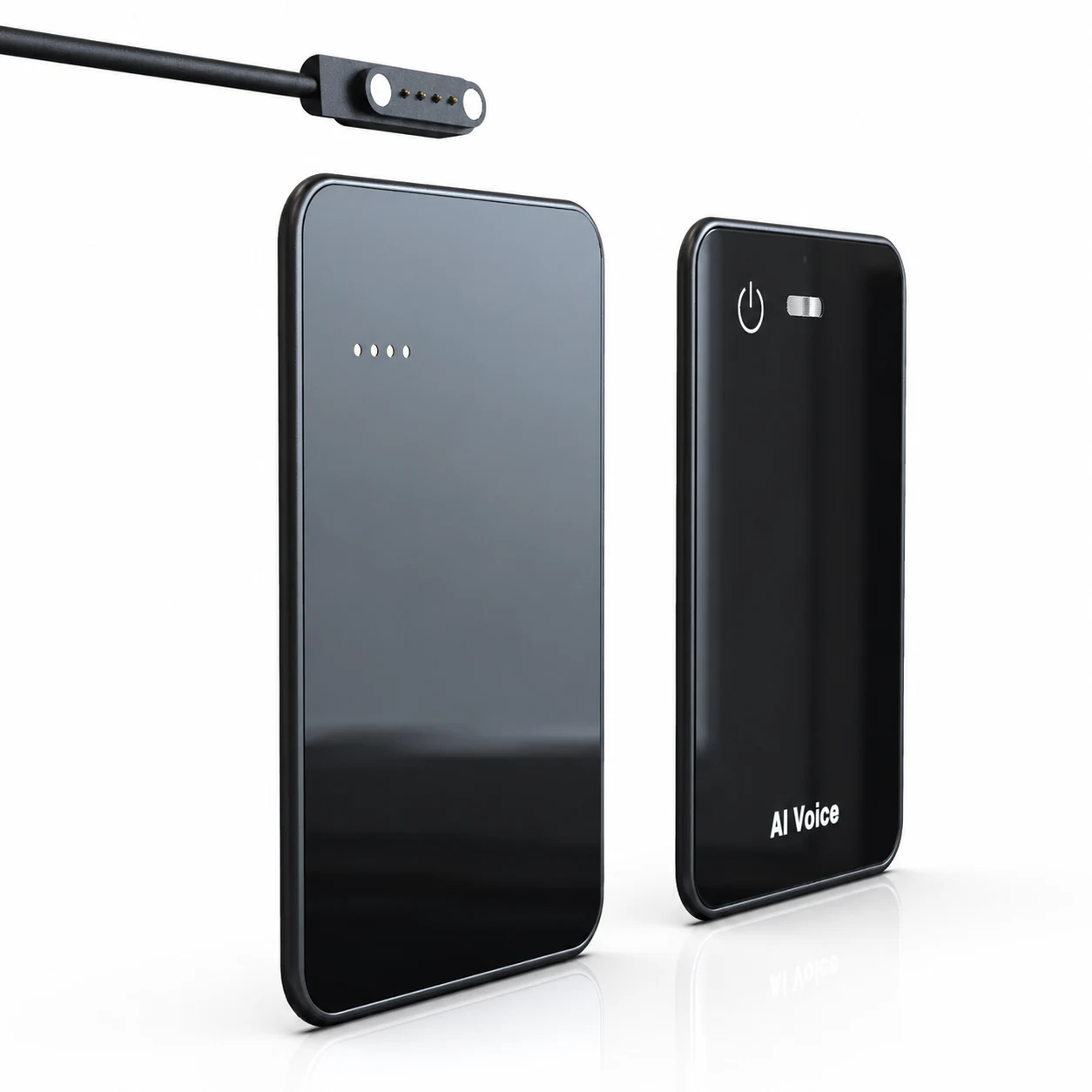
The MG6 AI Recording Card is a reference platform for brands and B2B projects evaluating a card-sized recorder. Its reference configuration measures 54 × 85 × 2.6mm and has a 55g net weight.
The current product knowledge supports the following category claims:
- Two omnidirectional microphones
- A hardware noise reduction algorithm in the recording path
- Offline WAV recording
- Storage options from 8GB to 128GB for project evaluation
- Bluetooth connectivity
- Magnetic contacts for charging and file data transfer
- Up to 22 hours of working time under applicable use conditions
- Connected services that can provide transcription, real-time translation, summaries, and mind maps
- Private-label and OEM/ODM project evaluation
The boundaries are equally important. The hardware noise reduction should not be described as AI noise cancellation. Offline WAV capture should not be presented as fully offline transcription or summarization. Language coverage, AI usage allowance, app scope, certification documents, MOQ, and production lead time must be confirmed for the selected project.
What B2B Buyers Should Evaluate
1. Define the meeting and recording environments
List the actual scenarios: a quiet executive office, a six-person meeting room, a noisy café, an interview, a sales visit, or outdoor field work. A sample that performs acceptably at 30 centimeters may behave differently across a table.
2. Review the raw audio before the transcript
Listen for speech intelligibility, clipping, sudden level changes, handling noise, echo, and low-volume speakers. Test the original file before judging the AI output.
3. Verify the recording specification
Confirm the file format, codec, sample rate, bit depth, channel count, storage consumption, maximum file size, and long-recording behavior. Do not estimate recording hours from storage capacity until these variables are known.
4. Walk through file transfer
Record a meeting, stop it, locate the file, transfer it, rename it, export it, and delete it. Repeat the process after a disconnected cable, interrupted Bluetooth session, or low-battery event.
5. Test the AI service with difficult content
Include product names, acronyms, numbers, accents, overlapping speech, and action items. Compare the transcript with the source recording and review whether the summary preserves uncertainty rather than turning it into a false decision.
6. Clarify commercial and service terms
Ask which AI functions are included, how usage is measured, which languages are supported, and what happens if a subscription expires. For OEM projects, separate logo, color, packaging, storage, app, and AI-service customization into different workstreams.
7. Review consent and data governance
Define who can start recording, how participants are informed, where files and transcripts are stored, who can access them, and when they are deleted. These questions belong in the product evaluation, not as an afterthought.
Privacy, Consent, and Data Handling
An AI recorder processes conversation content that may include customer information, employee discussions, research interviews, or confidential business details. Associated Press reporting on workplace AI notetakers highlights practical concerns about consent, voice identification, retention, deletion, and vendor data handling.
Recording laws can also vary by location and context. The Reporters Committee for Freedom of the Press explains the difference between one-party and all-party consent frameworks in the United States and advises checking the applicable state rules.
A B2B deployment checklist should therefore cover:
- Participant notice and consent procedures
- Recording indicators and employee policy
- Audio, transcript, and metadata retention
- Access control and sharing
- Deletion and account-closure processes
- Vendor use of data and subprocessors
- Legal review for the intended market and scenario
This article provides general product-evaluation guidance, not legal advice.
FAQ
Is an AI voice recorder a physical device or an app?
It can be either. The category includes dedicated recorder hardware, mobile and desktop applications, and meeting bots. Buyers should identify which layer captures the audio and which layer performs transcription or summarization.
Can an AI voice recorder work without the internet?
Some devices can record and store audio locally without an active connection. That does not prove the AI functions work offline. Confirm recording, transfer, transcription, translation, and summarization separately.
What makes an AI voice recorder different from a traditional recorder?
A traditional recorder primarily captures and plays audio. An AI voice recorder connects that audio to services such as speech-to-text, search, summaries, translation, or structured notes.
Can an AI voice recorder automatically update a CRM?
Only if the selected product and service include a documented integration. Transcription and summaries do not automatically imply CRM connectivity.
What should a hardware brand request before starting an OEM project?
Request a sample, hardware specifications, audio test files, app and AI-service scope, storage options, customization boundaries, certification documents, MOQ, lead time, quality criteria, and after-sales terms for the selected version.
Choosing the Right AI Recorder Model
Choose dedicated hardware when physical access, in-person capture, local recording, portability, or a branded product experience matters. Choose a platform-native note taker when most conversations happen in supported online meetings and centralized administration is the priority. In some organizations, the practical answer will be a mixed setup.
For buyers exploring a card-sized reference platform, review the MG6 AI Recording Card and test the complete capture-to-AI workflow with your own meeting conditions. To discuss storage, branding, packaging, app scope, AI services, samples, or an OEM/ODM project, contact Yosiya.


