
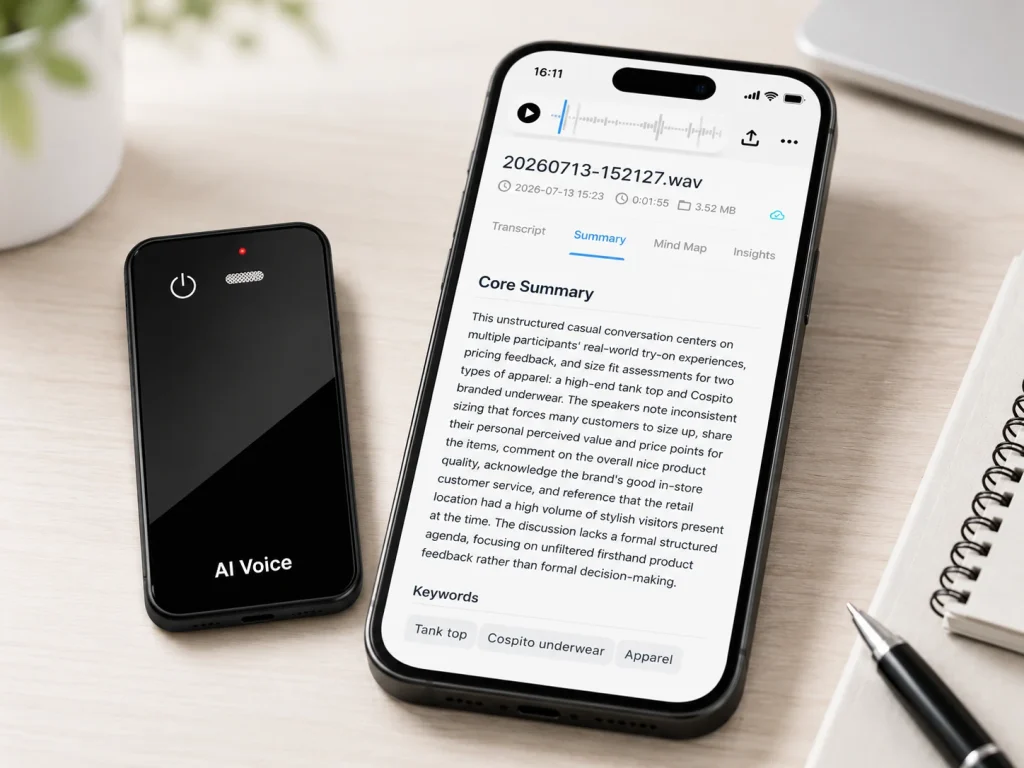
An AI note taker and an AI voice recorder can both turn conversations into useful information, but they begin from different operating models. A software note taker usually captures audio through a meeting platform, computer, or phone and quickly produces transcripts and summaries. A dedicated AI voice recorder prioritizes physical audio capture, local files, and in-person availability, then connects the recording to AI services. For an enterprise buyer, neither model is universally better. The right choice depends on where meetings happen, whether recording must continue without a network, who needs the original audio, how data is governed, and whether the organization wants a software subscription, a dedicated device, or a hybrid workflow.
What Buyers Should Know
- Meeting bots are usually most efficient when conversations already happen inside supported online meeting platforms.
- Mobile and desktop note-taking apps can cover both virtual and in-person conversations, but their reliability depends on device permissions, microphones, operating systems, battery, and user behavior.
- Dedicated recorder hardware is useful when in-person capture, local audio storage, physical controls, or a branded device experience matters.
- Offline recording does not mean offline transcription, translation, or summarization. Buyers should verify each stage separately.
- Audio files, transcripts, summaries, and meeting metadata may have different storage, access, retention, and deletion rules.
- Many organizations need a mixed model rather than one tool for every meeting.
Where This Product Fits
| Model or entity | Primary role | Strongest fit | Important limitation to check |
|---|---|---|---|
| Platform-native meeting recording | Captures a supported online meeting within its existing platform | Scheduled Teams or Google Meet calls | Platform, account, licensing, admin, and storage dependencies |
| AI meeting bot | Joins a virtual meeting as a participant and creates notes | Recurring online calls across supported platforms | Admission, participant visibility, policy, and third-party data flow |
| Mobile or desktop AI note-taking app | Captures system or room audio through a general-purpose device | Individual and mixed meeting workflows | Phone or computer battery, permissions, microphone placement, and app availability |
| Dedicated AI voice recorder | Captures speech through purpose-built hardware and stores an audio file | In-person meetings, interviews, visits, and offline-first capture | File transfer, AI-service scope, and device management |
| Yosiya MG6 AI Recording Card | Card-sized recorder with offline WAV capture and connected AI services | Hardware brands, channel projects, and enterprise in-person workflows | Selected app, AI plan, certification documents, and project configuration |
What Is an AI Note Taker?
An AI note taker is software or a software-connected device that uses speech recognition and language-processing tools to create meeting documentation. Its output may include a transcript, summary, topic list, decisions, action items, translations, or searchable meeting records.
The term covers several different products:
- A feature built into an online meeting platform
- A bot that joins a virtual meeting
- A desktop application that captures computer audio
- A mobile app that records an in-person conversation
- A physical recorder paired with an AI service
That final category is why the market language can become confusing. A dedicated recorder can also be an AI note taker when its audio feeds transcription and summary services. The distinction is therefore not “AI versus no AI.” It is where capture happens, where the source file lives, and how the AI stage is delivered.
Associated Press describes an AI notetaker as software or a device using AI, speech recognition, and language models to record, transcribe, and summarize conversations. The same report also raises enterprise questions about consent, voice identification, retention, deletion, and vendor data handling. Those governance questions matter regardless of whether the microphone is in a laptop, phone, meeting-room system, or dedicated recorder.
What Is an AI Voice Recorder?
An AI voice recorder is a physical or software-based recorder whose audio can be processed into transcripts and other structured information. In a dedicated hardware model, capture and AI processing are often separate stages.
The device may:
- Capture sound with its own microphones
- Apply recording-path signal processing
- Store the original audio locally
- Transfer files through a cable, magnetic contacts, Bluetooth, Wi-Fi, or a companion app
- Send selected recordings to connected transcription and AI services
This architecture can keep the capture layer available when an active network is unavailable. It does not prove that the AI functions operate offline. A buyer should ask whether recording, playback, transfer, transcription, translation, summarization, search, and export each require an app, account, subscription, or cloud connection.
The practical difference is not whether both products produce notes. It is what must be working at the moment the conversation begins.
AI Note Taker vs AI Voice Recorder
| Evaluation point | Platform or bot-based AI note taker | Mobile or desktop AI note-taking app | Dedicated AI voice recorder |
|---|---|---|---|
| Typical capture source | Meeting-platform audio or computer audio | Phone, laptop, or tablet microphone/system audio | Built-in recorder microphones |
| Strongest-fit environment | Supported virtual meetings | Personal or mixed online/in-person use | In-person meetings, interviews, visits, and field work |
| Network during capture | Often platform-dependent | Varies by app | May be unnecessary for local recording |
| Original audio ownership | Depends on platform and workspace policy | Depends on app export and storage rules | Local file may be available, depending on device design |
| Participant visibility | Usually platform notification or visible bot | May require a separate disclosure process | Requires an organizational disclosure and consent process |
| AI output speed | Often immediate or shortly after the meeting | Real time or after processing | Usually after transfer or connection |
| Admin and collaboration | Often strong within the software workspace | Varies by service tier | Depends on companion software and project scope |
| Hardware dependency | Existing computer or phone | Existing general-purpose device | Additional device to charge, deploy, and support |
| Commercial model | User or workspace subscription | Free tier or subscription | Hardware purchase plus any connected-service plan |
| B2B customization | Usually limited to software settings | Usually limited | Can include device, packaging, storage, app, and service scope |
The table should be used as a starting point, not a verdict. A platform tool may add mobile recording. A hardware recorder may support fast synchronization. A desktop app may capture virtual meetings without deploying a visible bot. Buyers need to test the selected product rather than infer its architecture from the category name.
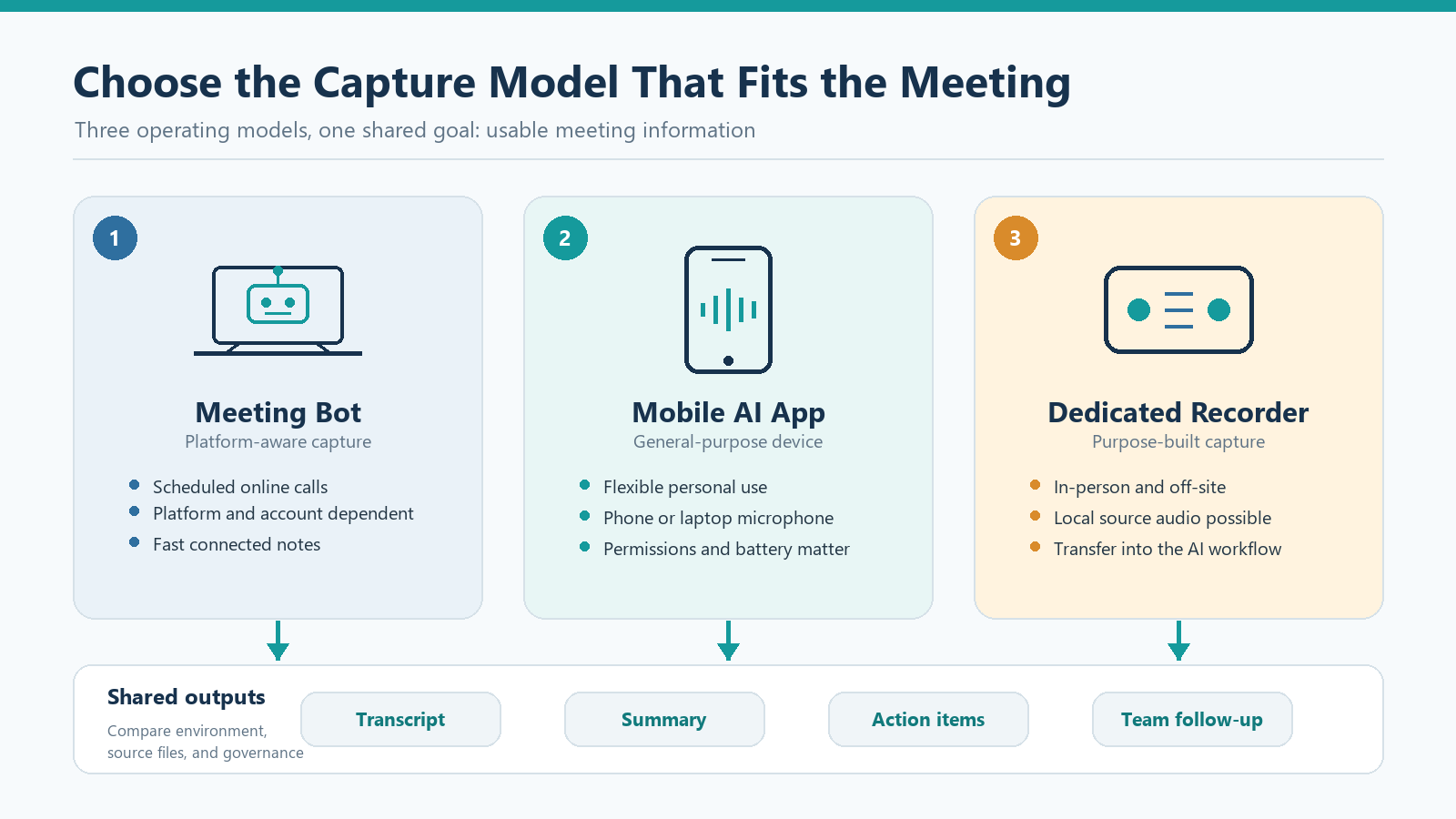
Online Meetings Favor Platform-Aware Tools
When nearly every conversation is scheduled inside one approved collaboration platform, a platform-native recorder or AI note taker can reduce user friction. The meeting already has an organizer, participant list, account context, and shared workspace.
Microsoft’s Teams recording guidance says participants are notified automatically when recording starts. It also explains that recordings are stored in OneDrive or SharePoint and that recording permissions can depend on licenses, administrator settings, and meeting roles.
Google Meet’s transcript documentation similarly describes host controls, an on-screen transcript indicator, Workspace edition requirements, and transcript storage in the meeting organizer’s Google Drive.
These platform controls can be valuable for enterprises because the recording is connected to an existing identity and administration model. However, the same design becomes a limitation when the conversation happens outside the platform. A customer visit, hallway discussion, factory review, consulting workshop, or face-to-face interview may have no virtual meeting for a bot to join.
In-Person Workflows Change the Capture Problem
In a physical room, every voice may reach one shared microphone through different distances and angles. Air-conditioning, table vibration, overlapping speakers, room reflections, and device placement become part of the recording system.
A phone app can be sufficient for occasional use, especially when the user remembers to prepare the phone, grant permissions, silence notifications, manage storage, and position it correctly. For a repeatable enterprise process, those steps should be tested rather than assumed.
Dedicated hardware separates recording from the employee’s primary phone or laptop. A physical control can also make the start-and-stop action more deliberate. That does not remove the need for consent, training, charging, file naming, or device accountability. It simply gives the organization a different capture model.
A sales manager may value quick summaries, while an IT manager asks where the source audio goes. A research team may need a clear file-numbering convention. A channel buyer may care about whether a customer can understand the workflow during a two-minute retail demonstration. Those are different evaluation questions, even when all parties use the phrase “AI meeting notes.”
Why Offline Capture Still Matters
Offline capture is useful when network availability at the moment of recording is uncertain or unnecessary. A local file can preserve the conversation for later processing without making the recording event depend on a server connection.
This creates three practical advantages:
- Capture continuity: recording can continue in a site with weak connectivity.
- Processing flexibility: the organization can decide when a selected file enters the AI workflow.
- Source-file review: teams can compare the original audio with the transcript or summary when a name, number, or decision looks wrong.
The boundary must remain clear. Offline WAV capture does not automatically provide offline transcription or summarization. If AI processing occurs through a connected service, the buyer still needs to review authentication, upload behavior, supported languages, usage limits, retention, export, and deletion.
Audio Ownership Is More Than a Download Button
“Who owns the audio?” is often answered too quickly. An enterprise should map every copy created by the workflow:
- The source recording on the device
- A transferred copy on a phone or computer
- An uploaded copy held by a service provider
- The generated transcript and summary
- Metadata such as participants, timestamps, titles, and workspace identifiers
- Exports shared with colleagues, customers, or downstream systems
The UK Information Commissioner’s Office guidance on data minimisation recommends limiting personal data to what is adequate, relevant, and necessary for the stated purpose. Its storage-limitation guidance also recommends documented retention periods, periodic review, and deletion or anonymization when data is no longer needed. These are UK-focused governance references, not U.S. legal advice, but the operational questions are useful for any enterprise procurement review.
A buyer should therefore test more than recording quality. Delete a sample meeting and verify what disappears from the recorder, companion app, cloud service, transcript archive, and shared workspace. Ask what happens when a user leaves the company or a subscription ends.
Consent Applies to Every Capture Model
A visible meeting bot or platform notification can make recording easier to notice, but it does not by itself resolve every consent requirement. A phone or dedicated recorder can be less visible, so the organization needs a deliberate disclosure process.
The Reporters Committee for Freedom of the Press recording guide explains that U.S. rules vary between one-party and all-party consent frameworks and that interstate conversations can add complexity. Enterprise policy should be reviewed for the relevant jurisdiction and meeting type.
A practical deployment policy should define:
- Who may record a meeting
- Which meeting categories must never be recorded
- How participants are informed and how consent is documented
- When recording must pause or stop
- Who can access audio, transcripts, and summaries
- How long each data type is retained
- How corrections and deletion requests are handled
- Which vendor terms require legal, privacy, security, or HR review
This article provides product and workflow guidance, not legal advice.
Where the MG6 Hybrid Workflow Fits
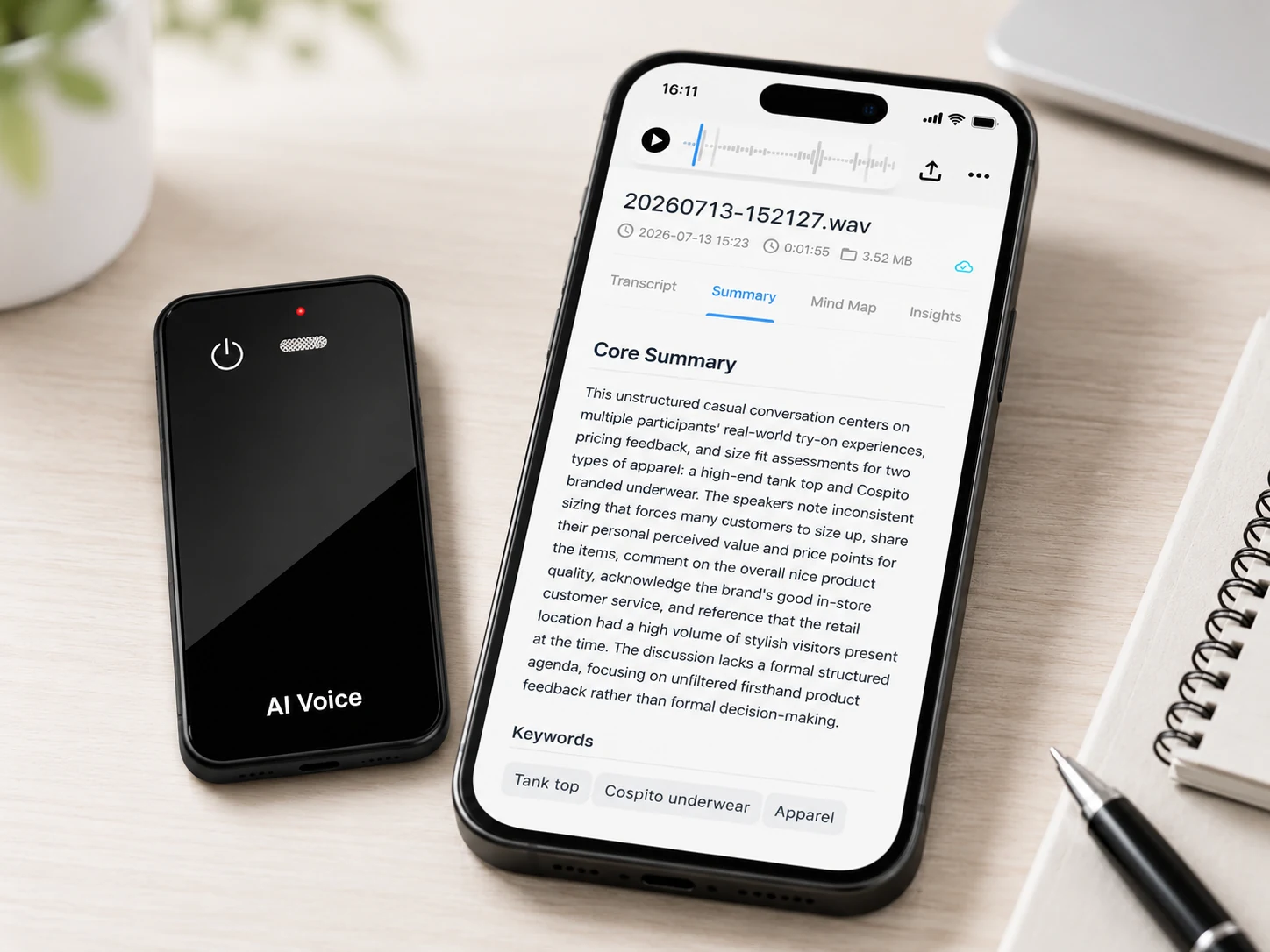
The MG6 AI Recording Card is a dedicated recorder reference platform for hardware brands, channel projects, and selected enterprise workflows. Its role is to separate reliable local capture from the connected AI information layer.
The confirmed reference configuration includes:
- A 54 × 85 × 2.6mm card-sized form factor
- A 55g reference-device net weight
- Two omnidirectional microphones
- A hardware noise reduction algorithm
- Offline WAV recording
- Storage options from 8GB to 128GB for project evaluation
- Bluetooth connectivity
- Magnetic charging and file data transfer
- Up to 22 hours of working time under applicable use conditions
- Connected services for transcription, real-time translation, summaries, and mind maps
The wording matters. The recording-path feature is hardware noise reduction, not AI noise cancellation. Offline recording does not imply fully offline AI. Supported languages, AI usage allowances, app functions, privacy terms, and export behavior depend on the selected service and project version.
For current OEM/ODM discussions, product MOQ starts at 100 units, logo customization starts at 500 units, and custom production lead time is approximately 35 days. Final quantity and timing depend on configuration, customization, material readiness, and the approved production plan.
The MG6 is a new version, and its certification package has not yet been issued. Buyers should confirm version-matched certification and test documents before shipment or market launch. The device is designed for IP68 water resistance, but no specific water depth, duration, or completed certification should be claimed without the applicable report.
Enterprise Evaluation Checklist
Meeting coverage
- List the percentage of meetings that are online, in person, hybrid, mobile, or off-site.
- Identify whether one platform covers most virtual meetings.
- Test real rooms rather than relying only on a desk-side demonstration.
Capture and file workflow
- Confirm what records when the network is unavailable.
- Review the original audio format and technical parameters.
- Test transfer time, interrupted transfer, export, naming, and deletion.
- Decide whether employees need direct access to source audio.
AI service
- Confirm which features are real time and which are post-recording.
- Test names, numbers, acronyms, accents, and overlapping speakers.
- Review supported languages and usage allowances for the selected plan.
- Require human review for decisions, quotations, and action items.
Governance and administration
- Map every audio, transcript, summary, and metadata copy.
- Review participant notice and consent procedures.
- Confirm access, sharing, retention, deletion, and account-closure behavior.
- Determine whether IT can approve, restrict, audit, and support the tool.
Hardware and sourcing
- Review battery behavior, storage options, charging, accessories, and durability.
- Separate product MOQ from logo, packaging, app, and deeper engineering customization.
- Match certification documents to the exact production version.
- Define sample approval, quality criteria, production timing, and after-sales responsibilities.
A Practical Decision Framework
Choose a platform-native AI note taker when most meetings are online, users already work in one approved platform, and centralized collaboration is more important than owning a separate recording device.
Choose a mobile or desktop app when individuals need flexible capture across several contexts and the organization is comfortable managing phone or computer permissions, microphones, accounts, and subscriptions.
Choose dedicated AI voice recorder hardware when in-person capture, offline source recording, quick physical controls, local files, or a branded product experience is important.
Choose a mixed model when the enterprise needs platform-native controls for online calls and dedicated capture for rooms, visits, interviews, or field work. In practice, this is often the most realistic answer. Standardize the data policy and output format even if more than one capture tool is approved.
FAQ
Is an AI note taker the same as an AI voice recorder?
Not always. An AI note taker emphasizes transcripts, summaries, and searchable meeting information. An AI voice recorder emphasizes audio capture and may connect that audio to the same AI functions. Some products belong to both categories.
Which option is better for in-person meetings?
A mobile app or dedicated recorder is usually more relevant than a bot designed to join virtual meetings. The better choice depends on microphone placement, room conditions, offline needs, original-file access, consent procedures, and team administration.
Does a meeting bot provide better privacy than hardware?
Not automatically. A visible bot or platform notification can improve transparency, while platform administration may support enterprise controls. Privacy still depends on consent, data flow, access, retention, deletion, vendor terms, and the selected configuration.
Can one company use both meeting bots and voice recorder hardware?
Yes. A company can use platform-native tools for virtual meetings and dedicated recorders for in-person or off-site work. It should apply consistent policies for notice, consent, naming, storage, access, retention, deletion, and human review.
What should a hardware brand confirm before an MG6 OEM project?
Confirm the reference sample, storage selection, branding and packaging scope, app and AI-service plan, language and usage requirements, privacy workflow, certification timeline, quality criteria, final MOQ, and production schedule. The new-version certification package is still pending.
Choosing the Right Model
The AI note taker versus AI voice recorder decision should begin with the meeting environment, not the feature list. Platform tools fit scheduled online collaboration. Apps offer flexibility through existing devices. Dedicated recorder hardware adds a physical capture layer for in-person and offline-first workflows. A hybrid system combines local source recording with connected transcription and information organization.
For hardware brands and enterprise buyers evaluating that hybrid model, review the MG6 AI Recording Card with your own rooms, voices, files, and governance requirements. To discuss samples, storage, branding, packaging, app scope, AI services, MOQ, production timing, or certification planning, contact Yosiya.


