
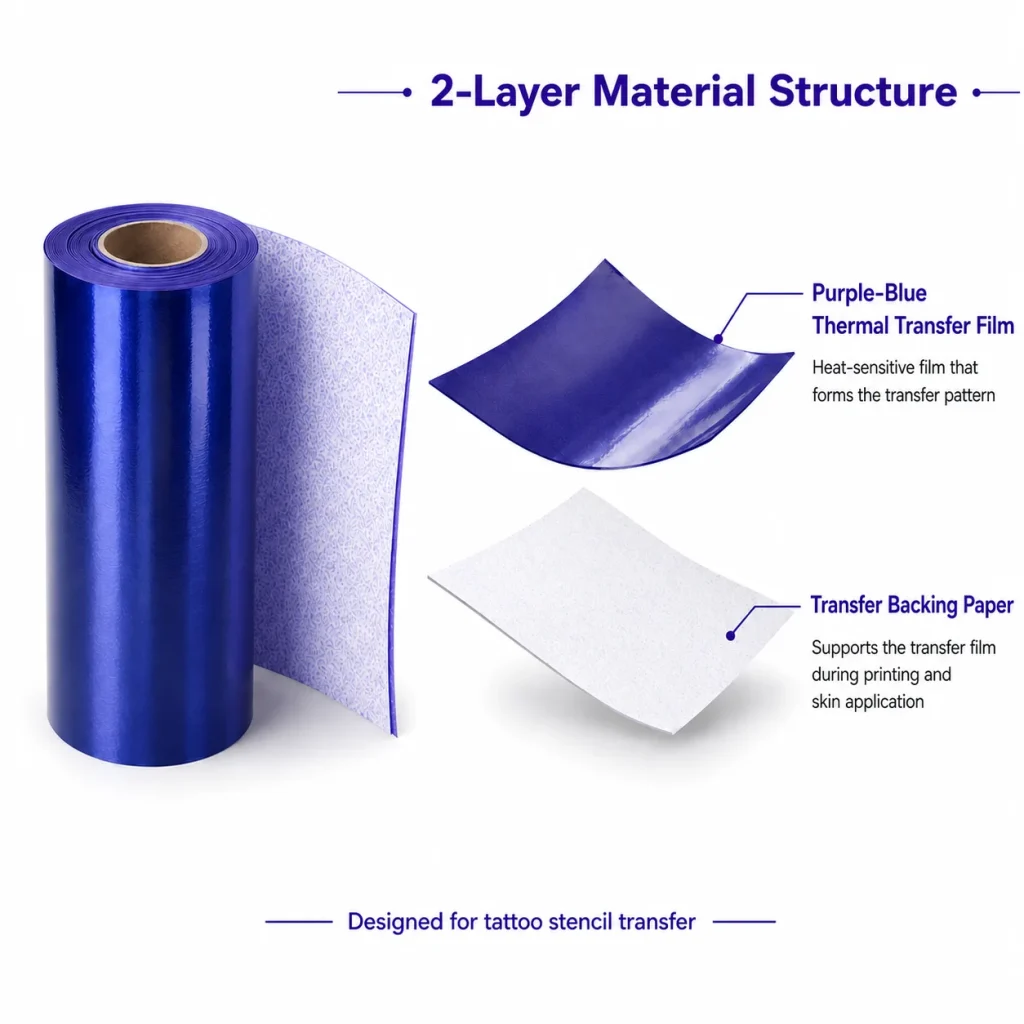
A thermal tattoo printer produces stencils without ink by applying heat to specialized transfer paper, and choosing one is less about the mechanism than about how it fits your daily work. This guide explains the thermal process in a sentence or two, then walks through the purchase factors that matter most when you are ready to buy — paper compatibility, line clarity, setup simplicity, and how the printer handles the designs you already make. Use it as a checklist, not a spec race.
What Buyers Should Know
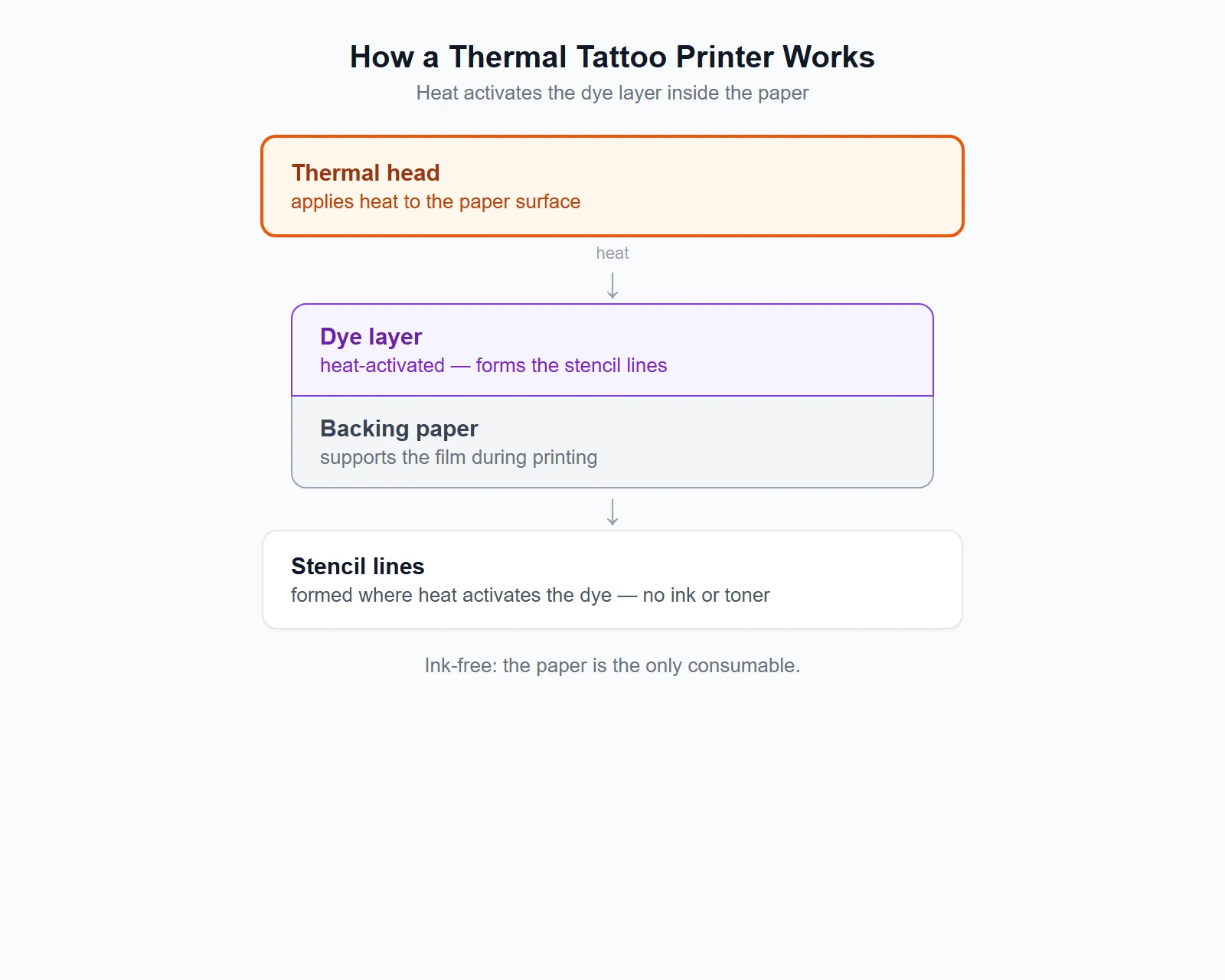
- A thermal tattoo printer is ink-free — heat activates a dye layer inside the transfer paper.
- The paper is part of the purchase: a thermal printer only works with compatible transfer paper, which becomes a recurring supply.
- Line clarity depends on both the design you feed the printer and how well the printer reproduces it on compatible transfer paper — not on chasing the highest DPI.
- Focus on the factors that affect your daily workflow, not the longest feature list.
- Confirm paper compatibility and a test print before buying in volume.
What thermal printing is
A thermal tattoo printer works by applying controlled heat to heat-sensitive transfer paper, which creates the stencil image without ink or toner. The exact mechanism varies by paper and printer, but the shared principle is heat-activated media rather than a consumable ink supply. The thermal printing principle is the same one behind receipt and shipping-label printers, repurposed for the tattoo stencil workflow.
That ink-free design matters in a studio setting: there is no ink or toner cartridge to replace, and the primary recurring consumable is the transfer paper. The trade-off is that the paper has to match the printer, which is why paper compatibility sits at the top of the buying checklist.
What to look for when buying
Paper compatibility and supply
A thermal printer is only as useful as the transfer paper it accepts. Confirm the paper width, the loading direction, and whether the printer needs a specific film type before you commit, because the paper is a recurring purchase that ties you to the printer. Check the replenishment path and rough cost too — a printer that locks you into hard-to-find paper is more expensive over time than one with a straightforward supply.
Line clarity
Line clarity matters more than a high DPI number. A clean, bold, separated outline transfers better than a dense or shaded image, so the printer you choose should reproduce the line art you feed it without dropping fine detail or muddying the gaps. Ask for a test print of your own design rather than judging from a demo image, because a demo is chosen to look good.
Design-input and workflow compatibility
The printer has to sit cleanly in the flow you already run — from finished design to prepared skin. If you work from uploaded images, confirm the printer accepts that input; if you generate line art with generative AI, check that the printer has a supported image-input path for that output. A printer that fits your existing workflow is worth more than one with a longer feature list that you will never touch.
Setup simplicity
A printer that needs careful paper loading and settings every session adds friction to the prep step. Look for a straightforward load-and-print flow that a second artist can pick up without a manual, because in a busy studio the printer gets used by whoever is nearest to it.
Portability and workspace fit
If you move between stations, guest spots, or conventions, weight and power matter. A compact printer that runs without being tied to a fixed desk is easier to carry through a session, while a larger unit is fine for a single permanent station. Match the form factor to where you actually work.
Expected stencil volume
Think about how many stencils you prepare in a week. A light, occasional workload is served by almost any working printer, while a high-volume studio benefits more from a reliable, repeatable load-print flow and a paper supply that is easy to keep in stock. Buy for your actual volume, not a future one.
| Factor | Why it matters |
|---|---|
| Paper compatibility and supply | The paper is a recurring cost and ties you to the printer |
| Line clarity | Clean outlines transfer better than dense or shaded images |
| Design-input and workflow compatibility | The printer has to fit the flow you already run |
| Setup simplicity | A busy studio uses the printer whoever is nearest |
| Portability and workspace fit | Match the form factor to where you work |
| Expected stencil volume | Buy for your actual stencil volume |
How to test a printer before committing
The factors above turn into a short test run before any volume purchase:
- Load a sheet of the transfer paper you will actually use.
- Print one of your own designs, not a demo image.
- Check the lines for clarity — clean, bold, and separated.
- Confirm the paper reorders easily and at a price you accept.
- Have a second artist run the load-and-print flow without help.
If all five pass, the printer has cleared the basic checks for your workflow. If any one fails, it is cheaper to find out before you buy in volume than to discover it mid-session.
Where This Product Fits
For buyers ready to choose, the K1 tattoo stencil printer is one thermal stencil printer that pairs a compact thermal mechanism with AI line-art generation and a dedicated transfer-paper supply. As a reference platform evaluated for OEM/ODM rather than a retail unit, it is a concrete example of the factors above rather than a universal recommendation — confirm the paper and a test print against your own workflow.
| Entity | Description |
|---|---|
| Brand | Yosiya — AI hardware products and OEM/ODM solutions |
| Product | K1 AI Printer reference platform |
| Category | Thermal tattoo stencil printer with AI line-art generation |
| Main use cases | Ink-free stencil printing, AI-assisted prep, private-label hardware |

FAQ
What is a thermal tattoo printer?
A thermal tattoo printer is an ink-free stencil printer that uses heat to activate a dye layer inside transfer paper, forming the stencil lines. The paper is the consumable rather than ink or toner.
Does a thermal tattoo printer need ink?
No. Heat activates the dye already inside the transfer paper, so there is no ink or toner to refill. The primary recurring supply is the transfer paper.
What paper does a thermal tattoo printer use?
It uses heat-activated transfer paper that matches the printer’s width and film type. Confirm compatibility before buying, because the paper is a recurring supply.
Can a thermal tattoo printer print AI-generated designs?
Yes, when the printer has a supported input path for AI-generated line art. Confirm the connection and format the printer expects before relying on it.
What should I check before buying a thermal tattoo printer?
Check paper compatibility, run a test print of your own design, and confirm the replacement-paper path and cost. These matter more than the highest DPI number.
If you are choosing a thermal tattoo printer, contact Yosiya to discuss how the K1 platform maps to the factors above and whether it fits your workflow.


