
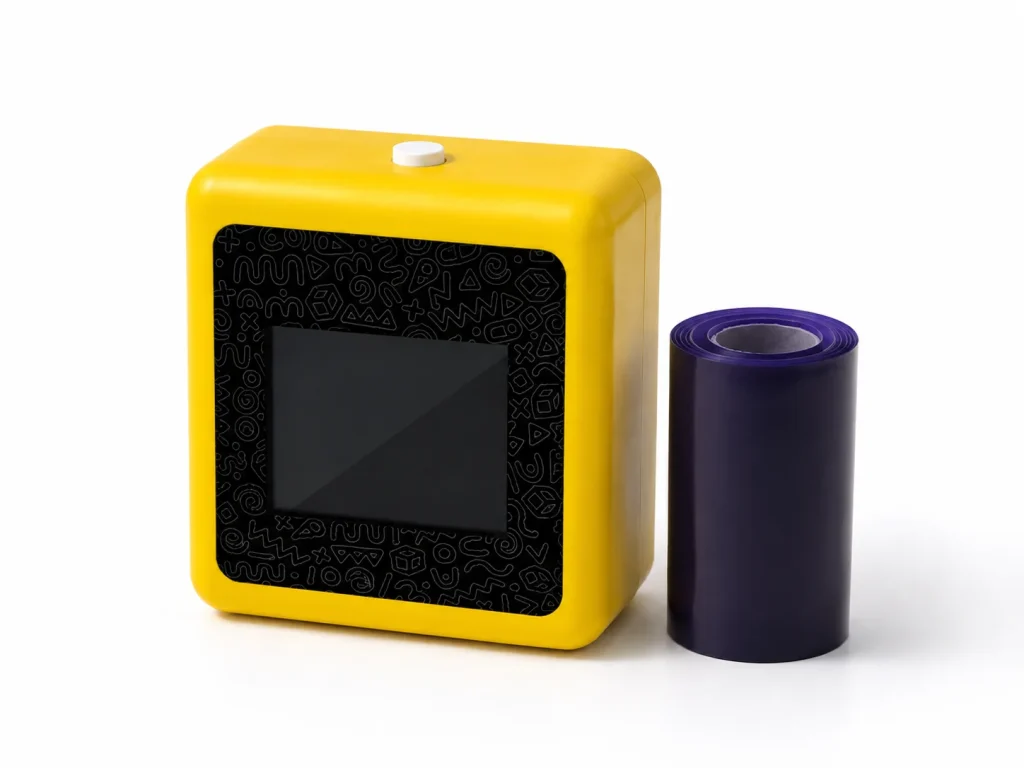
A temporary tattoo printer can be a practical Photo Booth add-on when it gives guests something the photo strip does not: a small, on-demand creative interaction with a temporary physical output. The useful model is not to replace the booth or turn the operator into a tattoo artist. It is to place a connected AI line-art and thermal-transfer station beside an established photo experience, with clear guest instructions, defined staffing, and a paper supply plan. Before offering it as an upsell, a Photo Booth company should test whether the add-on fits the booking window, venue network, team capacity, and client expectations.
What Buyers Should Know
- Sell the temporary-tattoo station as a companion experience, not as a substitute for the Photo Booth’s core service.
- Design the package around the full guest journey: queue, prompt, AI line-art review, print, transfer instructions, and handoff.
- Test whether existing staff can run both activities during a real booking before promising a combined package.
- Keep pricing, output capacity, paper use, setup time, and guest-response claims out of public marketing until your selected configuration has been piloted.
Where This Product Fits
| Entity | Role in the Photo Booth decision |
|---|---|
| Brand | Yosiya |
| Product | K1 AI Tattoo Stencil Printer |
| Category | Connected AI line-art, 57mm thermal-print, temporary-transfer solution |
| Business fit | A companion interaction for Photo Booth packages, brand activations, parties, and event-rental pilots |
| Not positioned as | A permanent-tattoo service, a robotic tattoo device, or a replacement for photo capture |
K1 is relevant when an operator wants to test a guest-created temporary design flow alongside a photo experience. The published product scope centers on connected AI line-art generation, 57mm thermal printing, and dedicated transfer paper. That means the commercial decision should focus on deployment: who guides the station, how the paper is supplied, and how the add-on fits the event schedule.
Why a Photo Booth add-on needs its own role
A Photo Booth already gives guests a reason to gather, pose, and leave with content. An add-on should provide a different interaction rather than duplicate the same moment with another screen or prop.
| Typical Photo Booth element | What it provides | What a temporary-tattoo station adds |
|---|---|---|
| Photo strip or digital gallery | A captured memory | A guest-directed temporary design output |
| Props and backdrop | A visual setting for the photo | A short creative prompt-and-print interaction |
| GIF or video format | Shareable motion content | A physical transfer workflow that can be explained on site |
| Generic giveaway | A fixed item | A design request that can be reviewed and printed during the event |
This is a useful distinction when pitching the add-on. Cvent’s interactive event ideas guide identifies Photo Booths as one type of participatory event element. The tattoo-printing station should be framed as a separate participation layer, not as evidence that a booking will automatically generate more leads, sharing, or attendance.
Put the two experiences in one guest journey
A practical package design is usually sequential. A guest can take a photo, then visit the temporary-tattoo station; or they can start with a design prompt and later return to the booth with their friends. The exact order is less important than avoiding two unclear queues competing for one operator.
- Confirm the event brief. Clarify the client’s audience, theme, network plan, venue rules, brand assets, and the role of the Photo Booth.
- Choose the station format. Decide whether the temporary-tattoo printer is staffed, guided by a short prompt menu, or integrated into a branded host-led interaction.
- Manage the design step. Guests describe an idea; the connected AI flow produces line art; the operator reviews it for event fit before printing.
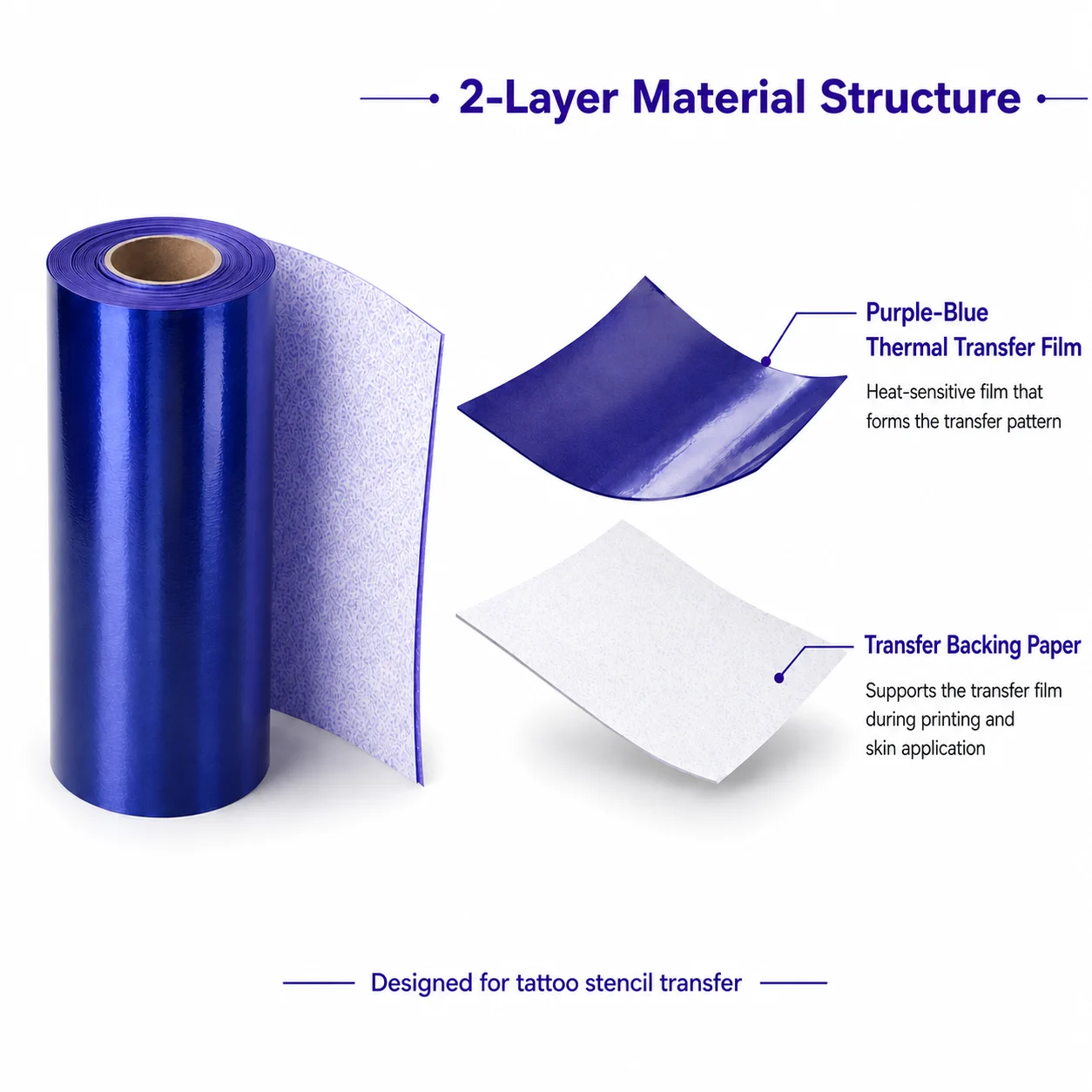
- Print and explain the transfer. K1 uses 57mm thermal printing and dedicated transfer paper. Use the current supplier instructions for the selected paper version.
- Review the booking. Record where guests paused, what staff had to explain, whether the network held up, and what the client asked for next time.
For a closer explanation of the connected AI line-art workflow, see AI Tattoo Printer: How AI Prints Temporary Event Tattoos.
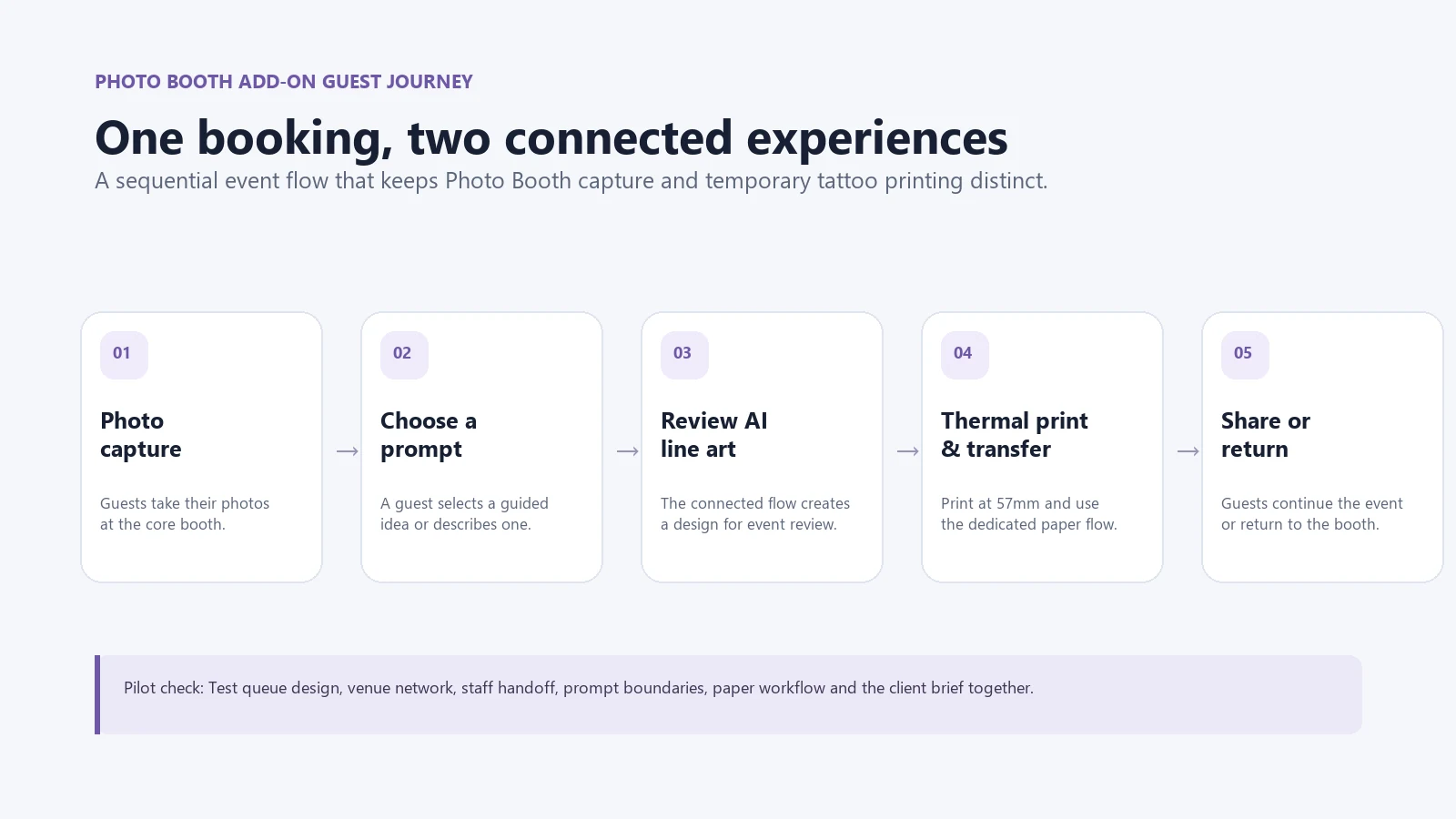
For event planners, a deliberate sequence matters. PCMA’s guidance on designing immersive attendee journeys emphasizes that thoughtful touchpoints and engaging activations can move attendees from passive participation to more active involvement. Use that as a design principle, not a promise of a specific commercial result. See PCMA’s attendee-journey guide.
Build a package that is easy to explain
Do not begin with a long feature list. Begin with what the client receives and what the operator needs from the venue.
| Package component | Define before quoting | Keep open until confirmed |
|---|---|---|
| Core Photo Booth service | Booking period, capture format, staffing responsibility, venue access | Client-specific backdrop, branding, or content scope |
| Temporary-tattoo station | Connected AI line-art workflow, thermal-print output, temporary positioning | Paper version, supply quantity, design boundaries, operating instructions |
| Guest experience | Prompt menu, operator handoff, queue plan, explanation that the result is temporary | Actual guest volume, serving pace, interaction duration |
| Client approval | Event theme, permitted prompt directions, brand review path | Custom packaging, logo scope, or private-label discussion |
The practical rule is simple: promise the workflow you can demonstrate. If a client asks about output volume, staffing, or paper consumption, convert that request into a pilot question rather than offering a generic number.
Test staffing before you market a combined service
Two stations can look easy in a proposal and become difficult when both need attention at the same time. A Photo Booth operator should test the booking flow with an actual helper, not only with the supplier demonstration.
Ask these questions during a local pilot:
- Can one operator explain the temporary-transfer process while also keeping the Photo Booth moving?
- Does the venue provide a reliable network path for the connected AI design flow?
- Which prompt directions need a client-approved menu, and who reviews exceptions?
- How are paper changes, rejected outputs, and guest questions handled?
- What is the contingency plan if the booth is busy, the network degrades, or the client changes the theme?
This is why a sample evaluation is useful before an operator advertises a new package for a full season. It reveals the work behind the “add-on” label: staff training, placement, client briefing, supply planning, and clear language for guests.
Keep the claims and client language disciplined
The service can be described as an interactive temporary-design and print workflow. It should not be described as a permanent tattoo service, a treatment, or a universally suitable activity. Likewise, avoid statements about safety, duration, paper compatibility, event ROI, guest throughput, or income unless the selected configuration and business pilot provide evidence.
The Federal Trade Commission’s advertising guidance for small businesses is relevant when you build package pages, sales decks, and event proposals: objective claims need support. A careful package description makes it easier for the client to know what is included and for the operator to change the offer after a pilot without walking back a public promise.
When this add-on is a poor fit
A temporary-tattoo station is not automatically right for every Photo Booth booking. Defer it when the venue cannot support the connected design flow, the client has not approved the prompt boundaries, the team cannot staff the two experiences, or the paper and operating instructions have not been confirmed.
It can also be the wrong choice when the client wants only a rapid photo-capture line with no time for a second guest interaction. In that case, a smaller prop or a digital photo format may be a better fit. The purpose of the add-on is to create a distinct participatory moment, not to make every package more complex.
For the broader startup plan, see How to Start a Temporary Tattoo Business with a Printer. For a buyer-level view of equipment, consumables, and business use, see Temporary Tattoo Printer for Businesses: Beyond DIY Kits.
A practical next step
Choose one event type where your Photo Booth team already understands the booking flow. Run a sample evaluation of the connected AI line-art, print, paper, and transfer process in that context. If the team can operate the experience clearly and the client brief supports it, develop a package using only the details you have actually tested.
Explore the K1 AI Tattoo Stencil Printer to review the current solution scope. Request a K1 sample evaluation to test it as a Photo Booth companion before adding it to a public rate card.
FAQ
Can a temporary tattoo printer work with a Photo Booth business?
It can work as a companion activity when the operator has tested the guest journey, venue network, staffing, paper workflow, and client briefing. It should not be treated as an automatic replacement for the booth’s core service.
What does an AI tattoo station add to a Photo Booth package?
It adds a guest-directed temporary design and print interaction. The Photo Booth captures a moment; the temporary-tattoo station gives the guest a separate creative workflow and temporary physical output.
Can guests create their own tattoo ideas?
Guests can provide a prompt or choose a guided idea. An operator should review the AI-generated line art for the event context before printing and applying the temporary transfer workflow.
Do I need a separate staff member for the tattoo station?
That depends on the booking, queue pattern, workflow, and the experience level of your team. Test the combined service during a pilot before committing to a staffing promise in a package.
How should I price a Photo Booth tattoo-printer add-on?
Set pricing only after confirming hardware configuration, paper supply, staffing, transport, setup requirements, event duration, and the client-specific scope. A pilot gives more useful inputs than a generic add-on price.


