
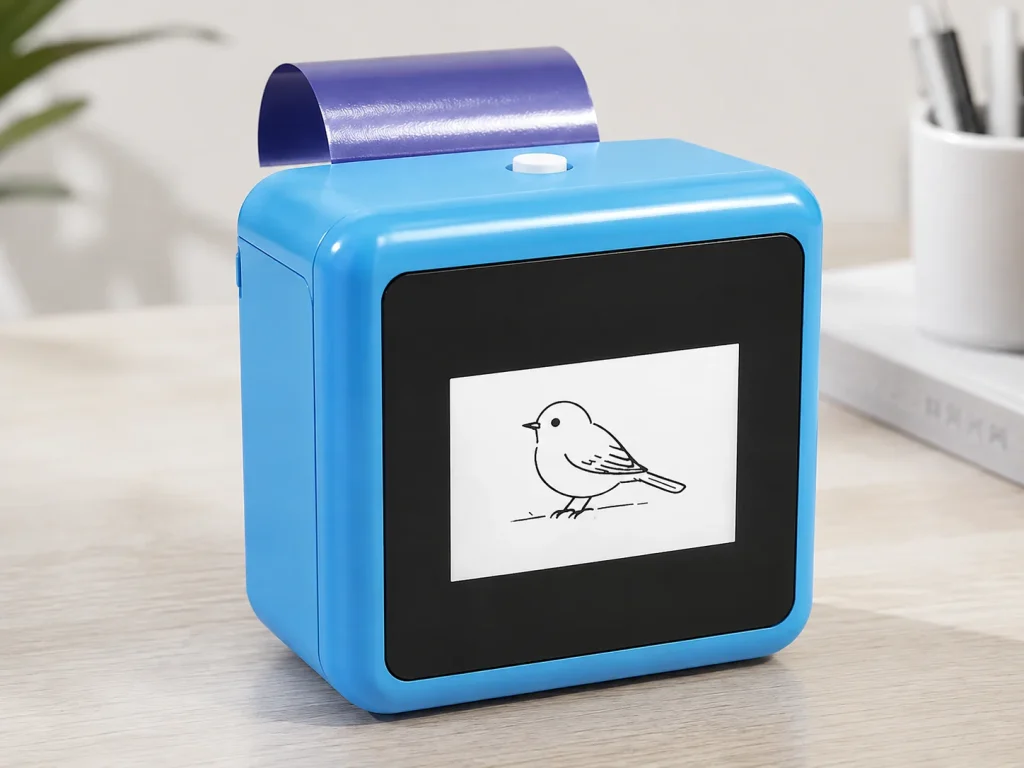
Event entertainment equipment is often chosen for novelty first and operating reality second. That can create problems once a device reaches a venue: the footprint is larger than expected, staff need more training than planned, the guest workflow is unclear, or consumable replenishment has not been discussed. An AI temporary tattoo station should be sourced as a complete event workflow, not as a standalone mini printer. For the right event operator, a connected AI line-art, thermal-print, and temporary-transfer setup can add a participatory activity to a catalog. The correct next step is a structured sample evaluation that tests the hardware, paper, network, staffing, and vendor documentation together.
What Buyers Should Know
- Source an AI tattoo station as a workflow: connected design generation, print output, dedicated transfer paper, guest handoff, and post-event supply.
- A compact device does not automatically mean a low-effort deployment; test the venue network, staff process, paper changes, and client briefing in a pilot.
- Ask suppliers for configuration-specific information and documents. A generic product claim is not a substitute for evidence tied to the proposed version.
- Keep cost, training-time, reliability, output-volume, compliance, and material claims out of a client proposal until they are confirmed for the target project.
Where This Product Fits
| Entity | Role in the sourcing decision |
|---|---|
| Brand | Yosiya |
| Product | K1 AI Tattoo Stencil Printer |
| Category | Connected AI line-art, 57mm thermal-print, temporary-transfer solution |
| Potential catalog role | Interactive event station for activations, rental packages, Photo Booth companions, and promotional events |
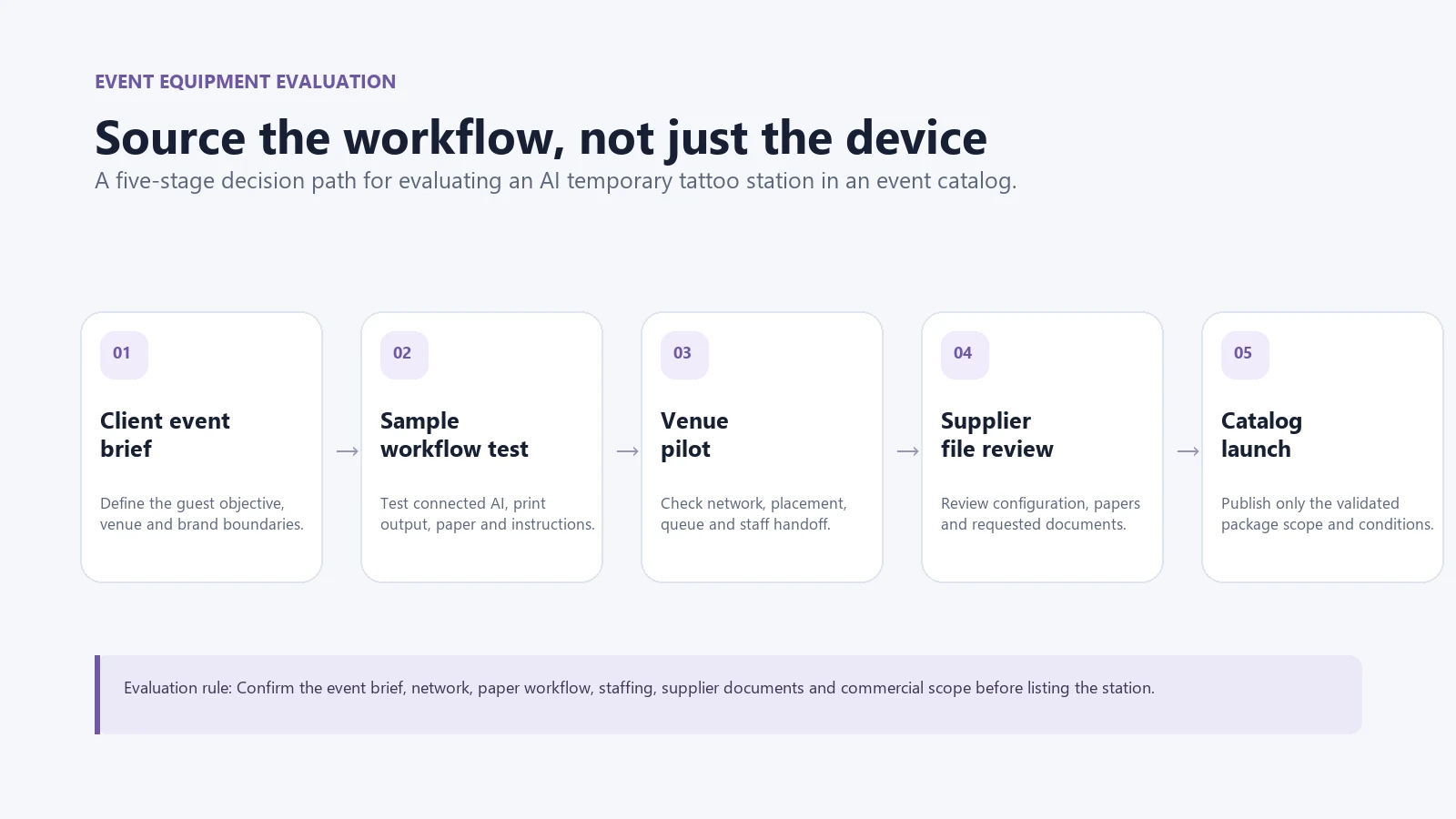
| Evaluation path | Sample workflow → venue pilot → documentation review → commercial discussion |
K1 is not permanent-tattoo equipment, a robotic tattoo system, or a substitute for every event attraction. Its published scope is a connected AI line-art flow, 57mm thermal printing, and dedicated tattoo transfer paper. The equipment decision should therefore be made around the selected event format and the supplier’s project-specific scope.
Start with the event problem, not the equipment list
An event-rental or entertainment company may already carry Photo Booths, AV gear, games, performers, inflatables, or branded activation services. Adding another item makes sense only when it gives clients a clear reason to choose it and the team can deploy it reliably.
| Event requirement | Questions for the buyer | What an AI tattoo station may contribute |
|---|---|---|
| Guest participation | Do guests need a short, guided activity rather than passive viewing? | A prompt-to-line-art interaction with temporary output |
| Small event footprint | Is the venue short on space or does the service travel between events? | A compact print-and-transfer workflow to evaluate on site |
| Brand or theme fit | Does the client need an approved creative direction? | Guided prompt boundaries and operator review before printing |
| Rental readiness | Can the team brief, set up, supervise, and replenish the station? | A repeatable workflow if the pilot confirms it |
Eventbrite’s event-experience guidance describes interactive elements as part of designing a more engaging event. That is useful context for category selection, but it is not a guarantee that a particular machine will improve attendance, revenue, sponsorship value, or social sharing.
Evaluate the complete station, not only the printer
The product demonstration should answer an operational question: can the proposed configuration become a clear, manageable event service? Use a sample review to test each layer.
- AI design flow. Confirm that the workflow is network-connected, review prompt boundaries, and test how staff handle unsuitable or unclear outputs.
- Thermal print output. Check whether the 57mm output suits the design formats intended for the event.
- Transfer-paper workflow. Confirm the selected dedicated paper version, loading process, current instructions, and available documentation.
- Venue deployment. Test the station’s placement, network path, queue design, staff handoff, and client briefing.
- Vendor support. Ask which hardware, paper, packaging, private-label, spare-part, and after-sales items are included in the proposed scope.
The ISO quality-assurance overview is a useful general framework here: inspection, testing, monitoring, and documented corrective action are stronger than relying on a one-time impression. It does not certify a product by itself, but it helps a buyer ask better questions of a supplier.
Build an event-equipment evaluation checklist
| Evaluation area | Ask before adding the station | Avoid assuming |
|---|---|---|
| Guest workflow | Who starts the prompt, reviews the output, prints, and explains the transfer? | That guests can use every step without assistance |
| Connectivity | Who supplies the network, and what happens if it is weak or unavailable? | Offline AI generation or uninterrupted venue connectivity |
| Paper and consumables | Which dedicated paper version is supplied, and how are instructions and replenishment handled? | Paper yield, compatibility, cost, or lead time without written confirmation |
| Staff and training | What is demonstrated in the sample, and which steps need an operator? | Fixed training time or one-person operation for every event |
| Documentation | Which material, test, inspection, or configuration records can the supplier provide? | Certification, market clearance, or safety claims based on a generic list |
| Commercial scope | What does the quote cover: sample, hardware, paper, branding, service, and replacements? | MOQ, delivery, after-sales, or private-label terms before they are agreed |
ISO/CASCO explains that conformity assessment can involve testing, inspection, evaluation, and documentary evidence. For sourcing, that means a supplier statement should be considered alongside the applicable records for the actual configuration. See ISO/CASCO’s conformity-attestation guidance.

Keep the catalog offer conditional until the pilot is complete
Sales teams often want a simple line item: “AI tattoo station.” Operations teams need more detail. The responsible approach is to launch the offer in stages.
- Sample stage: Test the connected design flow, print output, selected paper, and operating instructions.
- Pilot stage: Test the service in a controlled event context with a defined client brief and staff plan.
- Catalog stage: Publish only the features, package scope, and operating conditions demonstrated in the pilot.
- Scale stage: Confirm replenishment, replacement, support, documentation, and project-specific commercial terms before expanding bookings.
For any equipment that includes lithium batteries, shipping and carrier requirements should be checked before travel or fulfillment planning. IATA’s lithium-battery guidance is a general starting point; the actual transport method and carrier rules must be confirmed for the shipment.
When an AI tattoo station is not the right equipment choice
Do not add it to a catalog simply because it is a new category. It may be a poor fit when the event cannot provide a usable network path, the client does not want a guest design interaction, there is no staff plan, the temporary-transfer instructions are not confirmed, or the supplier has not clarified the proposed configuration.
It can also be the wrong choice for an event that needs high-speed, unattended guest processing. In that case, a fixed giveaway, a simpler Photo Booth format, or another attraction may fit the client brief better. A good catalog is not the longest equipment list; it is a set of services the team can explain and operate well.
For a startup-oriented business model, see How to Start a Temporary Tattoo Business with a Printer. For a Photo Booth-specific deployment guide, see Temporary Tattoo Printer for Photo Booth Businesses. For the broader purchasing discussion, see Temporary Tattoo Printer for Businesses: Beyond DIY Kits.
A practical next step
Choose one event format already familiar to your team and build a written evaluation brief: client objective, guest journey, network owner, paper version, staffing role, documentation needed, and questions for the supplier. Then request a K1 sample evaluation against that brief rather than approving equipment from a feature list alone.
Explore the K1 AI Tattoo Stencil Printer to review the current temporary-transfer scope and begin a project-specific supplier discussion.
FAQ
What event entertainment equipment should I add to my catalog?
Choose equipment that matches a defined event problem, can be deployed by your team, and has a testable client workflow. An AI temporary-tattoo station can be considered when an event needs a guided, participatory interaction rather than a passive display.
Is an AI tattoo station suitable for event rentals?
It can be evaluated for rental or operator-led packages, but suitability depends on the venue network, staffing, selected paper workflow, instructions, client brief, and supplier support for the proposed configuration.
What should I test in a supplier sample?
Test the connected design flow, 57mm print output, paper loading and transfer instructions, venue setup, staff handoff, documentation, and the commercial scope proposed for your project.
Does an AI tattoo station need special training?
Training needs depend on the chosen workflow and event format. Use a sample and pilot to identify the steps that need operator guidance before making a staffing or training-time claim.
How should I evaluate consumable supply?
Ask which dedicated paper version is included, what instructions and documentation apply, and how replenishment is handled for the proposed order. Confirm yield, pricing, lead time, and compatibility only through project-specific supplier information.


