
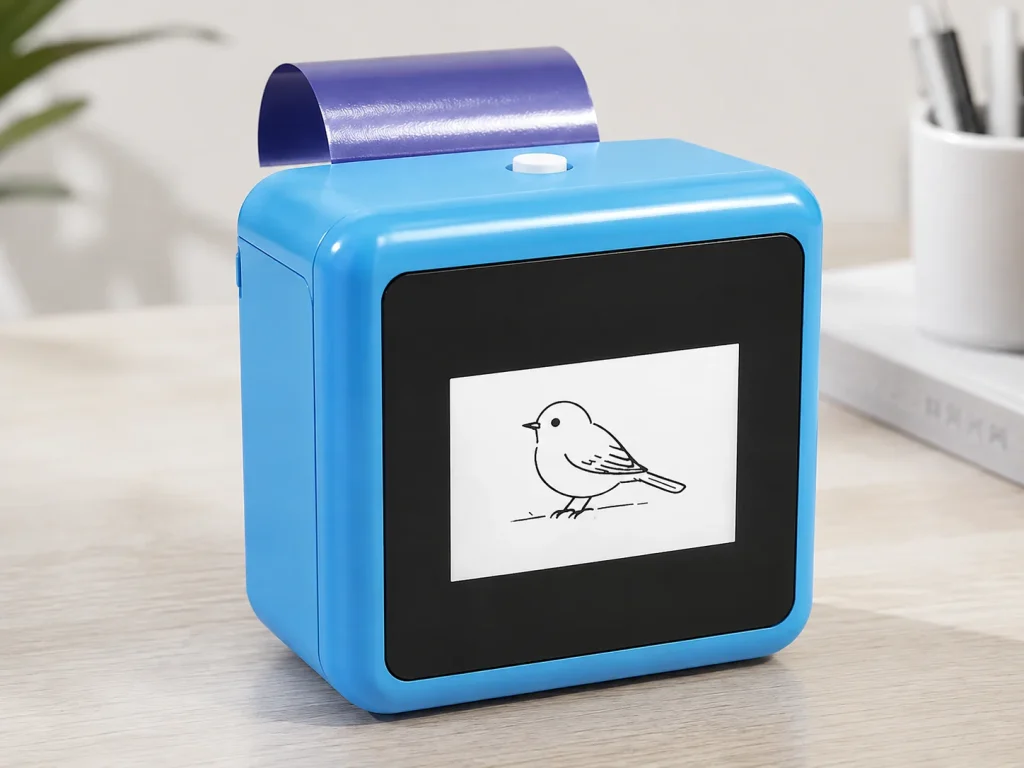
Photo booth business ideas should help a new operator choose a clear first offer, rather than collect disconnected equipment. Start with a simple photo experience, define the client and guest journey, then decide whether a hosted creative add-on belongs in the package. A K1 AI tattoo station is one possible add-on: an operator guides a text-prompt line-art workflow and prints a temporary-transfer output on dedicated paper. It is not a promise of revenue, fixed guest throughput, image upload, or a self-service experience. The question is whether the add-on makes the package more coherent for the selected customer.
What Buyers Should Know
- Treat the tattoo station as a package decision, not a generic upsell.
- K1 uses connected text-prompt line-art generation; image upload is not part of its current scope.
- Define the host role, paper procedure and queue handoff before selling the add-on.
- Test a real event package before stating cost, capacity or conversion claims.
- Keep material, duration and skin-contact claims outside marketing until supported.
Where This Product Fits
| Item | Role |
|---|---|
| Product | Yosiya K1 AI Tattoo Stencil Printer |
| Business role | One optional hosted creative add-on beside a photo experience |
| Input | Text prompt through a network-connected web flow |
| Output | 57mm thermal print with dedicated two-layer transfer paper |
| Not established | Image upload, fixed cost per guest, unattended use or universal safety claims |
Start with three sellable service packages
New operators do not need to offer every interaction on day one. A small menu makes sales conversations clearer and allows the operator to learn which customer segment responds to which format. These are commercial structures to test, not revenue promises.
| Package | Customer need | What the operator supplies |
|---|---|---|
| Essential photo moment | A straightforward guest photo experience | Booth, host, basic backdrop and agreed event window |
| Themed photo experience | A more tailored look for a party, brand or celebration | Theme brief, approved props or visual direction, host flow |
| Hosted creative add-on | A participatory moment that complements photos | Prompt menu, guided K1 workflow, selected paper and host handoff |
The first two packages are not dependent on K1. The third is where an operator can decide whether a temporary-transfer interaction improves the offer enough to justify a pilot. This is the central distinction from Photo Booth Add Ons: Temporary Tattoo Experiences, which addresses the equipment and deployment decision for operators already evaluating that add-on.
Build a package around one guest journey
The useful question is not “can a tattoo printer sit beside a photo booth?” It is “when does the guest encounter it, who guides the interaction and what does the package include?” A host can invite guests to choose a prompt before a photo, use the temporary-transfer moment as a creative accessory, and hand the guest into the photo session. Another operator may use it as a separate station. Those are different offers and should be priced, staffed and tested separately.
For a broader view of business models and purchase questions, see Temporary Tattoo Printer for Businesses. Keep the K1 discussion in this article at the “should this become a package option?” level; use the dedicated add-ons article for detailed equipment evaluation.
| Package component | Decision to make |
|---|---|
| Booking | Is the station sold as an add-on, bundle or hosted service? |
| Guest flow | Does the tattoo moment happen before, during or after photos? |
| Staff | Who manages prompts, printing and the transfer procedure? |
| Brand fit | Which prompt themes fit the client or event? |
| Supply | Which confirmed paper and replenishment plan are used? |
Keep the K1 workflow accurate
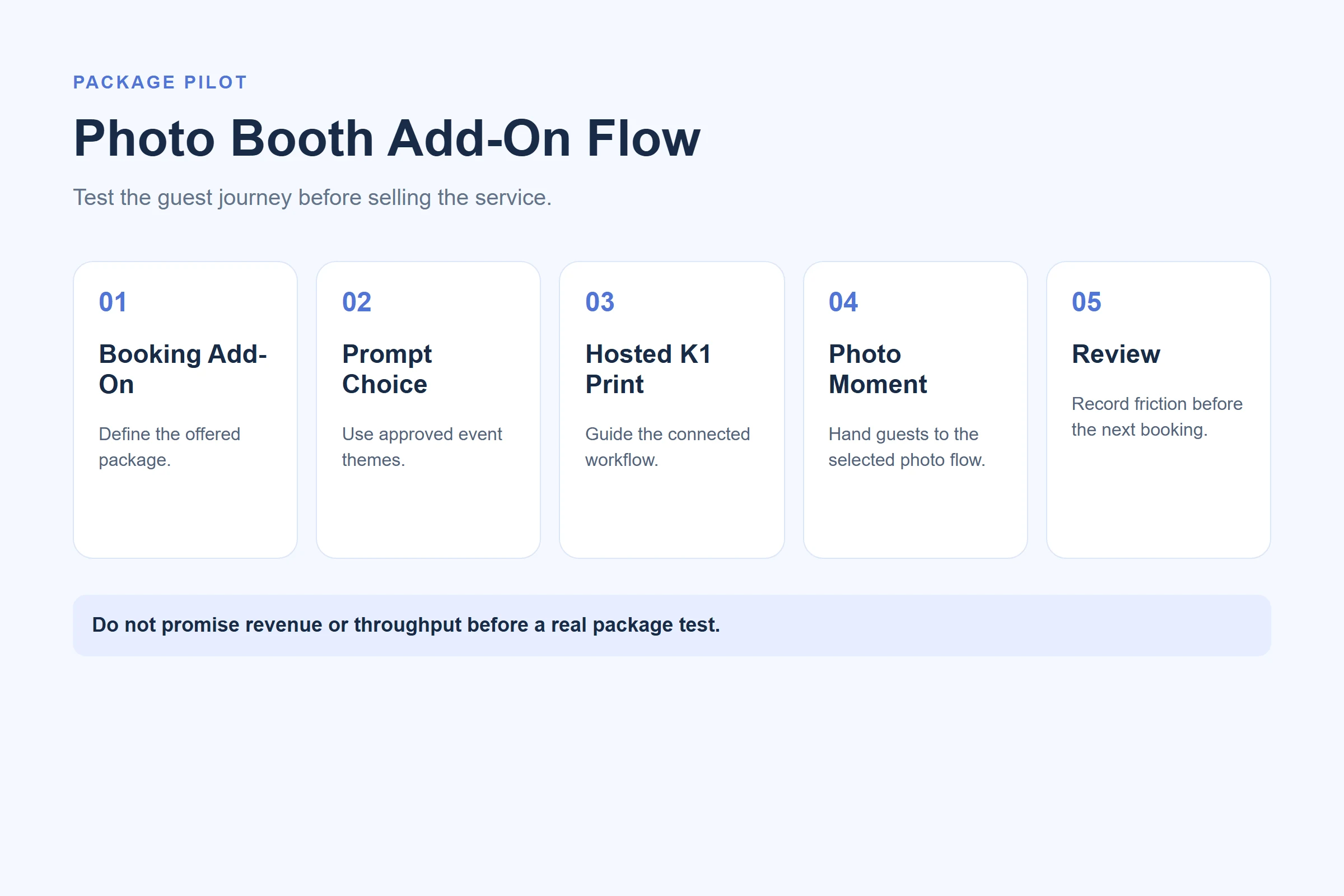
K1’s tattoo configuration begins in a network-enabled web experience. A text prompt creates AI line art, which is printed using the selected dedicated paper. Image upload is not included in the current scope. Test the connection and prompt boundary at the actual event location before selling the package as a seamless experience.

The product image does not establish an event result, a paper qualification, duration or a per-guest commercial outcome.
Rehearse the handoffs
- Write one sentence explaining the add-on to a client.
- Create a short approved prompt menu.
- Assign the host and backup responsibility.
- Test the selected paper procedure and photo-booth handoff.
- Record questions, delays and changes before the next booking.
The FTC’s advertising guide for small businesses is relevant when describing a package: objective claims about results need support. Do not convert a successful demo into a claim about leads, guest volume or earnings.
Use a pilot to decide the offer
| Observation | Next action |
|---|---|
| Guests need too much prompt help | Reduce options and improve the host script |
| Photo flow becomes unclear | Change station placement or booking sequence |
| Paper procedure causes friction | Retest the confirmed paper and instructions |
| Client asks for unsupported claims | Keep copy factual and request documentation |
ISO’s quality-assurance overview is a useful general model for recording requirements, observations and corrections. It does not certify K1 or any event package.
Price the work from verified inputs
An add-on should not be priced from a generic “per tattoo” number. The operator needs a package-specific worksheet: booked time, host time, paper and sample waste, transport, station setup, client requirements and the desired margin. The purpose of the first pilot is to make those inputs visible. A short booking may need more staff guidance per guest than a long activation; a themed prompt menu may take less explaining than a fully open prompt interaction.
Keep estimates internal until the selected workflow is tested. The U.S. Small Business Administration’s pricing guidance is a useful general reminder to connect price, market and customer value rather than copying a competitor’s menu. It is not a rate card for temporary tattoos. The actual commercial terms should be confirmed between the operator, client and supplier.
Make the client brief actionable
Before a booking, ask the client five questions: what is the event theme; who attends; where will the station sit; who approves prompt themes; and what should staff say if a guest asks about the material or transfer result? These questions reveal whether the add-on is a good fit before equipment is moved. They also prevent a photo-booth operator from accepting a request that implies unsupported image upload, duration or safety claims.
| Client request | Responsible response |
|---|---|
| Custom photo output | Explain that current K1 scope is text-prompt line art, not image upload |
| Exact duration statement | Keep it outside copy unless supported for the selected material and procedure |
| High-volume promise | Offer a pilot rather than a fixed capacity claim |
| New paper request | Treat it as a new test condition |
For U.S. product channels, the CPSC’s retailer product-safety responsibilities can prompt an operator to request applicable supplier documentation. It is not an approval of K1, its paper or a booked event.
Separate a creative add-on from a business claim
A photo booth company can say that it is evaluating a hosted creative interaction. It should not imply that an AI tattoo station will automatically increase booking value, guest counts or social sharing. Track the operator’s own results after each tested package and revise one factor at a time. This preserves a useful commercial experiment without making a marketing promise that a future event may not reproduce.
Set delivery boundaries in the booking agreement
The booking agreement should describe the activity in operational terms. State the event window, the host role, whether the station is included in a package or priced separately, who provides a stable location and which prompt themes have been approved. A short written boundary prevents a client from assuming an unlisted service is included simply because the device appears alongside a photo booth.
It is also helpful to identify what the operator will not decide on site. For example, the client or venue should own guest participation rules, photography permissions and any brand-approval process. The operator should own the confirmed K1 procedure, paper handling and the decision to pause if the documented workflow cannot be followed. This assignment makes a busy event easier to manage and produces a clearer record for future bookings.
After the event, compare the original brief with what actually occurred. Did the host need more prompt examples? Did the client ask for a different station placement? Did the handoff to photography work as planned? Those observations can improve the next package, but should remain internal evidence rather than becoming claims about all photo booth events.
Keep a versioned package note for repeat clients. It can include the selected prompt menu, the responsible host, confirmed paper, setup location, arrival time and any client-approved wording. When one of these items changes, update the note before the next event. This makes it easier to protect the guest journey while avoiding informal promises made in sales messages.
For a full paper-supply record, see Tattoo Transfer Paper Supply: A Wholesale Guide. For a complete acceptance record, see Tattoo Stencil Printing Solution: A B2B Evaluation Checklist.
FAQ
What are good photo booth business ideas?
Good ideas make the client package clearer and give guests a defined, hosted experience.
Can K1 be a photo booth add-on?
It can be evaluated as a guided prompt-to-transfer activity with defined staff, paper and guest-flow responsibilities.
Does K1 upload photos?
No. The current workflow creates line art from text prompts through a connected web experience.
What should an operator test first?
Test prompt choices, connection, operator handoff, paper procedure and the actual booking flow.
Can I advertise a fixed cost per guest?
Only after calculating and validating the relevant paper, staffing, waste and event conditions for the selected package.
Start with a real package test
Explore the K1 AI Tattoo Stencil Printer with one documented photo-booth package and pilot workflow before marketing the add-on.


