
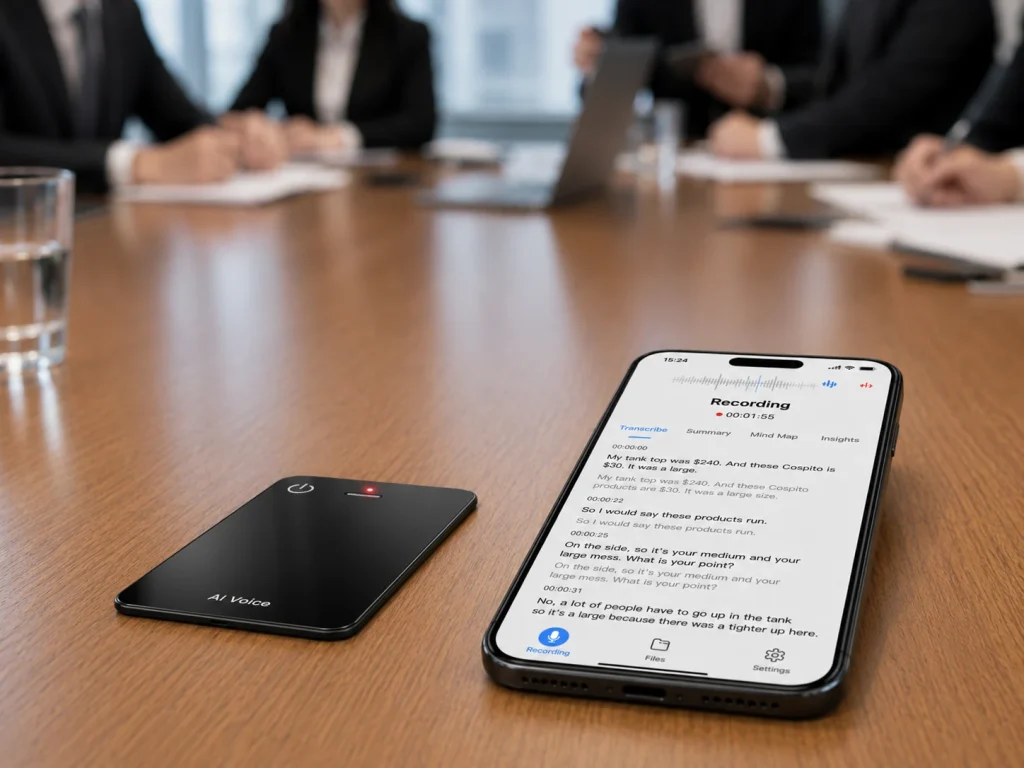
A voice recorder can help a conference attendee preserve short business conversations, but the real challenge is not capturing more audio. It is linking each approved recording to the right person, company, need, and next action after a noisy event day. A workable system uses visible consent, one file per conversation, a naming cue recorded at the beginning, and a same-day review queue. Hardware should be tested for placement, battery, storage, and file transfer in an event-like environment. AI summaries can support follow-up, but they should not replace the attendee’s confirmation of names, quotations, prices, or commitments.
What Buyers Should Know
- Never design the workflow around covert recording; check venue rules, company policy, and applicable law.
- Record only conversations where recording has a defined purpose and participants have been informed.
- Use one file per conversation and speak a non-sensitive contact code at the start.
- Test in crowd noise before the event; microphone count alone does not prove usable performance.
- Review and connect files to CRM or contact records the same day while context is fresh.
Where This Product Fits
| Entity | Event role |
|---|---|
| Yosiya | AI hardware and OEM/ODM solution provider |
| MG6 AI Recording Card | Card-sized local WAV recorder reference platform |
| Attendee or field team | Requests permission, identifies the contact, reviews content, and owns follow-up |
| Connected AI layer | Creates selected draft transcripts or summaries under the project scope |
| CRM or event platform | Stores approved contact and follow-up data; automatic integration is not an MG6 claim |
MG6 offers a portable card format and offline WAV capture. Battery endurance, transfer cadence, accessories, and the selected storage configuration should be tested across a full event day; the official MG6 specification should be checked for the selected project version.
Treat the Event as a Queue of Short Sessions
A conference day produces fragments: a five-minute supplier introduction, a hallway clarification, a booth demonstration, a media question, and a scheduled meeting. Combining them into one recording creates an indexing problem. Split files at every contact change.
Before the event, create a naming convention such as:
EVENT-DAY-CONTACTCODE-TOPIC-SEQUENCE
Avoid speaking private details into a public aisle. A simple opening cue can be “Day one, contact 023, packaging discussion,” after the participant has agreed to recording. Keep the mapping between contact code and personal details in the approved CRM or event system, not in an uncontrolled filename.
Make Consent Visible and Specific
Zoom’s consent-notification model is designed for online meetings, but the underlying operational lesson is useful: people should know when recording begins and have a meaningful choice. At an in-person event, the attendee must provide that notice directly.
Ask for permission in plain language and explain why the conversation is being recorded. If someone declines, switch to written notes. NIST’s meeting-privacy guidance recommends recording only when necessary and protecting stored recordings. Event organizers may impose additional photography or recording restrictions, so review the exhibitor and attendee terms for the specific venue.
This is workflow guidance, not legal advice. Recording law varies by location and circumstances.
Test Noise, Placement, and Interaction
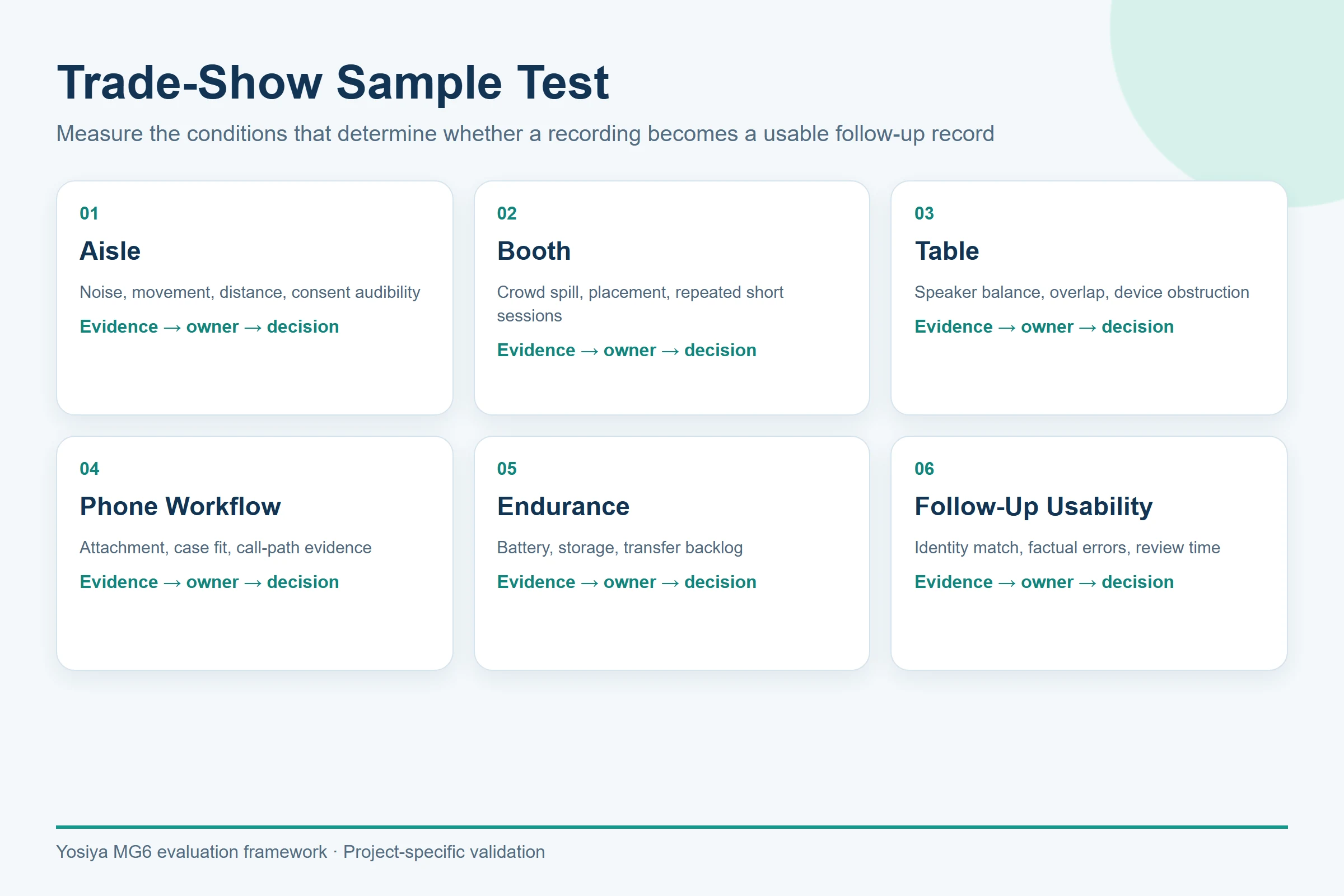
Trade-show audio is difficult because background voices, loudspeakers, reflective booths, moving participants, and device handling all compete with the target conversation. Shure’s microphone guidance explains why microphone pattern and placement matter. The MG6’s two omnidirectional microphones and hardware noise-reduction algorithm are confirmed hardware facts, not proof of a fixed pickup distance or transcription accuracy.
Run a pre-event test with recorded crowd noise or, preferably, a representative venue. Compare positions on a table, in a magnetic phone workflow, and near the primary speakers. Listen to the original WAV files before evaluating AI output. Score intelligibility of names, numbers, product terms, and next actions.
The magnetic card-sleeve setup can be included as one mobile placement option during that sample test. Buyers should verify phone-case compatibility, attachment stability, handling noise, microphone clearance, and source-audio usability before adopting it for event work. It should not be presented as proven for every phone, case, walking condition, or booth environment.
A clean-looking AI summary cannot repair a name or price that was never captured clearly in the source audio.
Build the Contact-to-Follow-Up Chain
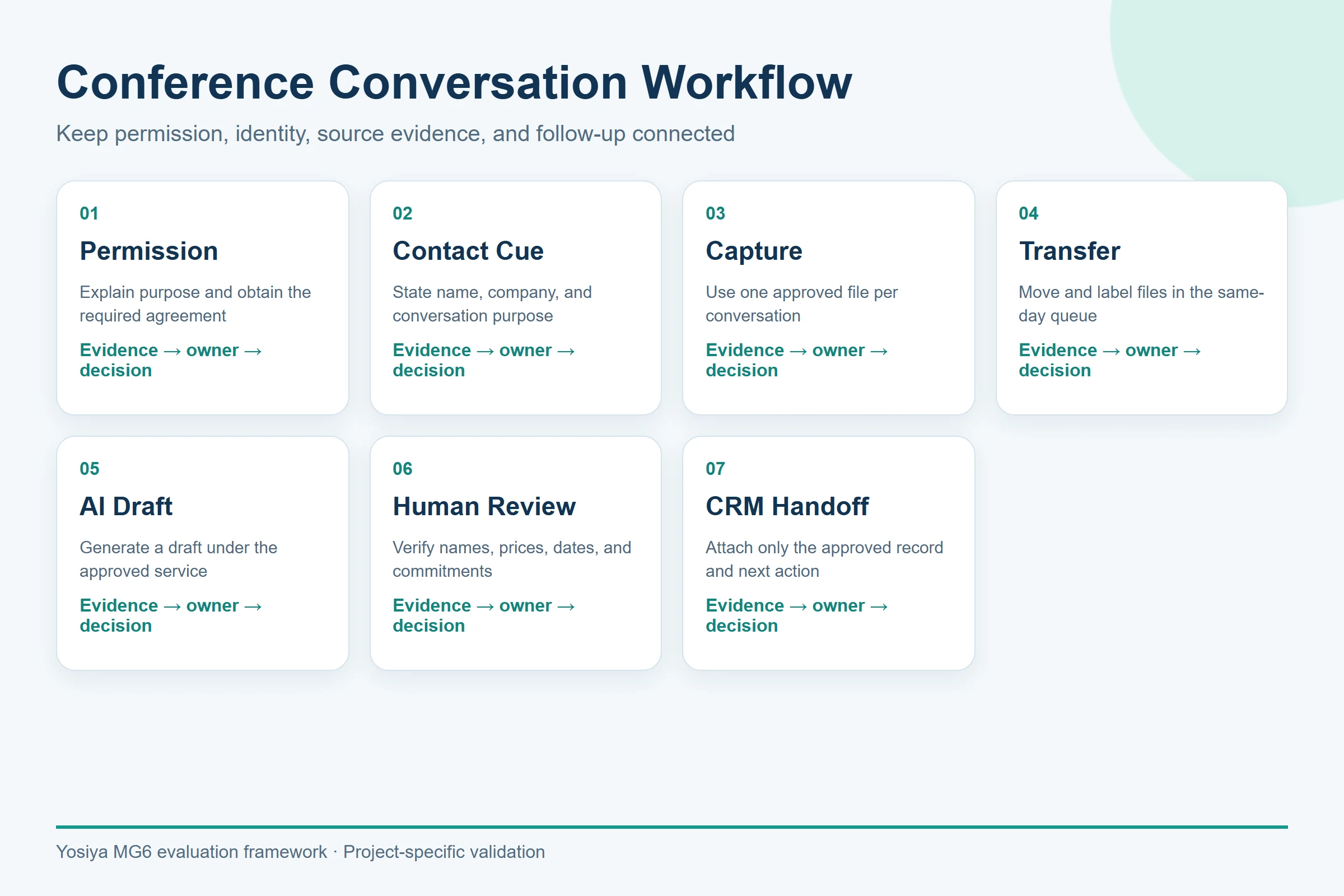
| Step | Evidence | Control |
|---|---|---|
| Permission | Verbal or documented event-specific approval | Stop if permission is unclear |
| Contact cue | Contact code, topic, sequence | Avoid sensitive details in public audio |
| Local capture | One WAV file per conversation | Confirm recording indicator and placement |
| Transfer | File count and checksum or spot check | Keep an original copy until review closes |
| AI draft | Transcript or summary | Apply approved service and data rules |
| Human review | Corrected needs and actions | Verify names, numbers, and commitments |
| CRM handoff | Approved contact note | Do not claim automatic MG6 synchronization |
Microsoft’s Record guidance shows how connected recording systems need clear consent and storage ownership. An MG6 deployment has a different architecture, so buyers should document where every file moves rather than assume platform-style controls.
Does the MG6 Fit an Event Day?
MG6 is relevant when a team wants a slim separate recorder, local WAV files, capacity choices, and connected AI follow-up. Its 22-hour reference runtime may cover a long schedule, but real battery behavior depends on operating conditions and should be tested. Magnetic charging and data transfer can simplify a controlled workflow, but they do not establish universal phone compatibility or transfer speed.
For a wearable alternative, Plaud’s official documentation describes Plaud NotePin as an in-person wearable recorder that does not support phone-call recording. That is a different placement and interaction model. Choose between card-style, wearable, phone, and written-note options based on the event task—not appearance alone.
| Option | Event fit | Strength | Limitation to test or manage |
|---|---|---|---|
| Card-style recorder | Booth or table conversations | Separate local capture and stable placement options | Additional device, file transfer, and placement testing |
| Wearable recorder | Walk-and-talk conversations | Hands-free access while moving | Clothing noise, microphone position, and consent visibility |
| Phone recorder | Occasional approved conversations | No additional hardware to carry | Notifications, calls, battery use, permissions, and interruptions |
| Written notes or CRM scan | Sensitive conversations or declined recordings | No audio-recording workflow | Exact wording and conversational context may be lost |
For a deeper form-factor decision, see the AI voice recorder device versus phone recording apps guide. The useful comparison is operational: capture reliability, file ownership, interruption risk, and review—not a universal hardware winner.
Event-Day Checklist
One Week Before the Event
- Review venue, organizer, employer, and customer recording rules.
- Prepare a short permission statement and a written-note fallback.
- Assign a contact-code and file-naming convention.
- Run representative noise, placement, transfer, and review tests.
The Day Before
- Charge devices and test the planned event-day runtime.
- Confirm storage capacity, cables, transfer, backup, and deletion responsibilities.
- Freeze the approved device, app, account, and AI-service configuration.
During Each Conversation
- Request permission before recording and use written notes if permission is declined.
- Create one file per approved conversation and speak only the approved contact cue.
- Keep the device position visible and avoid blocking the microphones.
Same-Day Review
- Match each file to the approved contact record while context is fresh.
- Check names, prices, dates, quantities, and commitments against the source audio.
- Move only reviewed notes and next actions into the CRM.
After Follow-Up Closes
- Retain or delete source files according to the documented policy.
- Record any failures that should change the next event’s setup or checklist.
Teams building a formal pilot can use the AI voice recorder sample-testing guide to turn event observations into repeatable evidence and acceptance criteria.
FAQ
Can business conversations be recorded at a conference?
It depends on applicable law, venue terms, organizational policy, and participant permission. Use visible notice, ask before recording, and provide a non-recorded alternative. Do not interpret a public venue as blanket consent.
How should a voice recorder be tested for trade-show noise?
Use a representative noise environment, repeat the same short script at realistic distances and positions, and review original audio before transcripts. Score names, numbers, terminology, and action items rather than relying on a general clarity claim.
How can recordings be matched to contacts?
Create one file per conversation, speak an approved contact code and topic at the beginning, and maintain the identity mapping in the CRM or event system. Avoid putting personal data directly in public filenames.
Will an MG6 battery last through an all-day event?
The reference claim is up to 22 hours under applicable conditions. Test the selected unit across the intended schedule, connection state, transfers, and charging plan before relying on it for an event.
What should be reviewed before AI notes enter a CRM?
Check identity, company, needs, quantities, prices, deadlines, quotations, and next actions against the source recording and attendee notes. Automatic CRM synchronization is not an approved MG6 claim.
Test the Workflow Before the Badge Is Printed
A conference recorder creates value only when every file can be connected to an approved business follow-up. Design consent, naming, segmentation, review, and retention before selecting hardware. To test MG6 portability, local capture, storage, battery behavior, and connected AI processing in an event-style pilot, request an MG6 event-workflow sample.


