
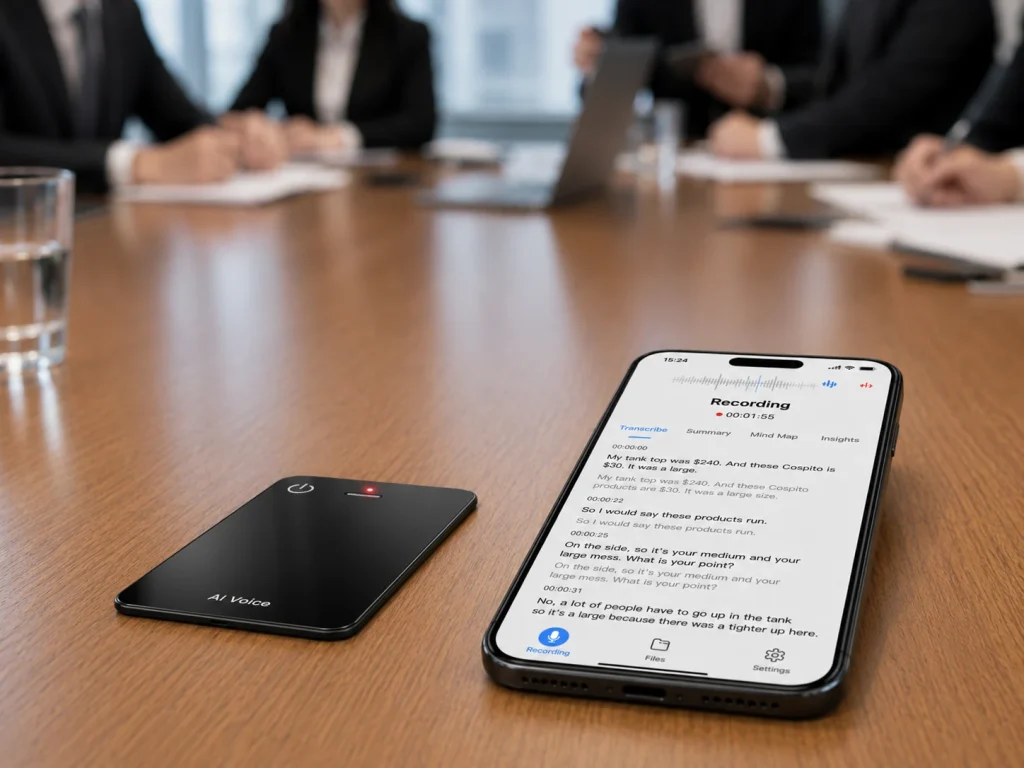
A smart voice recorder is useful when it improves a complete job: capture clear source audio, move the file through a known path, turn speech into usable information, and let a person review and export the result. “Smart” is a category label rather than proof that AI runs inside the recorder. A product may use conventional microphone processing in the hardware and rely on a phone or cloud service for transcription and summaries. Buyers and product managers should therefore replace broad feature language with a capability map that states what happens on the device, what requires a connection, and what remains available if the software or service changes.
What Buyers Should Know
- Define “smart” through observable workflow functions rather than one marketing adjective.
- Separate capture hardware, transfer software, AI processing, and reviewed outputs.
- Treat noise reduction and speech-to-text accuracy as different claims requiring different evidence.
- Name every offline function precisely; local recording does not prove offline transcription.
- Test source-file access, export formats, account ownership, and service limits.
- Keep conditional software capabilities out of packaging until the project scope is documented.
A practical definition of a smart voice recorder
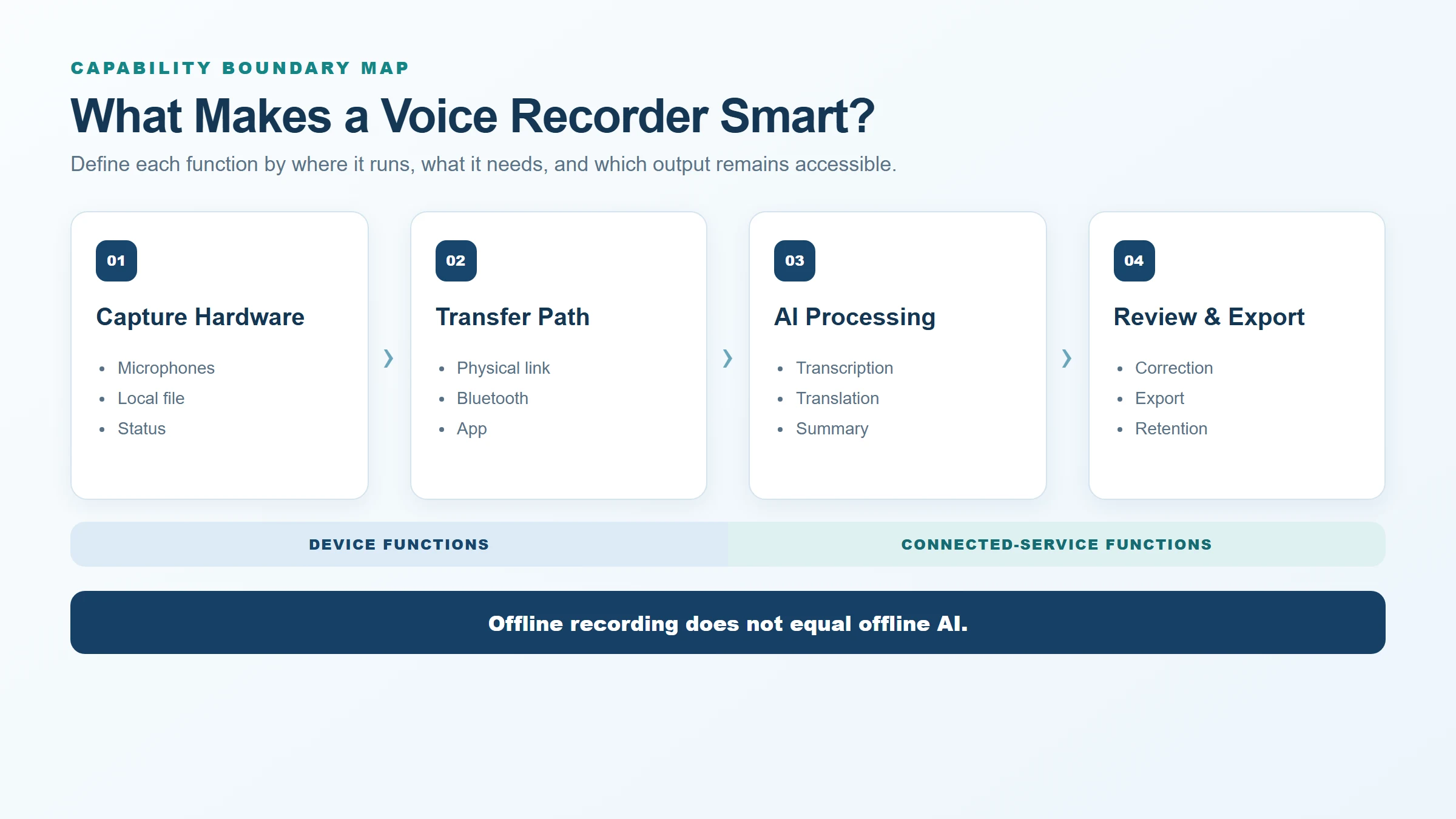
A useful smart recorder combines four capability layers:
- Capture: microphones, recording controls, local storage, file format, status feedback, and recovery from interruptions.
- Transfer: physical or wireless movement of the audio to another device or service.
- Processing: transcription, translation, speaker analysis, summaries, search, or other AI-assisted work.
- Output: human review, correction, export, sharing, retention, and deletion.
The recorder does not need to perform every layer internally. What matters is that the boundary is visible and testable. A traditional recorder may provide excellent capture and direct file access without transcription. A phone app may combine capture and text generation but depend on its operating system, account, and cloud path. A connected recorder may preserve local audio while handing processing to a companion service.
Apple’s current Voice Memos documentation illustrates how a phone workflow can add transcription and, on supported devices, AI-assisted summarization. Sony’s ICD-TX660 help guide illustrates a dedicated recorder with selectable recording modes and computer file transfer. These examples show different architectures; they do not define a universal smart-recorder standard.
Four capability layers buyers can verify
| Layer | Verifiable questions | Evidence to request | Weak claim to avoid |
|---|---|---|---|
| Capture | What is saved locally, in which format, and under which failure conditions? | Original files from repeated test cases | “Studio quality” without a method or threshold |
| Transfer | Which cable, contacts, wireless link, app, and operating systems are required? | Timed transfer and interrupted-transfer recovery | “Seamless sync” without a demonstrated path |
| Processing | Where does each AI function run, and what service or account is required? | Versioned service description and sample outputs | “Offline AI” when only recording is offline |
| Output | Can users correct, export, share, retain, and delete each record type? | Opened exports and account-exit test | “Full ownership” without file and access evidence |
This model also prevents a common product-positioning error: treating every automated function as device intelligence. IBM’s explanation of speech-to-text describes a process that converts spoken language into written text using speech-recognition techniques. That processing can occur in different computing environments. Its existence in a workflow does not reveal whether the recorder itself, a phone, or a remote service performs it.
Buyers can use the broader smart voice recorder hardware capability framework to document the boundary between local capture and connected processing. The same four-layer model can also be included directly in the product requirements document.
Smart functions that create operational value
The most useful features reduce a measurable step, risk, or delay. Their value depends on the buyer’s task.
- Local source recording protects the starting artifact and allows reprocessing when a service or language model changes.
- Clear transfer status tells the user whether a file moved successfully and how to recover after interruption.
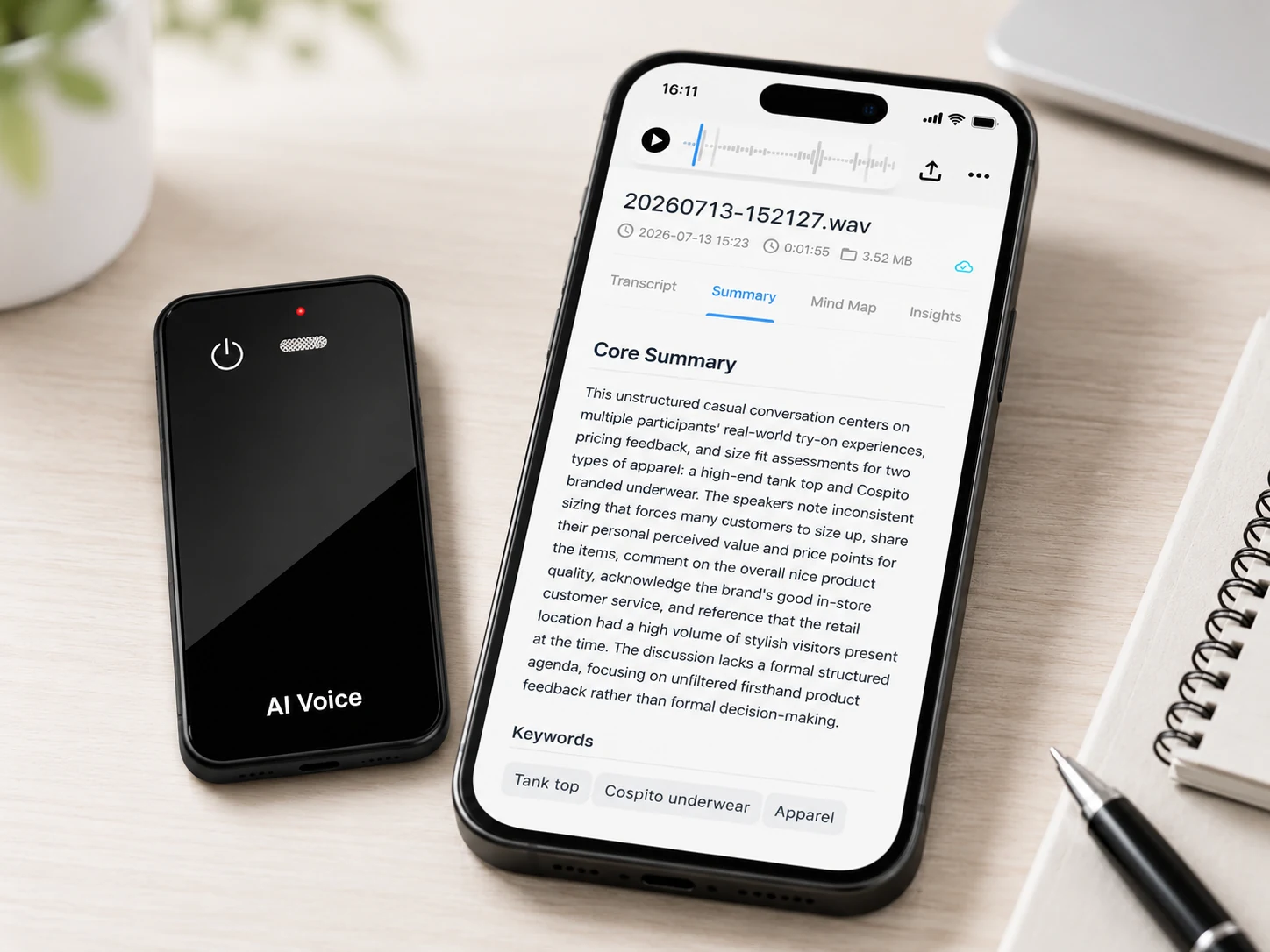
- Searchable transcription can shorten the time needed to locate a passage, provided the transcript is reviewable.
- Speaker and timestamp context can help trace a statement, but only when the selected service supports and exports it.
- Summaries and action items can accelerate follow-up when a reviewer checks them against the meeting record.
- Translation can support multilingual work when the exact language pair, direction, timing, and review process are confirmed.
- Account and export controls let organizations move records out of the vendor environment and manage staff changes.
The value case should use a before-and-after test. Measure the time needed to capture, transfer, locate, correct, approve, and export one representative recording with the existing method and the proposed smart workflow. A feature is useful when it improves that result without creating an unacceptable dependency or data-control gap.
Separate hardware processing from AI processing
Hardware noise reduction and AI transcription solve different problems. Noise reduction acts on the audio signal or recording path. Transcription interprets speech as text. A product can include one without the other, and improving the signal does not establish a particular transcript-accuracy percentage.
Use a claim-evidence matrix:
| Proposed claim | Evidence needed |
|---|---|
| Records offline | Successful local recording with phone and network unavailable |
| Uses hardware noise reduction | Version-matched technical documentation and controlled audio comparison |
| Transcribes speech | Named service, supported workflow, and generated sample |
| Supports multiple languages | Current service language list plus buyer tests for required languages |
| Produces summaries | Sample output plus review of factual errors and omissions |
| Protects stored and transferred data | Documented controls for the exact device, app, and service configuration |
The NIST IoT cybersecurity capabilities catalog separates device functions such as identification, configuration, data protection, interface access, software update, and state awareness. It is not a certification checklist for MG6, but it provides useful categories for asking what the device and manufacturer actually support. Product teams should request evidence before turning any of these categories into a public claim.
Test whether “offline” is meaningful
An offline claim should name the action, input, output, and dependency. For example, “the recorder saves a WAV file locally without a network connection” is testable. “The device works offline” is too broad because it may be interpreted to include transcription, translation, search, summaries, and exports.
Run four short tests:
- Put the phone in airplane mode and disconnect the recorder from all services.
- Start, pause if supported, stop, and save a representative audio file.
- Confirm the file can be identified, played, and transferred through the documented local path.
- Attempt each AI function separately and record which connection, account, plan, and processing time it requires.
The resulting table should become the source for product copy. It can state “offline WAV recording” while describing transcription and other AI outputs as connected functions. The detailed distinction is covered in offline recording versus offline AI transcription.
Evaluate outputs, portability, and lifecycle support
A smart workflow should not end at the first generated transcript. The buyer needs to know whether a reviewer can correct the text, compare it with audio, export the approved version, and retain or delete each copy according to policy.
Service-specific documentation shows why details must be checked. PLAUD’s current export guide lists different formats for audio, transcript, summary, and mind-map content. Notta’s current download guide identifies plan and permission prerequisites and multiple output options. These examples support a general evaluation method; their formats and terms should not be attributed to a different recorder or white-label service.
For every proposed product, document:
- Original-audio format and retrieval method.
- Editable and final transcript formats.
- Treatment of corrections, timestamps, speaker labels, and annotations.
- Account roles for viewing, editing, downloading, sharing, and deleting.
- Behavior after a plan downgrade, cancellation, user departure, or service shutdown.
- Firmware and app update methods, support ownership, and the planned support period.
NIST’s catalog includes manufacturer documentation and software-update support among the capabilities buyers may examine. That reinforces a practical point: a connected recorder remains useful over time only when its hardware, software, service, and support responsibilities are maintained together.
Where This Product Fits
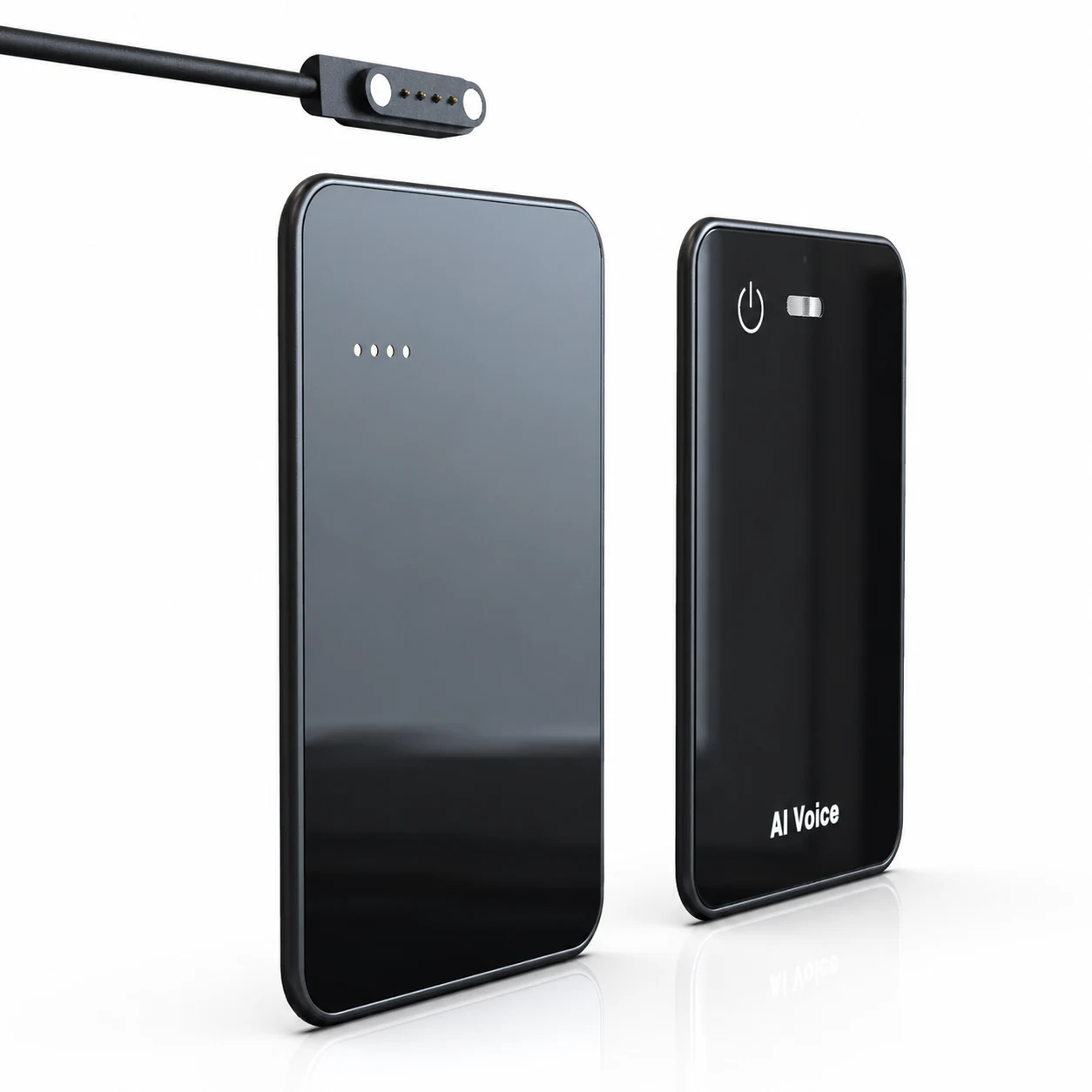
The MG6 AI Recording Card fits the connected smart-recorder model. Its confirmed hardware scope includes two omnidirectional microphones, a hardware noise-reduction algorithm, and offline WAV recording. It supports Bluetooth and magnetic charging/data transfer. Connected services can provide transcription, real-time translation, summaries, and mind maps, subject to the selected project configuration.
| Capability boundary | MG6 reference position | Launch-copy rule |
|---|---|---|
| Device | Microphones, hardware noise-reduction algorithm, and offline WAV capture | Describe as hardware and local recording functions |
| Connection | Bluetooth plus magnetic charging/data transfer | Confirm compatibility and the proposed user flow |
| AI service | Transcription, translation, summaries, and mind maps can be connected | State the selected service scope and avoid implying on-device AI |
This makes MG6 suitable for brands evaluating a slim recorder platform with a clear boundary between local capture and connected AI. It does not establish that transcription runs on the device, that hardware noise reduction is AI-based, or that every service function, language, allowance, and export format is included by default.
Before launch, the brand should confirm:
- Exact hardware and storage configuration.
- Firmware, companion app, supported operating systems, and transfer paths.
- AI provider, processing location, supported languages, and service limits.
- Export, account, retention, deletion, and cancellation behavior.
- Branding, app-store, update, support, and data-handling responsibilities.
- Claim evidence for packaging, listings, sales materials, and customer support.
A scorecard for a useful smart recorder
Use a 0–2 evidence score: 0 for unsupported, 1 for demonstrated with limitations, and 2 for demonstrated under the required condition.
| Area | Weight | Pass evidence |
|---|---|---|
| Capture reliability | 25% | Complete playable files across repeated scenarios |
| Transfer and recovery | 15% | Successful normal and interrupted-transfer tests |
| AI output usefulness | 20% | Reviewed transcript, summary, or translation for representative audio |
| Portability | 15% | Source and approved outputs opened outside the service |
| Data and account controls | 15% | Documented roles, storage, protection, retention, and deletion |
| Lifecycle support | 10% | Named firmware, app, service, update, and support owners |
Store the evidence with the sample version and test date. A smart feature remains a marketing claim until the buyer can reproduce it under the intended workflow.
FAQ
Does smart mean the recorder uses AI?
No. “Smart” has no single technical definition. A recorder may combine local capture, app connectivity, cloud transcription, and generated summaries. Buyers should identify where each function runs and what it requires instead of assuming AI processing occurs inside the device.
Can smart voice recorders work offline?
They may perform specific tasks offline, especially local audio capture. Other functions can require a phone, account, or network. MG6 supports offline WAV recording; its transcription, translation, summaries, and mind maps are connected-service functions whose exact scope depends on the project.
Is hardware noise reduction an AI feature?
Not necessarily. Hardware or algorithmic noise reduction describes treatment of the audio signal and should not automatically be labeled AI. It also does not prove transcription accuracy. MG6 should be described as using a hardware noise-reduction algorithm unless stronger version-matched evidence supports a different claim.
What outputs should a smart recorder provide?
The required outputs depend on the workflow, but buyers commonly need retrievable source audio, a reviewable transcript, and an export suitable for the next business system. Timestamps, speaker labels, summaries, translations, and bulk exports should be confirmed for the selected service.
What should brands confirm before launch?
Confirm the hardware version, storage, file format, transfer methods, app and operating-system support, AI provider, languages, service allowances, exports, data controls, update process, support ownership, and evidence behind every public product claim.
Review the MG6 function scope
Evaluate MG6 with a representative source-audio test, a written connected-service specification, and an export and exit check. Contact Yosiya to confirm the proposed hardware, software, AI service, branding, and support scope for your smart recorder project.


