
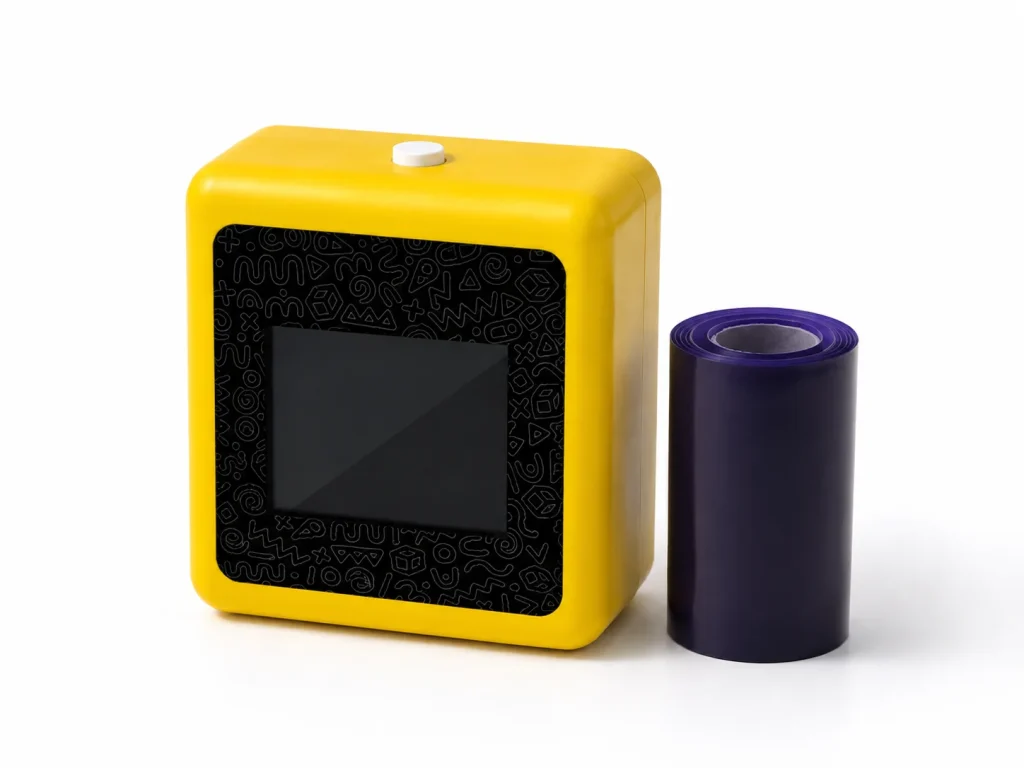
An AI tattoo printer can be evaluated as a hosted creative interaction for a brand activation or pop-up when the goal is participation, not simply product display. In the K1 workflow, a guest or host starts with a text prompt, a connected web experience generates line art, and the selected output is printed through a 57mm thermal system on dedicated transfer paper. That makes the experience most suitable for teams that can define a prompt theme, assign an operator, test the venue connection, and follow the current paper procedure. It is not a claim of fixed guest throughput, unattended use, image-upload capability, or a universal skin, duration, or waterproof result.
What Buyers Should Know
- K1 is most usefully evaluated as a host-guided prompt-to-line-art and transfer workflow, not a standalone event prop.
- The current design flow needs a network connection and does not support image upload.
- A pilot should test the whole guest journey, including prompt review, paper handling, and a named handoff owner.
- Do not convert a sample event into claims about capacity, safety, duration, waterproofing, or commercial outcomes.
Start with the guest action, not the device
The useful question for an activation team is not “Will this draw a crowd?” It is “What should a guest do, receive, and remember?” Strong brand activations invite participation rather than passive viewing, which is why a short, clear interaction usually works better than a device placed on a counter without a host. Events.com’s activation guide makes the same broader point: interactive activities work when they give attendees an understandable way to take part.
For a K1 trial, the guest action can be simple: choose a theme, describe an idea within an approved prompt boundary, review the line-art result with the operator, and receive the printed transfer output through the selected procedure. The brand team controls the theme and operating rules. The host controls the session. The hardware supports the printing step.
Where This Product Fits
| Item | Current evaluation scope |
|---|---|
| Brand | Yosiya |
| Reference platform | K1 AI Tattoo Stencil Printer |
| Category | Connected prompt-to-line-art and 57mm thermal transfer workflow |
| Suitable discussion | Brand activations, pop-ups, creative experiences, and private-label evaluation |
| Design input | Text-prompt AI line art through a network-connected web flow |
| Not confirmed in the current scope | Image upload, permanent tattooing, unattended operation, fixed capacity, or universal material claims |
The K1 product page confirms the connected AI line-art flow, 57mm thermal printing, and dedicated two-layer transfer-paper approach. It also makes an important distinction: paper performance, operating procedure, and skin-contact documentation are project-validation items. That is the right boundary for activation copy as well.

Build a hosted interaction in four stages
An activation is easier to test when each stage has one owner.
- Invite and frame the experience. The host gives guests a short explanation of what the station creates and what it does not do. A limited, event-relevant prompt menu is usually easier to operate than an open-ended request desk.
- Create and review the line art. The guest describes an idea. The operator reviews the generated line art before choosing whether to print it. This review step matters for brand fit and for handling unsuitable or unclear prompts.
- Print and hand off. The team uses the selected dedicated paper and the current loading and transfer instructions. Treat the paper as part of the workflow, not as an interchangeable afterthought.
- Record the learning. Note connection issues, prompt revisions, paper changes, questions from guests, and any steps that slowed the host. Those observations are more useful than a generic claim about event performance.
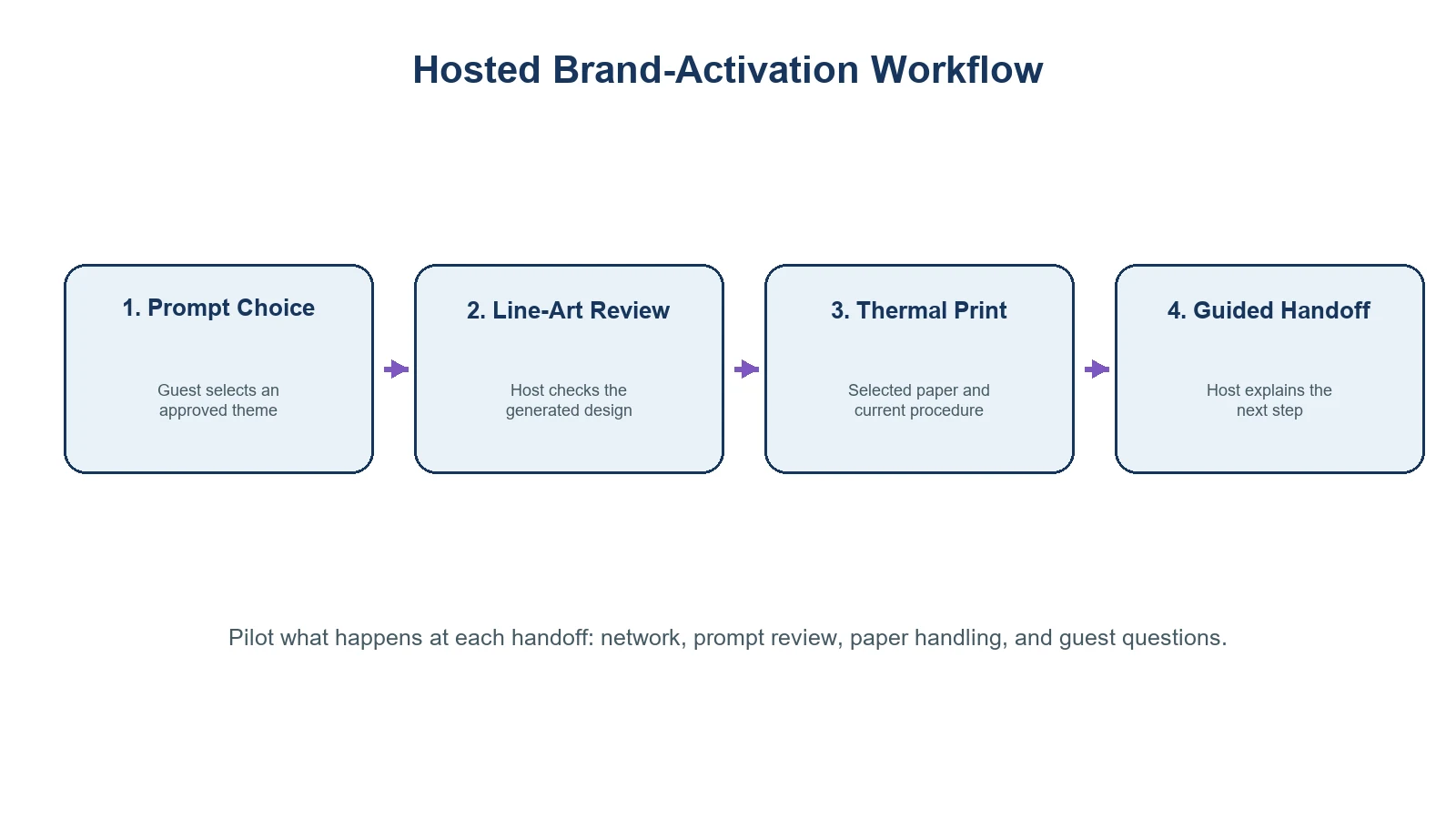
A compact printer does not make an activation self-running. The practical unit to test is the complete guest journey: prompt, review, print, transfer procedure, and host handoff.
Decide what the brand should control
Before a sample event, agree on a few operating decisions that are easy to overlook in a concept deck:
- Prompt boundaries: Which themes, words, logos, or visual references are allowed? Who handles a request that does not fit the brand or venue?
- Network ownership: Who provides and tests the connection at the station location? The current K1 design flow requires a network-enabled web experience.
- Host role: Who greets guests, reviews output, handles paper changes, and explains the current transfer procedure?
- Station layout: Where do guests queue, choose prompts, receive help, and leave the interaction without blocking the rest of the activation?
- Paper plan: Which paper version is used, how is it stored, and where are current instructions kept?
This is where a low hardware price can become misleading. If the host role, network path, paper handling, and client briefing are unclear, the activation may be difficult to repeat even when the product demonstration looks good.
A sample-event checklist
Use a single, defined event format for the first evaluation. A trade-show booth, retail pop-up, or sponsor activation may have different staffing and guest-flow needs, so do not treat a result in one venue as proof for every venue.
| Check before the event | What to record |
|---|---|
| Prompt menu | Approved themes, rejected requests, and revision path |
| Connection | Venue location, responsible contact, and fallback decision |
| Hardware and paper | K1 configuration, selected paper, loading guidance, and settings used |
| Host workflow | Greeting, review, print, transfer handoff, and escalation owner |
| Guest experience | Questions, queue friction, points of confusion, and feedback |
| Evidence boundary | Do not turn a single pilot into claims about safety, duration, capacity, or marketing results |
For broader category clarification, link naturally to AI Tattoo Machine: Not a Robotic Permanent Tattoo Device. For a trade-show-specific planning angle, Trade Show Booth Ideas: An AI Tattoo Engagement Plan can support the discussion. Both should reinforce the same message: evaluate a hosted temporary-transfer workflow, not a needle-based permanent-tattoo device.
When another format may be a better fit
K1 is not automatically the right answer for every activation. Consider a different format when the project requires image upload, a confirmed high-volume operating model, a large-format output, a fully self-service kiosk, or formal claims about material performance. Those are separate requirements and should be confirmed before the brand promises them to a venue or client.
The same caution applies to temporary-transfer language. FDA information distinguishes tattoo-related categories and their risks; it does not provide approval or safety conclusions for a specific printer or paper configuration. FDA’s tattoos and permanent makeup fact sheet is useful background when setting that public-claim boundary.
Event planning guidance also consistently treats venue technology, staffing, and contingency ownership as connected operational choices. Eventbrite’s event-logistics guide and Cvent’s onsite-support guidance are useful planning references; neither establishes a K1-specific performance result.
FAQ
What does an AI tattoo printer do at a brand event?
In the K1 evaluation workflow, a text prompt is turned into AI-generated line art through a connected web experience, then printed as a transfer output on selected dedicated paper. A host should guide the interaction and follow the current paper procedure.
Can a pop-up let guests upload their own images?
Not in the current K1 tattoo workflow. The published scope is text-prompt AI line-art generation; image upload is not included.
Who should operate the station?
Assign a trained host or operator. That person should manage prompts, review outputs, handle the current paper procedure, and explain the experience accurately to guests.
What should a brand test before promoting the activation?
Test the actual venue network, prompt menu, host script, selected paper, station layout, and handoff process. Keep a record of configuration and operational observations.
Can an activation promise wear time or skin safety?
Not without appropriate evidence for the selected paper, procedure, and target market. The current K1 product information does not establish universal safety, waterproof, or duration claims.
Plan the pilot before scaling the concept
An AI tattoo printer can create a participatory brand moment when the experience is designed around a real guest journey and a named host. Review the K1 AI Tattoo Stencil Printer against one defined event brief, then request a sample evaluation that covers the connected flow, selected paper, operating procedure, and documentation needed for the project.


