
Homeschooling parents face a technology dilemma that classroom teachers do not. A school can install a computer lab and call it a day — the screen time is contained in one room, one period. A homeschool parent lives in the same space where the screen lives, and the line between “learning app” and “just watching videos” blurs every afternoon. The question is not whether to use technology. It is whether the technology serves the learning or distracts from it.
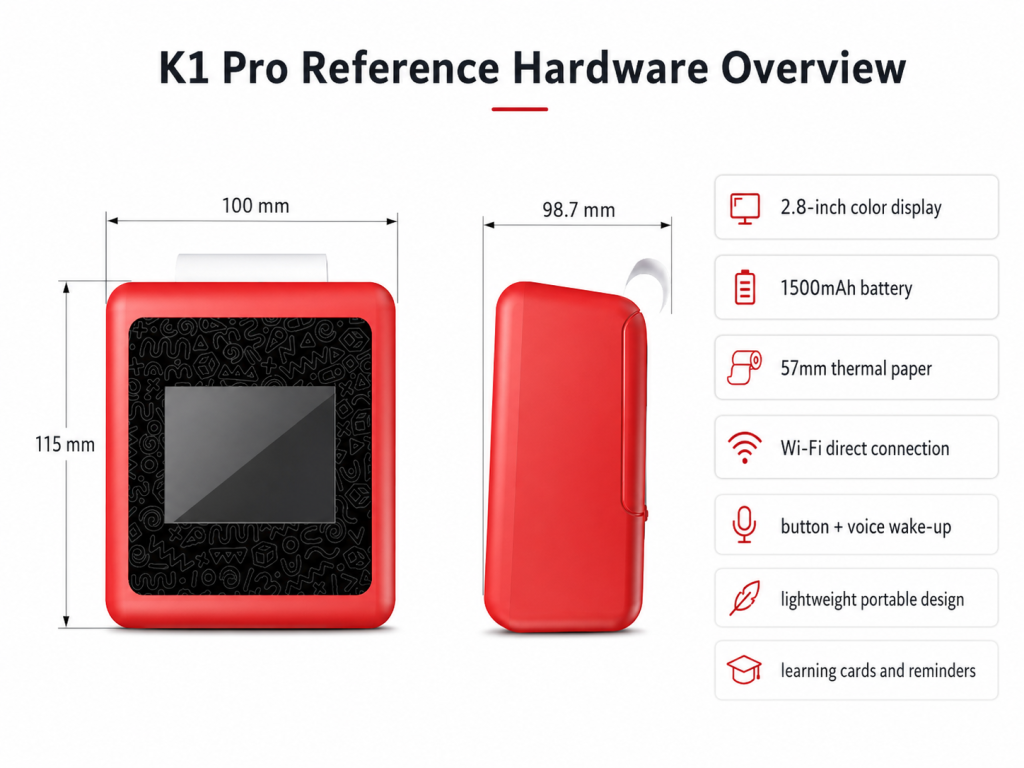
An AI learning device built around voice input and print output — the K1 AI Printer, as one example — addresses this dilemma by making the screen auxiliary rather than central. The child speaks, the AI responds, and when the exchange produces something worth keeping, the device prints it. This article is a practical guide for homeschool parents evaluating whether a screen-light AI device fits their learning environment, and how to use one effectively with children in kindergarten through third grade.
The Homeschool Tech Dilemma
Homeschool parents in the US — a population that has grown substantially since 2020 — consistently cite three technology frustrations:
Screen creep. What starts as “fifteen minutes of reading practice” becomes forty-five minutes because the app uses engagement mechanics designed to keep the child tapping. The app’s business model depends on time spent; the parent’s goal is focused, time-limited learning. These incentives are opposed.
Supervision burden. An iPad requires active monitoring — not because the content is bad, but because a seven-year-old with an internet-connected device is three taps away from YouTube regardless of parental controls. A parent who is simultaneously teaching one child and supervising another’s screen activity is doing two jobs at once.
Lack of physical output. Most educational apps produce nothing tangible. The child completes a lesson and the only record is a checkmark on a screen the parent may or may not review later. There is no artifact to put in a portfolio, no card to review at dinner, no drawing to hang on the wall.
A screen-light AI device addresses all three: the interaction is voice-driven, so the child is not staring at a screen; the device is single-purpose, so there is no app-switching; and the output is physical — a printed fact card, a sight-word strip, a drawing prompt — that creates a tangible record of the day’s learning.
What Makes Something an AI “Learning Device”
The term is applied loosely. For homeschool purposes, a useful definition has four components:
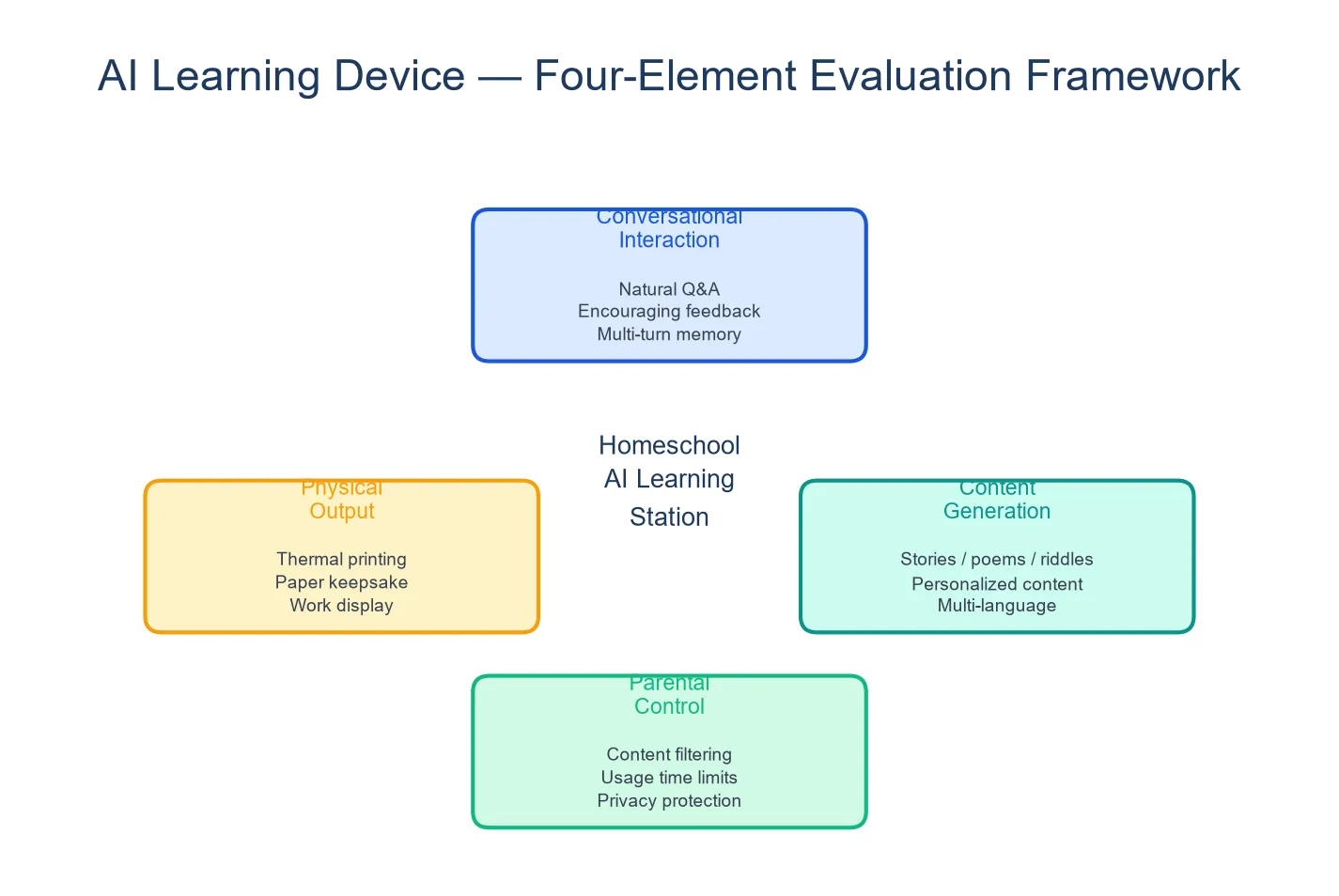
1. The interaction is conversational, not instructional. An AI learning device does not lecture. It responds. The child asks a question, the device answers, the child asks a follow-up, the loop continues. This Socratic rhythm — question, response, follow-up — mirrors how curious children naturally learn and is well-suited to a homeschool environment where the parent is the primary teacher and the device is a supplementary tool.
2. The output is physical and archivable. Print capability turns a conversation into a portfolio item. A child asks about the solar system, the AI explains, and the device prints a fact card with the planet names and a simple diagram. The card goes into a science notebook. Over a semester, the notebook fills with artifacts of the child’s curiosity — a record that a screen-based app cannot produce.
3. The content scope is configurable. A parent should be able to adjust what the AI talks about. During a unit on animals, the AI can be configured to emphasize biology topics. During a reading push, the AI can focus on phonics and vocabulary. This configurability — limited on fixed-content devices — is what makes an AI learning device a tool rather than a curriculum.
4. The device does not require the parent to operate it. The best homeschool tool is the one the child can use independently while the parent works with a sibling. A voice-driven device that a five-year-old can talk to without reading or typing meets this criterion. A tablet app that requires constant “Mom, what does this button do?” does not.
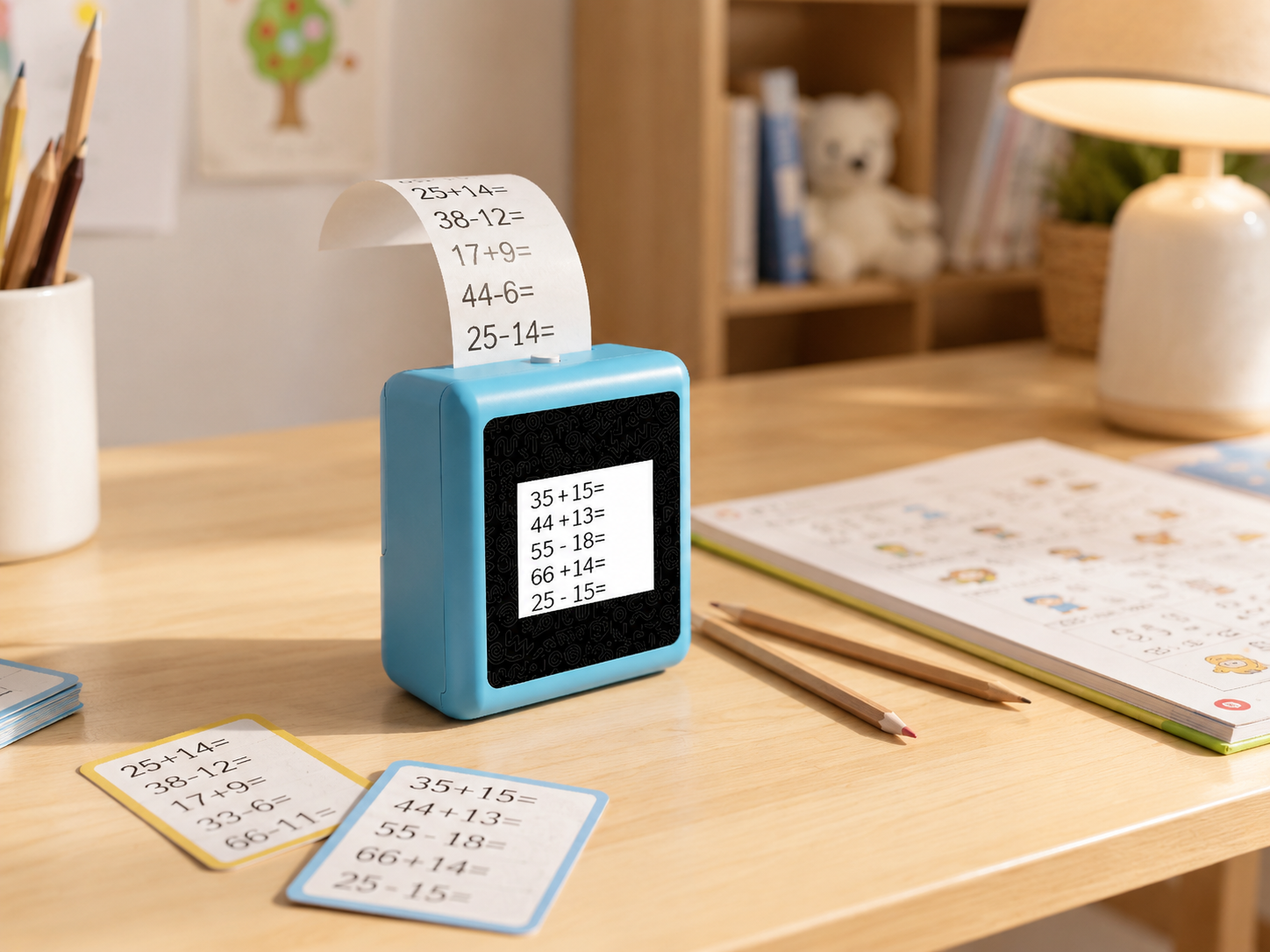
The K1 AI Printer, as a reference platform, supports these four components: voice-driven conversation, 57mm thermal print output, configurable AI content scope, and independent child operation. The specific learning content available — literacy support, science topics, creative prompts — depends on the confirmed project version and should be verified with the manufacturer.
Setting Up the Learning Station
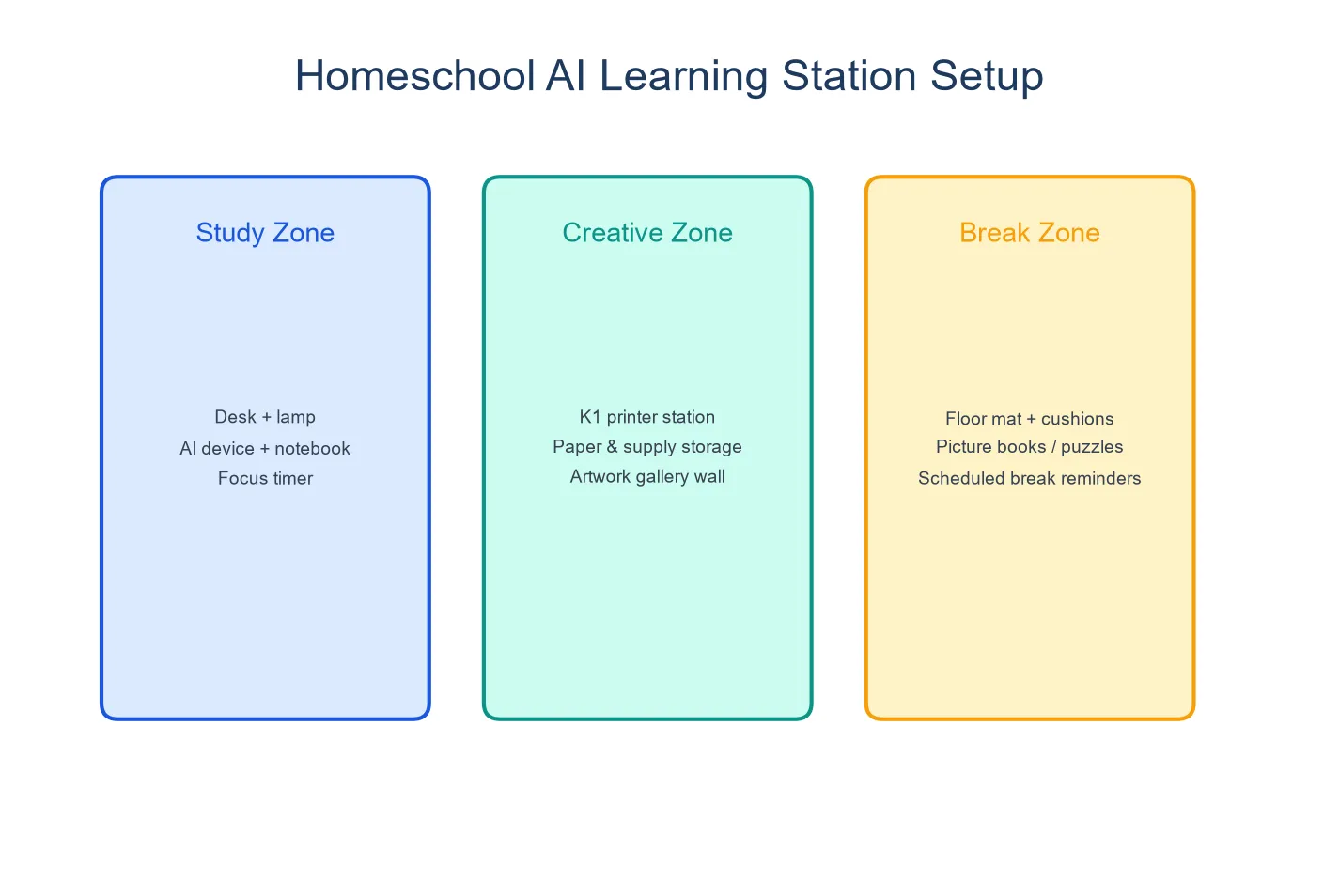
A screen-light AI device works best as part of a defined physical space. The setup matters because it signals to the child that this is learning time, not random playtime.
The station: A small desk or table section with the device, a container of thermal paper rolls, colored pencils or crayons, a glue stick, and a notebook or binder for collecting printed cards and drawings. Everything the child needs is within arm’s reach. The device stays on the desk — it does not migrate to the couch.
The routine: Use the device at the same point in the daily schedule. For many homeschool families, it fits best as a bridge activity — after the parent-led lesson and before independent practice. “Ask the AI three questions about what we just learned, and print one thing for your notebook.”
The notebook: A simple three-ring binder with tabbed sections — Science, Reading, Writing, Art. Every printed card, fact sheet, or drawing goes into its section with the date. At the end of the month, the child and parent review the notebook together. This transforms the device from a toy into a documented learning tool.
Activity Ideas by Subject and Grade
Literacy (K–2)
Sight word cards. The child says “print a card with the word ‘because’ and a picture.” The AI generates and prints a card with the word and a simple illustration. Over a semester, the child builds a deck of 50–100 sight word cards, with each card tied to a moment of personal interaction rather than a store-bought flashcard set.
Story starters. The AI generates the opening of a story — “There was once a mouse who lived in a library and read books at night when everyone went home” — and prints it. The child writes the next paragraph by hand. This bridges spoken language (which the AI handles), written language (which the child practices), and creativity (which both share).
Science (K–3)
Question-and-answer cards. During a unit, the child asks the AI specific questions — “Why do leaves change color?” “How do fish breathe underwater?” — and prints the answers as fact cards. The cards go into the science section of the binder, organized by topic.
Diagram generation. The child describes a simple diagram — “draw the water cycle with labels” — and the AI generates a learning poster. The child colors and labels it. The learning is multi-modal: the child spoke the request, saw the result, and completed it by hand.
Creative Writing (1–3)
Character creation. The child describes a character — name, appearance, personality, special ability — and the AI generates a printed character card. Over a week, the child creates three characters and writes a story in which they interact. The printed cards sit on the desk as visual prompts.
Setting exploration. The child describes a place — “a castle made of candy on a cloud” — and receives a printed illustration. The setting becomes the anchor for a descriptive writing exercise.
Comparison With Other Homeschool Tools
| K1 AI Printer | Miko Mini | LeapFrog LeapPad | Osmo | |
|---|---|---|---|---|
| Interaction | Voice conversation + print | Voice conversation | Touch + pre-loaded content | Physical objects + iPad app |
| Screen role | Auxiliary (preview) | Central | Central | iPad required |
| Physical output | Printed cards, drawings | None | None | Tangible pieces + screen feedback |
| Content scope | Configurable AI | STEAM dialogue, subscription-gated | Fixed, grade-locked | App-based, per-game purchase |
| Best for | Portfolio-building, cross-subject | Conversational STEAM | Structured skill practice | Math + spatial reasoning |
| Price (est.) | Hardware TBD | $89–129 + $8.25/mo | $40–60 per device | $79–99 + iPad |
The tools are complementary rather than competitive. A homeschool setup might use Osmo for structured math practice in the morning, the K1 for cross-subject exploration and portfolio-building in the afternoon, and read-alouds with the parent in the evening. The screen-light device fills the gap between “parent-led instruction” and “independent worksheet practice” — a space where the child drives the learning but the AI provides structure and produces tangible evidence of progress.
FAQ
1. Can an AI device replace a curriculum?
No — and it should not be positioned that way. An AI learning device is a supplement that extends and documents a child’s curiosity. It does not provide a scope and sequence, standardized assessments, or a structured progression of skills. It works best alongside a curriculum the parent has chosen, not as a replacement for one.
2. Will my child actually learn, or just play?
The distinction between learning and play is often less clear than adults think — especially for young children. A child asking the AI “what do bees do all day” is playing, but they are also learning biology, vocabulary, and question formation. The printed output — a fact card about bees that goes into the science notebook — makes the learning explicit and reviewable.
3. How do I track progress?
The binder system described above is the simplest method. Each printed item is dated and filed by subject. Review the binder weekly with the child — not to grade, but to reflect. “What was your favorite thing you learned this week? What do you want to learn about next week?” This builds metacognition in a way that automated progress dashboards do not.
4. What if the AI gives a wrong or inappropriate answer?
AI systems can produce inaccurate or unexpected responses. For this reason, the device should be used as a supplementary tool, not an authoritative source. The K1 platform includes configurable content boundaries. Parents should supervise initial use, review printed output regularly, and discuss with the child that AI can make mistakes — which is itself a valuable lesson in information literacy.
5. Does the device support multiple children with different levels?
The K1 does not maintain separate user profiles, but children at different levels who speak to the device will naturally receive different responses because their questions differ. A kindergartner asking “what sound does B make” and a third grader asking “why does the moon have phases” will get age-appropriate responses because their queries set the complexity level.
A Tool, Not a Teacher
An AI learning device earns its place in a homeschool environment when it does things a parent cannot easily do: respond to spontaneous curiosity with accurate, age-calibrated explanations; generate physical learning artifacts on demand; and provide an independent activity that produces something tangible while the parent works with another child. It does not replace a curriculum, a read-aloud, or a hands-on science experiment. It extends them — one printed card at a time.


