

The holiday toy landscape shifts every year, but 2026 marks a genuine inflection point: for the first time, AI-powered toys occupy shelf space across every major retailer, not just tech-forward boutiques. The challenge for gift-givers is that “AI toy” describes a wider range of products than “board game” or “building kit” ever did — and the gap between the best and the most-hyped is larger than in any previous toy category. This guide sorts through the noise.
Why AI Toys Are Topping Gift Lists in 2026
Three trends converge to make AI toys the standout gift category this holiday season:
The screen-time backlash has mainstreamed. Parents who spent 2023–2025 managing iPad negotiations are actively looking for tech gifts that do not involve staring at a display. Voice-driven AI toys — where the child speaks and the toy responds, with a screen playing an auxiliary role or none at all — answer this demand directly.
Generative AI has moved from “impressive demo” to “shippable product.” The AI image generation and conversation quality that required a powerful computer two years ago now runs on cloud servers serving compact, child-friendly hardware. The technology is invisible to the child — they speak, it works — but the leap in output quality from 2024 to 2026 is substantial.
The “unboxing moment” has become competitive. A gift that does something surprising right out of the box — generates a custom image from the child’s first words, prints a personalized welcome card — creates the kind of Christmas-morning reaction that gets shared. AI toys deliver this more reliably than traditional toys.
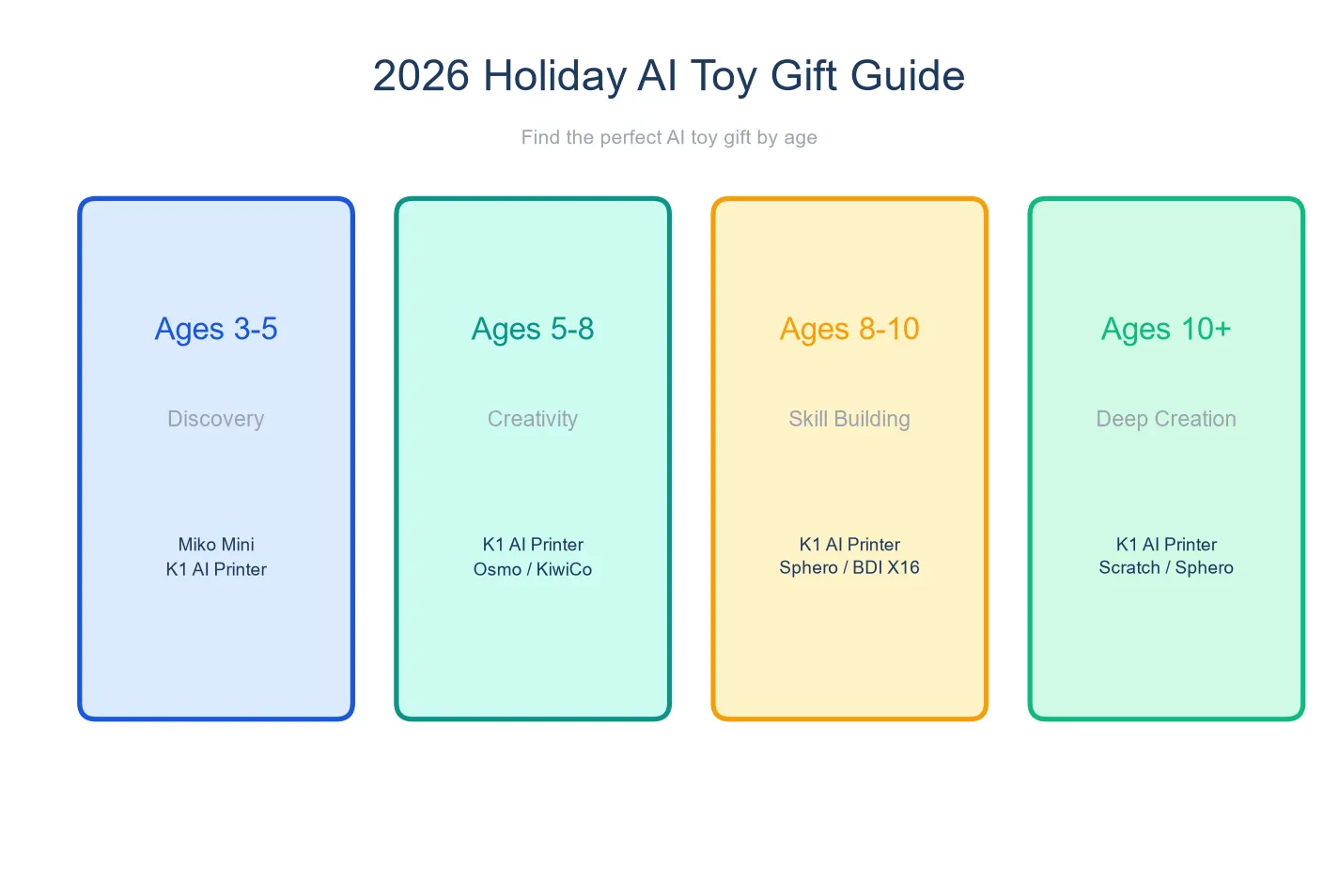
Gift Picks by Age
Ages 3-5: Simple, Visual, Instant
Stickerbox ($99–129) — Best for the youngest gift recipients. A child says “a princess riding a dinosaur” and receives a sticker sheet. No screen, no reading, no complexity. The privacy credentials (COPPA + Kids Safe Seal) make this a strong choice for gift-givers who prioritize safety. Requires a wall outlet.
Yoto Player (~$100) — Not AI, but screen-free and gift-worthy. Physical cards trigger stories, music, and podcasts. A three-year-old can operate it independently. The starter pack includes enough content for the first few weeks; additional cards ($8–15 each) make good stocking stuffers.
Ages 5-8: Conversation and Creation
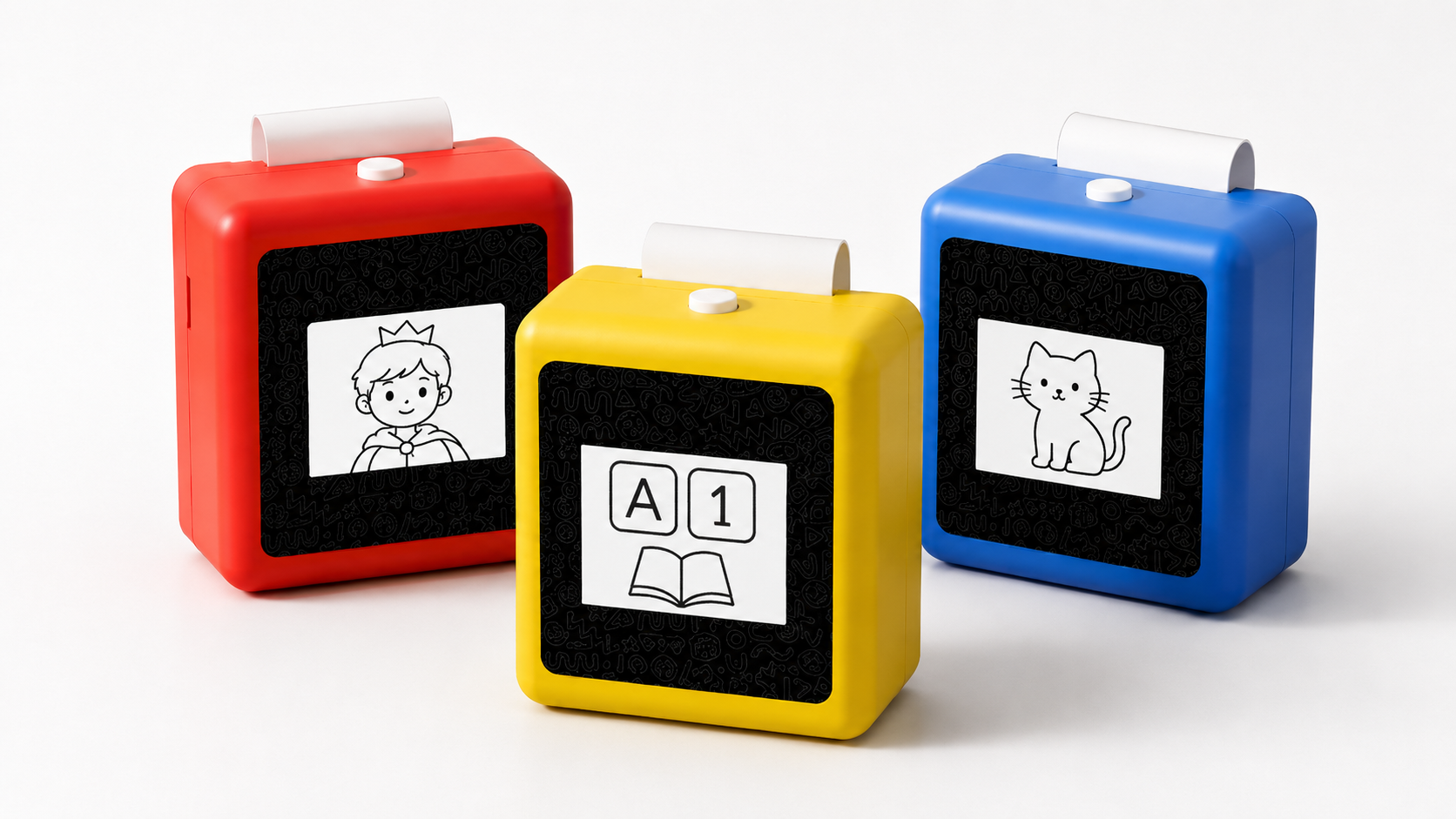
K1 AI Printer (price TBD) — The most versatile AI toy gift for this age range. A child unwraps it, speaks to it, and within minutes has a printed drawing to color. The combination of AI conversation and thermal printing is unique in the category — no other device at any price produces both conversation and physical output in a single, portable package. Four color options (China Red, Sky Blue, Yellow, Pink) allow gift-givers to match the child’s preference. No subscription required. The device ships with a Type-C cable, manual, and two rolls of standard thermal paper — everything needed for the first few weeks of use.
Miko Mini ($89–129 + $8.25/month subscription) — Best for a child who is primarily a talker. COPPA-certified with strong STEAM conversation. The subscription is worth budgeting for — gift-givers could prepay a year of subscription as part of the gift to avoid the recipient’s parents getting an unexpected recurring charge.
BDI X16 ($129) — Best for a child who loves visual art and does not need conversation. Voice-to-image-to-print in seconds. Portable with a 1,300mAh battery. The image output is small but fast — satisfying for a child who wants to print ten different things in a row.
Ages 8-10: Creative Tools
K1 AI Printer (price TBD) — At this age, the K1 functions as a creative studio. The child uses it for comic book pages, science journal entries, custom card game design, and creative writing prompts. The accumulated print output becomes a portfolio. For a creative eight-to-ten-year-old who already draws, writes, or invents, the K1 amplifies existing habits rather than trying to create new ones.
3D Printing Pen ($30–50 + filament) — A tactile creative tool that turns drawings into plastic sculptures. The novelty factor is high on Christmas morning. Ongoing filament cost should be factored in.
LEGO Spike Essential ($275–330) — A coding and robotics kit for the logic-minded child. Substantially more expensive than other options, but the learning depth and project scope justify the price for a child who has already expressed interest in programming or engineering.
By Budget
| Budget | Best Option | Why |
|---|---|---|
| Under $100 | Stickerbox or Yoto Player starter | Simple, gift-ready, no ongoing costs |
| $100–150 | BDI X16 or Miko Mini (base) | AI capability at entry price; factor in Miko subscription |
| $150+ | K1 AI Printer or LEGO Spike | Most capability, longest useful life |
What to Look for in an AI Toy Gift
If you are a grandparent, aunt, uncle, or family friend buying for a child whose specific interests you do not know in detail, use this checklist:
Does it work out of the box? An AI toy that requires a parent to spend thirty minutes on account creation, app download, and Wi-Fi configuration before the child can use it creates a frustrating Christmas morning. The best AI toy gifts minimize setup time. The K1, BDI X16, and Stickerbox are among the faster setups in this category.
Does it need a subscription? Gift responsibly — do not give a child a toy that will cost their parents $8.25/month. If you choose Miko Mini, include a prepaid subscription card or at minimum warn the parents.
Is the output physical? A toy that produces something the child can hold — a printed image, a sticker, a built model — makes a better gift than one where everything happens on a screen. The physical output also means the gift has visible evidence of use when the gift-giver visits again.
Does it need consumables? Thermal printers need paper. 3D pens need filament. Include extra consumables with the gift so the child does not run out on December 26th. For the K1, a multi-pack of thermal paper rolls and a pack of adhesive sticker paper extends the initial gift.
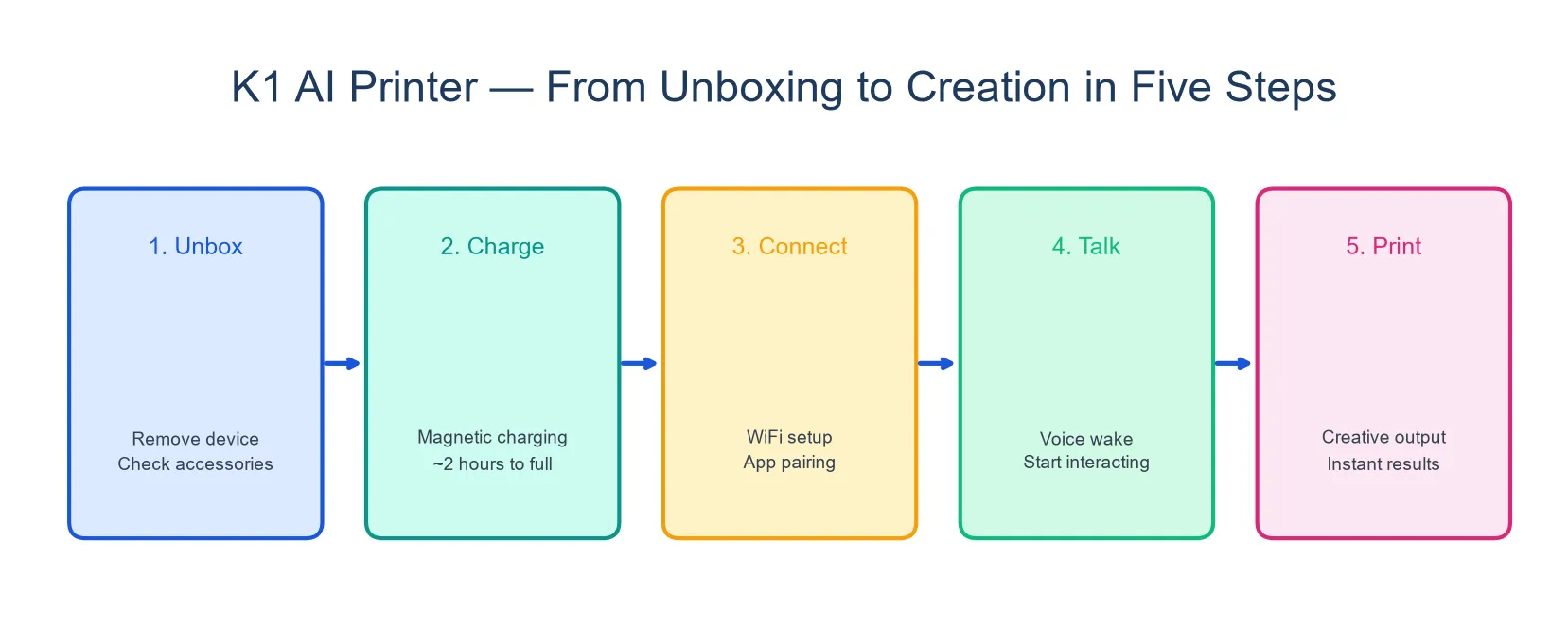
K1 Unboxing Walkthrough
What the gift recipient actually experiences:
- The box contains the K1 device (98 × 57 × 117mm, 225g, in the chosen color), a Type-C USB cable, a user manual, and two rolls of standard thermal paper.
- A parent connects the device to Wi-Fi — this is the only setup step.
- The child presses the power button, speaks to the device, and sees their first AI response on the 2.8-inch screen.
- Within a minute, the child can ask the AI to “draw a Christmas tree with a star on top” and receive a printed image to color.
- The printed artwork becomes the first entry in what can become a growing collection.
The first-use experience is designed to be gift-morning ready: minimal setup, immediate creative output, and a result the child can show to everyone in the room.
Tips for Grandparents and Relatives
- Ask the parents first. An AI toy requires Wi-Fi and may require a companion app or account. Confirm the household setup before buying.
- Buy consumables. Whatever device you choose, add extra supplies — paper rolls, sticker paper, filament, figurines — so the gift keeps working through the holiday break.
- Choose a color. The K1 comes in four colors. Ask the parents — or the child’s favorite color — to pick the right one. A pink device for a child who loves blue is a fixable but avoidable disappointment.
- Include a “first project” card. Write a simple prompt on a card inside the box: “Ask me to draw a snowman wearing sunglasses.” This gives the child an immediate, successful first interaction and reduces the “what do I do?” moment.
FAQ
1. Which AI toy will still be used by February?
The devices with dynamic, generated content — anything that creates new output each time the child uses it, rather than playing pre-loaded content — have the longest staying power. The K1, Miko Mini, and BDI X16 all generate output dynamically. Fixed-content devices like a Toniebox depend on purchasing additional content over time.
2. Can I buy an AI toy if I do not know the child’s exact age?
Use the broad age bands in this guide. If the child is “around five or six,” the 5-8 picks are appropriate. If unsure, choose a device with configurable content scope — the K1’s AI adjusts to the child’s language level, making it more forgiving of imprecise age targeting than a fixed-grade product.
3. What if the parents are not tech-savvy?
Choose the simplest device. Stickerbox has no screen, no app, and no configuration — just Wi-Fi. The K1 requires Wi-Fi setup but no ongoing account management. Avoid devices with complex companion apps or subscription management.
4. Are these toys returnable if the child does not like them?
Standard retailer return policies apply. Check the specific policy before purchasing. AI toys that require account creation may have restocking considerations — ask the retailer.
The Gift That Keeps Creating
The best AI toy gift is not the one with the most features. It is the one the child reaches for on December 28th, and January 15th, and a random Tuesday in March because they have an idea they want to make real. A toy that talks back is novel for a week. A toy that makes things is used for months. Choose for creation over conversation, and for output over input. The holiday morning reaction will take care of itself.

