
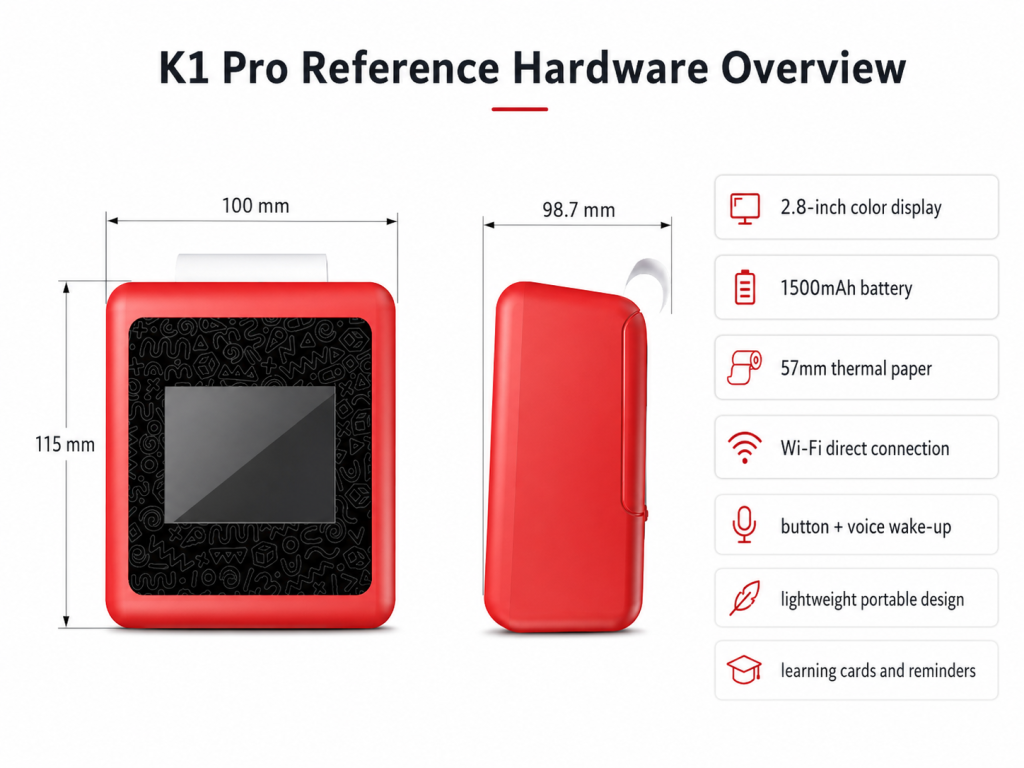
An eight-year-old does not want a toy. They want a tool. The distinction is not semantic — it is the difference between something they outgrow in three weeks and something they use for two years. By third grade, children have developed distinct interests, strong opinions about what is “babyish,” and the cognitive capacity to use technology for genuine creative output rather than passive consumption. The challenge for parents is that the toy aisle still treats eight-to-ten-year-olds as an older version of a five-year-old, offering the same categories in slightly more complex packaging.
This guide focuses on AI-powered creative tools — devices that an eight-to-ten-year-old can use to make things, not just play with things — and how they compare to the building kits and coding toys that currently dominate the “gifts for 8-year-olds” search results.
What Changes at Age 8
The developmental shift around third grade is more dramatic than most toy marketing acknowledges.
Creative ambition exceeds manual skill. An eight-year-old can imagine a dragon with specific wing patterns, scale colors, and fire effects. They cannot draw it. This gap between imagination and execution is a major source of frustration — and the reason sticker books and coloring books lose their appeal around this age. Tools that bridge the gap (AI image generation, guided drawing, print-and-complete workflows) address a real need.
Peer comparison becomes active. An eight-year-old knows what their friends have. They know what is considered “for babies.” A toy that a five-year-old finds magical — a talking robot that says “good job” — an eight-year-old finds condescending. The device needs to feel like a creative instrument, not a cheerleader.
Sustained projects replace one-off activities. An eight-year-old can work on a project across multiple sessions — a comic book, a science journal, a collection of character cards for an invented game. Devices that support project-based work (saving progress, generating related outputs, building a body of work over time) have a longer useful life than devices designed for single-session play.
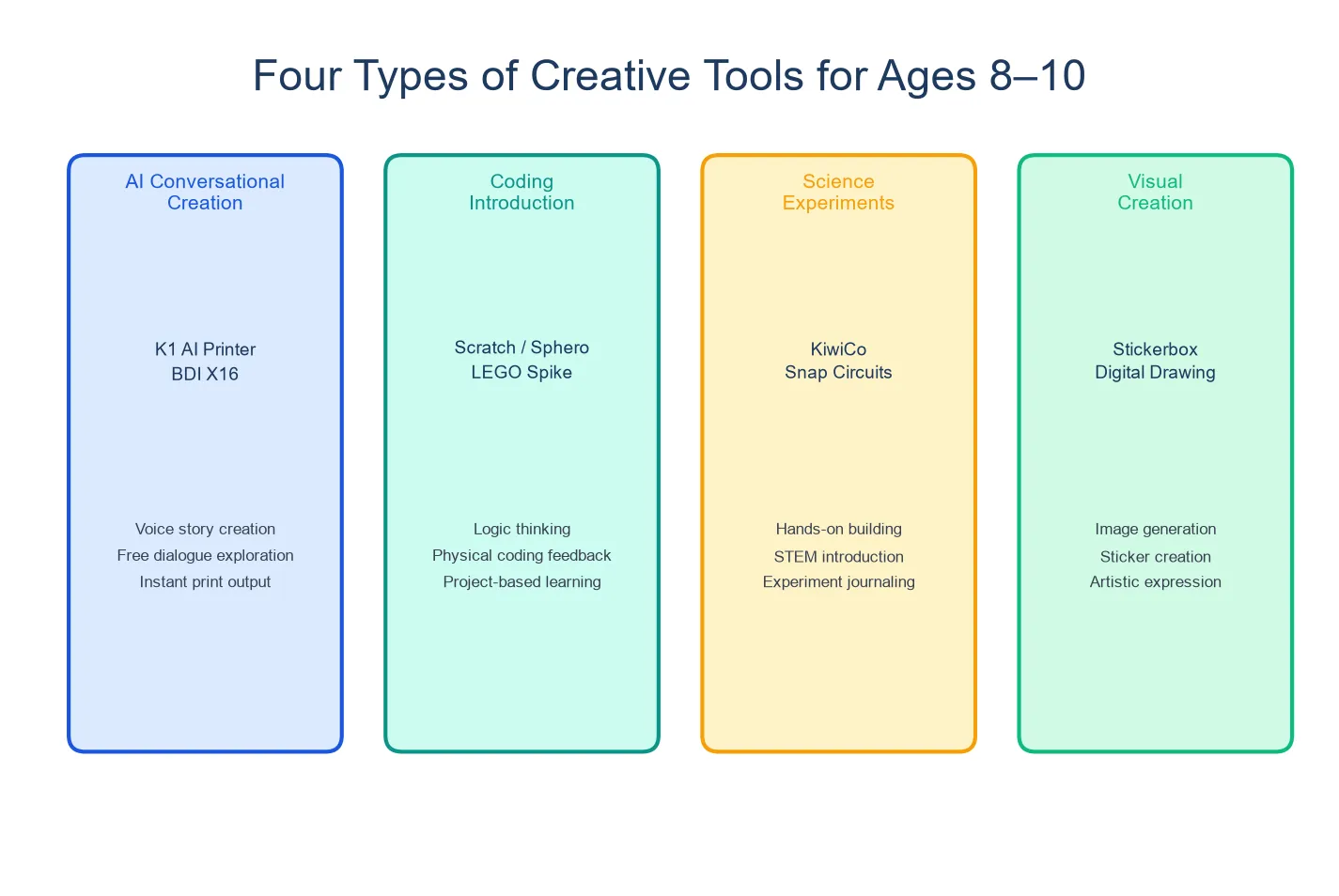
Four Types of Creative Tools for 8-10 Year Olds
AI Print-Creation Tools: K1 AI Printer
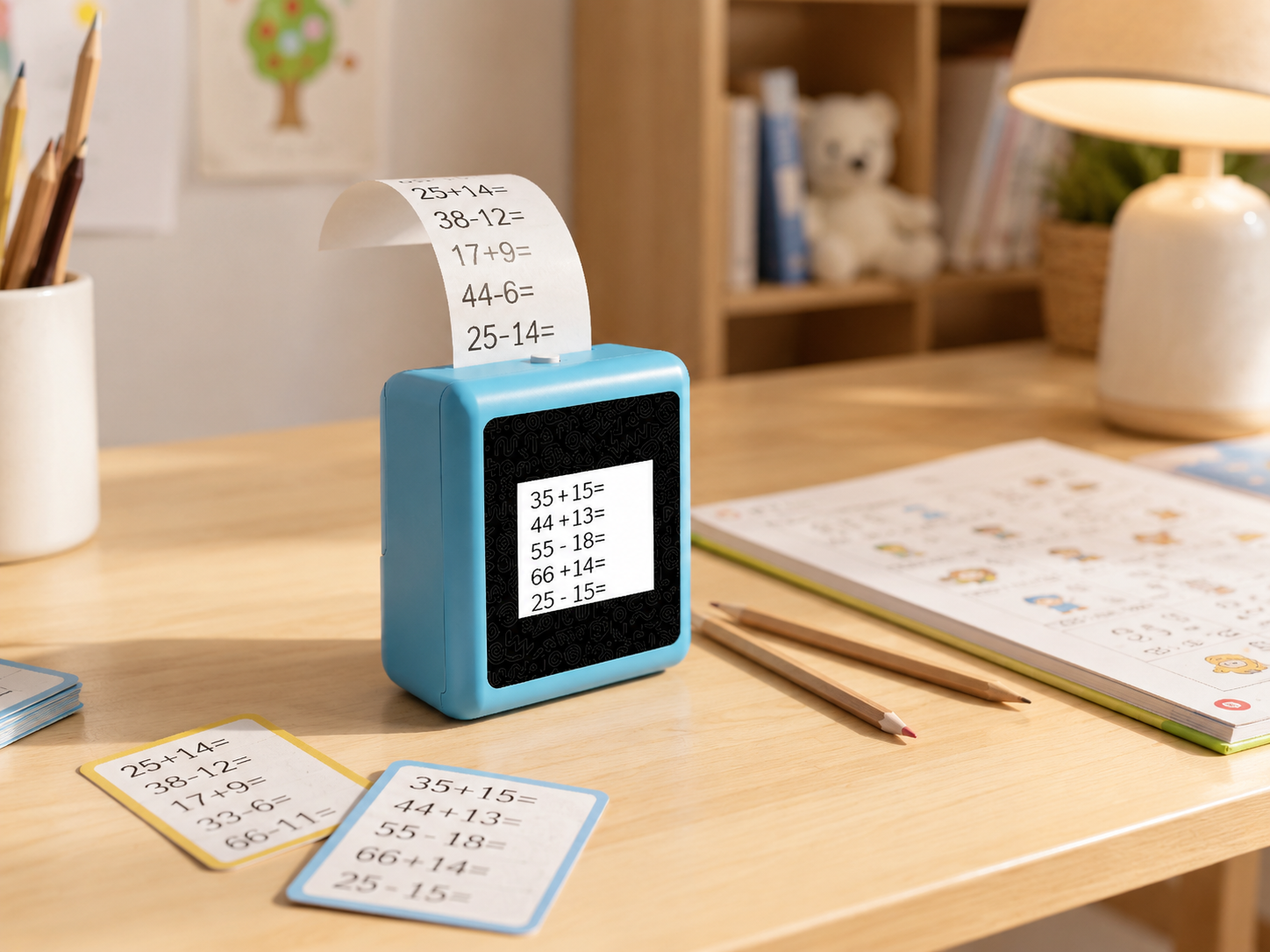
The K1 AI Printer combines voice-driven AI dialogue with 57mm thermal printing. For an eight-to-ten-year-old, its value is not in the conversation itself — it is in what the conversation produces.
Project ideas for this age:
- Graphic novel pages. Over a week, the child creates a series of printed images — characters, settings, key scenes — and assembles them into a comic book with hand-lettered dialogue. The AI generates the visuals; the child writes the story.
- Science journal. During a unit on space or animals, the child asks the AI factual questions and prints illustrated fact cards. The cards accumulate into a personal reference book organized by topic.
- Game design. The child invents a card game — characters with stats, items with effects — and uses the device to print the cards. The rules are handwritten. The game is playable.
- Creative writing prompts. The AI generates a story opening, prints it, and the child continues in a notebook. Over a month, ten prompts become ten stories.
What works for ages 8-10: The K1 supports project-based use — the output accumulates rather than being one-and-done. The AI dialogue can engage at a higher complexity level than for younger children, discussing topics like “how do volcanoes form” or “write a story prompt about time travel.” The print output gives older children something to curate, organize, and show — important at an age where “look what I made” carries social weight.
What may not satisfy: The K1 is a focused creative tool, not a general-purpose device. An eight-year-old expecting a tablet experience — apps, games, browsing — will find the K1 limited. The device is designed for conversation and creation, not entertainment. The thermal print format (monochrome, 57mm wide) imposes creative constraints that some children may find frustrating — though others will treat the constraints as a creative challenge. The device’s complexity expectations for this age range should be managed: the K1 is a supplementary creative tool, not a replacement for a computer, tablet, or art supplies.
Coding and Electronics Kits
Products like LEGO Spike, Makey Makey, and Arduino starter kits teach programming and electronics through physical projects. They are excellent for the logic-and-systems thinker.
Pros: Deep learning, real programming skills, long project arcs, strong parent-child collaboration potential.
Cons: Steep setup curve, requires a computer, projects can stall if the child hits a bug they cannot debug alone. Best for a child who already shows interest in how things work, not for a child who wants to make art or tell stories.
Digital Art Tablets
Entry-level drawing tablets (Wacom, Huion, XP-Pen) in the $50–100 range connect to a computer and let children draw digitally with pressure sensitivity. They are the modern equivalent of a sketchbook.
Pros: Unlimited undo, layer support, professional-grade tools at entry-level prices, skills transfer to creative careers.
Cons: Requires a computer, involves screen time, has a learning curve for the software. Best for a child who already draws constantly and wants to go digital.
3D Pens
3D pens extrude heated plastic filament, letting children draw in three dimensions. They bridge sculpture and drawing in a way that appeals to tactile creators.
Pros: Unique medium, physical creative output, develops spatial reasoning, the novelty factor is high.
Cons: Filament is a consumable cost, the heated tip is a burn risk requiring supervision, the learning curve for creating recognizable objects is steeper than marketing suggests. Best for a child who loves building and sculpting.
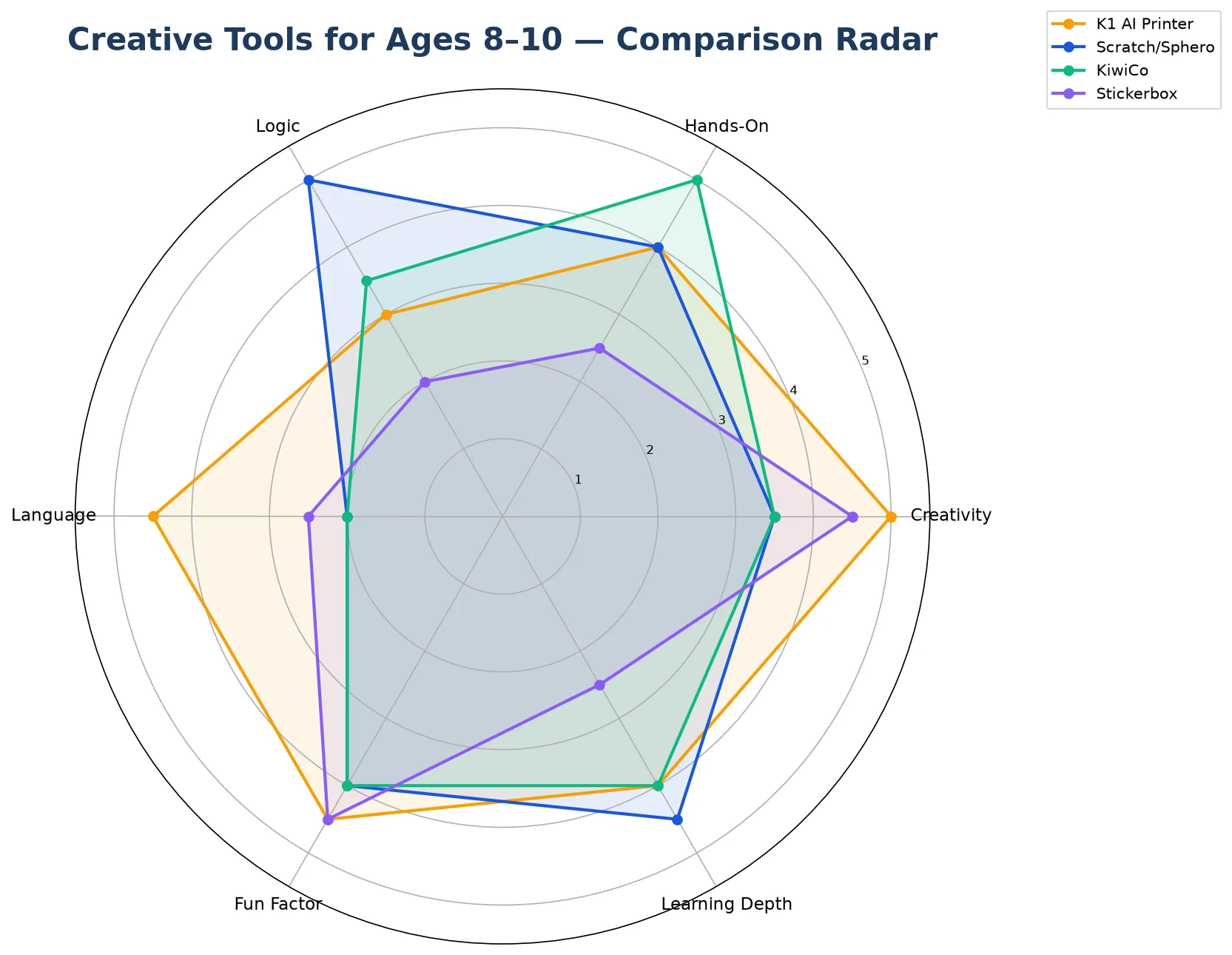
Comparison: Creative Output vs Staying Power
| K1 AI Printer | Coding Kit (LEGO Spike) | Digital Art Tablet | 3D Pen | |
|---|---|---|---|---|
| Learning curve | Minimal — voice input | High — coding + assembly | Medium — software learning | Medium — technique |
| Creative output | Printed images, cards, prompts | Programmed behaviors (on screen) | Digital drawings | Plastic sculptures |
| Project potential | High — accumulative | Very high — progressive | High — infinite canvas | Medium — one object at a time |
| Screen involvement | Auxiliary only | Computer required | Full screen | None |
| Adult supervision | Low (after setup) | Medium–high | Low | High (burn risk) |
| Cost | Hardware TBD | $200–400 + computer | $50–100 + computer | $30–50 + filament |
| Best for | Storytellers, collectors, multi-modal creators | Logic thinkers, future engineers | Dedicated artists | Tactile builders |
What Makes an AI Tool Last From Age 8 to 10+
A tool that survives two years in an eight-year-old’s rotation needs three qualities:
Configurable complexity. A device that lets the child adjust difficulty or content scope grows with them. The K1’s configurable AI — adjustable language complexity, subject focus, and creative mode — means a child using it at eight for story prompts can use the same device at ten for science research and creative writing refinement.
Open-ended output. A product that produces a single type of output (one sticker, one image, one program) has a shorter engagement window than one that supports multiple output types. The K1’s combination of conversation, image generation, and print output — usable for art, learning, storytelling, and game design — spans more creative territory than a single-function device.
Social shareability. At eight to ten, “look what I made” matters — to parents, to friends, to a class show-and-tell. Physical output that can be carried, displayed, and given as gifts has social currency that screen-only creations lack. A printed comic book made with K1 output can be brought to school. A Scratch animation generally cannot.
FAQ
1. Will my 8-year-old think this is a baby toy?
If the device is introduced as “here’s your creative studio — you can make comic books, design card games, and print your own science journal,” an eight-year-old will treat it as a tool. If it is introduced as “here’s a toy that talks to you,” they may dismiss it. Framing matters enormously at this age.
2. How is this different from just using an iPad and a printer?
An iPad is a general-purpose device where the child is three taps from YouTube at all times. The K1 is single-purpose — it does one thing and cannot be diverted. For a parent who wants their child to have a creative device without the constant negotiation of “what are you actually doing on there,” the constraint is the feature.
3. Can an 8-year-old set it up independently?
Wi-Fi setup likely requires a parent. Once connected, an eight-year-old can operate the device independently — voice is the only input, and the screen provides visual confirmation of each step.
4. Does the device have content appropriate for older children?
The AI’s content scope is configurable. An eight-year-old’s device can be set to engage with more complex topics than a five-year-old’s. Parents should confirm the configurable content parameters with the manufacturer for the specific production version.
5. What if my child loses interest after a month?
This is the risk with any creative tool — the child has to want to create. The K1, like a sketchbook or a set of markers, rewards the child who has ideas and wants to realize them. It does not entertain a child who wants to be entertained. For a child who already draws, writes, or invents, it amplifies existing creative habits. For a child who prefers passive consumption, no creative tool — AI-powered or otherwise — will change that pattern on its own.
The Right Expectation
An AI creative tool for an eight-to-ten-year-old is not a replacement for art supplies, building kits, or a library card. It is an addition — something that sits on the desk alongside the sketchbook and the LEGO bin, offering a different kind of creative entry point. The children who get the most out of it are the ones who already have ideas and need a faster bridge from imagination to artifact. For those children, an AI creative tool does not replace anything they already do. It lets them do more of it, faster, and with results they can hold.
Explore the K1 AI Printer as a creative tool for older children


