
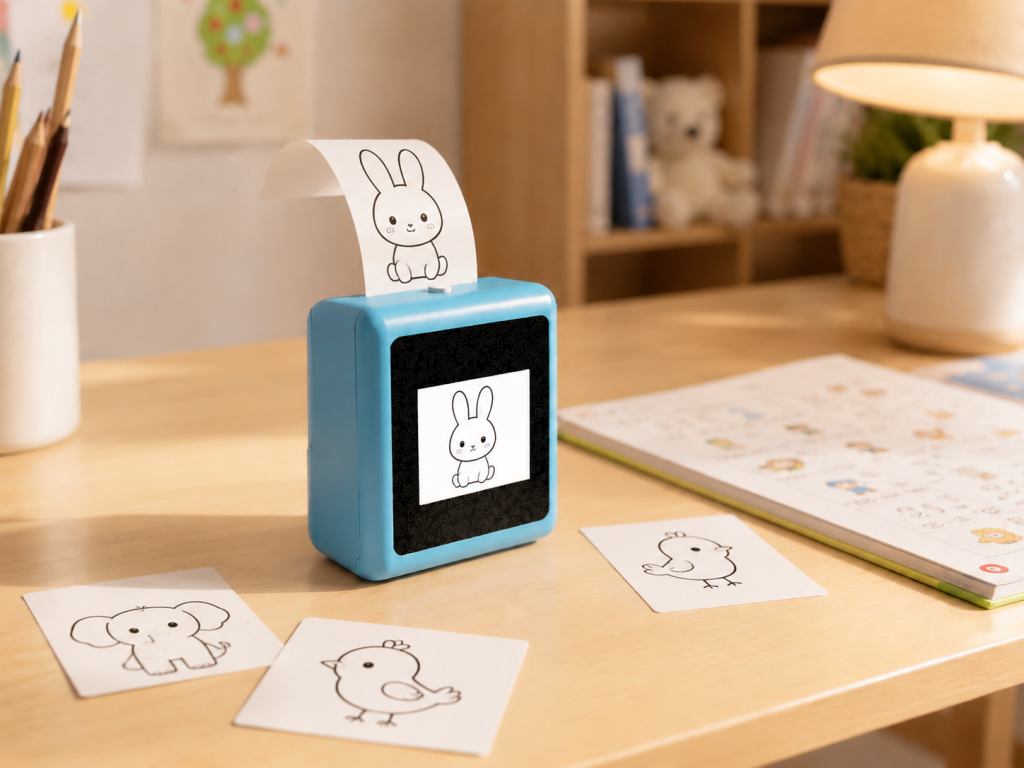
A kids AI printer is not a traditional printer made smaller. It is a different category entirely — a device where the “printing” is the output of an AI interaction, not the main event. A child does not connect it to a computer and hit “print.” They speak to it, and it creates something new. The four devices in this comparison — K1 AI Printer, BDI X16, Stickerbox, and MUNBYN SP01 — all print. What separates them is what happens before the printing starts.
What Makes a Kids Printer “AI”
An AI printer for kids differs from a regular printer in one fundamental way: it generates the content it prints. A traditional printer reproduces an existing file. An AI printer creates something that did not exist before the child spoke.
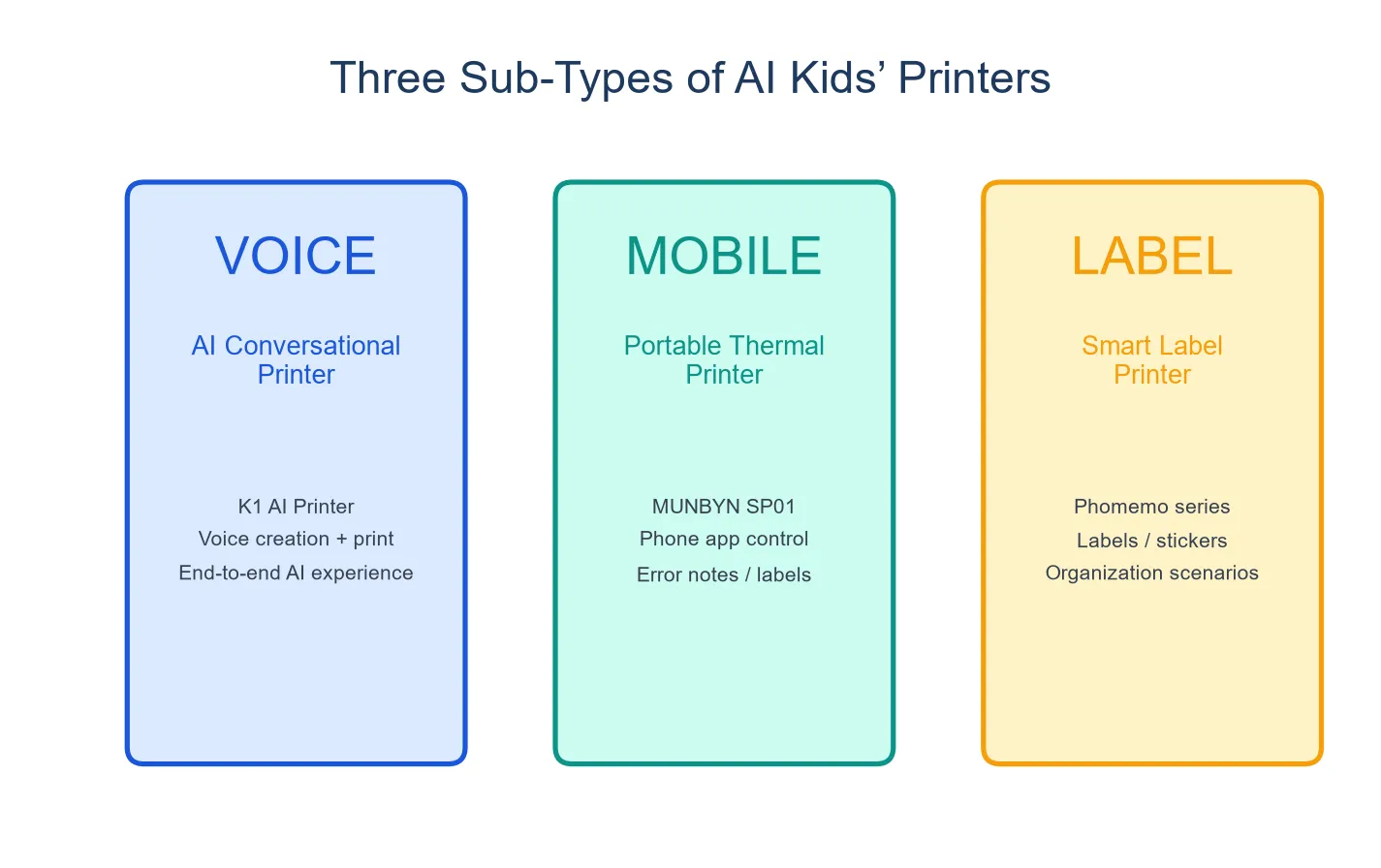
Within the AI printer category, there are two subtypes:
Voice-to-image printers (BDI X16, MUNBYN SP01): The child describes an image, the AI generates it, and the device prints it. There is no conversation — the interaction is single-turn: prompt, generate, print.
Conversation-plus-print devices (K1 AI Printer): The child has a conversation with the AI, and when the exchange produces something worth keeping, the device prints it. The interaction is multi-turn: talk, refine, print. This distinction is what separates a creative tool from a gadget.
Voice-to-pre-designed printers (Stickerbox): The child describes a sticker, the AI matches it to a pre-designed template, and the device prints it. The AI is doing retrieval, not generation. The output is a sticker sheet with pre-made designs.
Spec-by-Spec Comparison
Specifications are drawn from each company’s official product pages as of August 2026. Prices are retail estimates and may vary.
| K1 AI Printer | BDI X16 | Stickerbox | MUNBYN SP01 | |
|---|---|---|---|---|
| AI capability | Multi-turn dialogue + image generation | Voice → AI image generation | Voice → pre-designed sticker matching | Voice → AI image generation |
| Interaction type | Conversation + print | Single prompt → print | Single command → sticker | Single prompt → print |
| Print technology | 57mm thermal | 57×26mm thermal | 50mm sticker | 2-inch thermal |
| Print width | 57mm (standard) | 26mm (narrower) | 50mm | ~50mm (2 inch) |
| Paper type | Standard thermal + adhesive sticker optional | Thermal paper | Sticker sheets | BPA-free thermal |
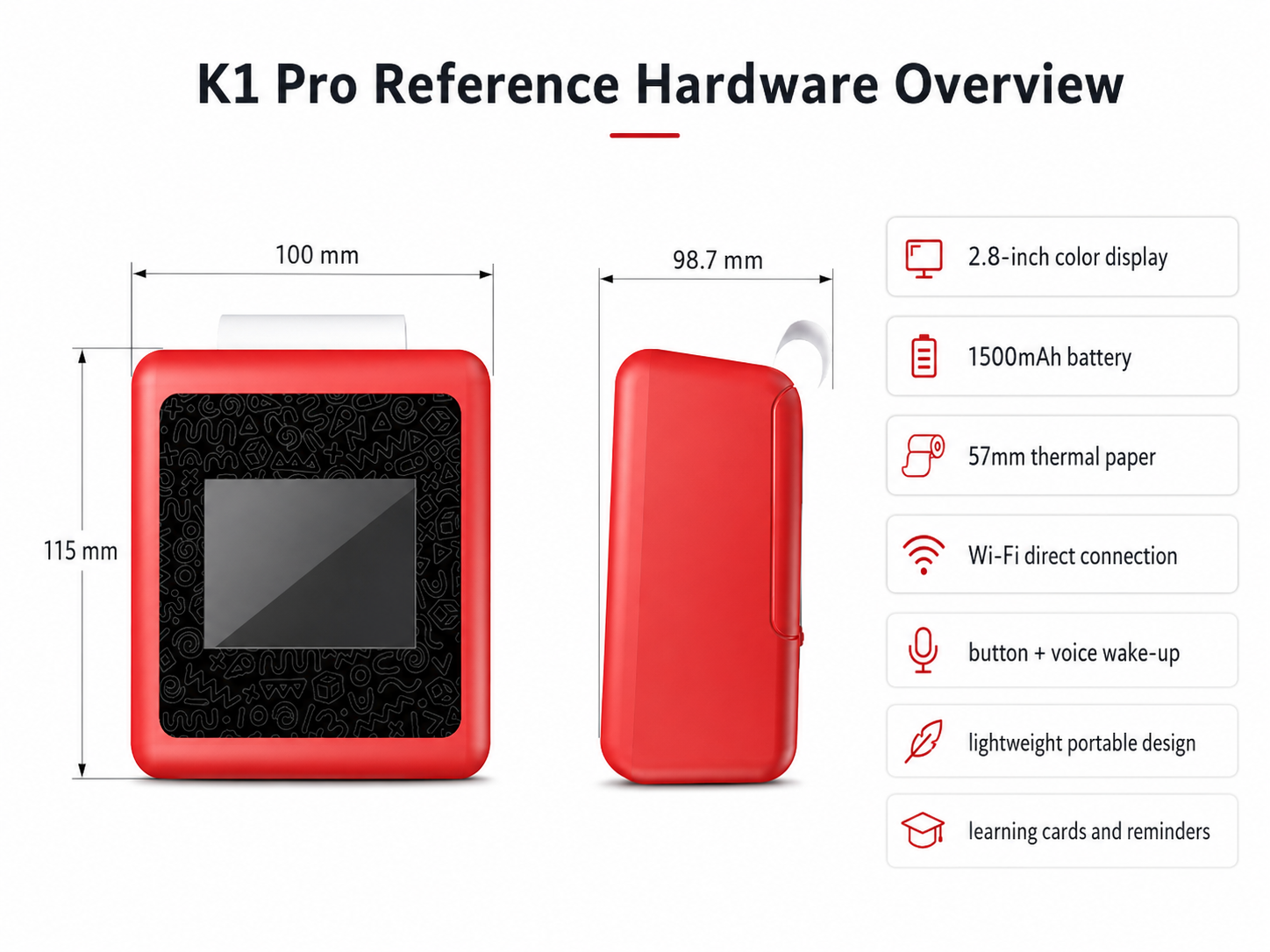
| Screen | 2.8″ IPS | 2.4″ IPS | None | 3.5″ color |
| Battery | 1,800mAh (rechargeable) | 1,300mAh (rechargeable) | None (plug-in only) | None (plug-in only) |
| Portability | Fully portable | Fully portable | Desk-bound | Desk-bound |
| Dimensions | 98×57×117mm | Not specified | Not specified | Not specified |
| Weight | 225g | Not specified | Not specified | Not specified |
| Colors | 4 options (Red, Blue, Yellow, Pink) | Not specified | Not specified | Not specified |
| Subscription | None | None | None | None |
| Certification | FCC/CE/RoHS/CPC materials available | Standard electronics | COPPA, Kids Safe Seal | Standard electronics |
| Price (est.) | TBD | $129 | $99–129 | ~$100–130 |
Print Quality and Format: What Parents Should Know
Thermal printing is not inkjet printing. It uses heat to activate a chemical coating on special paper. The output is monochrome (black on white or colored paper), with a resolution typically around 200–203 DPI.
Print width matters more than it sounds. The K1 uses standard 57mm width — roughly a receipt-width print. The BDI X16 uses 57×26mm, which is significantly narrower (about the width of two fingers). A child drawing a detailed dragon will fit more detail on a 57mm print than a 26mm one. For coloring — which is the primary activity after printing — wider is more usable.
Paper cost comparison. Thermal paper is the ongoing consumable cost. The K1 uses standard 57mm thermal rolls — widely available and inexpensive. A roll produces approximately 40 images, though coverage varies. Adhesive sticker paper is available as an optional alternative. Stickerbox uses proprietary sticker sheets, which may cost more per print than standard thermal rolls. BDI X16 uses thermal rolls compatible with its narrower format. MUNBYN SP01 uses BPA-free thermal paper in its 2-inch format.
Actual per-print costs depend on paper source and volume. Parents should budget for consumables as part of the ongoing cost of ownership.
Which Printer for Which Child
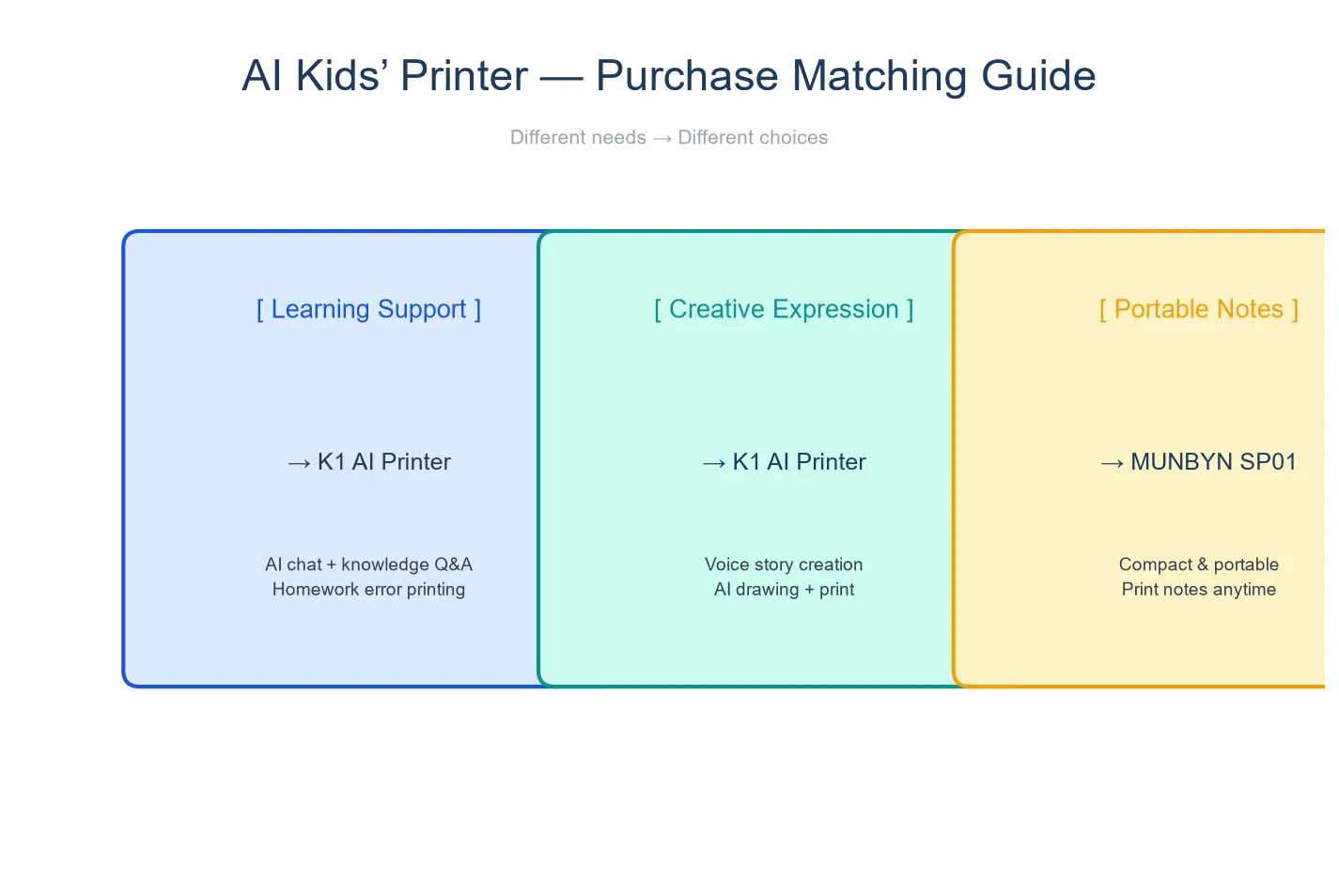
The four devices serve different creative profiles. There is no universally “best” — only the best fit for one specific child.
For the talker and maker (ages 4–10): K1 AI Printer. This is the only device that combines sustained AI conversation with print output. A child who talks through ideas before committing to paper — “what should the dragon’s wings look like?” — gets the most value from the conversational loop. The 57mm print width is the largest in this comparison, and the 1,800mAh battery means the device follows the child rather than requiring the child to come to a desk.
Print quality expectations: thermal monochrome at ~200 DPI. This is not a photo printer. The output is a line drawing for coloring, a fact card for a notebook, or a story prompt for a creative writing exercise. The value is in the creative workflow — speak, see preview, refine, print, color — not in the print resolution.
For the visual creator (ages 5–10): BDI X16. A child who wants fast, visual output — describe an image, see it, print it, repeat — will enjoy the X16’s quick turnaround. The narrower print width (26mm) means images are more like stickers or small cards than full-page drawings. The 1,300mAh battery supports portable use, though for shorter sessions than the K1.
For the youngest users (ages 3–6): Stickerbox. The simplest device in this comparison. No screen, no conversation, no complexity. A young child who can say “unicorn” gets a unicorn sticker. The privacy certifications are the strongest in this comparison. The trade-off: the device is plug-in only and the output variety is limited to pre-designed sticker content.
For the preview-focused creator (ages 5–10): MUNBYN SP01. The 3.5-inch screen is the largest in this comparison, providing the best visual preview before printing. BPA-free paper is a child-safety differentiator. The trade-off: the SP01 requires a wall outlet — no battery, no portability — and generates images from single prompts without conversation capability.
What Thermal Printing Can and Cannot Do
Setting realistic expectations prevents disappointment:
What thermal printing does well:
- Fast output — an image prints in seconds
- No ink, no toner, no mess — purely heat-based
- Low per-print cost with standard paper
- Compact format fits in notebooks, on walls, in card games
What thermal printing does not do:
- Color — thermal prints are monochrome. The color comes from the child coloring the print afterward.
- Photo quality — ~200 DPI thermal is designed for line art and text, not photographic images.
- Permanence — thermal prints fade over time, especially when exposed to heat or sunlight. Important prints should be photographed or laminated.
FAQ
1. Does thermal printing need ink?
No. Thermal printers use heat to activate a coating on special paper. There is no ink, toner, or ribbon to replace. The only consumable is the thermal paper itself.
2. How long does thermal paper last?
Thermal prints fade gradually. Under normal indoor conditions (away from direct sunlight and heat sources), prints remain clearly visible for months to a few years. For long-term preservation, photograph or laminate important prints.
3. Can kids use it unsupervised?
The K1 and BDI X16 are designed for independent child use — voice input requires no reading or adult operation. Supervision is recommended for younger children (under 5) and for managing paper roll changes. Stickerbox’s plug-in design means it stays in one place; supervision depends on the child’s age.
4. Which prints the biggest images?
The K1 AI Printer, at 57mm width, produces the largest prints in this comparison. The BDI X16 prints at 26mm width, which is less than half the K1’s width. Stickerbox and SP01 fall in between.
5. What is the cost per print or per sticker?
This varies by paper source and volume. Standard 57mm thermal rolls for the K1 are widely available from office supply and online retailers at roughly a few cents per print. Stickerbox’s proprietary sticker sheets and SP01’s BPA-free paper may carry a higher per-unit cost. Actual pricing depends on purchase volume and source.
The Bottom Line
A kids AI printer is worth buying when the child has ideas they cannot realize by hand. The K1 is the most capable device in this comparison — the only one that combines conversation with print output, with the largest print width and the strongest battery. The BDI X16 is the best choice for children who prioritize speed and visual output over conversation. Stickerbox is the best choice for the youngest users and the strongest privacy profile. MUNBYN SP01 offers the best on-device preview.
Choose based on what your child wants to create — not on specs alone. A child who wants to talk through ideas and make things over time needs a different device than a child who wants to generate ten images in a row. Both are valid. They just need different printers.


