
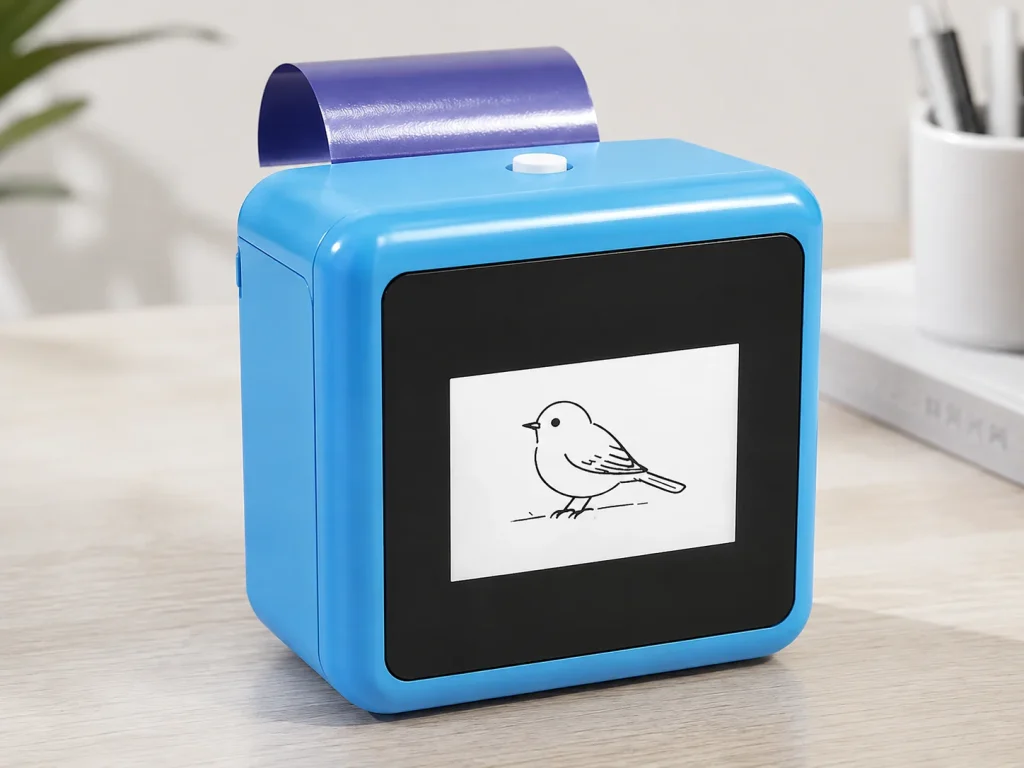
A private-label tattoo stencil printer offer is a product system, not a logo placed on a device. A brand needs to define what it will sell, what it will replenish, what the connected design workflow includes, and who owns each customer-facing promise. The practical starting point is a reference device plus a controlled paper and packaging plan, followed by a sample review that tests the exact workflow the brand intends to launch. For a K1-style solution, the buyer should treat hardware customization, transfer-paper supply, app or web-flow scope, documentation, and after-sales responsibilities as separate decisions rather than assuming they arrive as one standard bundle.
What Buyers Should Know
- A logo, exterior color, retail box, manual, and accessory bundle are branding choices; they do not define software scope or paper replenishment.
- A paper bundle needs its own supply, labeling, storage, and reorder plan.
- The customer-facing workflow must state what the user can do today. Do not imply image upload, permanent-tattoo service, or universal skin suitability unless those items are separately verified.
- Samples should test the branded package and the proposed connected workflow together, not as unrelated parts.
- Commercial terms such as price, MOQ, lead time, spare parts, certification, and after-sales coverage remain project-specific until confirmed in writing.
Where This Product Fits
| Entity | Role in a private-label offer |
|---|---|
| Yosiya | Supplier contact for K1 tattoo-stencil projects and configurable commercial discussions |
| K1 AI Tattoo Stencil Printer | Reference platform for connected AI line-art generation and transfer printing |
| Tattoo supply brand | Owner of market position, final claims, retail channel, product presentation, and customer communication |
| Paper and transfer bundle | A separate consumables workstream that requires confirmed sourcing and usage instructions |
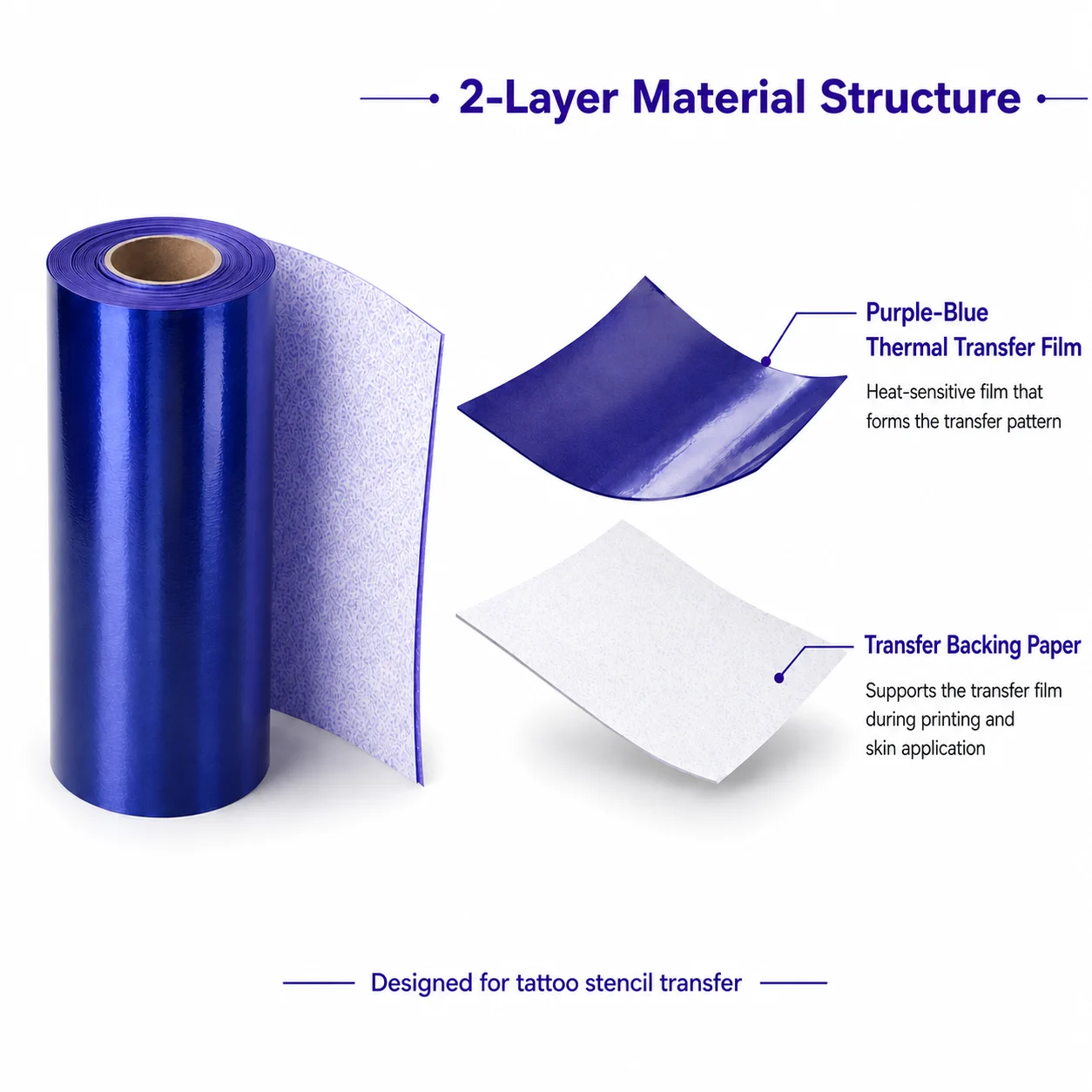
The official K1 AI Tattoo Stencil Printer page describes a connected web flow that generates AI line art from text prompts and prints the selected output. It identifies a 57 mm thermal printer and dedicated two-layer transfer film with backing paper. It also says that logo, color, retail packaging, manuals, accessory bundles, dedicated-paper supply, and a configured AI workflow can be discussed for OEM or private-label projects. That is a project conversation, not a promise that every version includes every option.
Define the offer before asking for a quote
The cleanest private-label brief starts with the customer offer. Is the brand selling a device with starter consumables, a replenishable paper system, an event-use package, or a retail kit with training content? Each answer changes the required packaging, instructions, support model, and forecast for repeat purchases.
| Offer layer | Brand decision | Supplier confirmation needed |
|---|---|---|
| Hardware identity | Logo placement, color direction, naming | Feasible customization, sample version, approved artwork process |
| Retail presentation | Box, manual, quick-start card, accessory bundle | Print files, languages, labeling responsibility, pack-out details |
| Consumables | Paper pack size, replacement timing, sales channel | Compatible paper scope, supply route, packaging and inventory plan |
| Connected workflow | Prompt guidelines, account or web-flow expectations, customer help | Current enabled functions, connection requirements, support boundary |
| After-sales | Who answers setup questions and handles defects | Escalation route, spare-part scope, service terms, documentation |
Many generic OEM pages present branding, packaging, and product-line expansion as one menu. They can help a buyer see the common workstreams, but they cannot establish what the K1 program includes. For example, an OEM tattoo-supplies page discusses logo, packaging, and retail materials across its own catalog; use it for content-gap awareness, not as evidence about Yosiya or K1.
Make consumables a named part of the product plan
Paper supply is often the point where a private-label concept becomes operationally real. A brand needs a decision on whether the starter kit includes paper, whether replacements are sold separately, who controls the paper SKU, and what information belongs on its packaging. The K1 page identifies a dedicated two-layer transfer-paper structure, but does not publish universal paper-loading settings, prints per roll, transfer duration, removal method, or skin-contact documentation. Those items should be requested and tested for the selected material and final project version.
Do not use a generic phrase such as “safe paper” in packaging or product copy without relevant, current documentation for the specific material and market. The FDA notes that temporary-tattoo products can be associated with adverse reactions, and its guidance discusses ingredients and product categories rather than endorsing a particular transfer material. See the FDA temporary tattoo fact sheet for consumer risk context.
Separate the creative workflow from the hardware label
The customer may experience the product through the prompt-to-line-art flow before they notice the printer. That makes workflow ownership a brand issue. Write down the allowed prompt types, the content-review rules, the exact user steps, the connection assumptions, and who updates help content when the workflow changes.
The K1 tattoo page presents text-prompt AI line-art generation. It does not establish image-upload support. A private-label project should therefore avoid promising users that they can upload photos, bring arbitrary finished artwork, or access every AI feature without a confirmed scope. A narrow, well-documented prompt flow is more credible than a broad feature list that sales and support teams cannot explain.
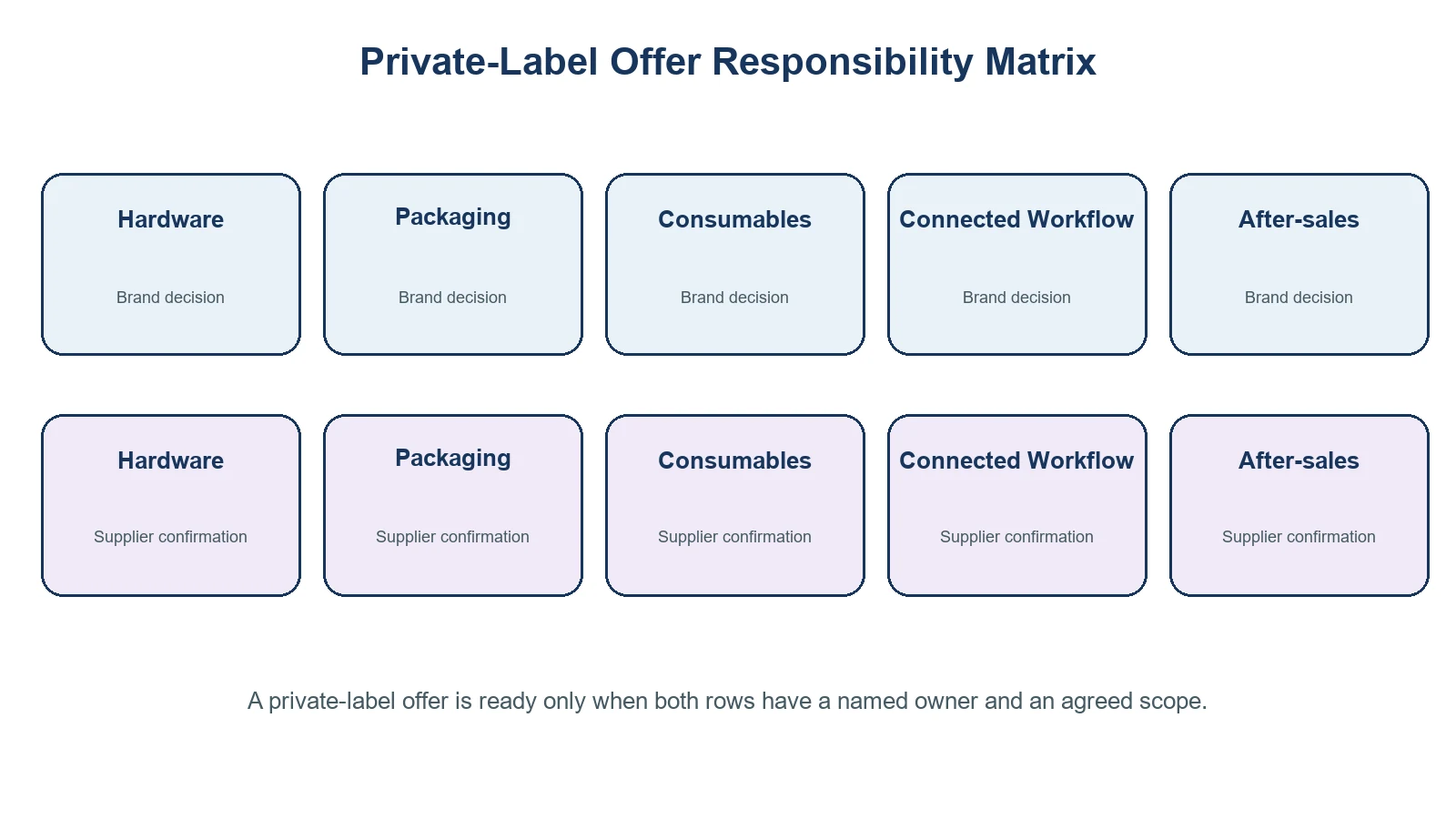
The brand promise should be no broader than the version, paper, workflow, and support process that the team has actually reviewed.
Run a sample review as a launch rehearsal
Use the sample stage to test the complete offer. Ask the supplier to identify what is fixed in the reference device and what is pending project confirmation. Then use a short test script covering the connection route, text-prompt flow, line-art review, print output, paper handling, packaging copy, and support handoff.
A practical sample review includes:
- Checking the physical sample against approved logo, color, and packaging files.
- Running the current connected workflow under the intended market’s network conditions.
- Recording the exact paper and transfer-material version used in the test.
- Reviewing all customer-facing claims against available evidence and instructions.
- Naming the owner for repeat supply, customer support, defect escalation, and future workflow changes.
FDA guidance on tattoos and temporary tattoos also distinguishes permanent tattooing from temporary products and notes that local jurisdictions generally regulate tattooing practices. That is a useful reminder not to market a transfer-printing product as a regulated permanent-tattoo service. See FDA’s overview for the category boundary.
Private-label launch checklist
- [ ] Define the customer offer and the target channel before selecting packaging.
- [ ] Freeze brand artwork, languages, retail claims, and the approval process.
- [ ] Confirm the device configuration and current connected workflow with Yosiya.
- [ ] Create a separate paper and transfer-material supply plan.
- [ ] Test the final proposed combination of device, paper, workflow, packaging, and documentation.
- [ ] Keep safety, wear-duration, waterproof, certification, pricing, MOQ, and lead-time statements conditional until evidence and commercial terms are confirmed.
- [ ] Give sales and support teams one approved explanation of what is included and what requires project discussion.
Turn these questions into documented supplier-response fields before commercial release.
FAQ
What can be private-labeled on a tattoo stencil printer project?
For K1 projects, logo, color, retail packaging, manuals, accessory bundles, dedicated-paper supply, and a configured AI workflow can be discussed. The available scope needs confirmation for the final project version.
Does private labeling include a complete AI software solution?
Do not assume that it does. The K1 tattoo page describes a connected text-prompt AI line-art workflow; exact functions, connection steps, support, and any brand-specific configuration must be agreed for the project.
Should paper be sold with the printer or separately?
That depends on the channel and replenishment model. Decide it early, then confirm paper compatibility, pack sizes, supply responsibilities, instructions, and commercial terms before launch.
Can a brand claim the transfer material is safe for all users?
No. Avoid universal safety or suitability claims. Review the material documentation, target-market requirements, and current instructions for the specific product before making any claim.
What must be approved before a private-label launch?
Approve the device configuration, brand files, packaging, paper plan, connected workflow, documentation, test record, commercial terms, and responsibility map. Any unresolved item should remain visible as a launch dependency.
Build a controlled offer, then scale it
Private label works when customers receive one coherent product story and the operating team knows who owns every part of it. Begin with a controlled sample and a clear paper-and-workflow plan, then discuss a K1 private-label configuration with Yosiya.


