
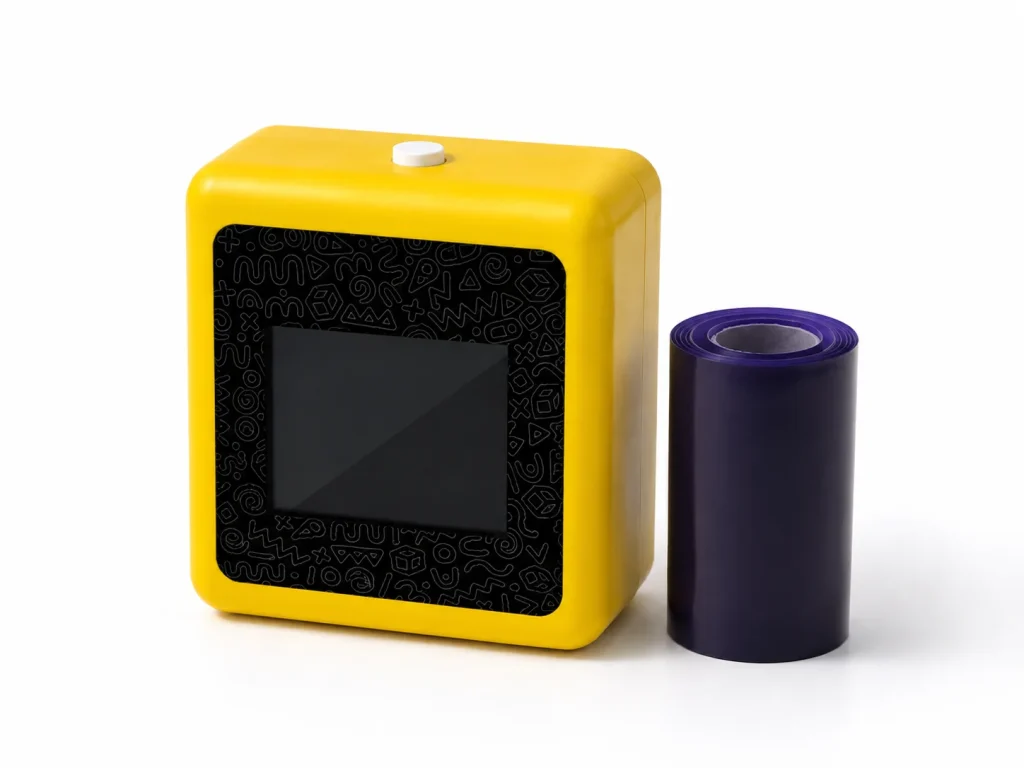
Searching for a tattoo printer machine can lead to permanent-tattoo stencil printers, consumer craft devices, direct-to-skin temporary systems, and connected temporary-transfer platforms. This is a category guide, not a substitute for a project quotation or supplier comparison. Start by identifying the service you intend to run: professional tattoo-studio stencil preparation, an operator-led temporary event station, a Photo Booth add-on, a rental package, or an OEM/private-label project. The K1 AI Tattoo Stencil Printer fits the temporary event-print category. Its published workflow combines connected AI line-art generation, 57mm thermal printing, and dedicated tattoo transfer paper, so it should be evaluated against that use case rather than against permanent-tattoo equipment.
What Buyers Should Know
- “Tattoo printer machine” is a broad search term; define the output category and business model before comparing products.
- A professional stencil workflow, a temporary thermal-transfer workflow, and a direct-ink system have different operating requirements and documentation needs.
- K1 is relevant for connected AI line art and temporary transfer output, not for needle-based permanent tattooing.
- A sample review should test the selected workflow, paper, network, staff process, client brief, and supplier scope — not only the hardware specification sheet.
Where This Product Fits
| Entity | Role in a business-selection decision |
|---|---|
| Brand | Yosiya |
| Product | K1 AI Tattoo Stencil Printer |
| Category | Connected AI line-art, 57mm thermal-print, temporary-transfer solution |
| Suitable buyer | Event operator, Photo Booth business, party-rental company, brand-activation vendor, or OEM project team |
| Not positioned as | A permanent-tattoo machine or robotic tattoo device; confirm any project-specific input requirements with the supplier |
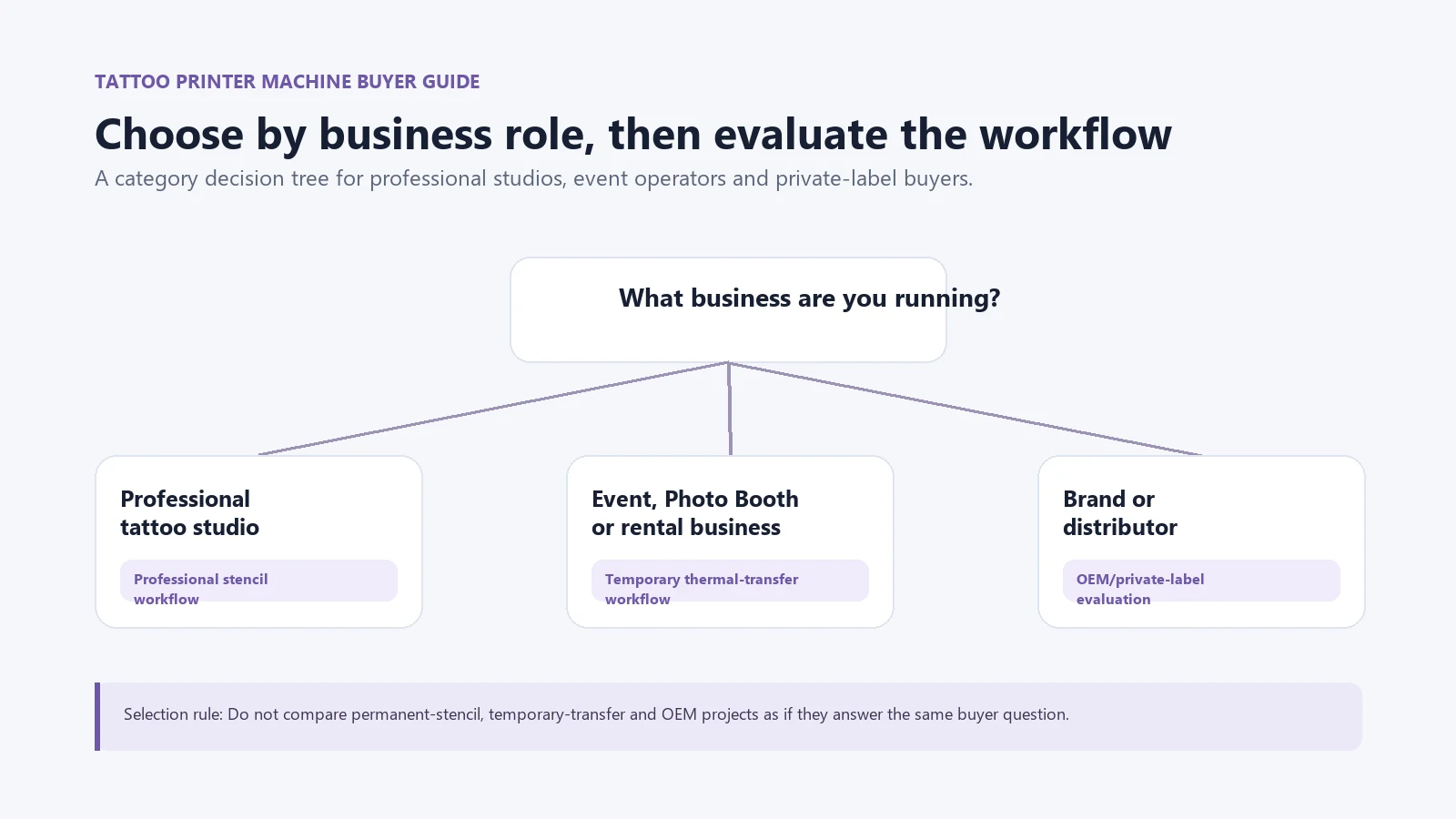
Start by choosing the business segment
Different buyers use the same phrase “tattoo printer machine,” but they need different answers. This is the first decision point.
| Buyer segment | Primary need | Category to evaluate | Main decision question |
|---|---|---|---|
| Professional tattoo studio | Prepare artwork for a permanent-tattoo stencil workflow | Professional stencil equipment and studio process | Does it fit the practitioner’s existing workflow? |
| Event operator | Add a guided temporary interaction to an event | Temporary-transfer station | Can the team run the connected design, print, paper and guest handoff process? |
| Photo Booth business | Add a companion activity to bookings | Temporary-transfer add-on | Does it complement photo capture without creating queue or staffing problems? |
| Rental company | Add a differentiated catalog item | Operator-led or rental-ready temporary workflow | Can the selected configuration be tested, briefed, supported and replenished? |
| Brand or distributor | Build a branded product or activation offer | OEM/private-label temporary-transfer project | Which hardware, AI, paper, packaging and support items are actually in scope? |
For the category difference between a professional stencil printer and a temporary event-print workflow, see Tattoo Stencil Printer: Professional vs Temporary Use Guide.
Evaluate the output method before the feature list
A feature list can conceal the important distinction: how does the design become the final temporary output? For K1, the sequence is connected AI line art, 57mm thermal printing, and dedicated transfer paper. A business should evaluate whether that sequence matches its event or channel plan.
| Evaluation question | Why it matters |
|---|---|
| What creates the design? | Confirm whether the workflow uses a prompt, a library, another supported input method, or a professional studio design process. |
| What produces the output? | Confirm thermal print, direct-ink application, or another method before comparing consumables and staffing. |
| What is supplied? | Ask about the selected paper or consumable version, loading instructions, documentation, and replenishment route. |
| What must the operator do? | Map prompt review, printing, transfer instructions, queue handling, and client communication. |
| What is not yet confirmed? | Separate project-specific commercial, documentation, performance, and market claims from the standard product description. |
The FDA’s consumer information distinguishes temporary tattoos from permanent tattooing. That is useful for category clarity in marketing, but it does not make product-specific safety or regulatory claims for a particular machine or paper. See the FDA’s tattoo and permanent-makeup information.
How K1 fits an event-business workflow
K1’s value is not that it replaces every tattoo printer category. It gives an event business a specific workflow to test: prompt-driven line art, a connected AI step, 57mm thermal printing, and dedicated temporary-transfer paper.

For a business, the practical questions are:
- Can the event provide a usable network path for the connected AI design step?
- Does the 57mm output suit the design formats and guest interaction planned for the booking?
- Which dedicated paper version is included, and what current instructions and documentation apply?
- Can staff review prompts and outputs, explain the temporary transfer, and manage paper changes?
- Does the client need a standard event setup, a Photo Booth companion, or an OEM/private-label discussion?
These questions are more valuable than generic claims about quality or popularity. A low unit price is not useful if the business cannot explain the workflow, obtain the selected paper, or support the guest experience after the first event.
Use this page to choose a category, then use the relevant guide
| Your next decision | Recommended path |
|---|---|
| You need to understand temporary-printer categories | Read the category guide, then compare output method and consumables. |
| You are considering a specific business purchase | Move to the detailed business-purchasing guide before comparing suppliers. |
| You are adding an upsell to a Photo Booth package | Use the Photo Booth workflow guide to assess queue, staffing, placement and guest journey. |
| You are sourcing entertainment equipment | Use the event-equipment guide for vendor documents, pilot conditions, paper supply and catalog scope. |
| You are planning a branded product | Use the OEM guide to prepare a requirements brief and sample acceptance criteria. |
For a deeper AI-workflow explanation, see AI Tattoo Printer: How AI Prints Temporary Event Tattoos. For the detailed business-purchasing framework, sample-evaluation approach, and supplier questions, see Temporary Tattoo Printer for Businesses: Beyond DIY Kits.
Avoid common selection mistakes
- Comparing a professional permanent-tattoo stencil workflow with a temporary event-print workflow as if they solve the same buyer problem.
- Treating a general product page as proof that a project-specific AI, paper, packaging, documentation, or support scope is included.
- Publishing claims about paper yield, cost, wear time, safety, capacity, or certification before the selected configuration is documented.
- Assuming a connected AI design flow works without an appropriate network plan at the venue.
- Selecting a machine before deciding who will operate it, how guests will be guided, and how consumables will be replenished.
The FTC advises businesses to support objective advertising claims. This matters when writing product comparisons, rental pages, or sales decks: do not present a category preference as a verified performance promise. See the FTC’s advertising guide for small businesses.
A practical next step after category selection
Once the category is clear, use the detailed purchasing guide before requesting quotations. It should help you turn the category choice into a one-page brief covering the customer segment, output method, AI workflow needed, venue conditions, staff role, paper or consumable questions, documentation requests, and commercial items that still need confirmation.
Explore the K1 AI Tattoo Stencil Printer to review the current temporary-transfer scope and decide whether it matches your business segment.
FAQ
What is a tattoo printer machine?
It is a broad label for equipment used in tattoo-related printing or application workflows. Buyers should first distinguish professional permanent-tattoo stencil equipment from temporary-transfer and direct-ink categories.
Is a tattoo printer machine suitable for event businesses?
Some temporary-tattoo printing workflows can be evaluated for event businesses. Suitability depends on the design flow, application method, paper or consumables, network, staffing, venue conditions, and client brief.
How do I choose a tattoo printer for a Photo Booth business?
Choose a workflow that complements photo capture and can be tested with your actual booking process. Review queue design, staffing, placement, network, paper handling, temporary-transfer instructions, and client expectations.
Can an AI tattoo printer create temporary designs from prompts?
In K1’s connected workflow, AI generates line art from a prompt before 57mm thermal printing and the dedicated transfer-paper process. The operator should review outputs for the event context.
What should I ask before requesting a quote?
Ask what configuration is being quoted, which workflow is demonstrated, what paper or consumables are included, what instructions and documentation are available, and which commercial or support terms still need project confirmation.


