
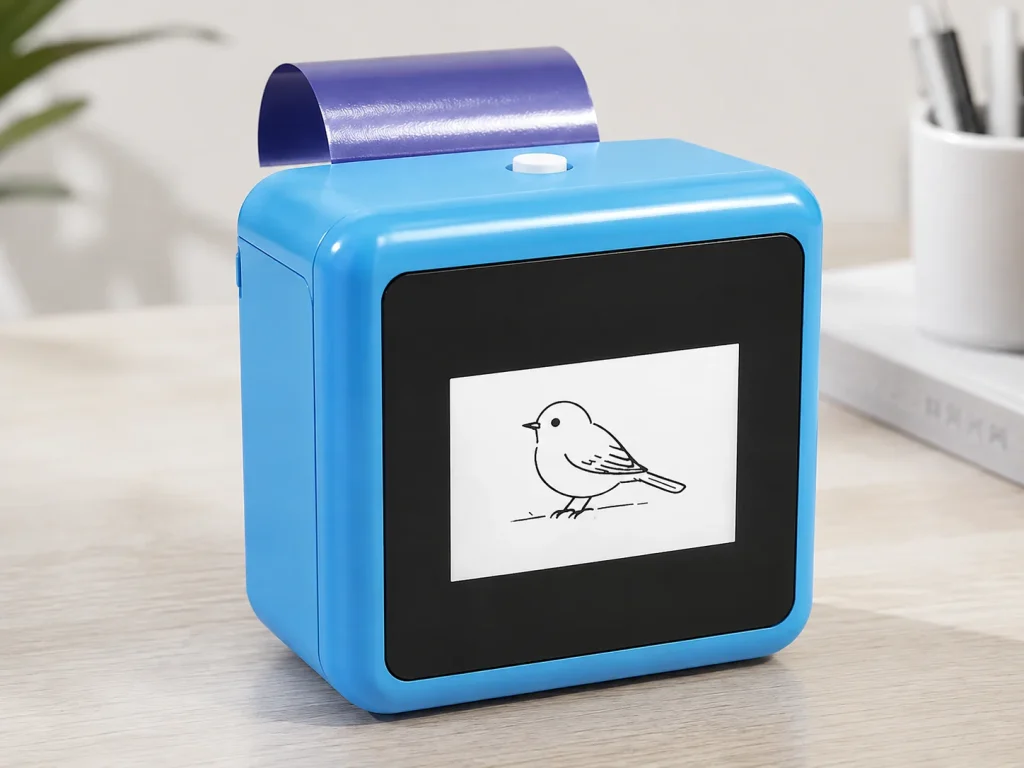
A tattoo stencil printing solution is more than a printer specification. For an event business, creative brand, or private-label buyer, the decision includes the design input, the consumable, the operating procedure, documentation, and the supplier’s ability to support the selected market. K1 can be evaluated as a defined solution: a network-connected web flow creates AI line art from a text prompt, the existing platform produces 57mm thermal output, and dedicated two-layer transfer paper completes the temporary-transfer workflow. It is not currently an image-upload printer, a permanent-tattoo machine, or a complete answer to every studio or event requirement.
What Buyers Should Know
- Evaluate the workflow, paper and documentation alongside the hardware.
- Confirm whether the required design input is prompt generation, image upload or a fixed library.
- Treat sample evidence as configuration-specific, not a universal performance claim.
- Separate commercial questions from technical acceptance questions.
- Keep safety, duration, yield and market-compliance claims out of public copy until documented.
Where This Product Fits
| Item | Role |
|---|---|
| Brand | Yosiya |
| Platform | K1 AI Tattoo Stencil Printer |
| Category | Connected AI line-art, 57mm thermal-print temporary-transfer workflow |
| Buyers | Experience projects, creative brands, tattoo-stencil evaluators and OEM teams |
| Design input | Text-prompt AI line art through a network-connected web flow |
| Not in current scope | Image upload, permanent tattooing, universal skin-safety claims |
Define the solution before comparing devices
Buyers often compare only print width, size or retail price. That can miss the question that matters: what job must the system complete? A professional studio may need a stencil-preparation workflow for an artist. An event operator may need an on-site, staff-guided prompt-to-transfer interaction. A private-label brand may need packaging, paper replenishment and project documentation. These are adjacent categories, but they do not have the same acceptance criteria.
For the broader commercial context—business models, consumable planning and the first purchase questions—start with Temporary Tattoo Printer for Businesses. This article narrows that hub framework to a project-level solution evaluation.
| Decision area | Questions to ask |
|---|---|
| Design input | Is text-prompt AI generation enough, or is image upload required? |
| Output | Is 57mm thermal output suitable for the selected workflow? |
| Consumable | Which dedicated paper was tested, and how is it replenished? |
| Operation | Who reviews output and provides current transfer instructions? |
| Documentation | Which material, market and claim records are needed? |
| Commercial model | Is the buyer evaluating a sample, an event service, or private label? |
Map the K1 workflow accurately
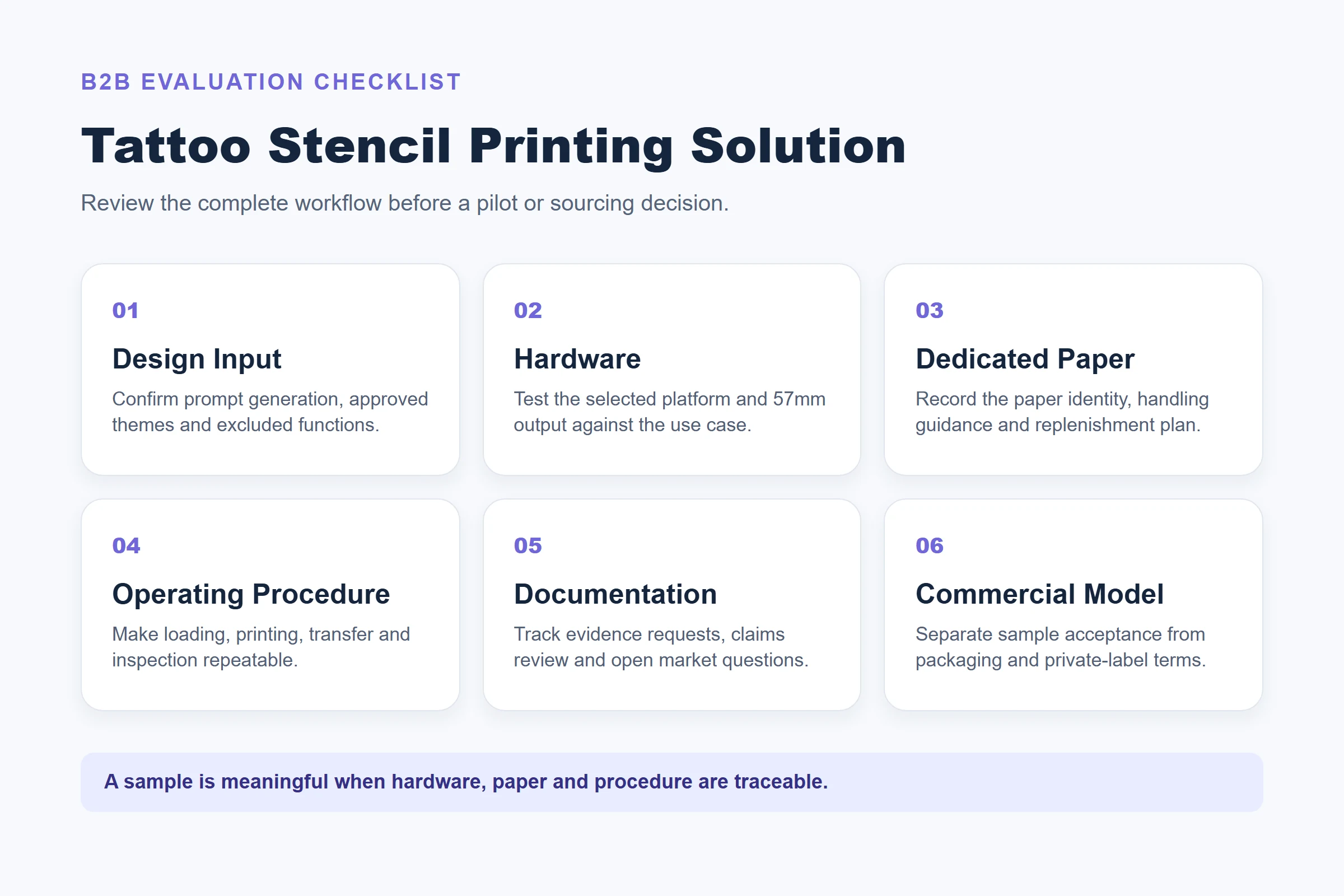
K1’s current tattoo configuration begins with a network-enabled web experience. The user enters a text prompt, AI generates line art, the platform prints with confirmed dedicated paper, and the operator follows the transfer procedure before inspecting the result. Image upload is not part of the current function scope. That distinction should be visible in any sourcing brief, sales deck or event script.

The official product page describes K1 as an existing platform evaluated with a dedicated-paper consumable change. It supports discussion of private-label hardware, paper supply, packaging and a configured AI design workflow. It does not establish a fixed printing rate, use duration, safety result or compatibility with untested paper.
Build an acceptance plan
The most useful sample review is a controlled test of the selected workflow. Record the K1 configuration, paper identity, prompt examples, network conditions, loading guidance, print settings, operator, sample date and visible result. If the buyer changes the paper, connection flow, prompt policy or operating method, treat the new arrangement as a new test condition.
- Define the target customer and workflow.
- Confirm current K1 scope and excluded functions.
- Receive the reference platform with documented paper guidance.
- Test prompt-to-line-art, 57mm print and transfer handling.
- Record open items and target-market documentation needs.
- Confirm packaging, replenishment and pilot-order assumptions separately.
A printer sample is useful only when the buyer can trace the result back to the selected hardware, paper and procedure.
Separate the pilot record from the purchase decision
A useful evaluation has two parallel files. The first is a technical acceptance record: it shows what was tested and what happened. The second is a commercial decision record: it states what the buyer would need to agree before ordering. Combining these two records is a common source of confusion. A clean sample may show that a selected prompt, paper and procedure can produce an acceptable result; it does not, by itself, settle branding, replenishment, pricing, delivery terms or market documentation.
| Record | Evidence to keep | Decision it supports |
|---|---|---|
| Technical acceptance | Paper identity, K1 configuration, prompt set, operator notes, sample photos and observed exceptions | Whether the selected workflow should move to a pilot |
| Operating procedure | Loading, connection, transfer and inspection instructions; version and owner | Whether a host or operator can repeat the selected process |
| Documentation register | Requested material records, claim review notes and unresolved market questions | Whether public-facing statements can be approved |
| Commercial worksheet | Packaging scope, replenishment approach, private-label requirements and open quote assumptions | Whether the project is ready for a commercial proposal |
This distinction also protects the buying team from “sample drift.” If a later sample uses a new paper roll, different prompt boundary or revised transfer instruction, label it as a new condition instead of quietly treating it as equivalent. ISO describes quality assurance as a process for meeting defined requirements; that mindset is valuable here even though it is not a certification of the K1 system or its consumables.
Set decision gates before the pilot begins
The buyer should decide in advance what can advance the project, what needs rework and what must be confirmed by the supplier. This keeps a pilot from becoming a collection of attractive sample images with no deployable conclusion. A practical gate can be modest: selected prompts produce usable line art, the team can follow the documented print-and-transfer sequence, and unresolved claims are clearly held outside marketing until evidence arrives.
- Scope gate: confirm that text-prompt generation, rather than image upload, matches the planned experience.
- Output gate: decide whether the 57mm format serves the chosen design scale and placement.
- Consumable gate: record the dedicated paper identity and any batch or replenishment questions.
- Procedure gate: have a defined operator repeat the same loading, printing and transfer sequence.
- Claims gate: list every proposed public statement and mark it as supported, pending or excluded.
- Commercial gate: only request final packaging, private-label and supply terms after the preceding gates are understood.
For a buyer assessing an event station, add a scenario gate: test the real prompt categories, connection path and host handoff that the venue expects to use. For an OEM project, add a branding gate: confirm what is hardware branding, what is paper packaging and what requires a separate artwork or regulatory review. The exact gate list can vary, but each one should end with an owner and a written next action.
Define the supplier handoff and escalation path
Before a first order, ask who owns each part of the configured solution. “Supplier support” is too broad to be actionable. The buyer needs to know who provides the latest paper guidance, who receives a sample issue, who approves a change to packaging, and who can answer a question about the limits of the current AI workflow. Put contacts, response expectations and document versions into the project file.
| If this changes | Re-check with | Why it matters |
|---|---|---|
| Paper type or supplier | Consumable owner and K1 test record | A paper change can alter the qualified workflow |
| Prompt policy or web flow | Product/workflow owner | It can change the guest experience and output boundary |
| Packaging or label language | Brand and documentation owners | It may create new claim or market-review questions |
| Intended market | Commercial and compliance contacts | Requirements and evidence requests can differ by market |
This is not bureaucracy for its own sake. It makes a small pilot transferable from the person who ran it to the person who must launch, replenish or troubleshoot it later.
Evaluate the dedicated paper as part of the solution
The K1 tattoo workflow uses purple-blue thermal transfer film with transfer backing paper. The product page identifies those components, but paper dimensions, prints per roll, loading orientation, transfer time, removal method and skin-contact documentation require project confirmation. This is why a consumable should never be treated as an afterthought.
For paper qualification, supply records and batch control, see Tattoo Transfer Paper Supply: A Wholesale Guide. The guide focuses on evidence for the printer-paper-procedure combination rather than generic thermal-paper claims.
Keep claims and documentation aligned
The FTC’s advertising guide for small businesses explains that objective claims need support before publication. Do not infer skin safety, waterproof performance, duration, output capacity or age suitability from a product image or a single transfer result. Request applicable supplier records and testing for the selected paper and market before making any such claim.
For U.S. consumer-product channels, the CPSC’s overview of retailer product-safety responsibilities is a useful prompt to request the applicable documentation from the manufacturer or importer. It is not a product approval, and it does not establish the compliance status of K1 or the selected paper.
ISO’s quality-assurance overview is a useful general reference for defining requirements, verifying samples and recording corrective actions. It does not certify the K1 platform or paper.
Know when another path fits better
K1 is relevant when the buyer wants connected prompt-generated line art and a temporary-transfer workflow. A buyer who must reproduce approved artwork should evaluate a system whose confirmed scope includes image upload. A professional studio that needs a different stencil format or paper width should test that workflow directly. A brand that only needs identical giveaway designs may prefer pre-printed inventory. A conditional recommendation is more useful than calling one device the answer for every use case.
For the commercial private-label program, see Custom Tattoo Printer OEM: The Private-Label Program. For the connected AI workflow, see AI Tattoo Printer: The AI-First Stencil Workflow.
FAQ
What is included in a tattoo stencil printing solution?
It includes the design-input workflow, hardware, selected paper, operating procedure, documentation and support responsibilities.
Does K1 support image upload?
No. Its current tattoo configuration uses network-connected text-prompt AI line-art generation.
What should a K1 sample evaluation test?
Test the selected prompt examples, connected flow, 57mm printing, dedicated paper, transfer procedure and project documentation requirements.
Can I use generic thermal paper?
Not automatically. The selected paper must be documented and tested for the K1 temporary-transfer configuration.
What claims require additional evidence?
Safety, duration, waterproofing, yield, age suitability and target-market compliance claims need appropriate project-specific support.
Evaluate the complete solution
Review the K1 AI Tattoo Stencil Printer with one documented use case, paper plan and sample-acceptance record before making an OEM or deployment decision.


