
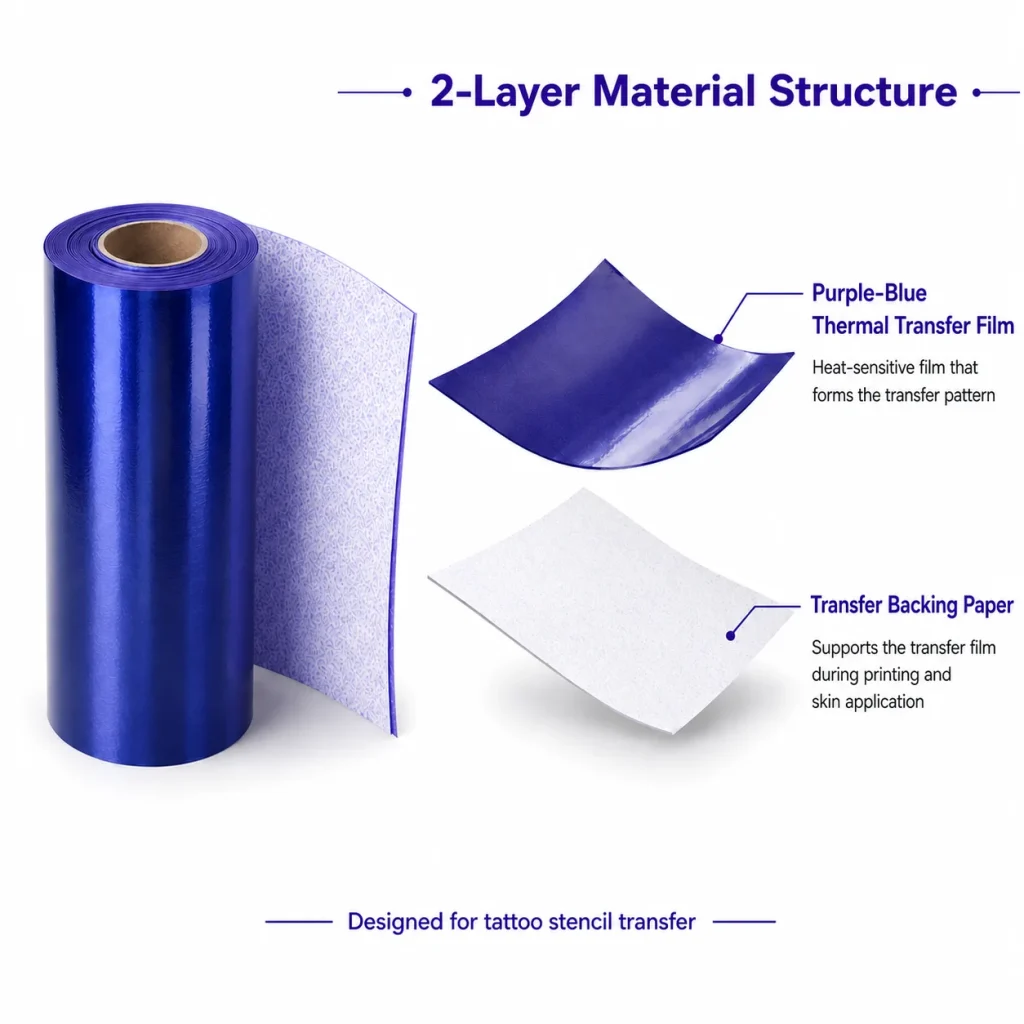
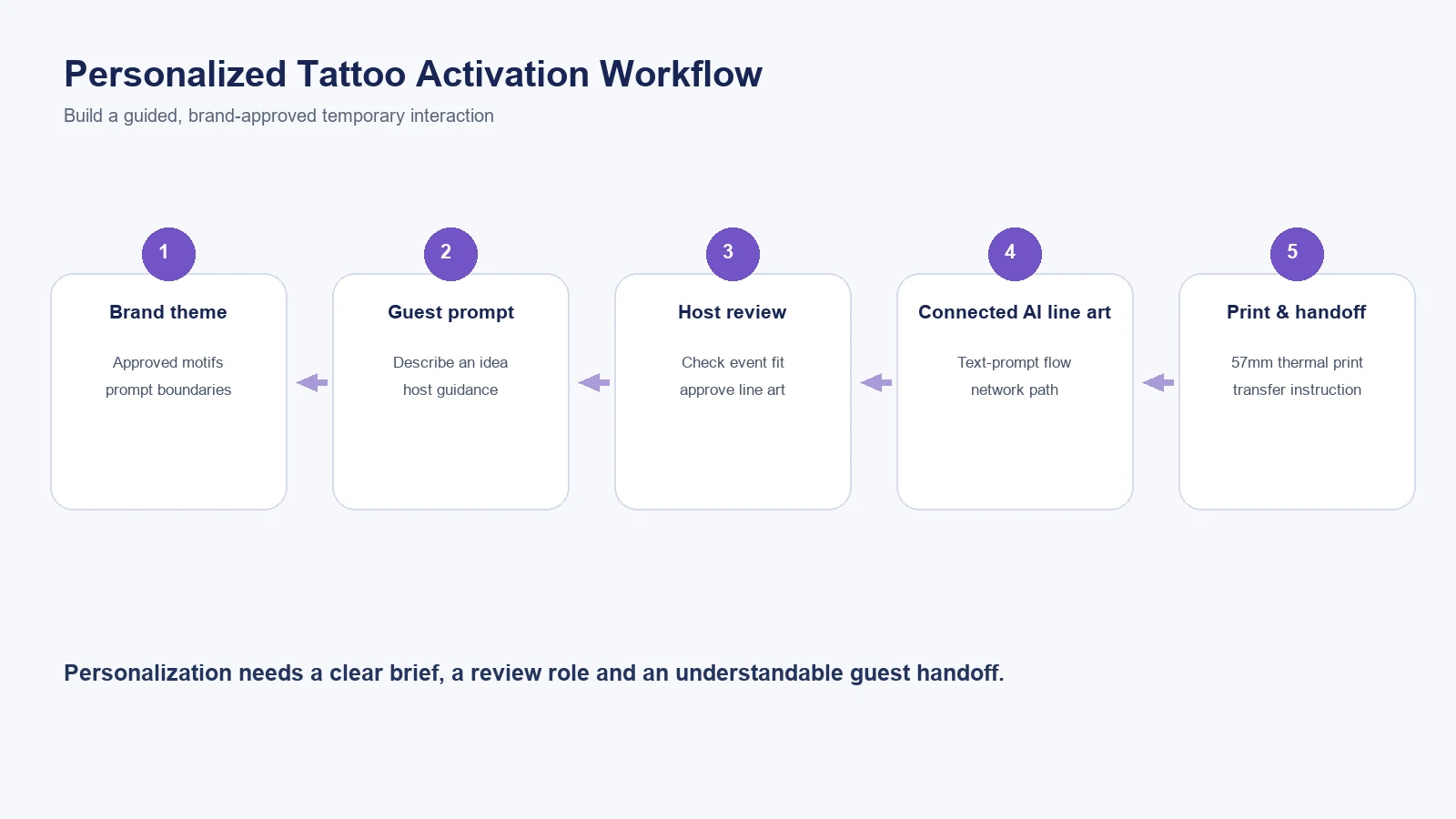
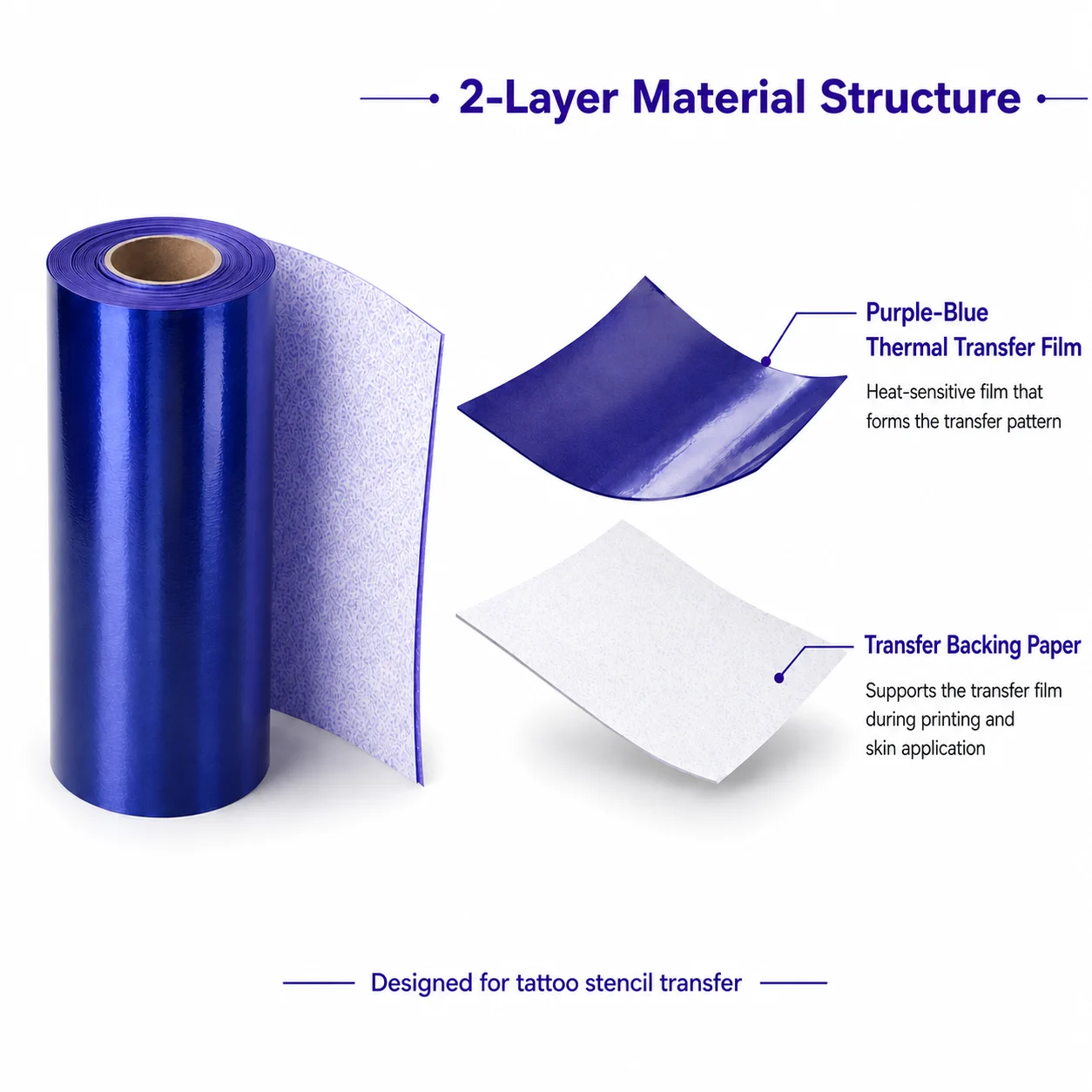
A personalized tattoo interaction can give an activation a concrete participation moment: a guest describes an idea, a host guides the design conversation, and the event delivers a temporary result. It is not useful to promise that every result is unique, safe for every person, or suited to every venue. The K1 AI Tattoo Stencil Printer can be evaluated for a specific temporary-transfer role: connected AI line art from a text prompt, 57mm thermal printing, and dedicated tattoo transfer paper. Brand teams should judge that workflow against their brief, approvals, staff plan and guest journey—not treat it as permanent tattooing or an unattended attraction.
What Buyers Should Know
- Personalization needs a defined theme and review rules before an event begins.
- The guest journey includes more than design generation: it needs a host, connected workflow, print, selected paper and transfer instructions.
- K1 is a temporary-transfer category, not professional permanent-tattoo equipment or a robotic tattoo device.
- A sample review should use real brand prompts and venue conditions before an activation is committed.
Where This Product Fits
| Item | Role |
|---|---|
| Brand | Yosiya |
| Product | K1 AI Tattoo Stencil Printer |
| Category | Connected AI line-art, 57mm thermal-print temporary-transfer workflow |
| Potential use | Staff-guided personalized temporary-design interaction |
| Not positioned as | Permanent tattooing, a robot, or a self-running guest kiosk |
Make personalization brand-safe
Personalization is not simply an open text box. A useful activation brief identifies the approved themes, the guest-facing explanation, the host’s review role, and the designs or language that should be excluded. This gives creative participation a clear boundary without making the experience feel scripted.
| Brief item | Decision to make |
|---|---|
| Brand idea | What visual themes, words or motifs are appropriate? |
| Guest prompt | How will guests describe an idea in a simple, guided way? |
| Review | Who checks a prompt and line-art result before print? |
| Venue | Where is the station placed and is a usable network path available? |
| Handoff | Who explains the temporary transfer and resets the station? |
The FTC advises businesses to support objective advertising claims. For an activation, that means describing the interaction accurately and avoiding unverified claims about safety, duration, output volume, engagement or campaign results. See the FTC’s advertising guide for small businesses.
Build the guest journey
Welcome with a short creative choice
Offer a few on-brand directions rather than asking guests to invent a complex design request. A host can help turn a general idea into a suitable text prompt.
Review before print
K1’s published process uses connected AI to generate line art from a prompt. The operator should review the result in the event context before moving to print.
Print and explain the temporary transfer
The stated workflow uses 57mm thermal printing and dedicated transfer paper. Use the selected paper and current instructions for the demonstrated configuration, without extending them into unsupported material or performance promises.
For the distinction between temporary transfer and professional stencil equipment, read Tattoo Stencil Printer: Professional vs Temporary Use Guide. For a technical explanation of the connected AI step, see AI Tattoo Machine: Not a Robotic Permanent Tattoo Device.
Choose the right activation model
| Model | Suitable use | Main planning concern |
|---|---|---|
| Branded motif station | A clear campaign theme | Prompt and design approval |
| Product-launch companion | A conversational pause near a display | Placement and host briefing |
| Retail pop-up interaction | Guided participation in a compact area | Queue and venue network |
| Event partner experience | A shared activity within a wider program | Ownership of guest handoff |
Eventbrite’s guidance on experiential marketing events similarly emphasizes designing around attendee participation. The choice is not between “fun” and “serious”; it is whether the activity supports the brand objective and the team can run it well.
A sample-review checklist
Run the review with the same prompt themes and approval roles planned for the live campaign. Include at least one prompt that needs revision and one output the brand would reject. This exposes whether the host script and escalation path work before guests arrive, rather than assuming every generated result will fit the brief.
- Test approved prompts against the actual brand brief.
- Confirm a usable network path for the connected design step.
- Review operator roles, station placement and guest instructions.
- Confirm the selected paper and current documentation in the proposed configuration.
- Record any commercial, packaging or support items that still need supplier confirmation.
For a broader event-station setup, read Temporary Tattoo Printer for Photo Booth Business. When the project becomes a purchase decision, use Temporary Tattoo Printer for Businesses: Beyond DIY Kits.
Keep the activation measurable without inventing results
Agree in advance on what the event team will observe: the types of guest questions, whether the approved theme is understandable, where visitors hesitate, and what hosts need to clarify. These operational notes are more useful than claiming a universal engagement outcome. They also help a brand decide whether the next version needs simpler prompt cards, a different station location, clearer approval rules, or more staff preparation.
Do not equate an AI-generated line-art result with a promise of design originality, commercial clearance or suitability for every guest request. The practical safeguard is a defined creative brief and an operator who can pause or redirect a request when it does not fit the event context.
The review should also distinguish creative questions from supplier questions. Brand teams own theme, tone and event messaging. Supplier discussions clarify the demonstrated workflow, selected paper, instructions and any commercial items needing confirmation. Keeping those responsibilities separate makes the sample review more useful and avoids vague assumptions during the event build.
FAQ
What is a personalized tattoo activation?
It is a staff-guided event interaction in which a guest contributes a design idea and the team manages the defined temporary-output workflow.
Can K1 create a design from a text prompt?
Its published connected workflow generates AI line art from a prompt before 57mm thermal printing and the dedicated transfer-paper process.
Is a personalized tattoo station permanent tattooing?
No. K1 is a temporary-transfer workflow and should not be represented as permanent-tattoo equipment or a robotic tattoo system.
What should a brand approve before the event?
Approve themes, prompt boundaries, host responsibilities, placement, guest messaging and the supplier-confirmed scope.
What should be tested in a sample review?
Test brand prompts, the connected workflow, selected paper, staff process, venue conditions and guest handoff.
Start with a clear brief
Explore the K1 AI Tattoo Stencil Printer and request a sample evaluation against one approved brand-activation brief.


