
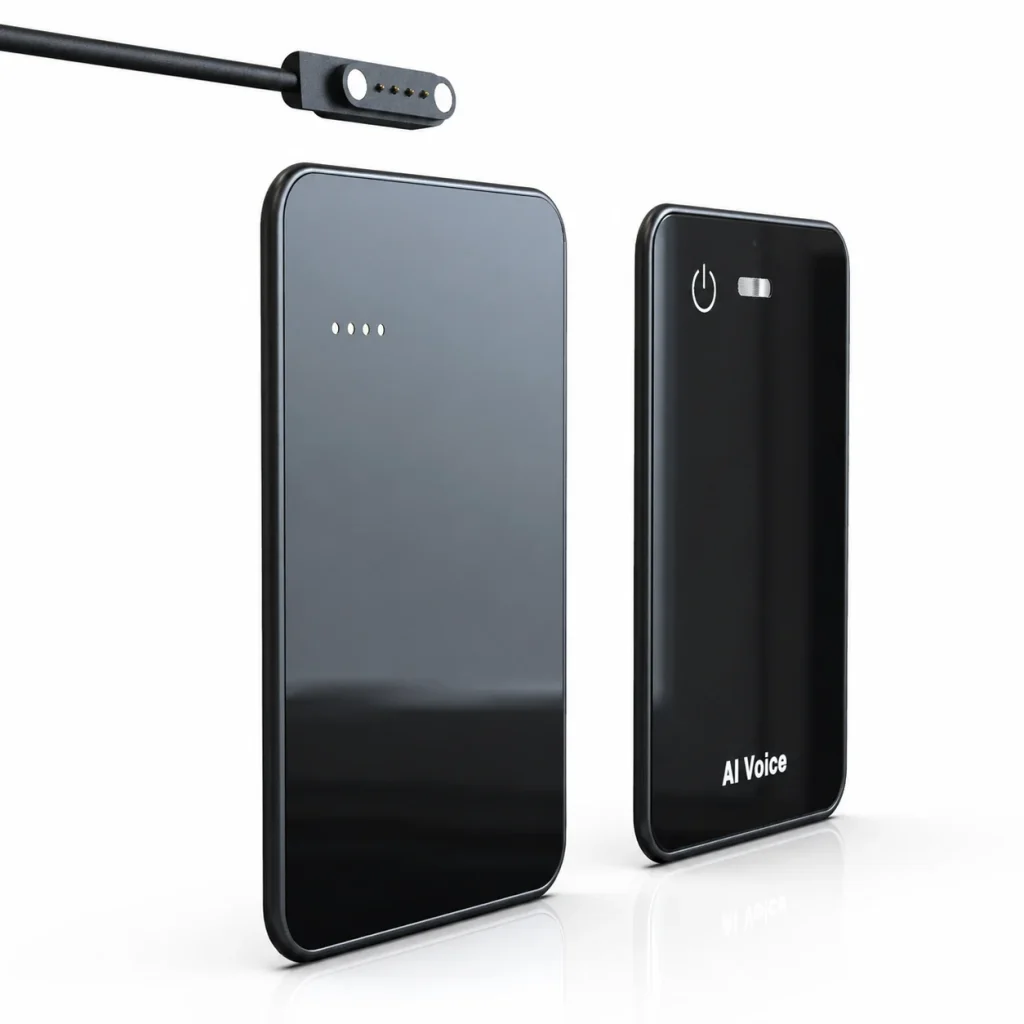
A voice recorder for field service can help technicians capture fault descriptions, serial numbers, customer requests, parts used, and follow-up tasks when typing is impractical. The recorder should not become a separate information island or an automatic work-order system. A useful workflow assigns every file to a work order, preserves the original audio until handoff is verified, converts speech into a reviewed note, and controls retention. Device selection should be based on gloves, movement, background noise, offline periods, battery, storage, transfer, and enclosure evidence tested in representative conditions—not on a generic “rugged” or “noise-canceling” label.
What Buyers Should Know
- Offline recording can preserve source audio without a network, but synchronization and AI processing may still require connected systems.
- File naming and work-order association should be designed before technicians create the first field recording.
- Noise performance must be tested with actual tools, vehicles, distance, movement, and protective equipment.
- An IP rating is meaningful only when the evidence, test conditions, enclosure, and production version match.
- AI drafts can speed documentation, but technicians or supervisors must verify names, measurements, parts, hazards, and commitments.
Where This Product Fits
| Entity or tool | Field-service role | Boundary to manage |
|---|---|---|
| Dedicated voice recorder | Captures local source audio during a visit | Does not automatically know the work order or asset |
| Phone and field-service app | Displays jobs, forms, photos, and system records | Battery, permissions, connectivity, and typing friction vary |
| Paper or printed checklist | Provides visible structure without software dependency | Harder to search, duplicate, and share; may require later entry |
| Work-order platform | Holds the approved operational record | Import and attachment behavior depend on the selected system |
| Yosiya MG6 | Card-style OEM/ODM recorder reference platform | Integration, durability evidence, and field performance require project validation |
Microsoft’s Dynamics 365 Field Service overview describes work orders, task checklists, parts, labor, assets, mobile work, and offline information as parts of the service lifecycle. MG6 does not claim automatic integration with Dynamics 365 or another work-order platform. The documentation illustrates the structured destination that an approved voice note may need to support.
Design the Field Capture Record First
A field recording is easier to process when the technician follows a short spoken structure. The organization can define prompts such as:
- Work-order ID and asset identifier.
- Site, date, time, and technician.
- Reported symptom and observed condition.
- Measurements, codes, parts, photos, and actions taken.
- Customer statement or access limitation, clearly identified as such.
- Remaining risk, follow-up owner, and next action.
Do not ask technicians to record sensitive customer, security, access, or personal information unless the approved process requires it. The spoken template should reflect the fields that the destination system actually uses. Otherwise the reviewer must search a long narrative for one serial number or completion code.
Microsoft’s work-order experience documentation shows that notes, attachments, photos, tasks, assets, and activity can be associated with a work order. A voice workflow should preserve those associations rather than uploading anonymous audio files to a shared folder.
Use a Work-Order-to-Audio Naming Rule
The recorder may not know the job number automatically. Create a naming queue that survives offline work and does not depend on memory at the end of a long shift.
| Field | Example pattern | Purpose |
|---|---|---|
| Work-order ID | WO-18427 | Primary link to the system record |
| Asset or location | AHU-03 | Distinguishes equipment at the same site |
| Date and sequence | 2026-09-01-02 | Orders multiple recordings |
| Capture type | diagnosis / completion / customer-request | Indicates review purpose |
| Review status | raw / reviewed / attached | Prevents premature deletion |
A practical filename could be WO-18427_AHU-03_2026-09-01-02_diagnosis.wav. If the recorder creates its own filename, preserve it and use a transfer manifest that maps the original name to the work-order ID. Never rename files in a way that destroys traceability or causes two technicians to overwrite each other’s recordings.
Test Hands-Busy Capture Without Inventing Hands-Free Claims
A card-style recorder can reduce phone-screen interaction, but it is not automatically wearable or safely operable in every task. Define when the technician may start or stop recording. Recording must not distract from driving, energized equipment, heights, traffic, lockout/tagout, personal protective equipment, or another safety-critical procedure.
Run tests with the gloves, clothing, tools, carrying method, and body position used in the job. Observe:
- Whether controls can be identified without repeated handling.
- Whether start/stop feedback is visible or otherwise clear.
- Where the device can be placed without blocking microphones.
- Handling noise when the device is picked up or set down.
- Whether a table, vehicle interior, pocket, or magnetic phone sleeve changes capture.
- Whether technicians and customers can recognize and consent to recording.
If the job truly requires wearable capture, compare a verified wearable option rather than relabeling a card-style device. The wearable versus card-style recorder guide explains why placement and interaction are separate selection criteria.
Run a Field Noise Sample Test
Do not translate “two microphones” or “hardware noise reduction” into an unsupported distance, intelligibility, or transcription-accuracy claim. Shure’s microphone fundamentals explain why microphone directionality, placement, and source position affect capture.
Build a test matrix around the real environment:
| Test condition | What to hold constant | What to inspect |
|---|---|---|
| Quiet equipment room | Speaker, distance, vocabulary | Baseline source intelligibility |
| Running machinery | Position and equipment state | Masked words, alarms, measurements |
| Vehicle cabin | Engine, window, mount position | Road noise and handling vibration |
| Outdoor visit | Wind, distance, orientation | Dropouts and wind interference |
| Moving technician | Clothing, gloves, carrying method | Handling and fabric noise |
| Two speakers | Placement and turn-taking | Attribution and overlapping speech |
Keep the raw audio and score task-critical facts: asset IDs, fault codes, measurements, part numbers, actions, and commitments. A polished summary does not repair a number that was unclear in the source recording. Use the AI voice recorder sample-testing guide to freeze the device, firmware, app, account, environment, and rubric.
OSHA’s occupational noise overview addresses workplace noise exposure and hearing protection, not recorder performance. It is useful context for one boundary: an audio test must never replace the employer’s safety program, noise assessment, hearing protection, or communication controls.
Keep Working When the Network Does Not
Offline capture can be useful at basements, remote sites, mechanical rooms, or customer locations with restricted connectivity. The workflow should distinguish four states:
- Local capture: audio is written to recorder storage.
- Local transfer: a file is copied to an approved phone or computer when available.
- Connected processing: transcription, translation, or summary uses the selected service.
- System handoff: a reviewed note or approved attachment enters the work-order record.
MG6 supports offline WAV capture. Its connected transcription, translation, summaries, and mind maps depend on the selected application and service scope. Offline recording must not be described as offline transcription, and a connected AI output should not be treated as the authoritative service record until reviewed.
Plan storage around the maximum days before verified transfer, not only one shift. The guide to voice recorder storage capacity provides a calculation method based on actual file growth, recording hours, retention, and headroom.
Move From Audio to a Reviewed Work Order
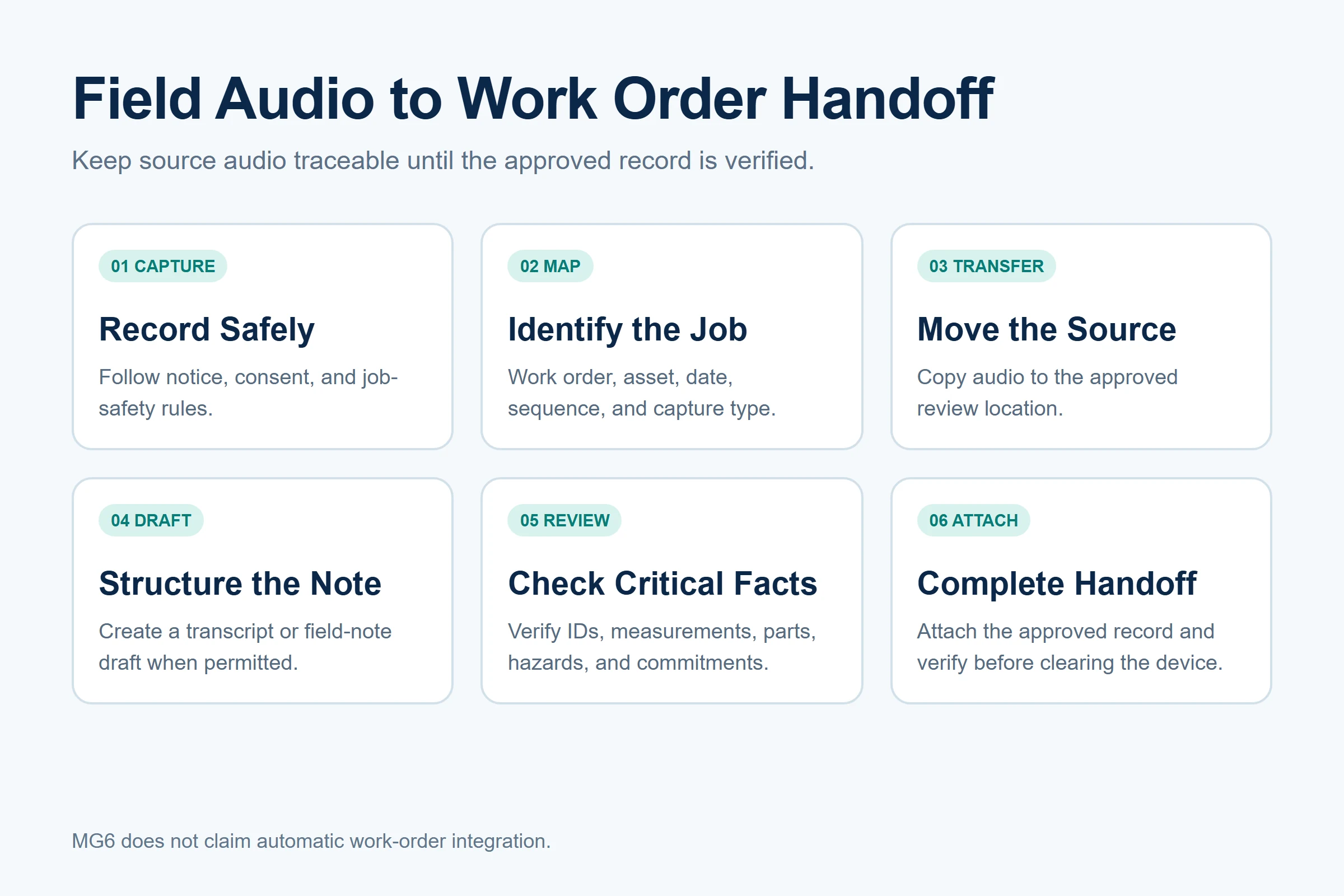
Use a controlled handoff:
- Technician records under the approved notice and safety process.
- File is mapped to work order, asset, date, and capture type.
- Source audio is transferred to the approved review location.
- A transcript or structured draft is created when permitted.
- Technician or reviewer checks identifiers, measurements, parts, hazards, and commitments against audio.
- Approved text, audio, or both are attached according to system policy.
- Transfer is verified before the recorder copy is cleared.
Do not promise automatic integration unless the selected project implements and validates it. Manual attachment may be acceptable for a pilot, while a larger deployment may need an API, middleware, mobile workflow, or controlled import. The quotation and responsibility matrix should state who builds, tests, secures, and supports each connection.
Microsoft’s Field Service inspection documentation shows that inspection responses, files, images, roles, and task completion have defined behavior. This reinforces why the recorder should feed an approved process rather than create a parallel archive with unclear ownership.
Evaluate MG6 Without Overstating Durability
The MG6 AI Recording Card provides offline WAV recording and a compact reference design. For field deployment, confirm measured shift endurance, storage headroom, controls used with gloves, and version-matched environmental test evidence rather than inferring durability from a product label.
That last sentence is not permission to publish an unlimited waterproof or certified-rugged claim. IEC 60529 is the standard covering enclosure protection classifications; the IEC 60529 publication page identifies the IP Code as degrees of protection provided by enclosures. Before a field-service claim is approved, obtain evidence matched to the exact enclosure and production version, including supported conditions and wording.
For an MG6 field-use project, request:
- Version-matched enclosure and ingress-protection documentation.
- Drop, vibration, temperature, chemical, dust, and cleaning evidence required by the target job—without assuming IP68 covers them.
- Battery observations under the selected recording and connection pattern.
- Noise samples from representative sites.
- Storage, charging, cable, transfer, and full-device behavior.
- A defined software, AI, data, warranty, and support responsibility matrix.
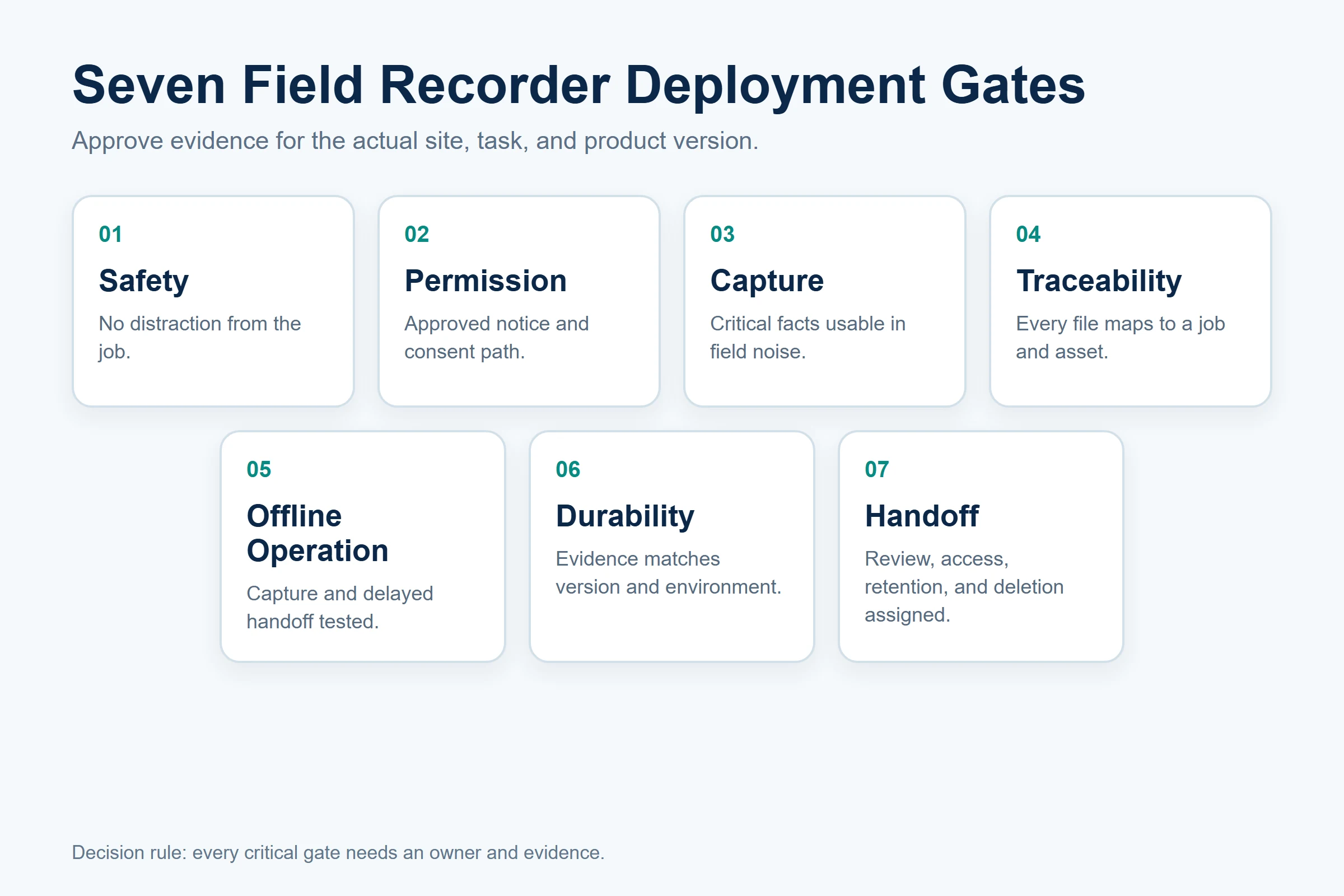
Use a Field-Deployment Gate
| Gate | Approval question | Evidence required |
|---|---|---|
| Safety | Can recording be performed without distracting from the task? | Job-hazard review and operating rule |
| Permission | Are notice and consent appropriate for the site? | Approved script and exception path |
| Capture | Is critical speech usable in representative noise? | Raw test audio and scored facts |
| Traceability | Can every file be linked to a work order and asset? | Naming rule and transfer manifest |
| Offline operation | What works without network access? | Tested capture and delayed-handoff procedure |
| Durability | Does evidence match the selected version and environment? | Reports, conditions, inspection, and claim wording |
| Handoff | Who reviews and attaches the final record? | Workflow owner, access, retention, and deletion rules |
FAQ
Can field technicians record notes offline?
They can when the selected device supports local recording and the organization permits the workflow. MG6 supports offline WAV capture, but connected transcription and other AI services depend on the selected software and connection. Technicians still need enough storage, clear filenames, and a delayed-transfer procedure. Test what happens when the network remains unavailable for the maximum expected period.
How should a voice recorder be tested in noisy field conditions?
Use representative machinery, vehicles, wind, distance, movement, gloves, clothing, and vocabulary. Hold the scenario constant across candidates and preserve the raw files. Score identifiers, measurements, fault codes, parts, actions, and commitments rather than relying on a vague quality impression. Do not infer field performance from microphone count or a noise-reduction label.
Can recorded notes link automatically to work orders?
Only if the selected system, app, integration, permissions, and project scope implement that function. Automatic work-order integration is not a default MG6 claim. A pilot can use a filename and transfer manifest followed by reviewed attachment. Larger deployments should document API or middleware ownership, security, error handling, and ongoing support.
What durability proof should a field-service buyer request?
Request evidence matched to the exact product version and intended environment. An IP classification concerns enclosure ingress protection under defined conditions; it does not automatically prove drop, vibration, temperature, chemical, cleaning, or intrinsic-safety performance. Review reports, sample construction, production controls, manuals, labels, and supported wording. If required evidence is missing, narrow the claim or the use case.
How should field-service audio files be named?
Use a work-order ID, asset or location, date, sequence, and capture type while preserving the original filename in a manifest. Avoid personal data in filenames unless policy explicitly requires it. Add a review status so raw, reviewed, attached, and cleared files are not confused. Verify the system attachment before deleting the recorder copy.
Make Voice Notes Part of the Service Record
A field-service recorder is useful when it captures source evidence safely, survives the actual operating workflow, and hands reviewed information into the approved work-order record. The device should not create an unmanaged archive or hide unverified AI output behind a polished summary. To evaluate capture, storage, enclosure evidence, and project responsibilities, request an MG6 field-use sample and capability review.


