
Voice recorder storage capacity should be calculated from the actual audio format, data rate, recording hours, retention period, and backup routine—not guessed from the number of gigabytes on a product page. For uncompressed PCM audio, sample rate, bit depth, and channel count determine how quickly files grow. Compressed formats add another variable: codec and bitrate. An 8GB recorder may be sufficient for short interviews that are transferred daily, while a 64GB or 128GB configuration may fit long sessions, travel, or delayed transfer. The reliable method is to confirm the recorder’s output settings, calculate one hour of audio, then add operational headroom.
What Buyers Should Know
- A GB label does not provide a trustworthy recording-time answer without the audio parameters.
- WAV is a container; buyers still need to confirm the encoding, sample rate, bit depth, and channels.
- Published capacity is not the same as usable free space after formatting, system files, and existing recordings.
- Retention policy and transfer frequency often matter more than the length of one meeting.
- Sample testing should measure actual file growth before a storage SKU or purchase quantity is approved.
Where This Product Fits
| Entity or option | Storage role | What must be confirmed |
|---|---|---|
| Voice recorder storage capacity | Local space available for source audio | Published capacity, usable capacity, file system, and reserved space |
| WAV recording | Local audio container used by many recorders | Encoding, sample rate, bit depth, channel count, and headers |
| Compressed audio | A possible way to reduce file size | Codec, bitrate, quality, compatibility, and export behavior |
| Cloud or app storage | Transfer, synchronization, or retention layer | Allowance, upload dependency, export, deletion, and recurring cost |
| Yosiya MG6 | OEM/ODM reference recorder with local WAV capture | Selected 8GB–128GB SKU and the exact project recording format |
The Library of Congress WAVE format description explains that WAVE is a wrapper capable of containing different audio bitstreams, commonly including linear PCM. This is why “WAV recording” alone cannot produce one universal hours-per-GB number.
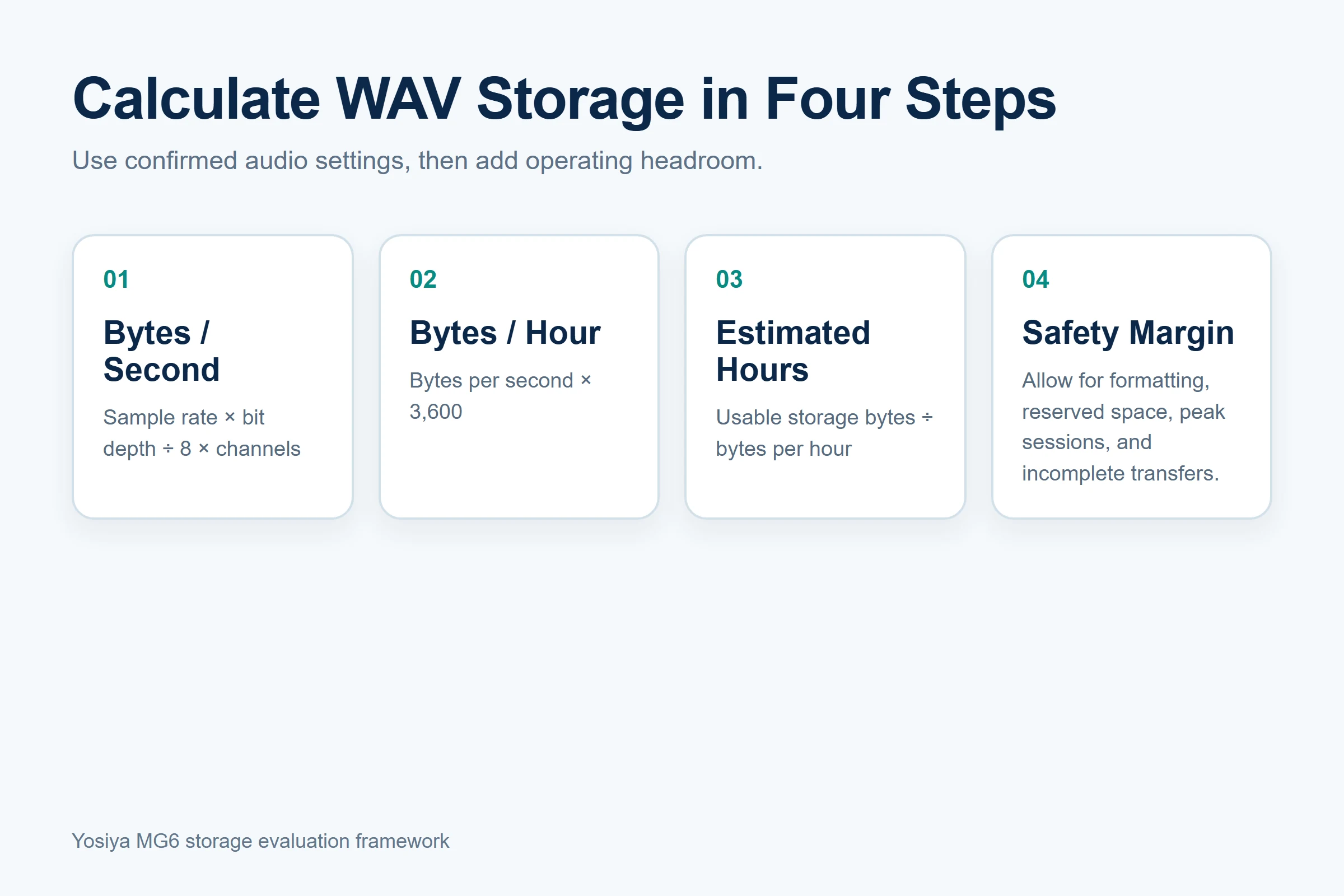
Calculate PCM WAV Storage From Four Inputs
For uncompressed PCM, use this sequence:
- Bytes per second = sample rate × bit depth ÷ 8 × channels
- Bytes per hour = bytes per second × 3,600
- Estimated hours = usable storage bytes ÷ bytes per hour
- Subtract a safety margin for headers, reserved space, unexpected sessions, and incomplete transfers.
Microsoft’s WAVEFORMATEX documentation defines average bytes per second and shows that PCM block alignment depends on channels and bits per sample. The formula is technical but the buying lesson is simple: doubling the sample rate, bit depth, or channel count increases storage use accordingly.
The following table is an illustration, not an MG6 recording-time claim. It assumes uncompressed 16kHz, 16-bit, mono PCM and decimal capacity before formatting or reserved space.
| Published capacity | Illustrative raw calculation | Operational interpretation |
|---|---|---|
| 8GB | About 69 hours | Could fit daily transfer or a limited interview queue |
| 16GB | About 139 hours | Adds headroom for multi-day use |
| 32GB | About 278 hours | Could support longer transfer intervals |
| 64GB | About 556 hours | Useful when sessions accumulate before offload |
| 128GB | About 1,111 hours | Relevant for long retention or high recording volume |
Actual results can be lower or substantially different. A 48kHz stereo file at the same bit depth uses six times the data rate of the illustrative 16kHz mono file. A compressed WAVE encoding or another audio format may use less space. Buyers must calculate from the selected device configuration rather than copying this table into a product claim.
Compressed recording should be evaluated as a separate configuration decision. A lower bitrate can reduce local storage demand, but buyers must also test source-audio usability, compatibility, export, editing, AI processing, and whether the device actually supports the selected codec. The MG6 reference claim is WAV capture; no MP3, AAC, or other compressed-format option should be inferred without written project confirmation.
Separate Published Capacity From Usable Capacity
Storage labels usually describe nominal capacity. The recorder may show less free space because of decimal-versus-binary reporting, formatting, firmware, indexing, logs, or existing files. The difference is not necessarily a defect, but it must be measured.
WAVE files can also contain headers and metadata in addition to the audio data. The Federal Agencies Digital Guidelines Initiative’s Broadcast WAVE metadata guidance illustrates how identifiers and technical metadata can travel with an audio object. It is not an MG6 file specification, but it reinforces why buyers should inspect real sample files instead of treating the nominal GB label as entirely available audio payload.
During sample review, record:
- Published storage SKU and displayed free space after setup.
- File system and any maximum individual-file limit.
- Automatic file splitting behavior during long recordings.
- File naming, timestamps, and behavior after the clock changes.
- Low-space warning and what happens when storage becomes full.
- Whether deletion frees space immediately and whether recovery is possible.
Do not plan operations around 100% utilization. Define a warning threshold and a stop threshold. A recorder with a large nominal capacity still fails the workflow if users discover a full device at the start of an important session.
Convert Recording Habits Into a Capacity Requirement
Storage selection becomes easier when buyers model a normal week and a stressful week.
| Workflow | Variables to model | Capacity pressure |
|---|---|---|
| Interviews | Sessions per day, average duration, travel days, transfer schedule | Back-to-back sessions and delayed offload |
| Training and workshops | Program length, breaks, Q&A, repeated cohorts | Long continuous files and quarterly repetition |
| Conferences | Number of short conversations, daily review, naming discipline | Many files and identification errors rather than one huge file |
| Field service | Visits per shift, offline periods, work-order handoff | Delayed connectivity and incomplete transfer |
| Internal meetings | Meeting hours, retention period, user administration | Unmanaged accumulation across many users |
For each workflow, calculate daily audio, multiply by the maximum days before a verified transfer, then add headroom. If users travel for five days without a reliable computer connection, a daily-transfer assumption is not credible. If policy requires deletion after handoff, a smaller local capacity may be operationally sufficient.
Under the same illustrative 16kHz, 16-bit, mono PCM assumption used above—not as an MG6 claim—an eight-hour training day would generate approximately 921.6MB before formatting differences and operational headroom. This cross-check shows how to reuse the formula for a real schedule; it should not replace measurement of the selected recorder configuration.
The related guides for training-session recording and conference recording workflows show why long-session and short-conversation workloads create different file-management problems.
Plan Retention and Backup Before Buying More GB
Local recorder storage should be treated as a capture layer, not automatically as the permanent archive. Define when a recording is transferred, who verifies it, where the approved copy is stored, and when the recorder copy is deleted.
A practical handoff can use five states:
- Captured: the source file exists on the recorder.
- Transferred: the file reaches the approved repository.
- Verified: filename, duration, playback, and associated job or session are checked.
- Protected: access, backup, retention, and deletion controls apply.
- Cleared: the recorder copy is deleted under policy and available space is confirmed.
CISA’s data backup overview describes local and remote backup approaches and their trade-offs. It does not prescribe a voice-recorder workflow, but it supports the principle that a second managed copy is different from leaving the only file on a portable device.
NIST’s contingency planning guide addresses system recovery and continuity planning rather than voice recorders specifically. Its broader lesson is relevant: recovery requirements, responsibilities, and priorities should be defined before disruption. For recorder projects, that means deciding which copy is authoritative, how transfer is verified, and how an unavailable device or repository affects the workflow.
Local recorder capacity and connected-service storage are separate calculations. Buyers should confirm whether the selected service retains source audio, transcripts, translations, summaries, mind maps, or other derived files; how allowances are measured; where data is stored; how it can be exported; and when it is deleted. Text outputs are often smaller than source audio, but no universal cloud-storage conclusion should be made without the selected service terms and data flow.
Retention should follow the organization’s purpose and policy. Keeping every recording indefinitely consumes storage and increases exposure. Deleting immediately after transfer without verifying the destination can also lose evidence. Assign a named owner for both verification and deletion.
Evaluate MG6 Storage Options by Project
The MG6 AI Recording Card is available for project evaluation with 8GB, 16GB, 32GB, 64GB, and 128GB storage options. The confirmed boundary is local WAV capture with a selected storage SKU; it is not a fixed promise that each capacity records a particular number of hours.
Before choosing an MG6 configuration, request written confirmation of:
- The production storage SKU and usable-capacity expectation.
- Recording encoding, sample rate, bit depth, and channels.
- File splitting, maximum file size, and full-storage behavior.
- Firmware and app versions used during testing.
- File-transfer method, speed, and interrupted-transfer recovery.
- Whether connected AI processing creates additional local or cloud copies.
- Packaging, manual, and support wording for capacity claims.
Use the AI voice recorder sample-testing guide to measure file growth under a frozen configuration. Record for a known duration, inspect the resulting files, calculate observed MB per hour, and repeat after a firmware or format change.
Use a Capacity Decision Worksheet
| Input | Buyer entry | Evidence source |
|---|---|---|
| Audio format and encoding | Device specification and sample file | |
| Sample rate / bit depth / channels | File properties or technical confirmation | |
| Observed MB per hour | Timed sample recordings | |
| Recording hours per day | Representative user schedule | |
| Maximum days before transfer | Travel and connectivity workflow | |
| Required local retention | Approved policy | |
| Safety margin | Risk tolerance and peak-use scenario | |
| Selected capacity | Calculation plus sample result |
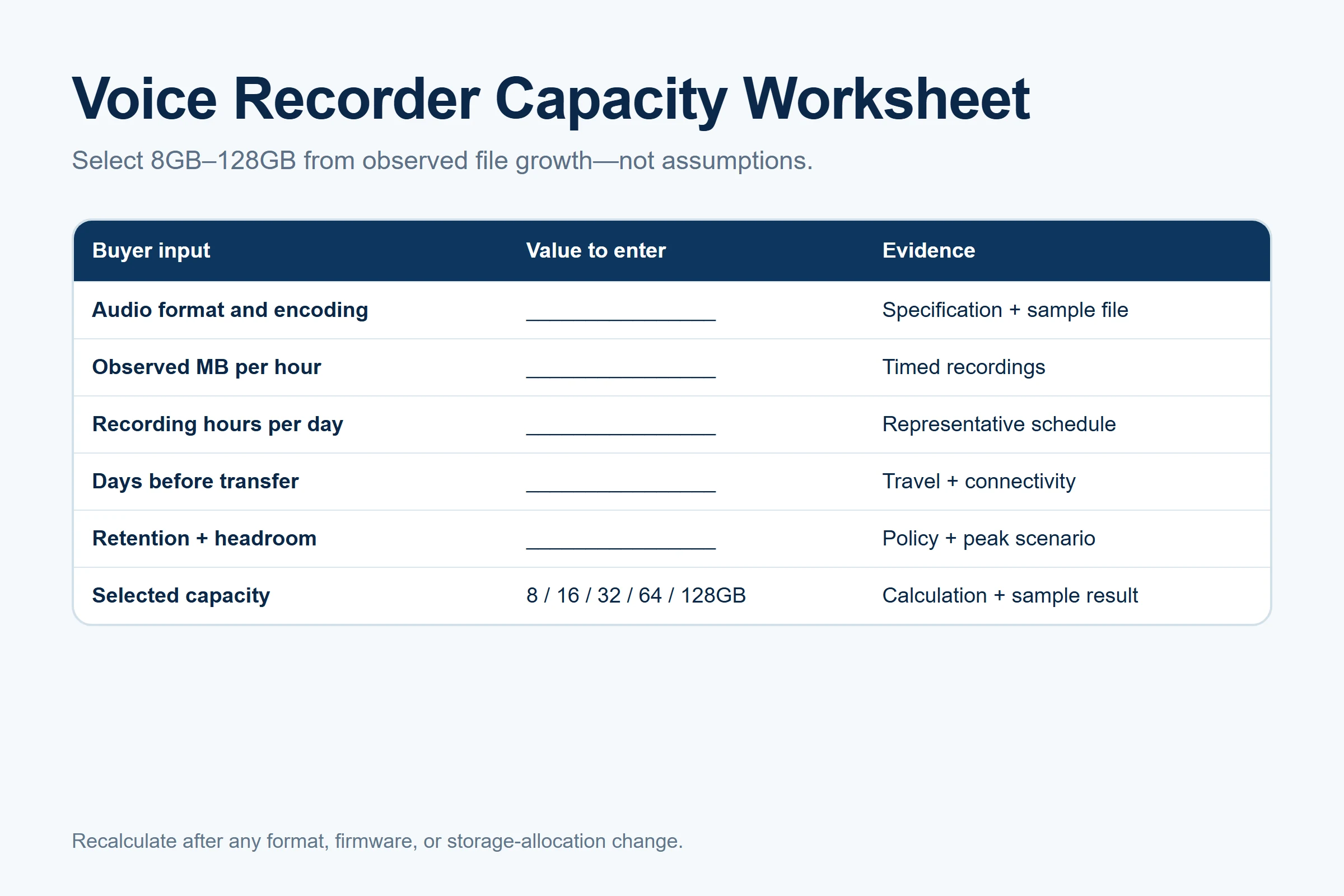
The worksheet should remain editable. If a supplier changes the recording profile, firmware, or storage allocation, update the observed file rate and rerun the decision. Capacity planning is a versioned calculation, not a permanent conclusion.
FAQ
How long can an 8GB voice recorder record?
There is no reliable universal answer without the audio parameters and usable free space. For illustration, 16kHz, 16-bit, mono uncompressed PCM consumes about 115.2MB per hour, giving roughly 69 raw hours in 8 decimal GB before formatting, headers, reserved space, and safety margin. A different sample rate, bit depth, channel count, codec, or device allocation changes the result. Confirm the format and measure a timed sample file.
Does WAV use more storage than compressed audio?
Uncompressed PCM WAVE commonly uses more storage than a compressed format created for the same duration. However, WAVE is a container and can hold more than one type of audio bitstream, so the extension alone is not enough. Buyers should compare actual encoding, bitrate, compatibility, quality requirements, and export behavior. Do not assume every .wav file has the same data rate.
How much storage is suitable for interviews?
Calculate the observed MB per hour, multiply it by interview hours per day and the maximum days before verified transfer, then add headroom. A researcher who transfers and verifies files daily may need less local capacity than a team traveling for a week. Also model retakes, pre-interview setup, and long answers. The appropriate capacity depends on the workflow, not the word “interview.”
Should voice recordings be backed up?
Important source audio should be transferred to an approved repository and verified according to organizational policy. A portable recorder can be lost, damaged, filled, or cleared accidentally. Define the authoritative copy, access controls, backup method, retention period, and deletion owner. Avoid keeping unmanaged duplicate copies merely because additional storage is available.
Use the five-state handoff: captured, transferred, verified, protected, and cleared. Do not delete the recorder copy merely because an upload started; confirm that the destination file is associated with the correct session and can be played. The organization should also document what happens when verification fails or the repository is unavailable.
When is 128GB useful in a voice recorder?
It can be useful for high recording volume, long travel, delayed transfer, extended local retention, or a high-data-rate recording configuration. It may be unnecessary when sessions are short and files are transferred and deleted safely each day. Before paying for or stocking the larger SKU, compare the calculated requirement with an observed stress-week sample. More capacity should solve a documented operating need.
Calculate First, Then Select Capacity
The correct voice recorder storage capacity is the smallest configuration that supports the verified file rate, peak recording schedule, transfer interval, retention rule, and safety margin. Start with the exact recording parameters, measure a sample, and document the assumptions. For an OEM/ODM configuration review, request the MG6 recording-format specification and storage options.


