
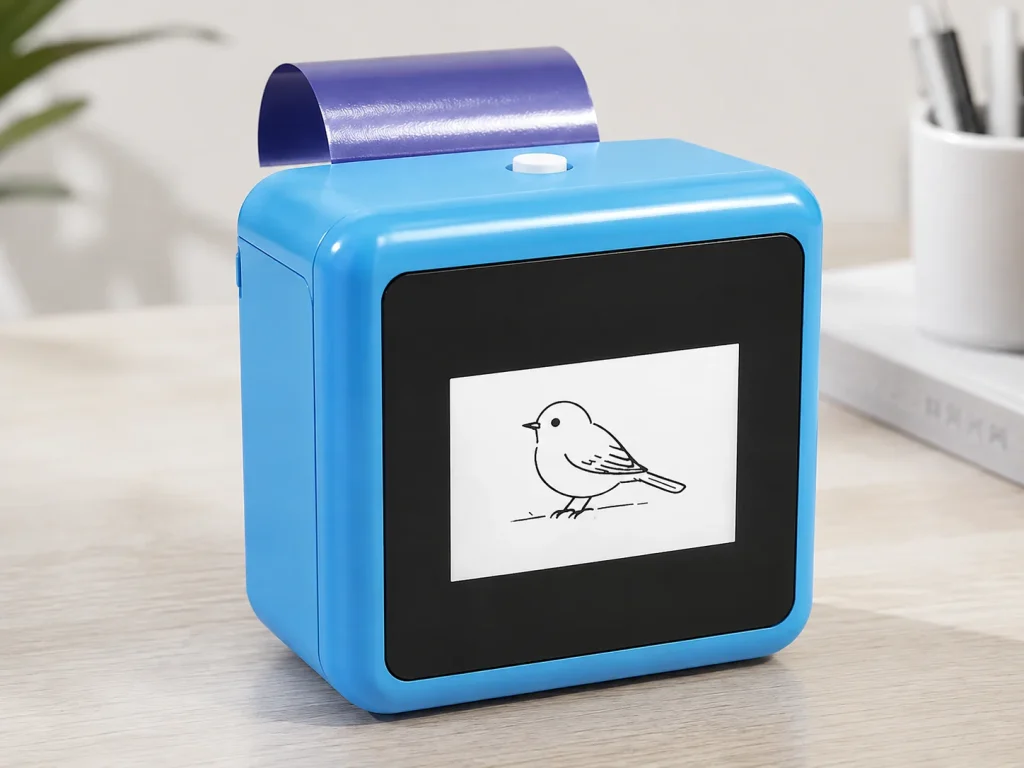
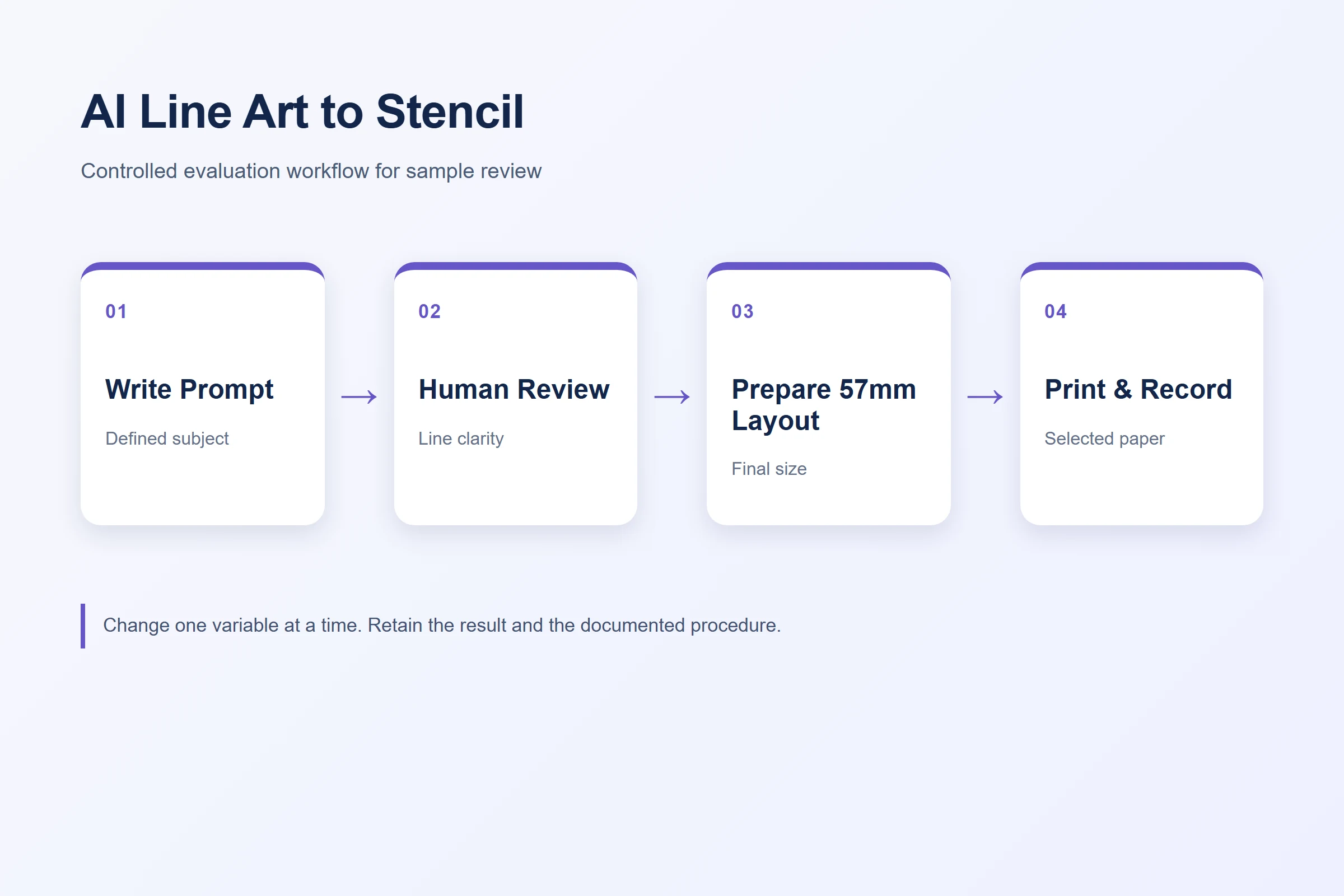
An AI tattoo line-art workflow should be evaluated as a controlled sequence: define the design request, generate line art, review it, print on the selected transfer paper, and verify the result using the documented procedure. The critical point is that AI output is only one input. A usable stencil also depends on the final design size, line density, 57mm layout, selected paper, feed behavior, and the operating process. K1 provides a connected web workflow for AI-generated line art and a 57mm thermal-printing reference platform. Its public page states that image upload is not available, so buyers should plan an original text-prompt-to-line-art workflow rather than promising a photo-upload path.
What Buyers Should Know
- Treat AI-generated line art as a draft requiring human review before printing.
- Use a written prompt and final-size layout that match the intended stencil task.
- Keep file preparation, paper condition, print formation, and later transfer observation separate.
- Do not describe the K1 workflow as image upload, direct tattooing, or an automatic safety result.
- Retain the selected prompt, output, paper identity, and sample record for evaluation.
Where This Product Fits
| Entity | Description |
|---|---|
| Yosiya | AI hardware company offering K1 evaluation and OEM/ODM discussions |
| K1 AI Tattoo Stencil Printer | Connected web workflow for AI-generated line art with 57mm thermal printing |
| AI line-art workflow | Text-prompt creation, human review, print preparation, and controlled stencil evaluation |
| Dedicated transfer paper | Purple-blue thermal transfer film plus backing paper described on the K1 product page |
The K1 product page confirms the connected AI line-art workflow, dedicated paper, and 57mm reference platform. It also states that the workflow does not support image upload. The page does not publish an AI-service SLA, data-retention rule, registration process, language coverage, moderation rule, print setting, or universal transfer result; confirm these items for the current project.

Begin with a printable design brief
The first control is not an elaborate prompt. It is a short brief that says what must be present in the line art, what should be excluded, the intended final size, and the level of detail the stencil can reasonably carry. A prompt that produces dense shading, narrow gaps, or intricate background texture may look attractive on screen but require a different layout or a simpler output for a compact stencil workflow.
| Prompt element | What to define | Why it matters |
|---|---|---|
| Subject | Main object, theme, or symbol | Keeps the design request specific |
| Style | Clean line art, bold outline, or limited-detail concept | Reduces unsuitable visual complexity |
| Detail boundary | Fine features to retain and textures to avoid | Supports later print review |
| Final use | Intended stencil size and placement plan | Prevents screen-only decisions |
| Review owner | Person who approves the output before print | Preserves human responsibility |
Do not assume that a generated image is ready simply because it is recognizable. The buyer or operator should review line continuity, overlap, open areas, unintended marks, and whether the selected composition fits the intended final size. This is a practical design review, not a claim that AI can assess tattoo suitability.
- Keep the first prompt focused on one subject and a defined line-art style.
- Review the output at intended print size, not only at enlarged screen size.
- Record a revision reason when simplifying details or changing composition.
- Assign a human reviewer before releasing the file to the print workflow.
Human review also aligns with the broader idea of defined AI governance and risk controls. NIST’s AI Risk Management Framework and its Generative AI Profile are not K1 operating instructions, but they support keeping a named human responsible for reviewing generated output before it enters an operational workflow.
Review the line art before it reaches paper
Use a versioned file name or short record so the prompt, output, and sample can be tied together. If a design needs revision, change one clear request at a time: simplify the background, increase separation between elements, remove a texture, or choose a different composition. Avoid an untraceable chain of edits where the operator cannot later identify why one output printed more clearly than another.
The AI step creates an option. The controlled review decides whether that option is appropriate for the selected print and transfer workflow.
For a control sample, include line weights, curves, small open shapes, and areas where nearby lines could merge. Keep the design file, intended size, and paper procedure stable when comparing iterations. The K1 product page shows an actual transfer-test sample, but that display does not establish a universal outcome, durability, water resistance, or skin-safety claim.
Prepare the 57mm layout deliberately
The K1 reference platform uses 57mm thermal printing. That is a physical format boundary, not a suggestion that every design must be constrained to one narrow composition. A buyer can decide to simplify the design, choose an orientation, segment the work where appropriate, or select a different equipment category for an intended wider one-piece output. The right choice depends on the project and should be confirmed through a sample.
| Layout question | Practical review |
|---|---|
| Does the design fit the selected output width? | Check the final layout, not only the canvas view |
| Are margins and line separation visible? | Retain clearance around critical marks |
| Is segmentation appropriate? | Use only when alignment and workflow are agreed |
| Is a wider output essential? | Compare other categories rather than forcing the design |
This is why a workflow article should not promise that K1 replaces every A4 copier or suits every stencil composition. The 57mm width, the paper, and the final design all need to be considered together.
Print and document a controlled sample
Once the line-art output is approved, use the selected dedicated paper and the current supplier-confirmed procedure. Record the output ID, paper version, visible print result, and any feed observation. If the result is faint, broken, shifted, or physically damaged, do not change the prompt, file, paper, and handling at the same time. Preserve the evidence and isolate one variable for a retest.
Paper-quality testing and evidence-first troubleshooting can support the next review stage. They are complementary: one focuses on material acceptance, while the other separates file, layout, paper, and device observations.
Keep AI, material, and market claims separate
The AI workflow does not by itself validate what happens after a printed stencil is used. Do not extend an approved line-art output into a claim about skin safety, application duration, waterproof performance, or the result for every person. The FDA’s temporary-tattoo fact sheet supports this claim boundary: material and market-facing claims require appropriate evidence beyond a design or print sample.
For an OEM or event project, also confirm who owns the prompt rules, content review, customer interaction, paper supply, and any output-record retention. K1 OEM discussions can include configured AI workflow, but the actual scope must be agreed per project.
FAQ
Can K1 turn an uploaded image into a tattoo stencil?
The public K1 page states that image upload is not available. Plan for the connected AI-generated line-art workflow and confirm current functionality for the project.
Who should approve AI tattoo line art before printing?
An assigned human reviewer should check the output against the intended design, final size, line separation, and selected workflow before it is released to print.
Does an AI-generated line-art image guarantee a clean stencil print?
No. Print formation also depends on layout, final size, paper, feed behavior, and the documented operating procedure.
Can a K1 sample prove skin safety or transfer duration?
No. A sample is operational evidence for the selected setup. Safety, duration, waterproof, and market claims require separate evidence.
What should a buyer retain from an AI stencil sample?
Keep the prompt or design brief, output ID, layout version, paper identity, visible print result, procedure used, and any follow-up notes.
Request a K1 workflow evaluation
Contact Yosiya to discuss the current K1 AI line-art workflow, the selected paper, and a documented sample-evaluation path. Contact Yosiya.


