

Effective meeting recorder microphone placement starts with a repeatable room test, not a universal distance claim. Place the recorder where no object blocks its microphones, representative speakers are reasonably close, and participants can see that recording is active. Then record the same short script from at least three positions and compare the original files for low volume, echo, HVAC noise, table vibration, and overlapping speech. The selected position should be documented for each room type. This method gives office and meeting teams evidence they can reuse without assuming that one center-table position, one participant count, or one advertised pickup range will work in every space.
What Buyers Should Know
- Test recorder placement in the actual room before evaluating transcription output.
- Keep the device visible and follow the organization’s recording-consent procedure.
- Use identical speakers, words, noise conditions, and recorder settings for every position.
- Listen to the original audio before blaming a transcription service for missing words.
- Record room layout, device orientation, firmware, file name, and test date.
- Treat participant counts as test scenarios, not verified product coverage claims.
Start with the room, not a distance claim
Recorder performance depends on the relationship among speakers, microphones, surfaces, and noise. A number printed as a pickup distance cannot describe every glass-walled room, carpeted room, long table, quiet interview, or discussion with frequent overlap.
Shure’s conference audio guide explains that room size, shape, furnishings, and physical materials influence how sound behaves. Reflective surfaces increase reverberation, while absorptive materials can reduce reflections and support speech intelligibility. Shure’s conference-room placement guide also recommends mapping commonly used seats and testing for areas with weak coverage.
Those principles apply to a portable recorder evaluation even though the referenced material also discusses installed conference systems. Buyers should not transfer an installed microphone’s coverage specification to a card-sized recorder. Instead, note the conditions that change the signal reaching the recorder:
- Distance from each occupied seat.
- Whether a laptop, notebook, cup, bag, or table decoration blocks the device.
- Glass, bare walls, hard tables, and other reflective surfaces.
- HVAC vents, projectors, fans, keyboard noise, and hallway noise.
- Quiet speakers, people facing away, and simultaneous speech.
- Handling noise or vibration transmitted through the table.
The AWS speech-to-text overview likewise identifies recording quality, background noise, and speaking characteristics as factors that can affect transcription. It supports the workflow principle that source audio must be assessed before downstream text, without proving the performance of any particular recorder.
Compare common meeting-room layouts
Start with the way people actually use the room. Do not arrange a special demonstration that is easier than normal meetings.
| Room pattern | Initial position to test | Second position | Main failure to listen for |
|---|---|---|---|
| Small square table | Open central area | Slightly toward frequent speakers | Table obstruction and nearby handling noise |
| Long rectangular table | Middle of the occupied section | One-third point toward quieter or distant speakers | Weak voices at one end and large level differences |
| Interview across a desk | Between interviewer and guest | Closer to the quieter speaker | Papers, laptop fans, and one-sided volume |
| U-shaped discussion | Inside the open center | Near the section with the most active speakers | Large distance changes and speakers facing away |
| Mixed in-room and remote meeting | Near in-room participants without covering the room system | Position isolated from loudspeaker output | Echo, feedback, and duplicate capture of remote audio |
Microsoft’s Teams Rooms guidance states that microphone arrays should be positioned to cover participants within the certified range of the selected device. For a portable recorder with no verified published room range, the practical equivalent is to test every normally occupied seat and avoid converting a proposed participant count into a product claim.
The center of a table is a reasonable first candidate when speakers surround the device and the location is clear of obstructions. It is not automatically the selected position. A long table may produce more balanced results from the center of the occupied group rather than the geometric center of the furniture. A meeting led mainly from one end may require another candidate position.
Run the same three-position recording test
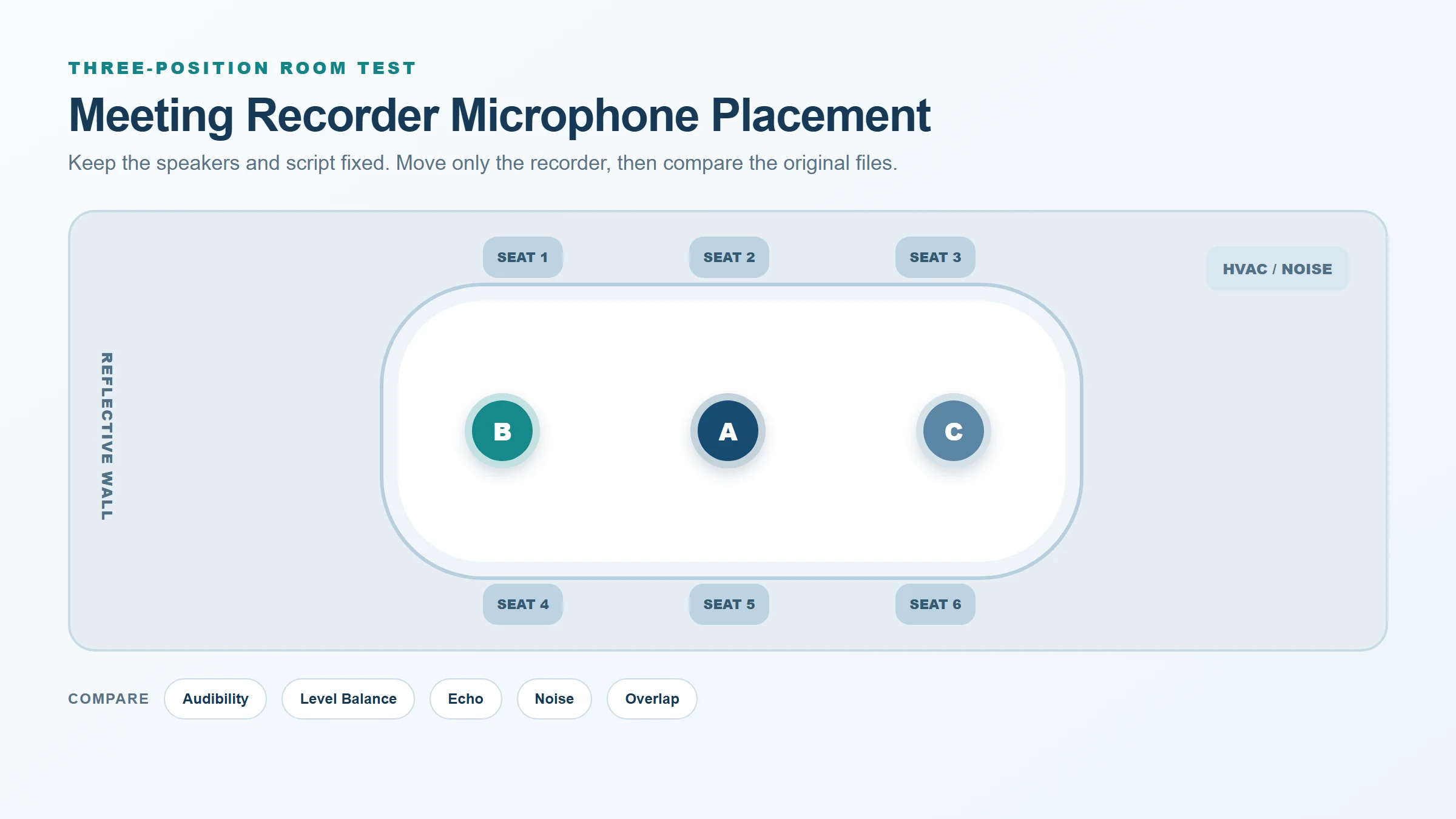
Create three clearly marked positions—A, B, and C—and keep all other variables as stable as possible.
Use this procedure:
- Draw the table, seats, doors, windows, HVAC vents, displays, and loudspeakers.
- Mark the seats used most often and identify quiet or distant speakers.
- Select three safe positions that do not hide or cover the recorder.
- Use the same device, orientation, recording mode, and source-file format.
- Ask every test speaker to read the same short script at a normal meeting volume.
- Include names, product terms, dates, quantities, a negative statement, and one short overlap segment.
- Record normal HVAC noise and another realistic interruption such as typing or paper movement.
- Save each file with the room, position, date, and configuration in its name.
- Review the WAV files with the same headphones and playback level.
- Select a position only after repeating the strongest candidate.
Do not move the recorder during a take. Movement introduces handling noise and makes the evidence hard to compare. If the device must be moved for operational reasons, treat that as a separate test case.
Listen for five placement failures
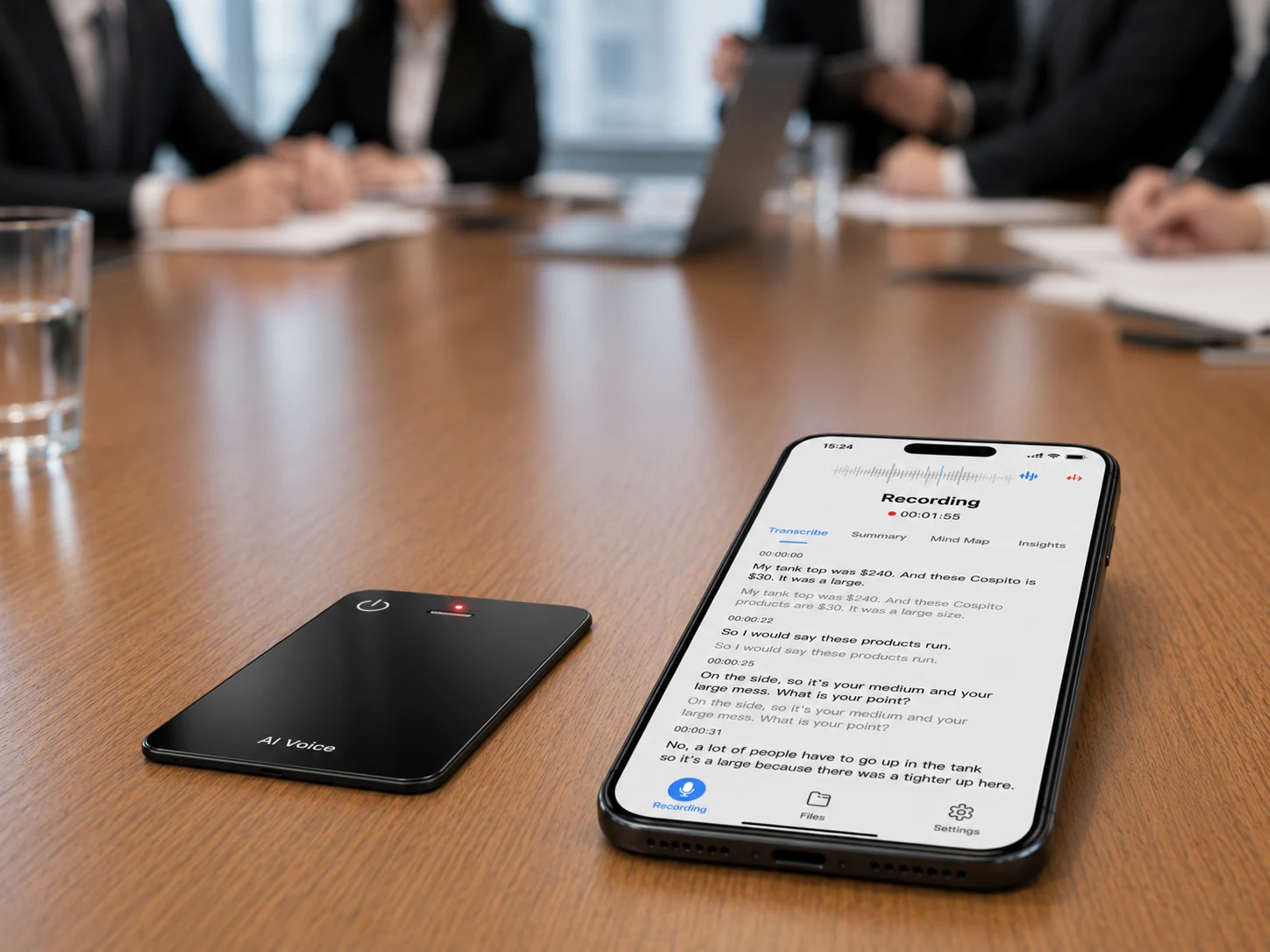
The original audio usually reveals whether the problem begins in the room or later in the transcription workflow.
| Failure | What it sounds like | Placement response to test |
|---|---|---|
| Excessive distance | Quiet, thin, or inconsistent speech | Move closer to occupied seats or reduce the span covered by one recorder |
| Obstruction | Sudden muffling or loss of one direction | Clear objects and confirm the microphone openings remain exposed |
| Reverberation | Words trail together or sound hollow | Test farther from reflective boundaries and consider a less reflective room |
| Steady background noise | Fan or HVAC sound competes with quiet voices | Move away from the source while preserving speaker proximity |
| Overlapping speech | One or both speakers become difficult to understand | Include overlap in acceptance testing and improve meeting turn-taking |
Zoom’s cloud-recording transcription guidance advises minimizing background noise, speaking clearly, and positioning a microphone near active speakers. That advice is platform-specific, but it reinforces the need to test proximity and noise instead of relying on software correction alone.
Hardware noise reduction can be useful, but it should not replace the placement test. Signal processing cannot restore every word that was never captured clearly, and a noise-reduction claim does not establish transcription accuracy.
Evaluate the source file before the transcript
Use two review passes. In the first pass, judge only the original audio. In the second, submit the same files to the selected transcription service.
For the audio pass, rate each seat or speaker for:
- Speech audibility.
- Consistency of volume.
- Echo or reverberation.
- Background-noise interference.
- Distortion or clipping.
- Intelligibility during overlap.
For the transcript pass, record missed names, numbers, negative statements, decisions, and action owners. If Position B produces clearer source audio and fewer critical transcript errors than Position A, the evidence supports B for that tested room and configuration. It does not establish that B will perform identically in another room.
Keep offline recording separate from offline AI transcription. A local file can be reviewed and preserved without proving that speech-to-text runs on the recorder.
Make visibility and consent part of placement
A technically strong position can still be operationally unsuitable if participants cannot tell that recording is active. Put the recorder where the owner can check its status and where normal meeting materials will not cover it.
The NIST Privacy Framework provides a voluntary structure for examining privacy risk across data collection, use, sharing, retention, and disposal. It does not determine whether a particular meeting may legally be recorded. Organizations should establish consent and notice procedures appropriate to their jurisdiction, industry, participants, and purpose.
The room procedure should identify:
- Who authorizes and starts the recording.
- How participants receive notice and raise objections.
- Who owns the device and resulting file.
- Where the source audio is transferred.
- Who may generate and review a transcript.
- When each copy is retained or deleted.
For a broader hardware review, pair placement tests with the AI meeting-recorder hardware guide. It helps buyers connect room geometry and capture tests to the rest of the in-person meeting workflow.
Where This Product Fits
The MG6 AI Recording Card is suitable for a portable, placement-led room evaluation. The reference device is listed at 54 × 85 × 2.6 mm and 55 g. Its confirmed recording scope includes two omnidirectional microphones, a hardware noise-reduction algorithm, and offline WAV recording.
| Placement consideration | Confirmed MG6 reference scope | What the buyer must test |
|---|---|---|
| Portable table position | Card-sized reference dimensions and weight | Stability, visibility, obstruction, and handling noise |
| Multi-directional capture | Two omnidirectional microphones | Actual seat-to-seat consistency in each room |
| Source evidence | Offline WAV recording | File completeness, audibility, transfer, and repeatability |
| Recording-path processing | Hardware noise-reduction algorithm | Version-matched documentation and controlled samples |
No confirmed pickup distance, meeting-room capacity, participant limit, or transcription improvement percentage is available for publication. A proposed 4–12-person meeting can be used as a test scenario, but it must not be presented as verified MG6 coverage.
Document the selected position
A one-page room record makes the result reusable. Save the room name, layout image, occupied seats, chosen position, device orientation, firmware, recording mode, test script, noise conditions, source-file names, reviewer, and approval date.
Retest when the room layout changes, a table or acoustic surface is replaced, the recorder configuration changes, or users report new failures. Placement evidence is part of the operating procedure, not a one-time marketing demonstration.
FAQ
Should a recorder sit in the center of the table?
The center is a sensible first test when participants surround the recorder and the device is unobstructed. Select it only after comparing it with at least two alternatives using the same speakers and script. Long tables and meetings led from one end may require another position.
How far should a meeting recorder be from speakers?
There is no universal distance that applies to every recorder and room. Test the device at normal seating distances and listen for weak speech, reverberation, and level differences. MG6 does not currently have a verified public pickup-distance claim.
What happens in a long conference room?
Speakers at opposite ends can reach the recorder at very different levels. Compare the geometric center, the center of the occupied seats, and a position closer to quiet or frequent speakers. If one recorder cannot produce acceptable source audio, revise the setup rather than inventing coverage.
How should HVAC noise be tested?
Keep the HVAC system in its normal meeting state and record a fixed script from every candidate position. Note vents and other steady noise sources on the room map. Compare whether moving away from the noise improves speech without placing the recorder too far from participants.
Should placement be documented in an OEM pilot?
Yes. Record the room, seats, device version, orientation, position, script, noise conditions, source files, reviewer, and acceptance result. This separates repeatable evidence from a successful demonstration whose conditions cannot be reconstructed.
Request an MG6 meeting-room sample test
Use the three-position method with the exact MG6 sample and rooms planned for deployment. Contact Yosiya to request a reference configuration and confirm the sample, recording, transfer, documentation, and connected-service scope.


