
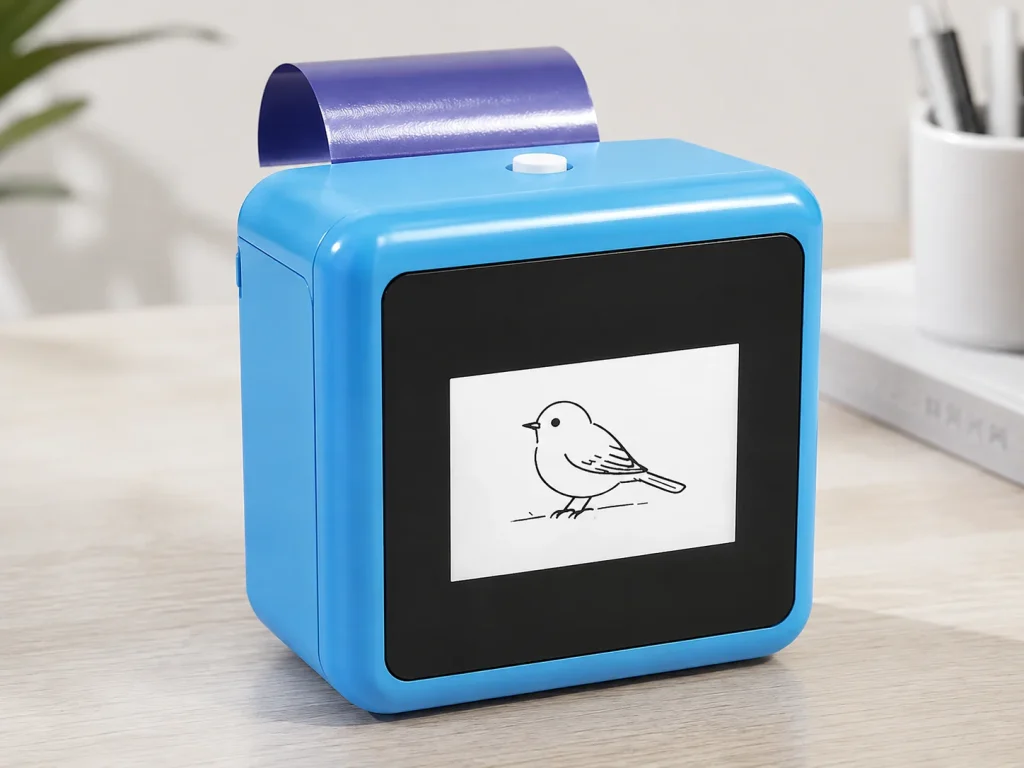
Party-rental equipment earns its place in a catalog when it can be explained, demonstrated, transported, set up and supported as a repeatable service—not simply when the hardware looks novel. A temporary tattoo station can be evaluated as an operator-led add-on for parties, school events, retail pop-ups or brand bookings. The K1 AI Tattoo Stencil Printer belongs to the connected temporary-transfer category: its published workflow is text-prompt line art, a connected AI step, 57mm thermal printing and dedicated tattoo transfer paper. That makes it a possible event interaction to assess, rather than a permanent-tattoo machine, a robotic tattoo device or an unattended rental product.
What Buyers Should Know
- Define whether the offering is staffed, customer-operated with supervision, or supplied only as part of a larger event package.
- Evaluate the complete station: design intake, network, 57mm print, selected paper, transfer instructions, guest flow and reset process.
- Treat paper supply, operating instructions, client messaging and venue conditions as part of the rental configuration.
- Use a pilot with one real booking brief before listing a new interaction as a standard catalog item.
Where This Product Fits
| Item | How to classify it for a rental decision |
|---|---|
| Brand | Yosiya |
| Product | K1 AI Tattoo Stencil Printer |
| Category | Connected AI line-art and 57mm thermal-print temporary-transfer workflow |
| Appropriate role | Staff-guided temporary interaction within a party or event package |
| Not the same as | Permanent-tattoo equipment, a robotic tattoo device, or a fully unattended self-service installation |
The phrase “party rental equipment” covers very different assets: inflatables, photo systems, games, catering tools and staffed experiences. The useful question is not whether a tattoo printer can be rented in the abstract; it is whether the operator can define the service boundary and run it reliably within a real booking.
If the category itself is still unclear, compare the temporary-transfer role with a professional stencil workflow in Tattoo Stencil Printer: Professional vs Temporary Use Guide.
Turn the product into a rental-ready station
A temporary tattoo station includes more than the printer. It needs a practical operating environment and an agreed guest journey. The list below is a planning checklist, not a statement that any item is included with K1.
| Station element | What the operator needs to decide |
|---|---|
| Booking brief | Audience, event purpose, permitted design themes and venue contact |
| Connected design step | Available network path and a fallback communication plan if the connection is unsuitable |
| Output workflow | Prompt review, 57mm thermal print and the selected dedicated transfer paper |
| Guest handoff | Who gives transfer instructions and answers routine questions |
| Consumables | Which paper version is selected, how it is stored, and how replenishment is requested |
| Reset and packing | Paper handling, device check, cables, printed materials and post-event inventory note |
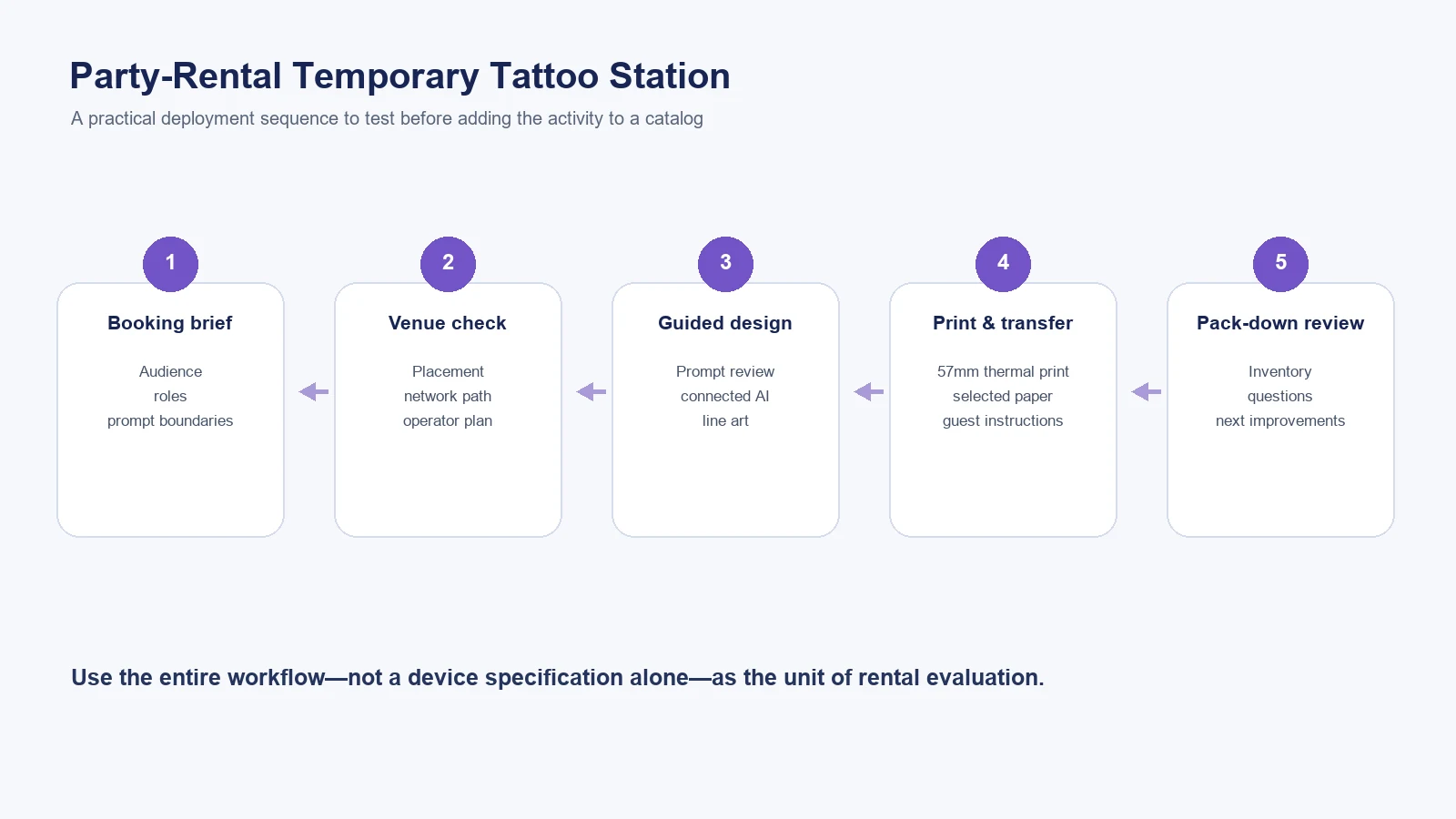
A rental listing is clearer when it sells an agreed operating experience, not an undefined machine capability.
For businesses calculating a broader startup or expansion budget, the U.S. Small Business Administration recommends identifying one-time and monthly expenses before making a launch decision. The same discipline is useful here: create a project-specific equipment, staffing, transport, consumable and documentation list instead of assuming a single device specification tells the whole operating story. Read the SBA’s startup-cost planning guide.
Choose the service model before pricing the package
The same temporary-transfer workflow can be packaged in several ways. These are operating models to test, not promises about revenue or event capacity.
Staffed interaction
An operator welcomes guests, helps refine prompts, reviews line-art output, manages printing and explains the transfer step. This model provides the clearest process control, but staffing and guest flow must be included in every booking brief.
Photo Booth companion
The tattoo station sits beside an existing capture experience. The purpose is to create a second moment in the guest journey, not to replace the Photo Booth. Evaluate placement, queue overlap and the handoff between both activities. See Temporary Tattoo Printer for Photo Booth Business for a dedicated workflow discussion.
Curated rental add-on
The operator offers the station only when the client accepts a defined staff, network, paper and setup scope. This prevents a common issue: treating a connected, paper-based interaction as though it were identical to a simple drop-off rental.
Ask suppliers and clients different questions
Supplier questions establish the project scope. Client questions establish the event scope. Mixing them together leads to vague quotations and difficult event-day expectations.
| Ask the supplier | Ask the client or venue |
|---|---|
| What workflow and selected paper are being demonstrated? | What is the event objective and expected guest journey? |
| Which instructions and documents apply to this configuration? | Where will the station be placed and who approves designs? |
| Which items are included in the specific proposal? | Is a suitable network path available for the connected design step? |
| What requires project confirmation? | Who will staff the interaction and communicate with guests? |
| How is paper supply discussed for the selected configuration? | Are there brand, audience or venue restrictions for prompts and display? |
For a buyer-side method to document these questions, start with How to Start a Temporary Tattoo Business. For equipment-sourcing criteria across an entertainment catalog, see Event Entertainment Equipment: Sourcing AI Tattoo Stations.
When the team is ready to move from rental concept to supplier evaluation, use Temporary Tattoo Printer for Businesses: Beyond DIY Kits for the broader purchasing framework.
A pilot checklist for one real booking
Before adding a station to a permanent rental brochure, run a controlled pilot against an actual event brief.
- Confirm the event audience, permitted prompt themes and the responsible operator.
- Check the venue location, power arrangement where needed and usable network path for the connected AI step.
- Use the demonstrated paper version and current instructions rather than substituting materials without review.
- Record where guests pause, what staff need to explain and which parts of the handoff create questions.
- After the event, review the equipment inventory, paper process, client feedback and unconfirmed supplier items before changing the standard package.
The FTC advises small businesses to have support for objective advertising claims. When building a rental page, avoid presenting an assumed event result, paper performance, duration, safety or capacity statement as a product fact. See the FTC’s advertising guidance for small businesses.
Where K1 can fit—and where it needs further evaluation
K1 can be evaluated where a rental company wants a connected, staff-guided temporary design-and-transfer interaction. Its official product description identifies AI-generated line art, 57mm thermal printing and dedicated temporary tattoo transfer paper as the relevant workflow. The product should be tested with the company’s actual staffing, network, booking and consumable plan.
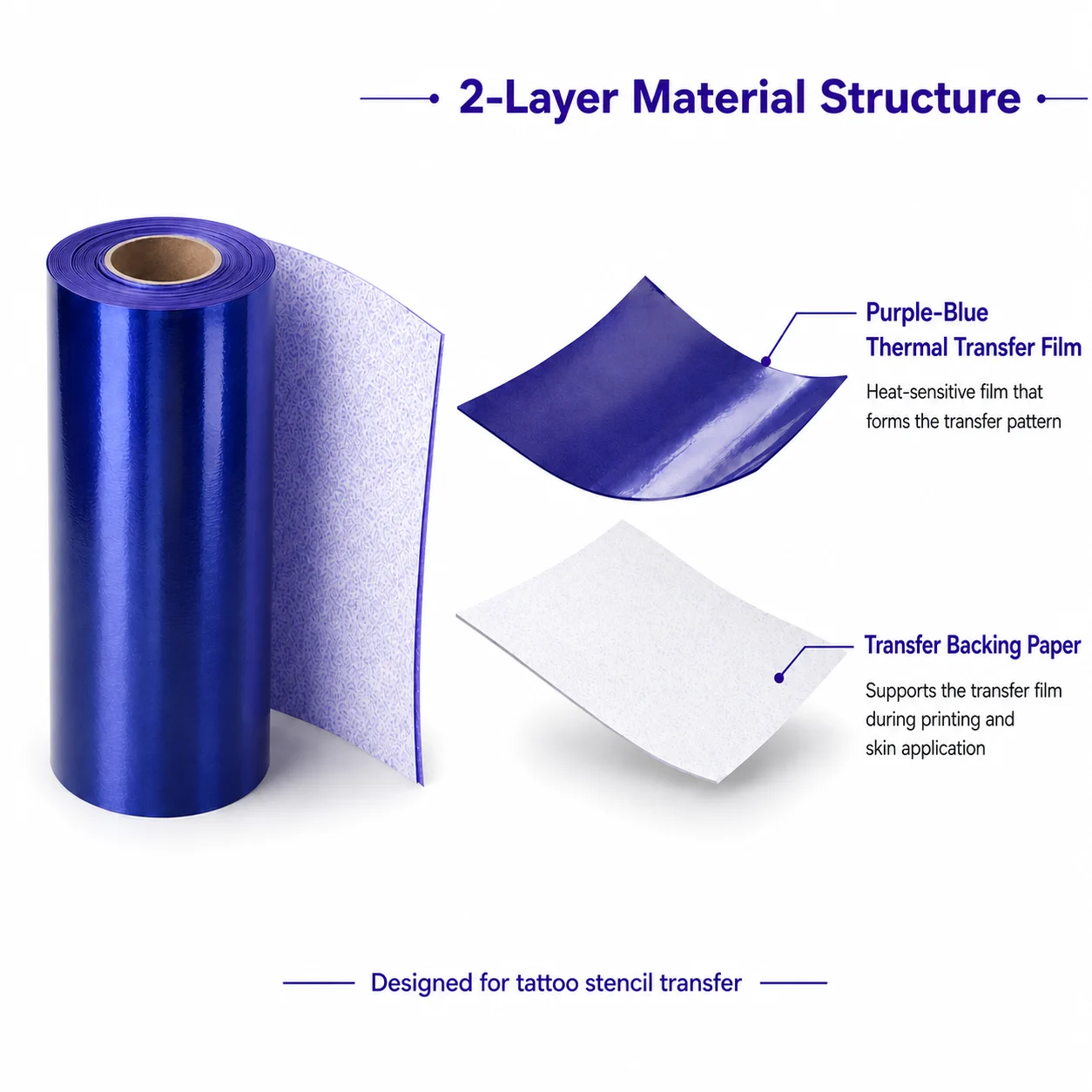
It is not appropriate to infer a fixed guest volume, a safety outcome, a duration, an event return, a support commitment or an unattended operating capability from that category description. Those items require the specific project proposal, venue plan and applicable documentation.
FAQ
What is a temporary tattoo station for a party-rental business?
It is a planned event interaction combining a design process, printing or application method, consumables, guest instructions and operator responsibilities. The right setup depends on the booking and product category.
Can a K1 printer be rented as a permanent tattoo machine?
No. K1 is positioned for a temporary-transfer workflow and should not be represented as permanent-tattoo equipment or a robotic tattoo device.
Does a temporary tattoo rental station need internet?
K1’s AI line-art workflow is connected. The rental operator should verify the venue’s usable network path as part of the event plan.
What should a rental company test before adding this equipment to its catalog?
Test the complete workflow: booking brief, design intake, network, printing, selected paper, staff instructions, guest flow, packing and documentation.
What should be included in a supplier discussion?
Ask about the demonstrated configuration, selected paper, current instructions, documentation, included scope, replenishment discussion and items that still require project confirmation.
A sensible next move
Create one sample event brief and evaluate a temporary tattoo station against it before adding the category to your rental catalog. Explore the K1 AI Tattoo Stencil Printer for its current temporary-transfer scope, then request a sample evaluation and project-specific documentation.


