
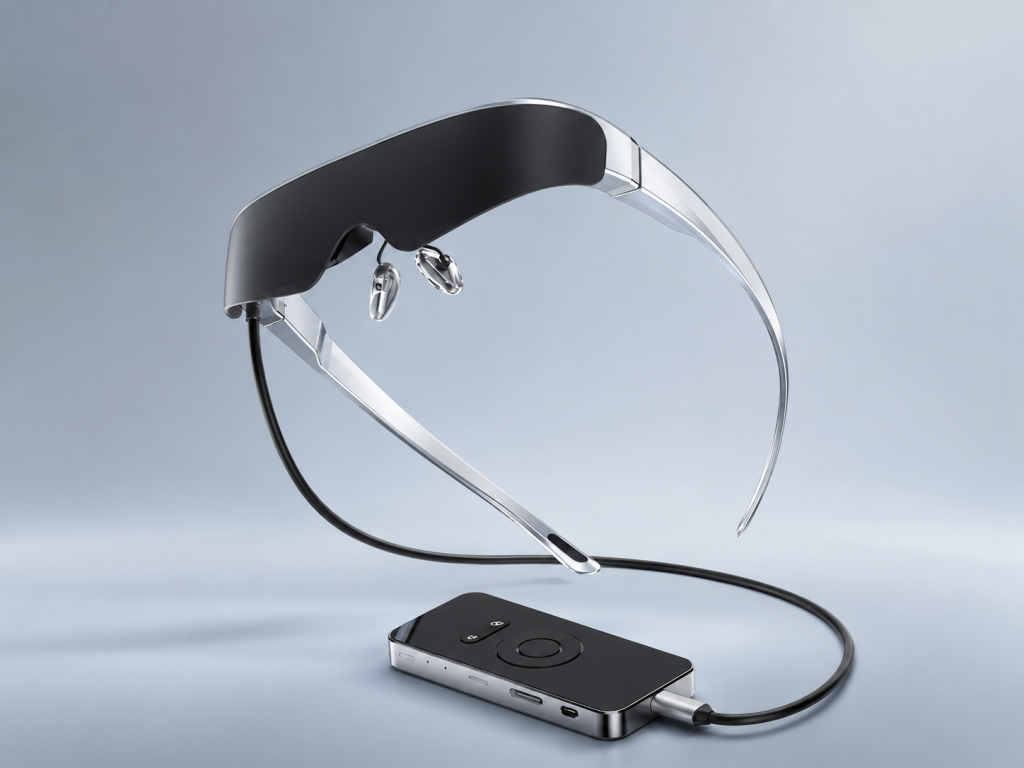
For AR display glasses, a sharp image and a comfortable fit are connected buyer questions. A user may need focus adjustment, prescription inserts, or another approved vision-correction route; the appropriate answer depends on the person’s prescription and the product’s confirmed capability. Comfort also depends on fit, nose support, temple pressure, lens choice, audio preference, cable routing, and session length. A responsible buying guide should explain what to test rather than imply that one adjustment method works for every wearer.
What Buyers Should Know
- Myopia adjustment, prescription inserts, and wearing ordinary glasses are different approaches with different fit and prescription implications.
- A stated diopter-adjustment range does not establish suitability for every prescription or vision need.
- Buyers should test focus and fit during a real viewing session, not only while trying the glasses briefly.
Where This Product Fits
Yosiya’s Smart AR Display Glasses reference configuration lists independent 0–600° myopia adjustment for each eye. It also lists a 78 g glasses body, soft silicone nose pads, wrap-around temples with 15° adjustment, 12 mm eye relief, and two magnetic front-lens modes: semi-transparent and blackout. These are product-evaluation features for a wearable private display; they are not a substitute for an individual eye examination or a promise of prescription correction.
The display system is also part of the experience. The product page states dual 1920 × 1080 Micro OLED displays, 43° field of view, brightness controls, directional dual speakers, and a 3.5 mm headphone jack. What are AR glasses? A wearable display guide supplies the general category context.
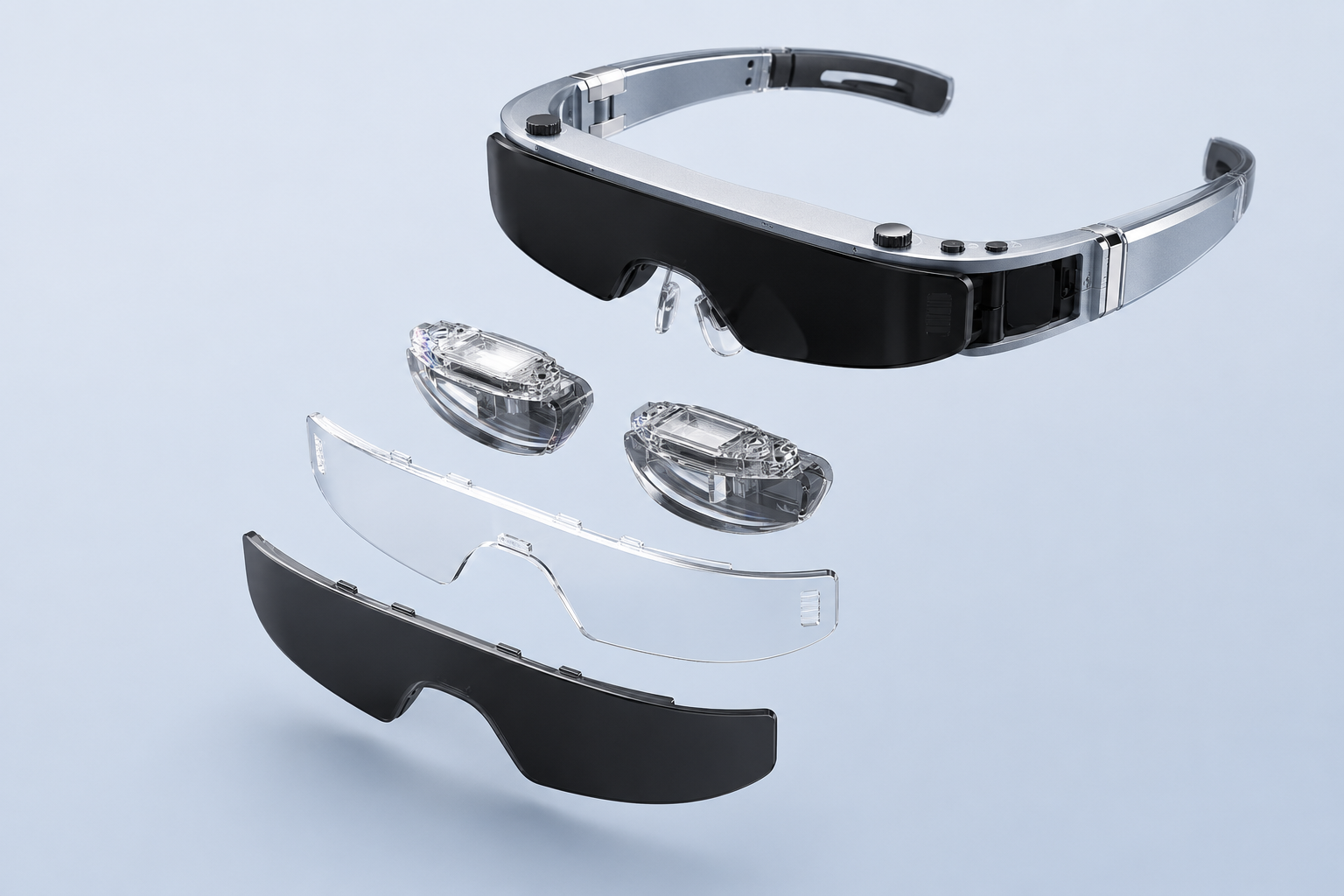
Separate vision correction from product fit
Diopter adjustment can be convenient when it falls within the product’s stated range and the wearer obtains a clear image in a real test. Prescription inserts are a different route, normally made to a particular prescription and product geometry. Industry buyer guides also point out that astigmatism, pupillary distance, and frame fit can affect the result; those needs should not be inferred from a myopia number alone. A prescription-insert versus diopter-adjustment guide is useful background for explaining the distinction.
| Buyer question | What to verify |
|---|---|
| Can the wearer get a clear image? | Test each eye’s focus setting with representative content |
| Is the stated adjustment range relevant? | Confirm the individual prescription and product guidance; do not assume a match |
| Are prescription inserts needed? | Confirm whether the selected configuration supports an insert route and the required lens specification |
| Does the frame sit correctly? | Check nose-pad contact, temple pressure, eye relief, and image position |
| Does the session remain comfortable? | Test the intended duration, lens mode, audio choice, and cable routing |
Use a realistic viewing test
A sales-floor trial may show that the image turns on, but it does not answer whether a customer can use the product for a movie, a game, or a laptop task. A practical test plan should include the content and environment that matter to the buyer.
- Set each eye’s focus adjustment individually, within the product’s supported control range.
- Read text, watch video, and use the intended source device for a representative session.
- Check image position and clarity after normal head movement and adjustment.
- Try the semi-transparent and blackout lens options in the intended environment.
- Test directional speakers and the wired-headphone option according to the user’s privacy preference.
- Stop or change the configuration if comfort or clarity is not acceptable; do not try to solve a prescription issue through unapproved product settings.
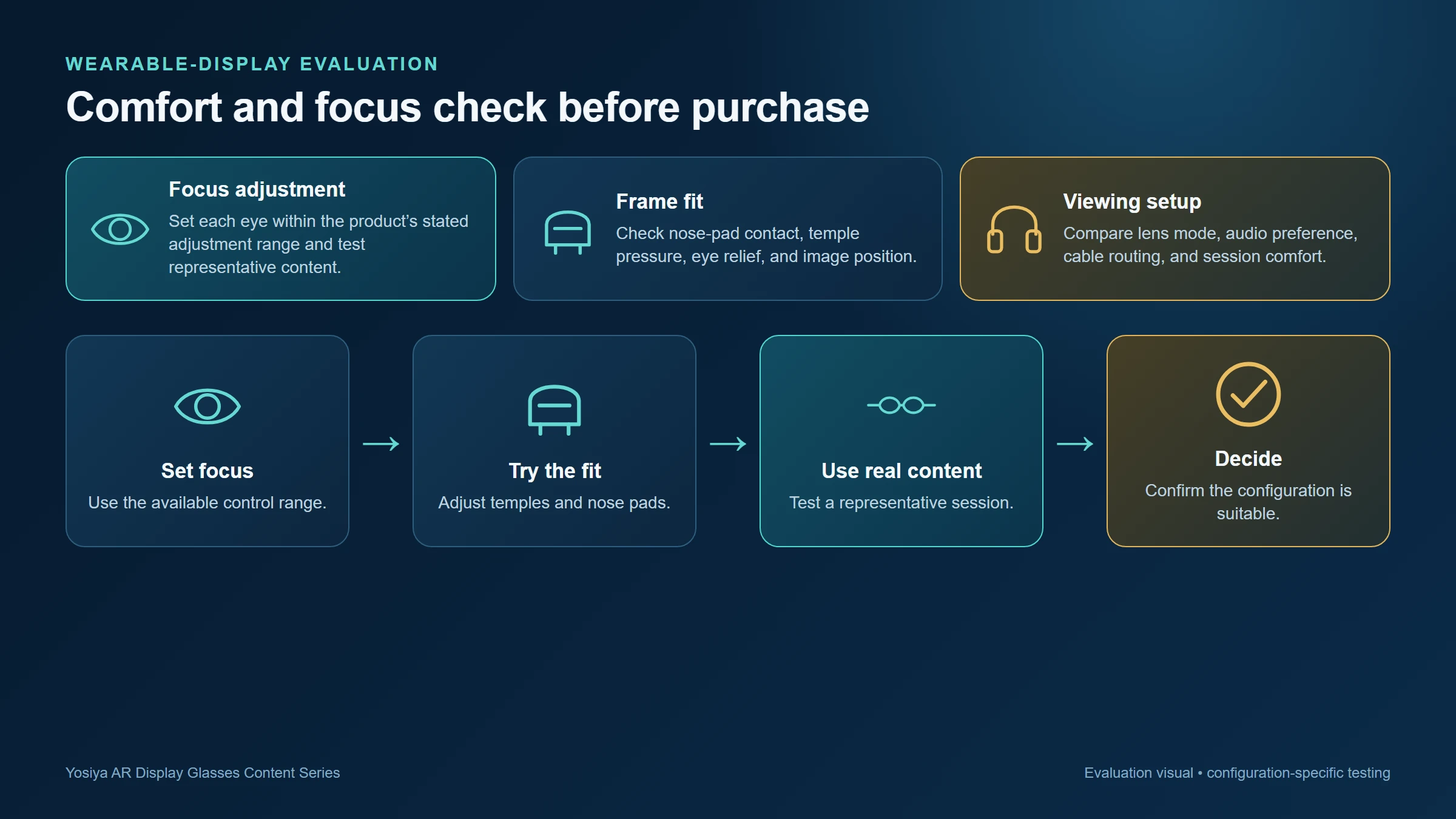
Lens mode and audio affect the use case
The product page describes semi-transparent and blackout magnetic lenses. These are not merely visual styling options. A customer may prefer a more open view when awareness of the surroundings matters, while another may want the blackout option for focused media or gaming. The demonstration should show both modes rather than presenting one as the default for every situation.
Audio deserves the same practical treatment. The glasses list directional dual speakers and a 3.5 mm headphone jack. In a shared train, hotel room, or office, a user may prefer wired headphones. A channel bundle should make that choice clear and avoid implying that built-in audio is private in every environment.
Comfort claims are most credible when the product page explains what can be adjusted and the buyer guide explains what the wearer must still test.
Guidance for brands and distributors
For a wearable-display launch, customer-support materials should not collapse all vision questions into “supports myopia.” Explain the confirmed adjustment range, identify which details need project or optician confirmation, and provide a return or sample-review process appropriate to the channel.
- State the product’s 0–600° adjustment only as the reference product specification.
- Do not promise correction for astigmatism, presbyopia, or any condition not confirmed for the selected configuration.
- Make lens options, fit adjustment, audio choice, and session testing part of the product demonstration.
- Use a product-specific source and connection check, since display clarity also depends on a stable video path.
- Direct buyers needing individual prescription advice to a qualified eye-care professional and the selected product’s approved lens process.
For connection guidance, link to Why Not Every USB-C Port Works with AR Glasses. A no-image or unstable source connection can be mistaken for an optics problem if the device path has not been checked.
FAQ
Do AR glasses with myopia adjustment work for every prescription?
No. The stated adjustment range is one product feature. Individual prescriptions and additional vision needs should be confirmed separately.
Can myopia adjustment replace prescription lens inserts?
Not necessarily. The appropriate option depends on the individual prescription, the product’s confirmed support, and a satisfactory fit and viewing result.
Can I wear normal glasses under AR display glasses?
Do not assume this will provide a comfortable or optically suitable fit. Check the selected product’s approved approach and test the configuration.
What should I test for comfort before buying?
Test focus, image position, nose and temple fit, lens mode, audio preference, cable routing, and a representative viewing session.
Does a blackout lens make AR glasses more suitable for every use?
No. It can support more focused viewing in some environments, while a semi-transparent option may be preferable when the wearer needs greater awareness of the surroundings.
Use a product-specific comfort conversation
Clear product information should separate what the hardware offers from what an individual wearer must validate. Review Yosiya’s Smart AR Display Glasses solution for the reference adjustment, fit, lens, and audio features, then request product-specific guidance for the intended market and buyer group.
For a travel display decision that also considers private viewing and desk space, read AR Glasses vs Portable Monitor for Travel Work. If the intended use is a laptop workflow, the practical connection and session checks are covered in Can AR Glasses Replace a Laptop Monitor?.


