
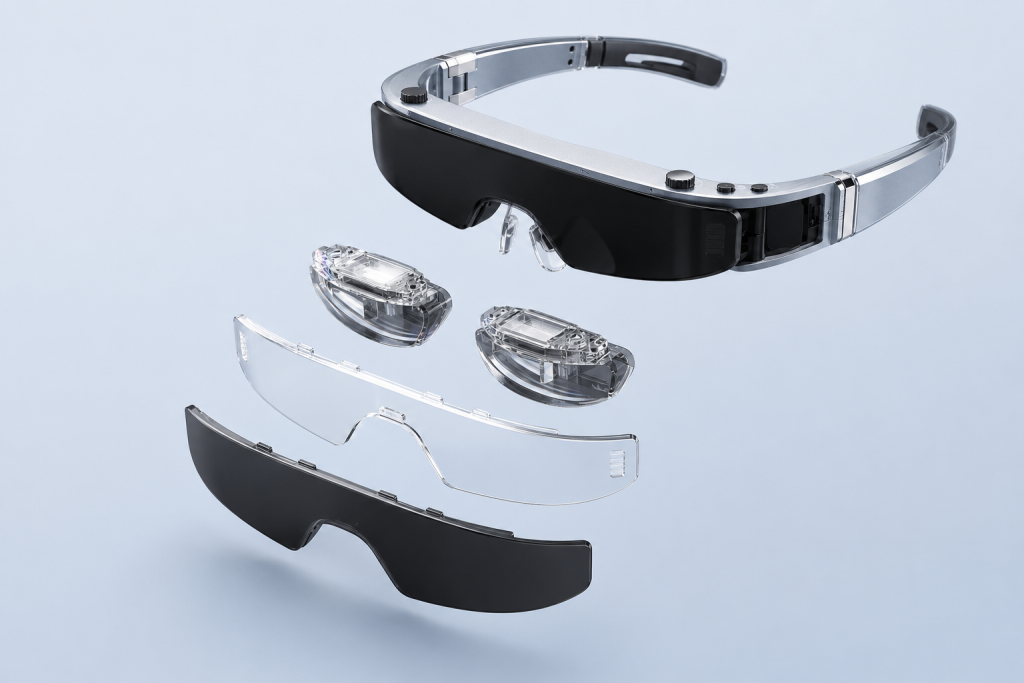
AR display glasses can replace or supplement a laptop screen in selected mobile workflows, but they should not be presented as a universal desktop-monitor replacement. They are especially useful when a user needs a private display while traveling, working in a tight space, or viewing media and dashboards from a compatible source device. The decision comes down to connection capability, text and application testing, wearing comfort, and the reality of the user’s daily work—not simply the size of the virtual image.
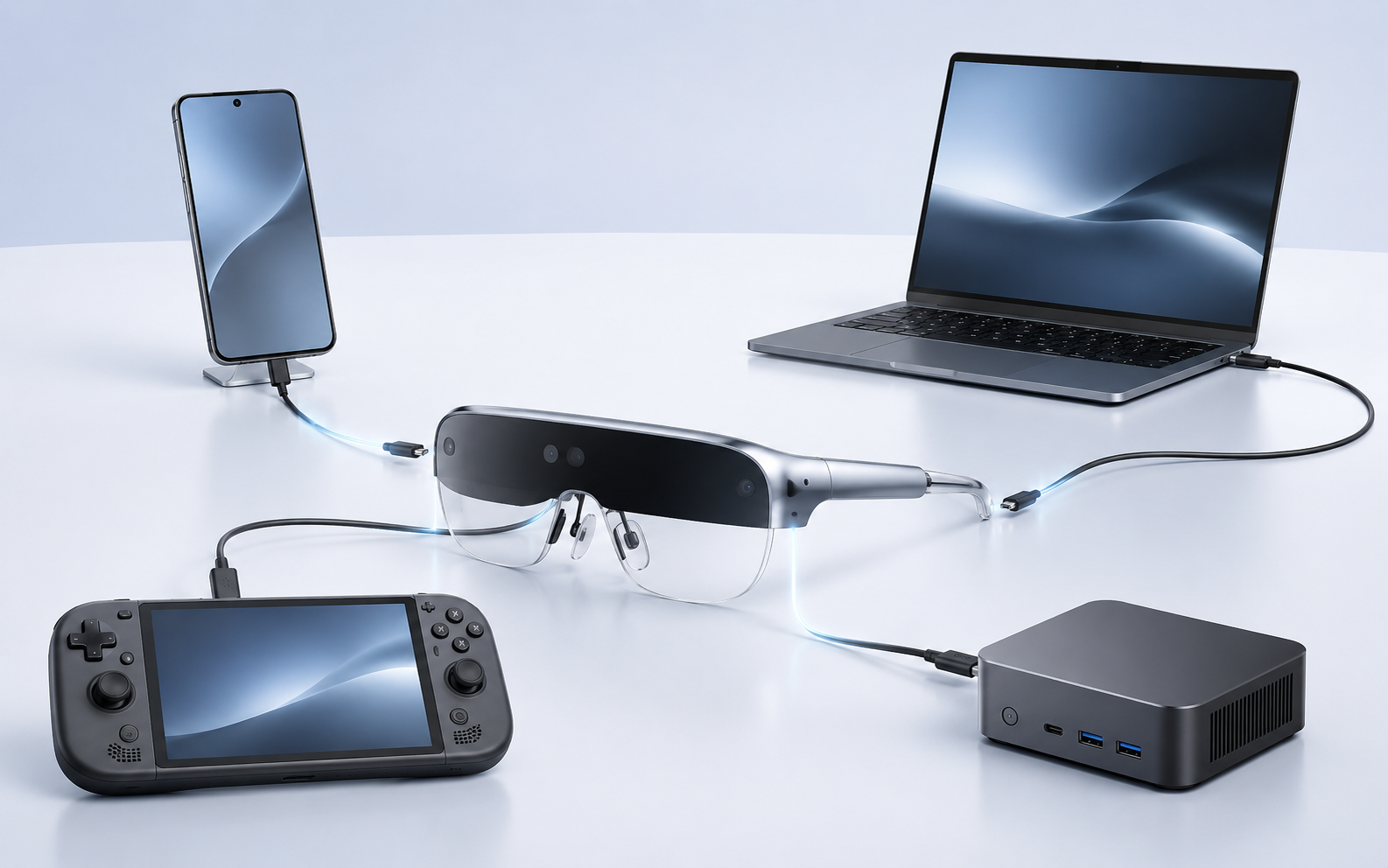
What Buyers Should Know
- A wearable display can be a practical private screen for compatible laptop workflows, but it is not a universal replacement for every desk monitor.
- Verify video output, cable, power, display settings, and sleep/wake behavior as one configuration.
- Test real applications and representative sessions before deciding on a channel promise.
What “replace a monitor” really means
For some buyers, “replace” means watching content without carrying a second panel. For others, it means editing documents, reviewing spreadsheets, working remotely, or running a single large private screen from a laptop. These are different requirements.
Yosiya’s Smart AR Display Glasses reference configuration is positioned as a wearable private-display terminal with dual 1920 × 1080 Micro OLED displays, 60–90 Hz refresh-rate support, a 43° field of view, and a Type-C connection. It can be evaluated for lightweight productivity, travel viewing, gaming, and entertainment when the connected source provides a compatible video path. What are AR glasses? A wearable display guide provides the category context.
| Laptop task | Can wearable display glasses be a fit? | What to validate |
|---|---|---|
| Video, training, and media | Often a strong private-viewing use case | Source video output, audio preference, fit |
| Remote desktop and dashboards | Potentially suitable for a single private screen | Text legibility, scaling, reconnect behavior |
| Documents and spreadsheets | Depends on user preference and session length | Font size, comfort, cursor/input workflow |
| Collaborative review | Usually limited as the only display | Need for colleagues to see the content |
| Color-critical design | Requires project-specific testing | Color workflow, output settings, user acceptance |
First confirm that the laptop can send video
The most common failure is assuming that a USB-C connector is a video port. It is not. Direct Type-C display use requires the laptop’s selected port to support compatible video output, commonly DisplayPort Alt Mode. VESA explains that DisplayPort over USB-C uses the USB-C connector to carry audio/video when the devices implement the required capability. VESA’s DisplayPort FAQ is a useful standards reference.
The connection chain also includes the cable, source role, power behavior, display mode, firmware, and any dock or adapter. This is why Why Not Every USB-C Port Works with AR Glasses should be linked from any laptop-focused buying page.
A laptop that charges through USB-C is not automatically a laptop that can send native video to display glasses through that same connector.
Test the work, not the first image
A connection that shows a desktop for thirty seconds is only the beginning of an evaluation. For a laptop-monitor use case, sample testing should include the work a buyer expects users to do.
- Connect and reconnect after sleep or a cable removal.
- Check font scaling, spreadsheet columns, browser text, and the specific business applications used by the target channel.
- Test the intended cable and, if relevant, a dock with charging and other peripherals attached.
- Test a typical work session for fit, focus adjustment, heat, audio, and user preference.
- Confirm whether the workflow requires a shared screen; if it does, a conventional monitor may still be necessary.
Where This Product Fits
The product page describes an independent Android controller alongside the glasses. That controller can support local operation and media use, reducing dependence on a phone in selected entertainment and demonstration scenarios. For laptop work, however, the core question remains the laptop’s own display-output capability and the tested connection path.
The reference glasses also include independent 0–600° myopia adjustment, adjustable temples, soft silicone nose pads, and a stated 78 g weight. These are useful evaluation features, not a guarantee that every wearer will prefer glasses to a physical monitor. Procurement teams should include different fit and prescription needs in the sample review.
When a physical monitor still wins
A physical monitor remains the clearer solution when people need to view the same content, when an organization requires a conventional desk setup, or when the work relies on a specific color, multi-screen, or long-session workflow that has not been approved with glasses. This is not a weakness in the category; it is a boundary that makes product positioning more credible.
Why AR products behave like personal displays is useful for setting that expectation with channel buyers. Use the phrase “private wearable display” rather than promising a full replacement for every monitor setup.
Buyer checklist for laptop use
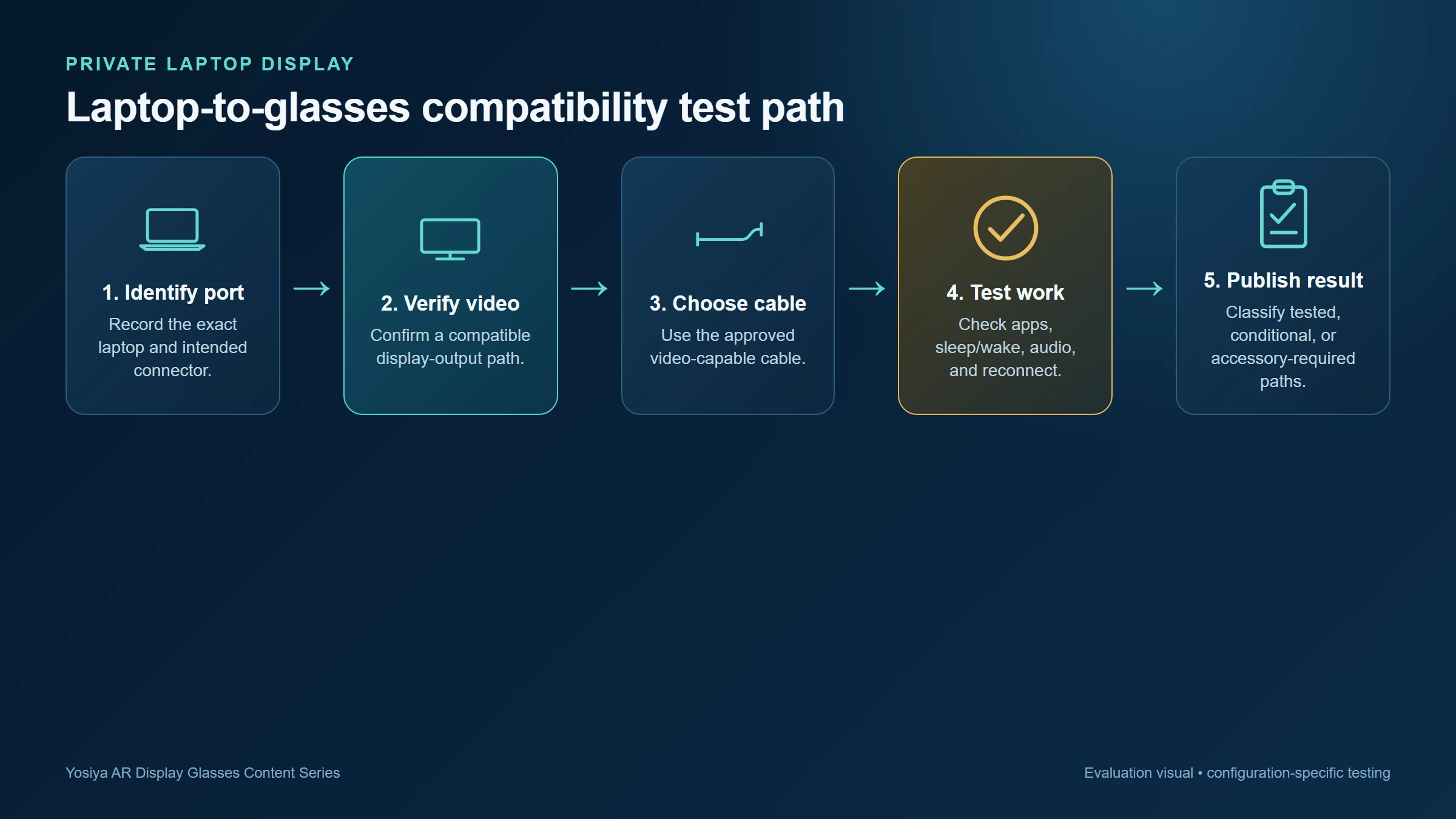
- Record the exact laptop model, port, operating-system version, and graphics configuration.
- Confirm compatible USB-C display output or document a tested conversion path.
- Use the approved cable, dock, charger, and display setting as one complete configuration.
- Test real work apps, sleep/wake, extended use, audio routing, and support recovery.
- Categorize results as tested, conditionally supported, accessory required, or not supported.
FAQ
Can AR glasses be used as a laptop monitor?
Yes, for a compatible laptop and a validated connection path. Whether they are suitable for the user’s work depends on the application, display settings, and comfort during a representative session.
Does every USB-C laptop support AR display glasses?
No. USB-C describes a connector; the selected port must support a compatible video-output capability.
Can AR glasses create multiple virtual monitors?
Do not assume this from a direct Type-C display connection. Confirm the selected product configuration, source software, and tested workflow before making that claim.
Are AR glasses suitable for spreadsheets and coding?
They may fit some users and portable workflows, but buyers should test font size, scaling, input behavior, and session comfort using their actual applications.
What should a distributor put in a compatibility guide?
Include tested source models, supported ports, required cables or adapters, power notes, display modes, and clear troubleshooting steps for a no-image connection.
Position the product around a tested use case
AR display glasses are most persuasive as a private laptop-display option when the buyer can name the target device, the intended work session, and the validated connection path. Review the DisplayPort Alt Mode guide for AR glasses and the Smart AR Display Glasses solution before preparing compatibility or channel claims. For an OEM/ODM project, request a review based on the actual device list rather than a generic laptop category.
If the buyer is deciding between a wearable display and a conventional second screen, see AR Glasses vs Portable Monitor for Travel Work. For repeatable source-device and accessory qualification, use the OEM AR Glasses Sourcing and Sample-Test Checklist.


