
An OEM AR glasses project should begin with a tested product definition, not a broad promise that the glasses are “USB-C compatible.” For a wearable display product, the most important early decisions are the target source devices, video and power path, accessory bundle, wearing configuration, software or controller role, and the buyer-facing support story. A reference sample can be visually impressive and still create channel problems if those details are left unapproved.
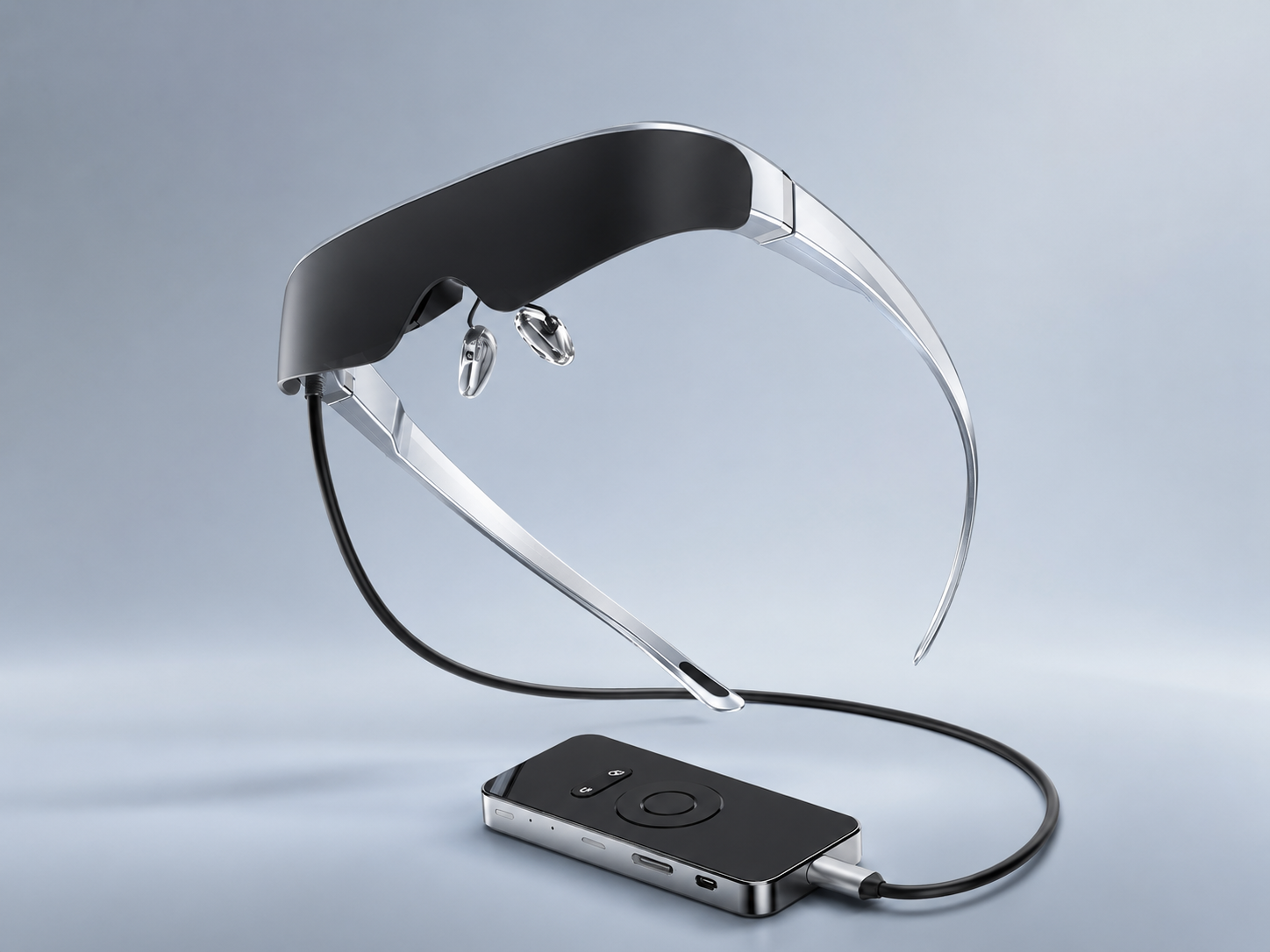
Yosiya’s Smart AR Display Glasses solution is positioned for consumer-electronics brands, distributors, solution integrators, and OEM/ODM projects. The reference package combines display glasses with Type-C connection and an Android controller option; the product page also identifies packaging, instruction materials, UI language, accessory bundles, and sales positioning as project discussion areas.
What Buyers Should Know
- Define the exact use case before approving a source-device list or accessory bundle.
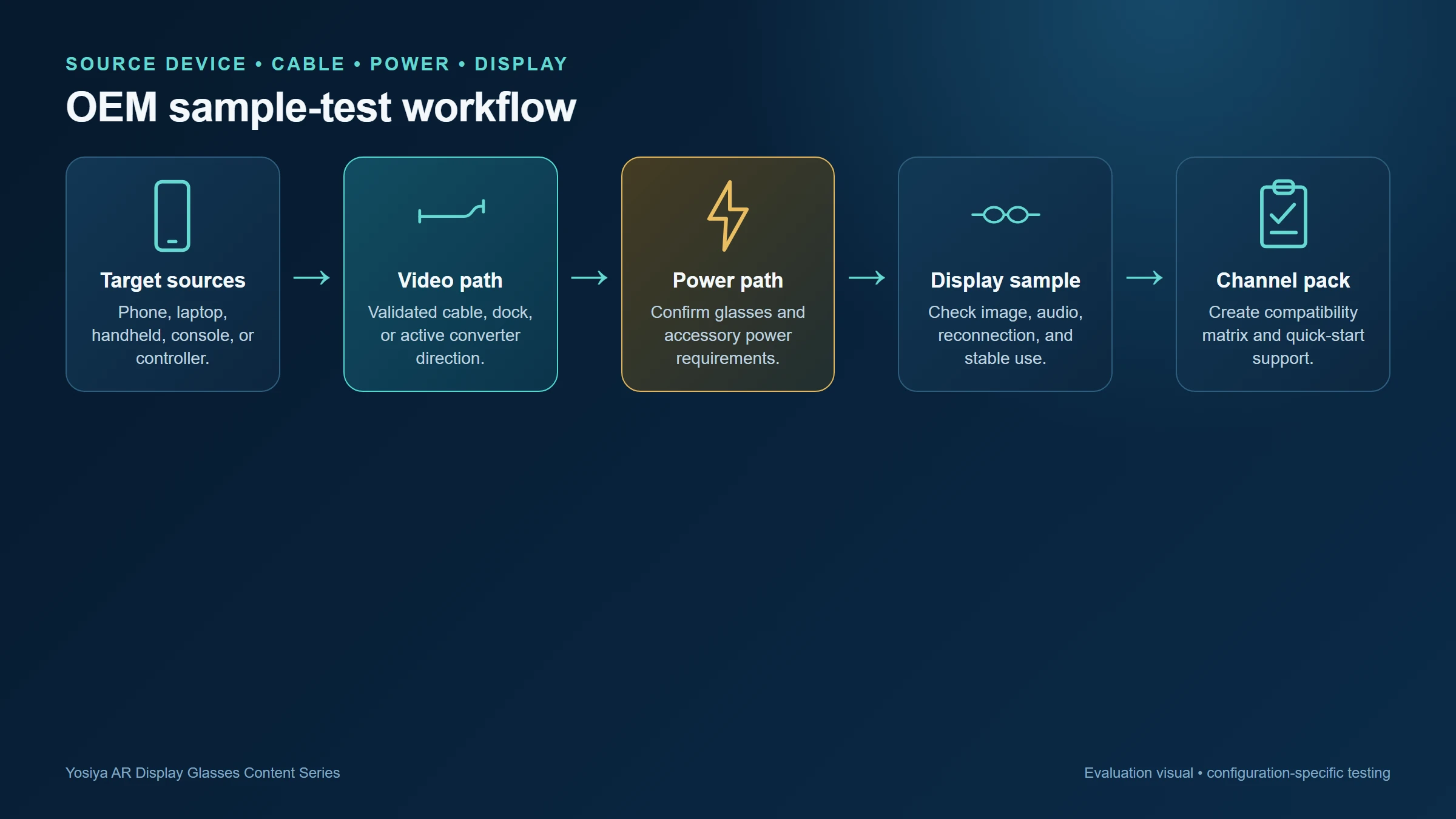
- Treat video, power, cable, dock, converter, and display behavior as one testable connection path.
- Convert sample results into model-level compatibility and support documentation before launch.
Where This Product Fits
Yosiya positions its Smart AR Display Glasses reference solution for consumer-electronics brands, distributors, solution integrators, and OEM/ODM projects. It can be evaluated as a private big-screen entertainment SKU, a gaming accessory, a laptop travel display, or a display terminal in a hardware bundle—provided the selected configuration is validated for that use.
1. Define the category and the commercial job
First decide what is actually being offered. Is the product a private big-screen entertainment SKU, a handheld-gaming accessory, a laptop travel display, or a display terminal in an AI hardware bundle? Each route needs a different source-device matrix, packaging message, and demo plan.
Avoid positioning a display-first product as a fully standalone spatial computer unless that functionality is confirmed for the selected configuration. Why AR products behave more like personal displays offers language for placing wearable display glasses accurately in the category.
| Project decision | Questions to settle before sample approval |
|---|---|
| Target user | Is the primary use travel, gaming, media, laptop work, or a bundled hardware experience? |
| Source device | Which exact phones, laptops, handhelds, consoles, or controllers will be supported? |
| Connection path | Is the route direct Type-C, docked Type-C, HDMI conversion, or controller-based? |
| Accessory bundle | Which cable, adapter, charger, lens accessory, case, and manual are included? |
| Commercial configuration | What branding, packaging, language, UI, and support materials are required? |
2. Treat compatibility as an end-to-end system
DisplayPort Alt Mode is a capability that lets compatible USB-C equipment carry DisplayPort audio/video. It does not come automatically with the shape of the port. VESA notes that DisplayPort over USB-C depends on supported implementation and the proper connection arrangement. VESA’s DisplayPort over USB-C overview is a strong technical reference for product and support teams.
For every declared source device, document:
- Exact manufacturer, model, regional variant, and operating-system version.
- The actual video-output port and whether it supports the intended display path.
- Cable specification, length, and whether it carries the required video and power functions.
- Any dock, active converter, controller, or additional power input—and the direction of the signal.
- Required display modes, startup behavior, reconnect behavior, audio behavior, and sustained-use result.
The internal guide What Is DisplayPort Alt Mode and Why Does It Matter for AR Glasses? can educate buyers before the sample phase. Link Why Not Every USB-C Port Works with AR Glasses in support documentation to reduce the “it charges but shows no image” problem.
3. Separate the glasses from the controller decision
Yosiya describes an Android 11 controller with RK3566, 2 GB RAM, 32 GB storage, Wi‑Fi 6, Bluetooth 5.0, and local TF-card expansion up to 512 GB in the reference configuration. It is presented as a way to make the glasses easier to demonstrate and use for local media, rather than only relying on an external phone.
That creates two valid commercial paths:
- Glasses-led configuration: sell the wearable display primarily as an accessory for compatible external sources. This places more weight on a precise compatibility matrix and accessories.
- Controller bundle: offer a more self-contained demonstration and media path. This places more weight on controller UI, preloaded-content policy, power, support flow, and bundle packaging.
Neither is automatically the better SKU. The channel, content model, and target source devices should decide. The controller specification and final feature scope should be confirmed for the selected project version before publication.
4. Evaluate comfort and viewing options in the real sales scenario
The product page lists a 78 g glasses body, soft silicone nose pads, 15° temple adjustment, independent 0–600° myopia adjustment, directional speakers, a 3.5 mm headphone jack, magnetic transparent and blackout lenses, and a hardware 2D/3D switch. These are useful sample-review items.
They should be tested with the intended audience instead of converted into blanket comfort claims. Review fit across different face shapes, focus settings, the lens option used in the channel demo, audio preference in public spaces, and the length of the intended session. For 3D content, confirm the content format and expected playback path; Yosiya’s product page specifies side-by-side 3D video content for that mode.
A good OEM sample is not only one that turns on. It is one whose fit, connection path, accessories, and support wording can be repeated by a distributor without improvisation.
5. Turn sample results into a channel-ready package
Once a configuration passes testing, convert the result into materials that a buyer and customer-support team can use.
- A tested-device matrix, with configurations marked tested, conditional, accessory required, or not supported.
- A one-page connection diagram showing source direction, cable, converter, and power input.
- Packaging language that distinguishes Type-C connector shape from verified video compatibility.
- A quick-start guide explaining first connection, no-image troubleshooting, audio choice, lens option, and support escalation.
- A project checklist for logo, UI language, packaging, manual, accessory bundle, regulatory documents, and after-sales responsibilities.
For the referenced controller, the product page lists 3C, CE, FCC, and ROHS among available certification materials. Confirmation must still be tied to the selected production version, target market, and final configuration; do not turn a reference listing into a universal market-approval claim.
FAQ
What should an OEM buyer test first with AR display glasses?
Start with the exact source devices, ports, cable, power route, display modes, and the intended use session. A first image alone is not an approval result.
Does USB-C mean the glasses will work with a phone or laptop?
No. The source must provide a compatible video-output path, and the completed configuration should be tested.
When is an Android controller useful in an AR glasses bundle?
It can help create a more self-contained media and demonstration path. Its role, content flow, UI, storage, and accessory bundle should be defined for the project.
What accessories should be specified in the OEM quotation?
Specify cables, converters, chargers, lens options, carry protection, manuals, packaging, and any controller or power accessory by exact type and intended use.
Can a supplier publish compatibility with an entire phone or laptop brand?
That is risky. Publish a tested model-level matrix and explain any required accessories or conditions instead.
Make the product definition testable
The strongest AR glasses sourcing project is a documented configuration: named sources, approved cable and power path, known display behavior, reviewed fit, and repeatable channel materials. Start an evaluation with the Yosiya Smart AR Display Glasses solution and bring a concrete target-device list, launch market, intended bundle, and customization requirements to the project discussion.
When the project includes a supplied media device, compare the commercial paths in Android Controller vs Phone-Tethered AR Glasses. For channel programs focused on handheld gaming, add the test cases in AR Glasses for Handheld Gaming: A Buyer Test Guide.


