

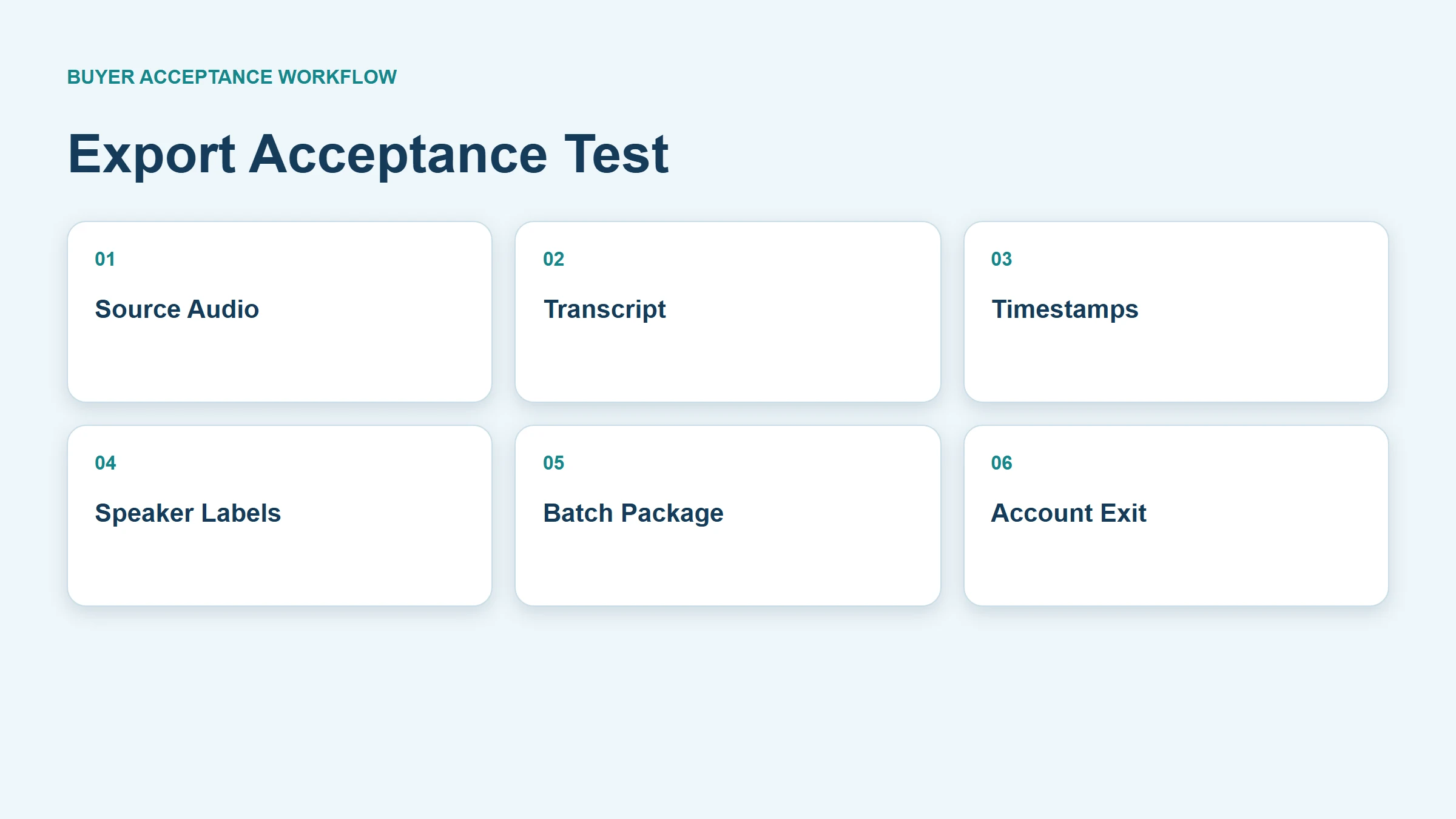
Voice recorder data export requirements should cover more than a Share button. Buyers need access to the original audio, usable transcript text, timestamps, speaker labels when included, summaries, metadata, and a complete bulk or account-exit process. Test every required format by exporting a controlled project, opening it outside the vendor application, matching it to the source file, and confirming that identifiers and corrections survive. MG6 supports offline WAV recording and magnetic charging/data transfer, while transcript, subtitle, speaker-label, PDF, API, and bulk-export options depend on the selected connected service and must be confirmed.
What Buyers Should Know
- Separate source-audio export from derivative AI-output export.
- Specify required formats, fields, naming rules, and character encoding.
- Reopen exports outside the supplier application.
- Test one project, a batch, and full account exit.
- Preserve stable IDs and a manifest so files can be reconciled.
Define the export package
| Object | Minimum buyer question | Evidence |
|---|---|---|
| Source audio | Is the original downloadable without re-encoding? | Hash, duration, codec, channels, file size |
| Transcript | Is editable text available? | Opened TXT, DOCX, JSON, or other agreed file |
| Timestamps | Are start and end positions retained? | Sample jump-back comparison |
| Speaker labels | Do labels and corrections survive? | Export reopened outside the service |
| Summary | Can approved text be exported separately? | Version and reviewer status |
| Metadata | Are project ID, date, language, and source linked? | Manifest or structured fields |
| Batch | Can multiple projects be retrieved consistently? | Timed batch test and error log |
“WAV export” alone is incomplete. WAV is a container and can carry different audio encodings and metadata. The Library of Congress WAVE format description explains WAVE as a RIFF-based wrapper that can contain an audio bitstream and additional chunks. Record the actual properties rather than relying on the extension.
Separate source fidelity from convenience copies
An MP3 or streaming link may be convenient for review, while an original WAV can be preferable when the organization needs a stable source for reprocessing or evidence. This does not make every WAV archival or prove that MG6 uses a particular codec, sample rate, bit depth, or metadata profile.
The Library of Congress Recommended Formats Statement for audio favors well-documented, high-quality audio and complete metadata for its collecting context. Buyers can borrow the principle of preserving native source quality, but should not claim that a product meets Library of Congress preservation requirements.
Record for each audio export:
- Filename and stable project ID.
- Duration, file size, codec, sample rate, bit depth, and channels.
- Creation and export timestamps with time zone.
- Whether the file is original, normalized, clipped, or re-encoded.
- Checksum when integrity tracking is required.
- Relationship to transcript and derivative outputs.
Specify transcript and subtitle structures
Plain text is readable but may discard timing and attribution. DOCX or PDF can preserve presentation while limiting automation. CSV can help with segmented review. JSON can preserve structured fields but requires a documented schema. Subtitle formats can represent timed cues, though service implementations vary.
W3C’s WebVTT specification defines a timed-text format with cues and timestamps. Cite it only to explain the format; do not imply that MG6 or a selected service exports WebVTT. RFC 8259 defines JSON syntax, but a .json export is useful only when the provider documents field names, identifiers, null behavior, versions, and character encoding.
For every proposed transcript format, test punctuation, Unicode characters, paragraph breaks, timestamps, speaker labels, renamed speakers, confidence fields if offered, corrections, and links back to audio.
Do not confuse WAV with Broadcast Wave
The European Broadcasting Union’s Broadcast Wave Format specification extends WAV-style interchange with broadcast-oriented metadata. MG6 support for WAV does not establish BWF support. If embedded metadata is required, ask for a sample file and inspect its actual chunks rather than inferring them from the extension.
Use sidecar metadata when the source format cannot carry all required business fields. A manifest can map recorder asset ID, source filename, meeting or job ID, user, capture time, service project ID, transcript file, summary file, export time, and checksum.
Run three export tests
One-project test
Create a controlled recording with two speakers, a corrected name, a number, a timestamped passage, and a summary. Export every promised format and open each file in a separate application.
Batch test
Export a representative group containing different dates, languages, durations, and statuses. Check missing files, duplicate names, folder structure, throttling, partial failures, retry behavior, and the manifest total.
Account-exit test
Simulate contract end. Identify who requests the export, authorization requirements, preparation time, delivery method, encryption, password exchange, expiration, completeness report, correction window, and deletion sequence.
Do not wait until termination to discover that only one file can be downloaded at a time or that user corrections are absent from the bulk package.
Verify portability outside the supplier system
An export passes only when the receiving organization can use it. Test on the approved archive, document system, analytics environment, or review tool. Preserve the raw export and write conversion steps separately.
| Check | Pass condition |
|---|---|
| Openability | Required software opens the file without vendor access |
| Completeness | Manifest counts match projects and objects |
| Identity | Stable IDs connect audio, transcript, and summary |
| Timing | Timestamps locate the correct source passage |
| Attribution | Speaker labels and approved renaming remain understandable |
| Text | Required languages and characters render correctly |
| Integrity | Hashes or other controls match the agreed process |
| Repeatability | A second export follows the same documented structure |
NARA’s digital audio and video FAQ notes the importance of metadata with digital audio transfers and references uncompressed WAV in its federal records context. It is not a universal enterprise mandate, but it supports testing metadata and file usability together.
Export design should be coordinated with the recorder storage planning guide and the AI voice-recorder privacy guide. Buyers evaluating the complete processing path can also consult the voice recorder with transcription buyer guide.
Where This Product Fits
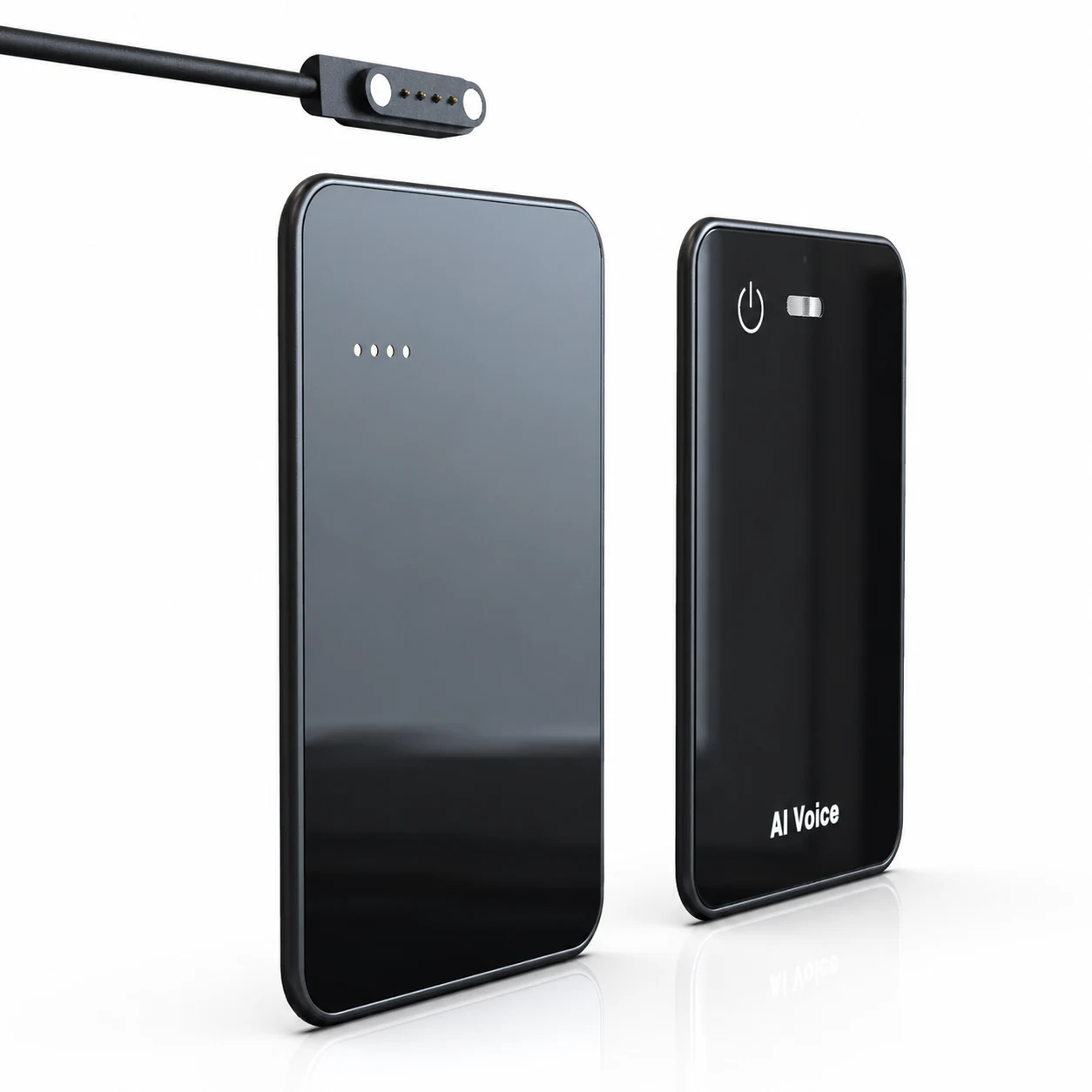
The MG6 AI Recording Card supports offline WAV recording and magnetic charging/data transfer. These facts support evaluation of local source-file retrieval. Connected transcription, translation, summary, and mind-map services are project-dependent.
| Export layer | Confirmed scope | Must be confirmed |
|---|---|---|
| Source audio | Offline WAV recording | Encoding, metadata, naming, transfer behavior, and batch method |
| Physical transfer | Magnetic data-transfer capability | Host compatibility, cable/accessory, speed, errors, and workflow |
| Transcript | Connected service can be scoped | TXT, DOCX, PDF, JSON, SRT, VTT, timestamps, and corrections |
| Attribution | No standard public export claim | Speaker labels, renamed speakers, and mapping |
| Exit | No standard public bulk-export claim | Authorization, completeness, timing, cost, deletion, and evidence |
Put requirements into the quotation
Attach a response matrix with object, format, required fields, sample provided, batch supported, API supported, limits, cost, exit availability, and evidence owner. Mark unsupported or project-dependent items explicitly. A demonstration screen is not a substitute for sample files.
Check limits, failures, and version changes
Export behavior can change with account tier, project size, language, processing status, or service update. Record maximum file size, maximum items per batch, rate limits, preparation time, link expiration, storage charges, export charges, and support escalation. Ask whether a failed batch can resume or must restart.
Create deliberate edge cases: two recordings with the same display name, a project with no transcript, corrected speaker labels, non-Latin characters, a long recording, an interrupted download, and a user whose account has been disabled. The manifest should show omissions and errors rather than quietly producing an incomplete package.
If the provider changes its schema, require version identification and transition guidance. A JSON file without a schema version can be difficult to integrate when fields are renamed or nested differently. Preserve a sample from the accepted configuration for regression testing.
Define ownership after export
Moving files out of a service transfers operational responsibility. Assign an owner for the destination, access permissions, integrity checks, retention, deletion, and future format migration. Confirm whether the exported package contains sensitive audio, personal information, access tokens, internal links, or hidden metadata.
The receiver should sign off on completeness before the supplier deletes the source workspace. Keep a defined correction window for missing projects or corrupt files. At contract exit, separate four milestones: export requested, package delivered, package accepted, and supplier deletion confirmed. Treating delivery as immediate acceptance can leave the organization without recourse when defects appear later.
For recurring exports, automate only after the manual acceptance test passes. Monitor count differences, failed items, schema changes, and expired credentials, and route exceptions to a named owner.
Retest after a material application, API, account-plan, or export-schema change. Keep the original acceptance package and expected counts as a controlled baseline. A successful download today does not demonstrate that future bulk exports will preserve the same fields, naming rules, or corrected content.
FAQ
Is WAV always better than MP3 for source files?
WAV can preserve uncompressed or other encoded audio in a documented container, while MP3 is commonly lossy. The right requirement depends on the actual encoding, quality, storage, workflow, and retention need. Inspect the file rather than choosing by extension alone.
Should transcript exports include timestamps?
Yes when reviewers must locate source passages, audit corrections, create subtitles, or resolve disputes. Define timestamp precision and whether it applies by word, segment, or speaker turn.
How should speaker labels be exported?
Require stable labels, timing boundaries, renamed-speaker behavior, and an understandable mapping to transcript segments. Do not treat a numbered label as verified identity.
Can recordings and transcripts be exported in bulk?
That capability is service-specific. Test representative volume, manifest completeness, naming collisions, partial failures, limits, charges, and account-exit access before signing.
What should be tested before contract signature?
Export a controlled project and batch, open every format externally, reconcile counts and IDs, verify timing and corrections, document limits and fees, and test the proposed exit procedure.
Request the MG6 export scope
Prepare the object-and-format matrix and sample export test before procurement. Contact Yosiya to confirm MG6 source transfer and the selected connected service’s transcript, metadata, batch, and exit options.


