

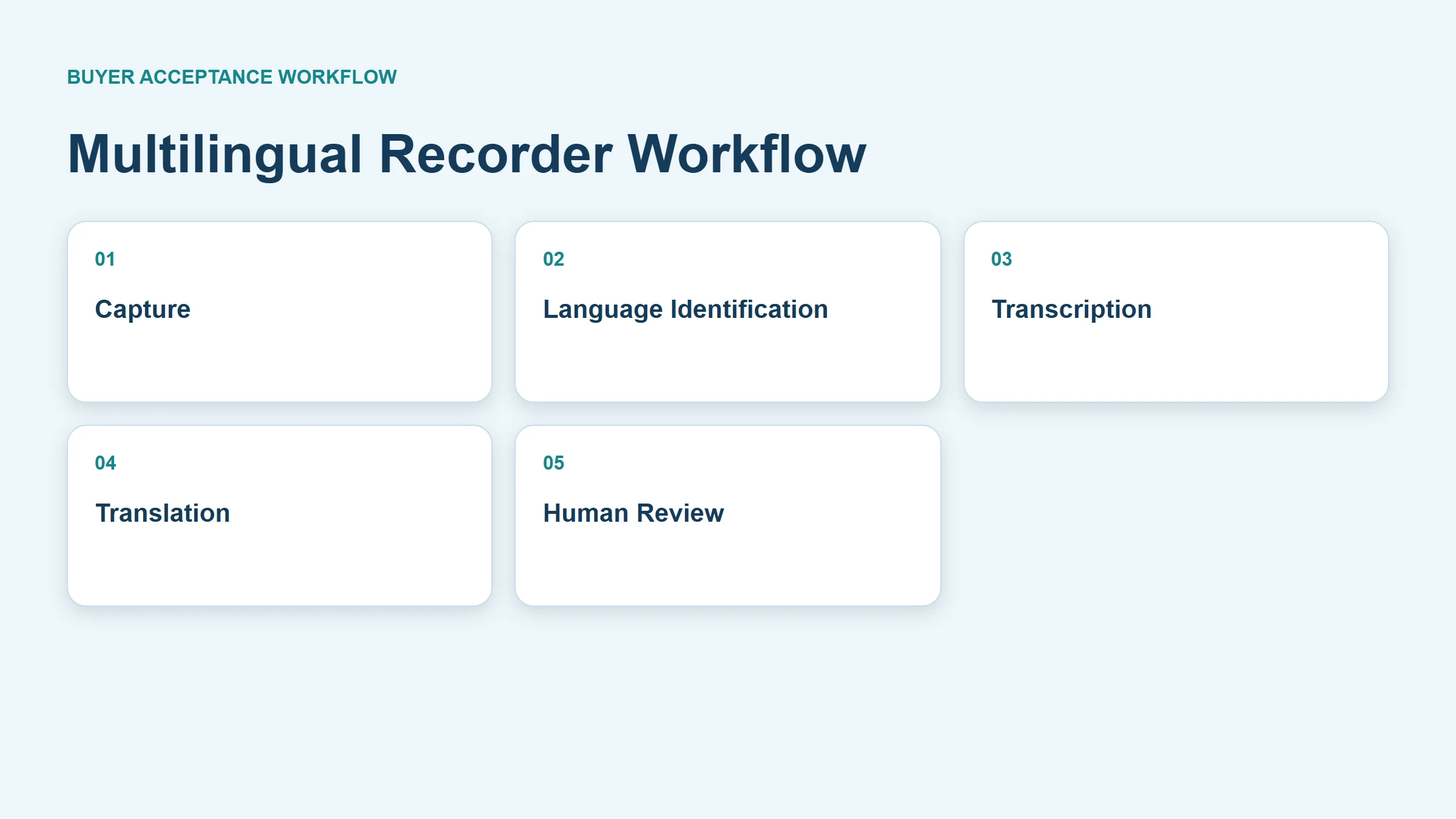
A multilingual voice recorder workflow should preserve the original audio, identify which languages and locales occur, transcribe each spoken language, translate only when required, and send important statements to a qualified human reviewer. Buyers should test both directions of every required language pair, planned code-switching, names, numbers, technical terms, and low-connectivity conditions. “Supports 50 languages” is not an acceptance result: recognition, translation, live processing, speaker labels, glossary controls, and export formats can have different coverage. MG6 can capture an offline WAV source, while connected transcription and translation scope must be confirmed for the proposed project.
What Buyers Should Know
- Separate capture, language identification, transcription, translation, and review.
- Test every required language direction and locale with representative speakers.
- Preserve source audio and the original-language transcript beside translations.
- Build an approved terminology list before testing supplier or factory meetings.
- Confirm connection, plan, latency, export, and data-handling conditions in writing.
Use a five-layer responsibility model
| Layer | Output | Main acceptance question |
|---|---|---|
| Capture | Source audio | Can reviewers hear every required speaker? |
| Language identification | Language or locale label | Does switching occur at the correct segment? |
| Transcription | Same-language text | Are words, numbers, and names correct? |
| Translation | Target-language text | Is meaning preserved without invented detail? |
| Human review | Approved record | Is the reviewer qualified for the subject and language? |
Microsoft’s language-identification documentation treats language identification as a separate capability with candidate-language and processing-mode conditions. It does not establish MG6 language coverage or prove that identification, transcription, and translation share one language list.
Do not collapse the five layers into one accuracy percentage. A clear recording can still receive the wrong language label. A correct transcript can be mistranslated. A fluent translation can also omit a technical qualifier that changes a purchase decision.
Build a project language matrix
Start with actual meetings rather than a marketing language count.
| Requirement | Buyer entry |
|---|---|
| Source language and locale | ___ |
| Target language and locale | ___ |
| Direction | A→B, B→A, or both |
| Code-switching expected | Yes / No; examples |
| Live or post-meeting output | ___ |
| Required terminology | Product, process, safety, commercial terms |
| Speaker labels needed | ___ |
| Required exports | Original text, translation, timestamps, audio |
| Human reviewer | Role and qualification |
Locale matters. English used by a US sales team, an Indian engineering team, and a Scottish supplier may expose different recognition conditions. Spanish for Mexico and Spain may require different vocabulary. Ask for the exact supported configuration instead of assuming a parent language label covers every intended speaker.
Test both directions with one controlled meeting
Create a short script that contains introductions, product names, model numbers, quantities, dates, delivery terms, a negative statement, and an action item. Record native or representative speakers reading natural turns rather than isolated words.
Run these cases:
- Language A only, with same-language transcription.
- Language B only, with same-language transcription.
- A translated into B.
- B translated into A.
- Planned code-switching within one speaker’s turn.
- Two speakers using different languages.
- A technical glossary term in singular, plural, and abbreviated forms.
- A low-connectivity or interrupted-transfer case.
Google Cloud’s multi-language recognition guidance shows that alternative-language recognition is configured from a limited candidate list and is distinct from translation. Service behavior and supported combinations change, so record the provider, model, configuration, and test date.
Review terminology before it reaches a decision
Supplier meetings contain brand names, component names, tolerances, standards, Incoterms, defect descriptions, and local factory vocabulary. Prepare an approved bilingual glossary with source term, accepted translation, prohibited ambiguity, pronunciation note, and owner.
Google Cloud Translation glossary documentation illustrates how a service can use glossary resources to control terminology. This is an example of a provider feature, not a claim that every MG6-connected service includes glossary support.
Score critical items separately:
- Names, organizations, products, and places.
- Quantities, currencies, percentages, dates, and times.
- Model numbers, part numbers, and technical units.
- Negation, conditions, exceptions, and uncertainty.
- Decisions, owners, deadlines, and commercial commitments.
Keep the original-language transcript beside the translation. A reviewer should be able to jump from a disputed translation to the matching source text and audio.
Measure live and post-meeting workflows differently
Live translation prioritizes latency and turn-by-turn usability. Post-meeting processing can allow longer context, correction, terminology review, and a controlled export. Test the mode the team will actually use.
| Dimension | Live workflow | Post-meeting workflow |
|---|---|---|
| Connection | Continuous availability may matter | Upload can occur later |
| Latency | Directly affects conversation | Usually less important |
| Corrections | Limited during speech | Structured review is possible |
| Context | May be segmented by turns | Longer context may be available |
| Evidence | Interim output can change | Final version can be retained |
Microsoft’s speech translation overview describes real-time speech translation as a service workflow. It does not prove offline translation, a particular language pair, or an MG6 implementation.
Verify summaries against both languages
A translated transcript and an AI summary are two derivative outputs. Review the translation first, then compare every material summary statement with the original audio or approved transcript. NIST’s Generative AI Profile recommends evaluation and monitoring of generative outputs against trustworthy material. It is voluntary guidance and not an MG6 certification.
Classify summary statements as supported, incomplete, mistranslated, assigned to the wrong person, or unsupported. Never approve a commercial commitment solely because it appears in a fluent summary.
Record errors by consequence and correction effort
General word accuracy does not show whether an output is safe to use. Create a bilingual review sheet that keeps source time, source-language text, translated text, error class, consequence, correction, and reviewer together. Classify an error as cosmetic, meaning-preserving, meaning-changing, commercially material, or safety-relevant according to the organization’s use case.
Measure the time required to locate the source passage, understand the problem, correct both versions, and approve the final record. A service that produces fluent text may still create excessive work when it mishandles names or switches languages incorrectly.
Use the same normalization rules across candidates. Decide how punctuation, filler words, numerals, currencies, dates, units, proper names, and partial speech are represented. When two reviewers disagree, retain the disputed passage and resolution rather than silently changing the reference.
Test the operational handoff
The output must remain usable after the meeting. Export the source transcript and translation, reopen them outside the service, and verify Unicode characters, reading direction where relevant, timestamps, speaker labels, glossary corrections, and paragraph alignment.
Run a short failure drill as well:
- Interrupt the network during a planned live session.
- End and resume a bilingual recording.
- Correct a technical term and export again.
- Remove one user’s access and verify ownership of shared records.
- Close a test project and follow the approved retention process.
Document whether interim live text changes in the final output. If the organization retains only the approved version, identify who approves it and how earlier versions are governed.
Compare automation with human language support
Automated transcription and translation can help teams search, draft notes, and review routine discussions. A professional interpreter provides real-time judgment, clarification, cultural context, and accountability that an automated output may not provide. Hybrid workflows can use automation for source preservation and draft text while reserving qualified human support for negotiations, safety instructions, legal discussions, accessibility needs, or other high-consequence communication.
Set the escalation rule before a meeting. The person leading the discussion should know when to pause, request clarification, repeat a number, or move the conversation to a human interpreter. That rule is part of the workflow rather than a measure of recorder performance.
During the pilot, record who requested each correction and whether the change affected the transcript, translation, summary, or all three. This audit trail helps the team distinguish a language-model issue from a reviewer preference and prevents an approved translation from being overwritten without notice.
Buyers can extend this test plan with the multilingual recorder guide for business meetings and the voice recorder with transcription buyer guide. The distinction in offline recording versus offline AI transcription is especially useful when documenting language-service boundaries.
Where This Product Fits
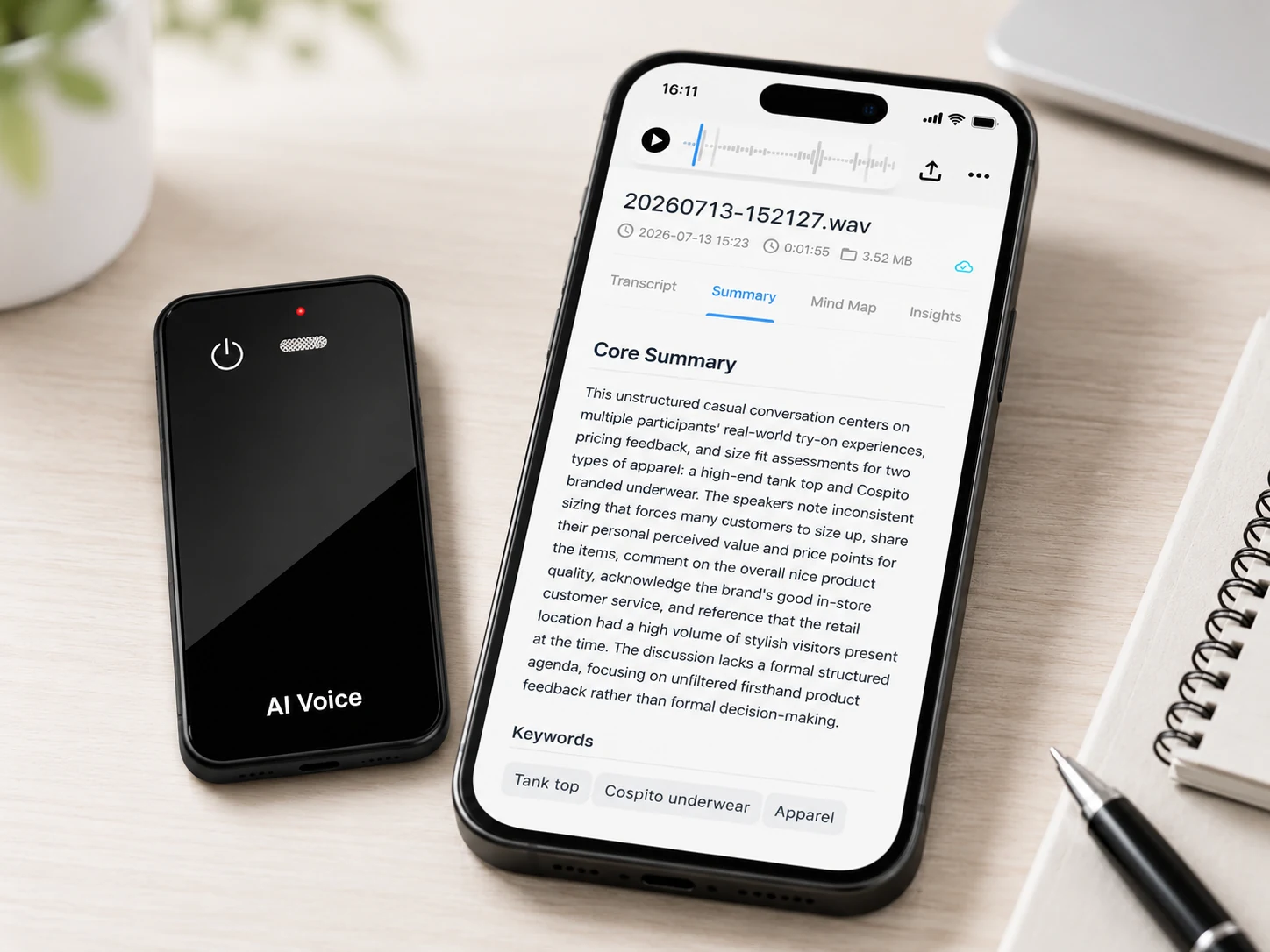
The MG6 AI Recording Card supports offline WAV recording. Connected project services can support transcription, real-time translation, summaries, and mind maps. Exact providers, languages, pairs, directions, terminology tools, live conditions, allowances, and exports require project confirmation.
| Layer | Confirmed MG6 reference scope | Boundary |
|---|---|---|
| Source | Offline WAV recording | Test representative speakers and rooms |
| Identification | Not a confirmed standard feature | Confirm provider, locales, switching, and mode |
| Transcription | Connected service can be scoped | Confirm language, timestamps, labels, and exports |
| Translation | Connected real-time translation can be scoped | Do not claim offline operation or universal coverage |
| Review | Source audio supports verification | Confirm editing, version history, and reviewer access |
FAQ
Does language support automatically include translation support?
No. Recognition, transcription, translation, speaker labeling, and summarization may have different language matrices. Request the exact function-by-language table.
Can multilingual translation run offline?
MG6 supports offline source recording. Translation is part of a connected project service unless a specific proposal proves otherwise; do not infer offline translation from offline WAV capture.
How should language switching be tested?
Use planned switches within and between speakers, record exact switch points, and score identification, original-language text, translated text, and attribution separately.
Who should review technical terminology?
Use a bilingual reviewer who understands the relevant products, process, and commercial context. Give that reviewer an approved glossary and access to source audio.
When is a human interpreter still required?
Use qualified human language support when consequences, law, safety, negotiation, accessibility, or nuance exceed the approved risk of automated output. The organization should set that boundary before use.
Request the current MG6 language matrix
Prepare the language-pair matrix, glossary, test script, connection cases, and review criteria. Contact Yosiya to confirm the current MG6 connected-service language, translation, export, and sample-evaluation scope.


