
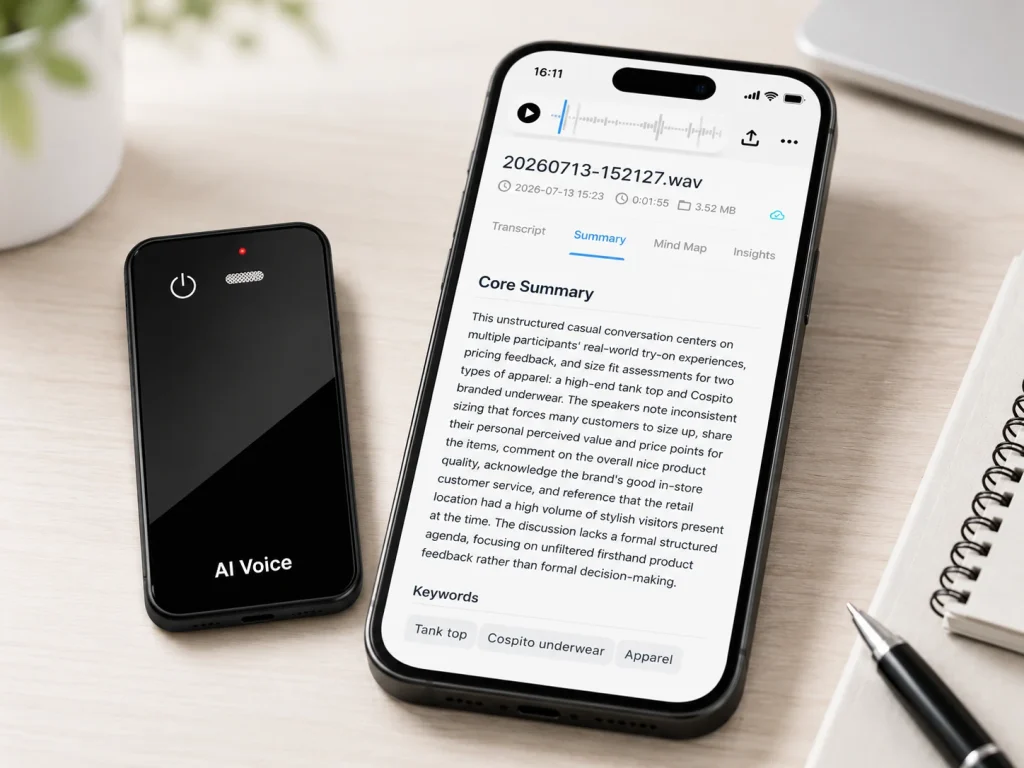
A voice recorder with transcription should be selected as a complete workflow, not as a device with an AI label. Business buyers need to know where the source audio is stored, how it reaches the transcription engine, what remains usable without a subscription, which exports preserve useful context, and who reviews the result. The right choice is the workflow that keeps recording dependable while making the transcript easy to verify and move into business systems. For an OEM project, that also means documenting which functions belong to the recorder, the companion software, and the selected AI service before approving claims or packaging.
What Buyers Should Know
- Treat the original audio and the transcript as separate records with separate access, export, and retention requirements.
- Compare four workflow models with the same meeting file instead of comparing feature lists alone.
- Confirm whether recording continues when a phone, app, account, or network connection is unavailable.
- Record every recurring cost: included transcription minutes, overage rules, seats, storage, translation, and support.
- Require a human review step for names, numbers, dates, commitments, and other high-impact details.
- Run an exit test before purchase: export the audio and reviewed transcript, then confirm what remains accessible after a plan change.
Four ways to record audio and obtain text
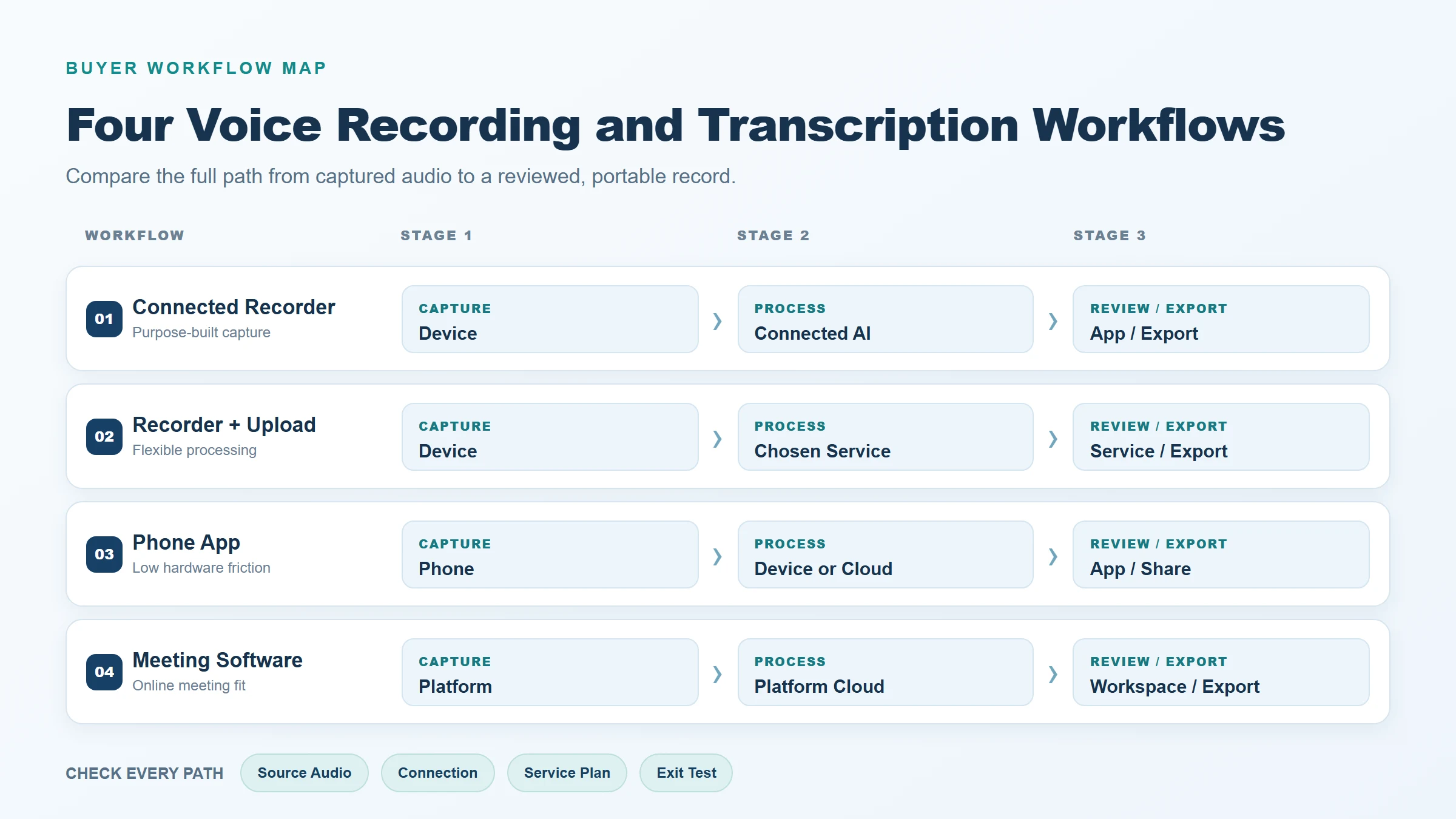
The phrase “voice recorder with transcription” covers several different product architectures. Each can work, but each creates a different dependency chain.
| Workflow | Audio capture | Where transcription happens | Main strength | Main question to test |
|---|---|---|---|---|
| Dedicated recorder with connected AI | Recorder stores the meeting audio | Companion app or connected service | Purpose-built capture with automated text outputs | Can the buyer retrieve the source audio independently? |
| Traditional recorder plus upload | Recorder stores an audio file | Separate transcription service selected later | Strong separation between capture and processing | How many manual steps are required for every file? |
| Phone recording app | Phone captures and may sync the audio | On-device, cloud, or a mixed service path | Low hardware friction | What interrupts recording, and where is the source file stored? |
| Meeting software or meeting bot | Conferencing platform captures the session | Platform cloud service | Convenient for scheduled online meetings | What happens in an in-person room or an unsupported platform? |
A dedicated connected recorder can reduce the steps between a meeting and usable notes. A traditional digital recorder can give the buyer a clear local file before any transcription service is chosen. Sony’s official ICD-TX660 guide, for example, documents copying recorder files to a computer through a direct connection. Apple’s current Voice Memos guide documents sharing a recording as a rendered .m4a file, illustrating how a phone-centered workflow handles source-file movement. These examples do not establish a universal winner; they show why file access should be tested rather than inferred from the product category.
Buyers who need the category boundaries first can read what an AI voice recorder means for business buyers. The key purchasing decision is whether the capture device, the processing service, or both need to remain under the organization’s control.
Compare offline capture, processing location, and ongoing cost
“Works offline” is incomplete unless the supplier names the function. A device may record locally while its speech-to-text processing, translation, summary, or search features require a connected service. This is why offline recording and offline AI transcription should appear as separate rows in an evaluation sheet.
For each candidate, ask the supplier to complete this dependency map:
- Capture: Can the device start, continue, and save a recording without the phone or network?
- Transfer: Can the source file be copied through a physical connection, Bluetooth, an app, or more than one route?
- Processing: Does transcription run on the recorder, on the phone, or in a cloud service?
- Output: Which transcript, summary, translation, and media formats can be exported?
- Access: What can users still open after a subscription expires, an employee leaves, or the service changes?
Pricing belongs in this architecture map because it can change what remains practical. Capture hardware may be a one-time purchase, while transcription is commonly governed by minutes, recording-length limits, seats, or feature tiers. Notta’s official pricing page, for example, separates monthly transcription allowances, per-recording limits, seats, and add-on services. Its help center also states that download features depend on plan and permission. PLAUD’s official export documentation lists different formats for audio, transcripts, summaries, and mind maps. These are product-specific examples, and their terms may change. They demonstrate why buyers should request a dated service schedule rather than assume that buying hardware includes unlimited processing and every export option.
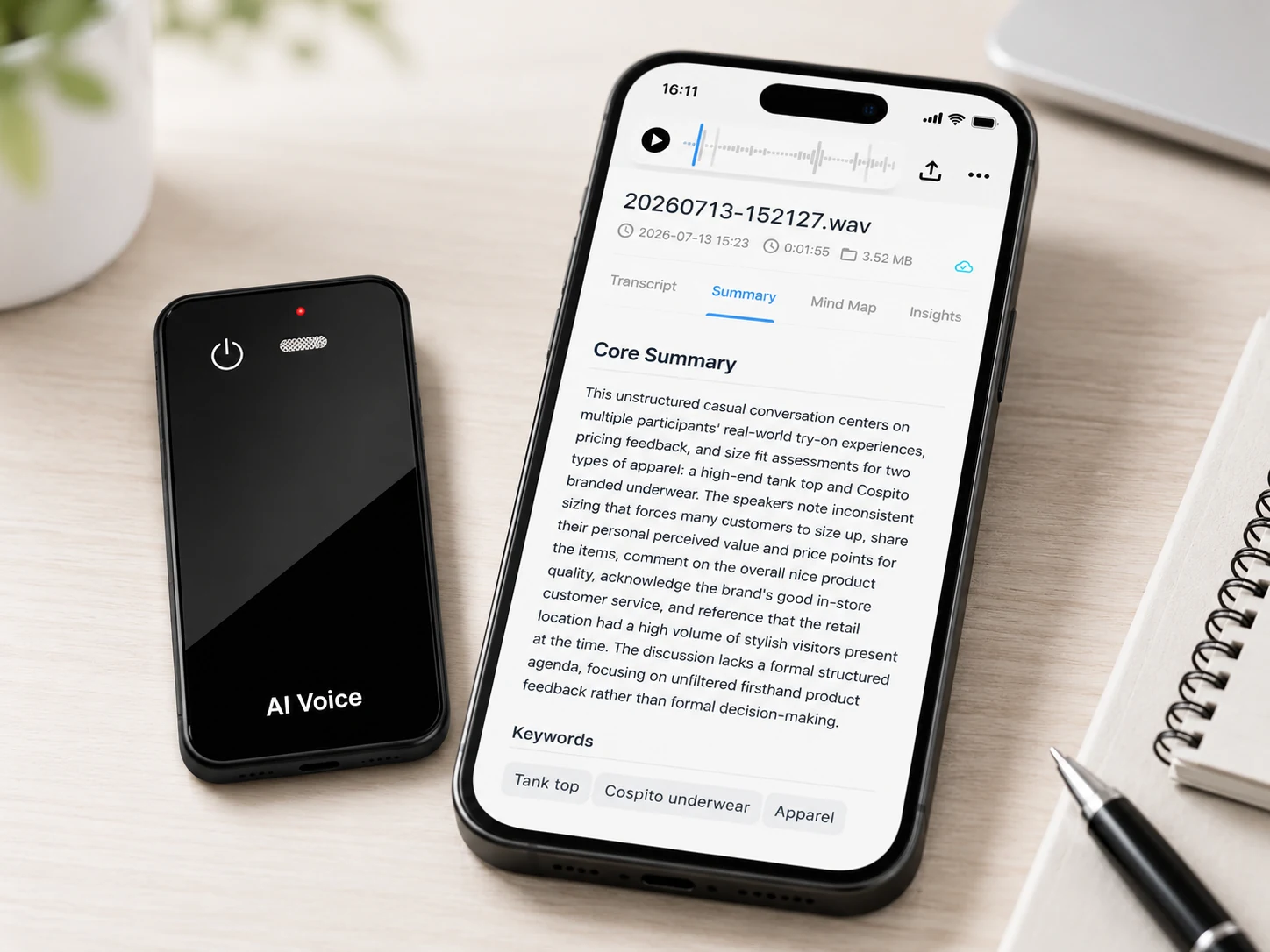
Test one meeting file across shortlisted workflows
A controlled file test exposes more useful differences than a demo prepared by the seller. Record or license one representative meeting sample, create a reviewed reference transcript, and process the same source through every shortlisted workflow. The sample should contain the conditions that matter to the buyer: multiple speakers, company names, product codes, dates, quantities, accents, short interruptions, and moderate room noise.
Use the same review protocol for each output:
- Confirm that the recording is complete and playable before judging the transcript.
- Mark substitutions, deletions, and insertions in the transcript.
- Separately flag critical errors in names, numbers, dates, negation, and decisions.
- Measure review time from first opening the transcript to approval.
- Export the corrected result and check whether speaker labels and timestamps survive.
- Repeat the test after an app, firmware, model, or plan change that could affect the workflow.
Microsoft’s official speech evaluation guidance explains word error rate through substitutions, deletions, and insertions against a human-labeled reference transcript. WER gives buyers a repeatable baseline, but it should not be the only acceptance measure. A low overall error rate can still hide a wrong quantity, a reversed “can” and “cannot,” or a misspelled customer name. Review time and critical-error counts show whether the transcript is useful for the actual business task.
Check access, exports, and plan limitations
An export button does not answer every portability question. The buyer needs to test each record type independently: original audio, generated transcript, corrected transcript, summary, translation, and any speaker or timestamp metadata.
Use this exit test before approving a platform:
| Exit-test item | Evidence to save | Pass condition |
|---|---|---|
| Source audio | Exported file and playback record | File opens in an independent player and matches the meeting duration |
| Corrected transcript | Exported document or text file | Reviewer corrections remain present outside the service |
| Speaker labels | Export sample | Labels remain understandable after export, if included in scope |
| Timestamps | Export sample | Required time references survive in the chosen format |
| Account downgrade | Dated test notes | Buyer knows what becomes read-only, limited, or unavailable |
| User departure | Admin test record | Ownership can be transferred without losing required files |
| Service exit | Written supplier response | Retention, deletion, and bulk-retrieval steps are documented |
Official service documentation shows why this must be verified by version and plan. PLAUD currently documents separate audio, transcript, summary, and mind-map exports, with format and metadata options varying by content type. Notta’s current download documentation identifies multiple transcript formats as well as plan and permission prerequisites. Those details apply to those services, not automatically to MG6 or to another white-label service.
The NIST Privacy Framework offers a voluntary structure for identifying and managing privacy risk. For a recording workflow, that supports asking who collects, stores, processes, exports, retains, and deletes each copy. It does not replace legal review or prove that any recorder complies with a specific privacy law. Organizations should define consent and recording rules for their jurisdictions and use cases before deployment.
Where This Product Fits
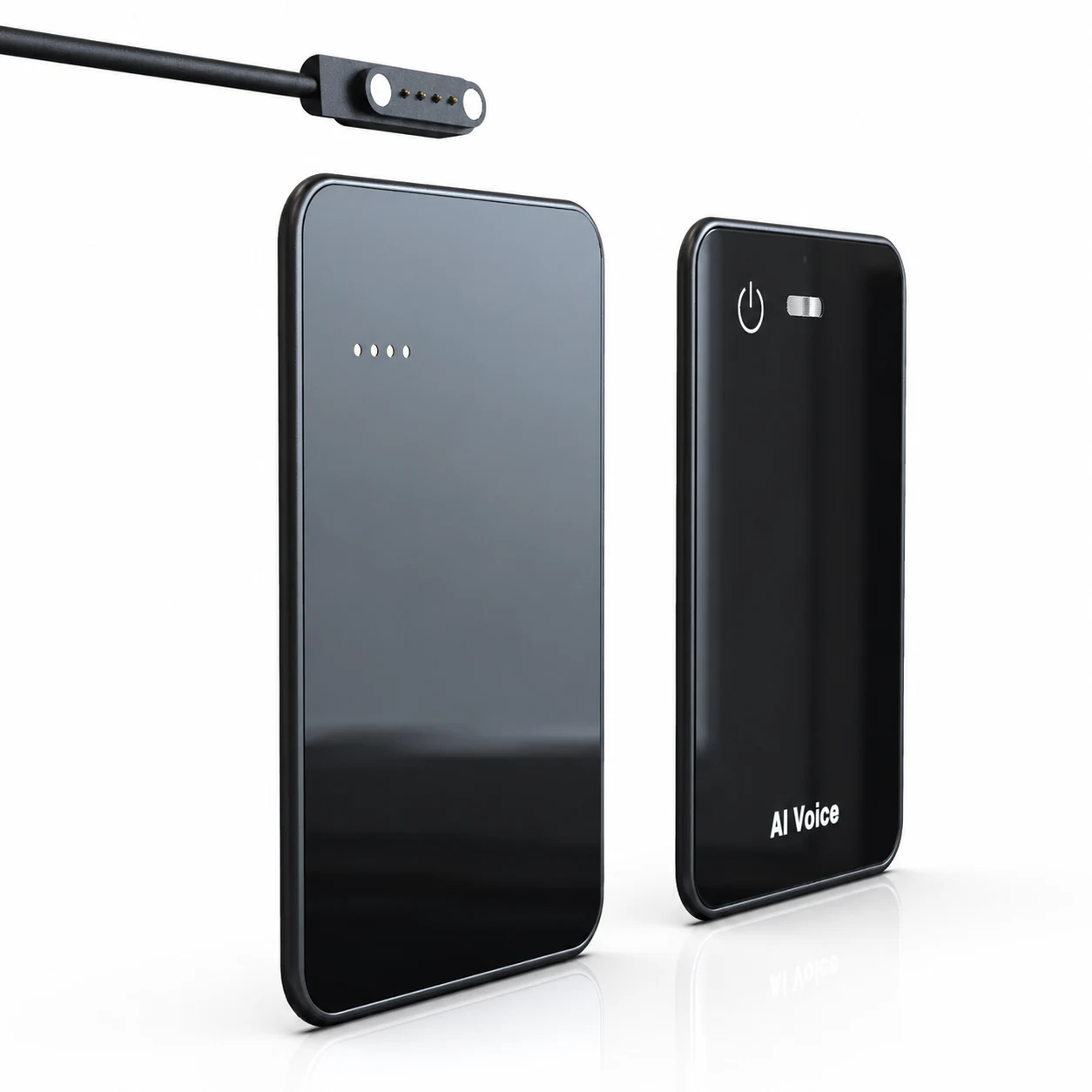
The MG6 AI Recording Card fits the dedicated-recorder-plus-connected-service model. Its confirmed hardware scope includes offline WAV recording, Bluetooth, and magnetic charging/data transfer. Connected services can support transcription, real-time translation, summaries, and mind maps, but the selected service, languages, usage allowances, pricing, and software deliverables depend on the project.
| MG6 workflow element | Status | Buyer implication |
|---|---|---|
| Local source audio | Offline WAV recording confirmed | Test retrieval and playback independently from transcription |
| Transfer path | Bluetooth and magnetic charging/data transfer confirmed | Verify the exact route, compatibility, speed, and recovery behavior |
| AI-generated outputs | Available through project-selected connected services | Confirm provider, languages, allowances, formats, and cancellation access |
That boundary has a practical benefit for evaluation: the buyer can test the capture artifact separately from the AI output. It also creates project questions that must be answered in writing:
- Which app or service receives the WAV file?
- Is transfer available through the magnetic connection, Bluetooth, or both in the proposed configuration?
- Which transcript and audio formats are exportable in the proposed software version?
- Are speaker labels, timestamps, bulk export, account administration, and deletion controls included?
- What happens to audio and text when the service plan changes or ends?
- Who supports the hardware, application, and AI service after launch?
MG6 should therefore be evaluated as configurable hardware within a documented recording-to-review system. The device’s local WAV capability does not mean that AI transcription runs offline, and connected AI functions should not be described as fixed until the project scope is confirmed. Buyers can also review the broader smart voice recorder hardware capability framework before preparing an OEM requirement list.
A practical scorecard for the purchase decision
Score evidence, not marketing labels. A simple 0–2 scale works well: 0 means unsupported or undocumented, 1 means demonstrated with a limitation, and 2 means demonstrated under the buyer’s test condition.
| Decision area | Weight | Evidence required |
|---|---|---|
| Reliable source-audio capture | 25% | Complete playable files from representative meetings |
| Source-file access and transfer | 15% | Timed export test using the proposed hardware and software |
| Transcript usefulness | 20% | WER, critical-error review, and reviewer time |
| Export and metadata continuity | 15% | Opened exports containing the required corrections and context |
| Service limits and total cost | 15% | Dated plan, allowance, overage, seat, storage, and add-on terms |
| Administration and exit | 10% | Account-transfer, downgrade, retention, deletion, and support evidence |
Keep the raw score, evidence link, test date, device version, app version, and reviewer name together. That record makes later changes visible and prevents a polished summary from replacing the evidence behind the decision.
FAQ
Can existing WAV recordings be processed after the meeting?
Often yes, if the selected transcription service accepts WAV uploads and the user has permission and sufficient allowance. MG6 confirms local WAV recording, but buyers should test the exact import route, file-size limit, processing time, and plan requirement for the proposed service.
What should remain accessible after a service plan expires?
At minimum, the buyer should define required access to source audio and reviewed transcripts before purchase. The supplier should document whether files remain downloadable, become read-only, are truncated, or are deleted after a downgrade or cancellation. Do not infer this from hardware ownership.
How should a buyer compare included minutes with overage charges?
Model a normal month and a high-use month using recording duration, number of users, transcription minutes, translations, storage, and add-ons. Ask whether unused minutes carry over and whether failed or repeated processing consumes allowance. Use a dated written quote because service terms can change.
Should speaker labels and timestamps survive export?
They should survive when the downstream workflow needs them, but support varies by service and format. Test a real export in every required format and open it outside the vendor platform. Speaker labeling and timestamp export are not confirmed as standard MG6 functions.
Who should review names and numbers before sharing a transcript?
Assign a person who understands the meeting context and has authority to approve the record. The reviewer should check names, quantities, dates, decisions, obligations, and negation against the audio. Automated transcription should support this review, not replace accountability for high-impact content.
Compare the complete MG6 workflow
Evaluate MG6 with a representative recording, a written connected-service scope, and the exit test above. Contact Yosiya to request the proposed hardware configuration, transfer path, AI service details, export options, and sample-evaluation materials for your branded recorder project.


